
Product Overview
The Dexnor Rugged Case is designed to provide comprehensive protection for your Samsung Galaxy Tab S7 FE 12.4-inch (2021). It features a dual-layer hybrid construction, a built-in screen protector, a convenient kickstand, and a dedicated pen holder.
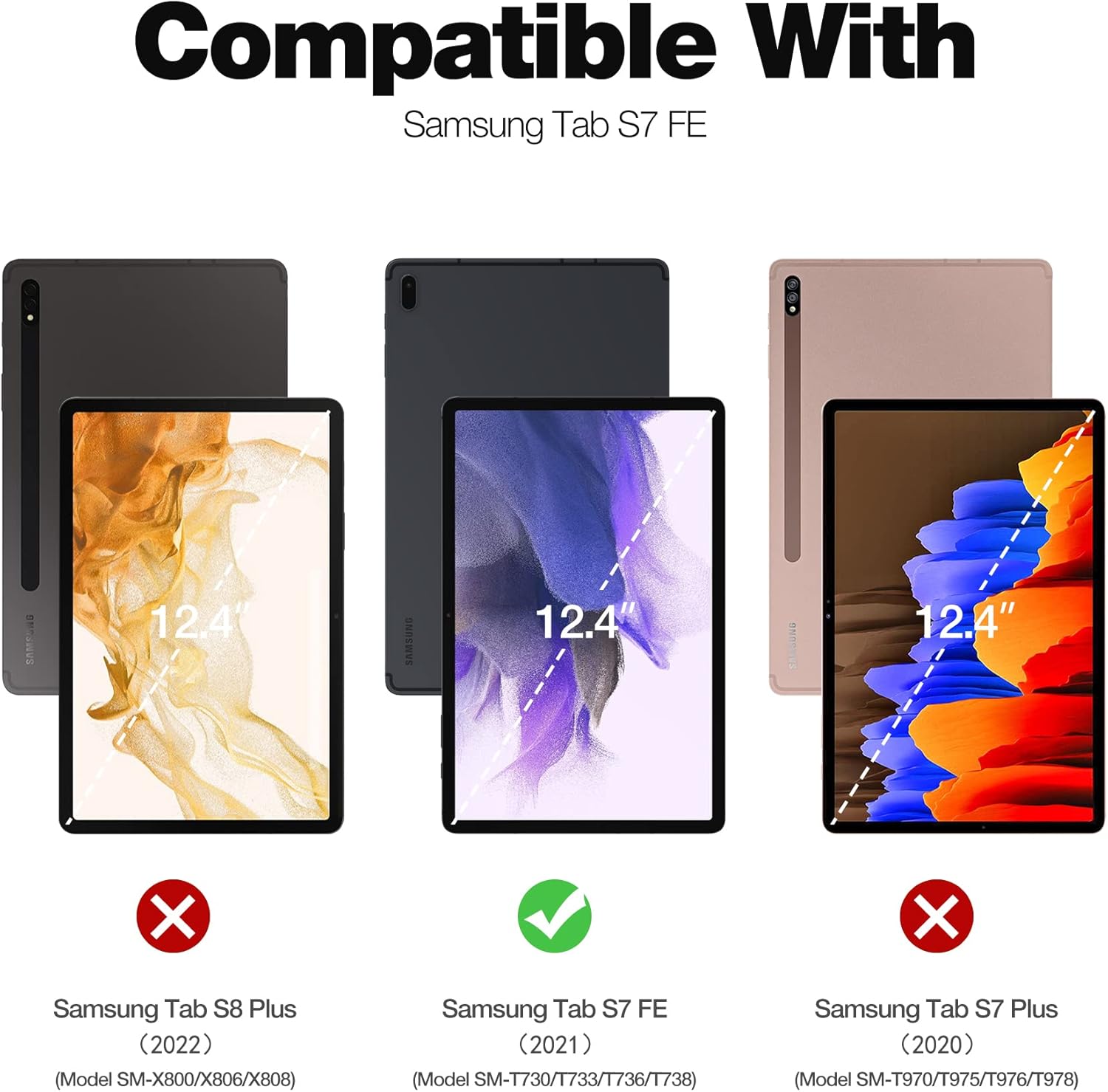
Image: Compatibility chart showing the Dexnor case is specifically designed for the Samsung Tab S7 FE (2021) 12.4-inch model, indicated by a green checkmark, and not compatible with Tab S8 Plus or Tab S7 Plus.
Key Features
- Dual-layer Hybrid Protection: Constructed with shock-absorbing TPU and hard polycarbonate materials for military-grade drop protection.
- Built-in Screen Protector: Prevents screen scratches without affecting touch sensitivity.
- Integrated Kickstand: Offers multiple viewing angles for both landscape and portrait orientations.
- Stylus Pen Holder: Conveniently stores your stylus pen on the back of the case.
- Precise Cutouts: Ensures easy access to all buttons, ports, camera, and microphones.
- Raised Bezels: Provides additional protection for the screen and camera.

Image: Close-up view of the Dexnor case highlighting reinforced corners with bumper shock cushions, indicating military-grade drop protection.
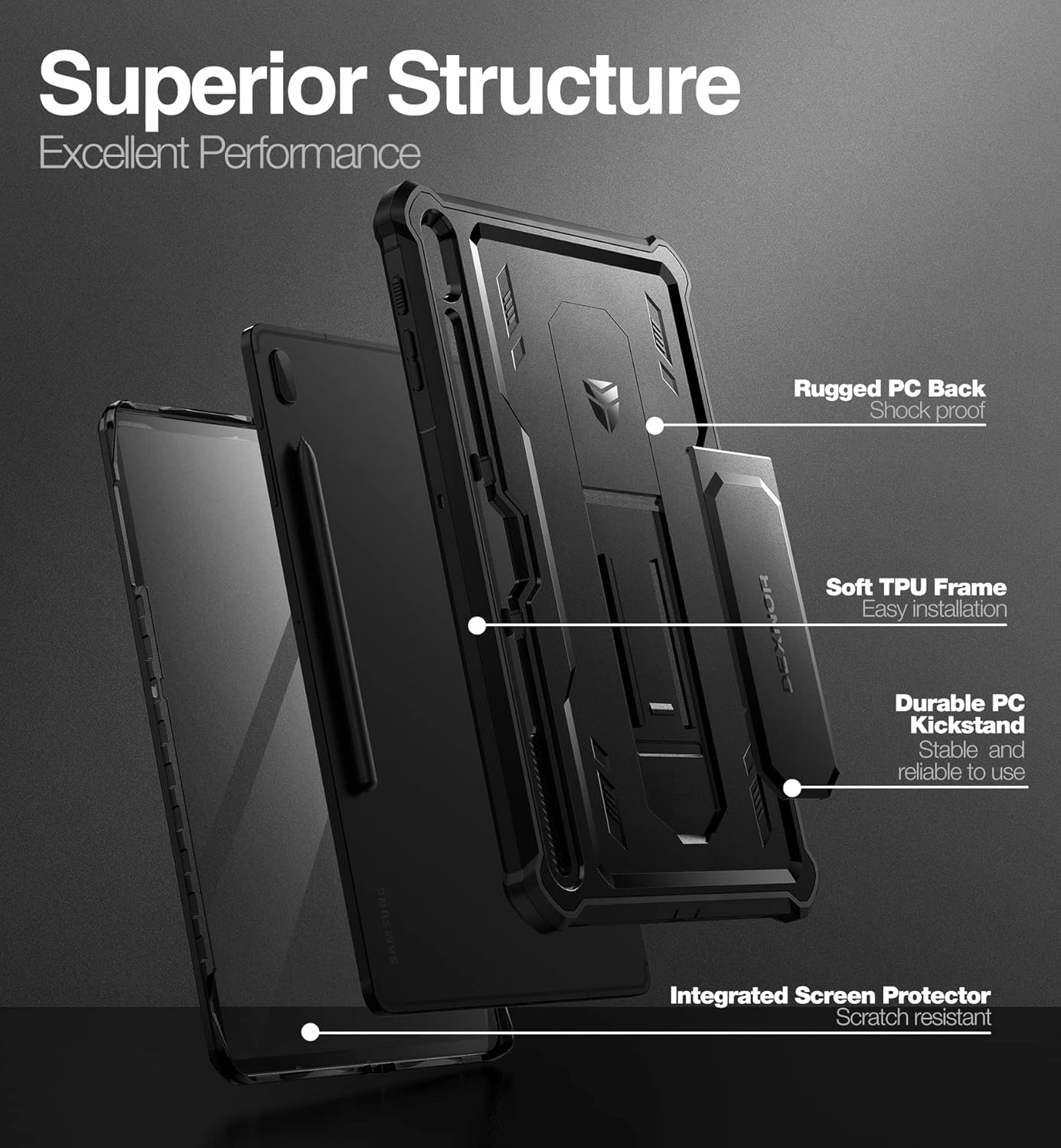
Image: Exploded view of the case components, showing the rugged PC back, soft TPU frame for easy installation, durable PC kickstand, and integrated scratch-resistant screen protector.
Setup and Installation
- Prepare the Front Frame: Carefully remove the interior protective film from the front frame of the case.
- Install Tablet into Front Frame: Align your Samsung Galaxy Tab S7 FE with the front frame and gently snap the tablet into place. Ensure all edges are securely fitted.
- Attach Back Cover: With the tablet secured in the front frame, place the assembly into the back cover. Press firmly around the edges until the front frame snaps completely into the back cover.
- Secure Stylus: Insert your stylus pen into the designated holder on the back of the case.
Video: This video demonstrates the step-by-step installation process of the Dexnor Rugged Case onto a Samsung Galaxy Tab S7 FE. It shows how to separate the case components, insert the tablet into the front frame, and then secure it into the back cover, including placing the stylus in its holder.
Operating the Case Features
Using the Kickstand
The integrated kickstand allows for hands-free viewing. Gently pull out the kickstand from the back of the case until it locks into position. It can be adjusted to support your tablet in both landscape and portrait orientations for optimal viewing.

Image: The Dexnor case with its foldable kickstand deployed, demonstrating both horizontal and vertical viewing positions for the tablet.
Stylus Holder
The dedicated stylus holder is located on the back of the case, providing a secure and easily accessible storage solution for your S Pen.
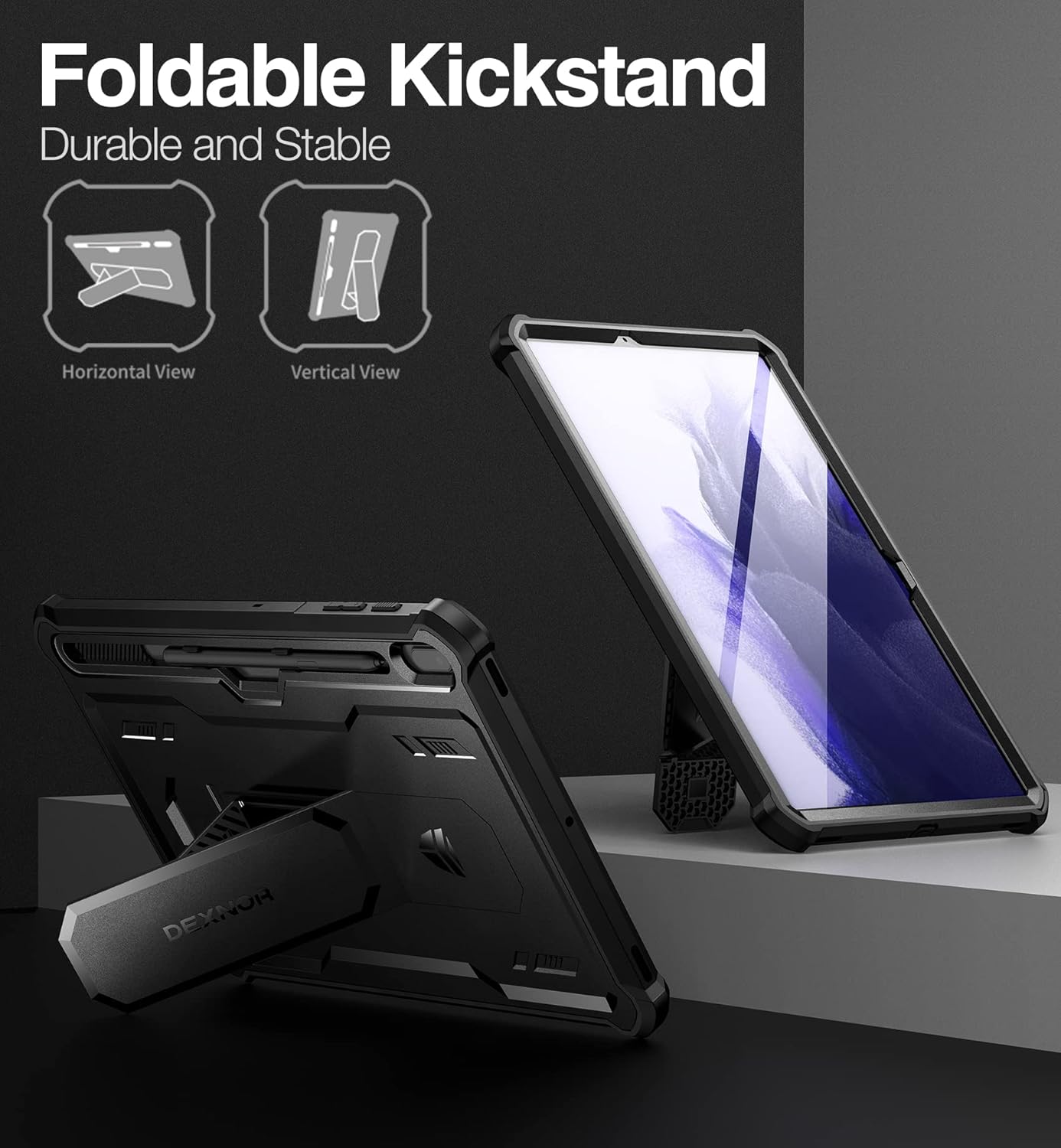
Image: Close-up views of the Dexnor case showing the raised bezels around the camera and the integrated stylus holder, designed for easy access and secure storage.
Button and Port Access
The case features precise cutouts for all ports, buttons, and the camera, ensuring full functionality of your tablet without needing to remove the case. The raised buttons for sleep, wake, and volume are designed for tactile feedback and protection.
Maintenance
To maintain the appearance and protective qualities of your Dexnor Rugged Case, follow these guidelines:
- Cleaning: Wipe the case with a soft, damp cloth. Avoid using harsh chemicals or abrasive cleaners, as these may damage the material or finish.
- Screen Protector Care: The built-in screen protector can be cleaned with a microfiber cloth. If dust or debris accumulates underneath, carefully remove the tablet from the case, clean both surfaces, and re-install.
- Avoid Extreme Conditions: Do not expose the case to extreme temperatures or direct sunlight for prolonged periods, as this may affect its material integrity.
Troubleshooting
If you encounter any issues with your Dexnor Rugged Case, consider the following:
- Difficulty with Installation: Ensure the tablet is correctly aligned with the front frame and that the protective films have been removed. Apply even pressure when snapping the components together.
- Reduced Touch Sensitivity: Check for any air bubbles or debris between the tablet screen and the built-in screen protector. Re-install the case if necessary to ensure a clean, flush fit.
- Stylus Not Fitting: Verify that you are using the correct stylus for your Samsung Galaxy Tab S7 FE. The holder is designed for the standard S Pen.
Specifications
| Feature | Detail |
|---|---|
| Brand | Dexnor |
| Model Number | Samsung S7FE |
| Compatible Devices | Samsung Galaxy S7 FE 2021 |
| Material | Thermoplastic Polyurethane (TPU) and Polycarbonate (PC) |
| Color | Black (as per current product variant) |
| Item Weight | 15.5 ounces |
| Special Features | Camera Protector, Screen Protector, Kickstand, Pen Holder |
Warranty and Support
For warranty information or product support, please refer to the official Dexnor website or contact their customer service directly. Details regarding specific warranty periods and support procedures are typically provided with your purchase or on the manufacturer's official channels.