
realme Wireless 2S
Contents
realme Buds Wireless 2S Neckband Earphones User Manual
Model: Wireless 2S (RMA2011)
1. Introduction
Thank you for choosing the realme Buds Wireless 2S Neckband Earphones. This manual provides essential information for setting up, operating, maintaining, and troubleshooting your device to ensure optimal performance and longevity. Please read this manual thoroughly before using the product.

Image: realme Buds Wireless 2S Neckband Earphones in Black. This image displays the overall design of the earphones, featuring a flexible neckband and in-ear buds.
2. What's in the Box
Upon unboxing, please verify that all the following items are present:
- realme Buds Wireless 2S Neckband Earphones
- Charging Cable (Type-C)
- Extra Eartips (various sizes)
- User Guide
3. Setup
3.1 Charging the Earphones
Before initial use, fully charge your realme Buds Wireless 2S. Use the provided Type-C charging cable to connect the earphones to a power source. A full charge provides up to 24 hours of total playback. A quick 20-minute charge can provide approximately 7 hours of playback.

Image: Illustration showing the neckband earphones connected via a Type-C cable, highlighting 24 hours playback, 15 hours uninterrupted calling, and 50% more battery life.
3.2 Bluetooth Pairing
To connect your earphones to a device:
- Ensure the earphones are charged and powered on.
- Activate Bluetooth on your smartphone or other compatible device.
- Search for available devices and select "realme Buds Wireless 2S" from the list.
- Once connected, the earphones will indicate successful pairing.
The earphones utilize Bluetooth 5.3 for a stable and fast connection.

Image: Graphic illustrating Bluetooth 5.3 connectivity, emphasizing a stable and fast connection for optimal listening.
4. Operating the Earphones
4.1 Basic Controls
The realme Buds Wireless 2S feature inline remote controls for media playback, call management, and volume adjustment. Refer to the quick start guide for specific button functions.
4.2 Dual Device Fast Switching
These earphones support simultaneous connection to two devices. You can seamlessly switch audio playback between your paired devices without manually disconnecting and reconnecting.

Image: A smartphone and a tablet displaying Bluetooth settings, with the earphones shown connected to both, illustrating the dual-device fast switching capability.
4.3 AI ENC Noise Cancellation for Calls
The integrated AI Environmental Noise Cancellation (ENC) technology filters out ambient noise during calls, ensuring clear voice transmission for both you and the person you are speaking with.

Image: Close-up of an earbud with sound waves emanating, indicating AI ENC Noise Cancellation for crisp and clear calls.
4.4 Voice Assistant
Access your device's voice assistant (e.g., Amazon Alexa, Google Assistant, Siri) directly from your earphones for hands-free control and information retrieval.
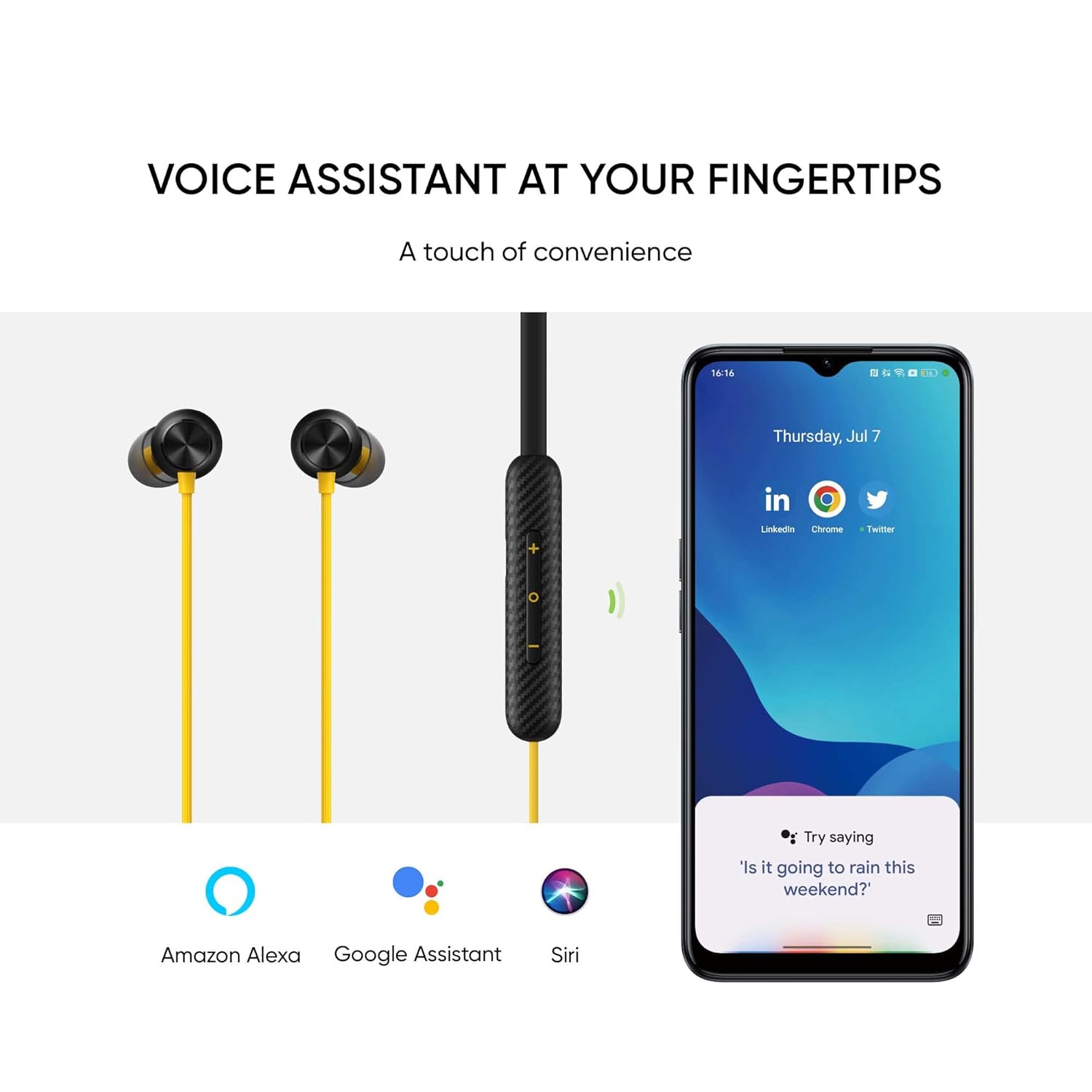
Image: Earphones next to a smartphone screen displaying icons for Amazon Alexa, Google Assistant, and Siri, demonstrating voice assistant integration.
4.5 Magnetic Instant Connection
The earbuds feature a magnetic design. When separated, they automatically connect to your paired device. When snapped together, they can pause playback or power off, depending on settings.

Image: A close-up of the two earbuds magnetically connected, illustrating the magnetic instant connection feature for comfortable and tangle-free listening.
4.6 realme Link App Integration
For enhanced functionality and customization, download the realme Link app. The app allows you to:
- Download firmware updates
- Select EQ presets (e.g., Bass Boost+, Balanced, Bright)
- Adjust volume enhancements
- Switch sound modes
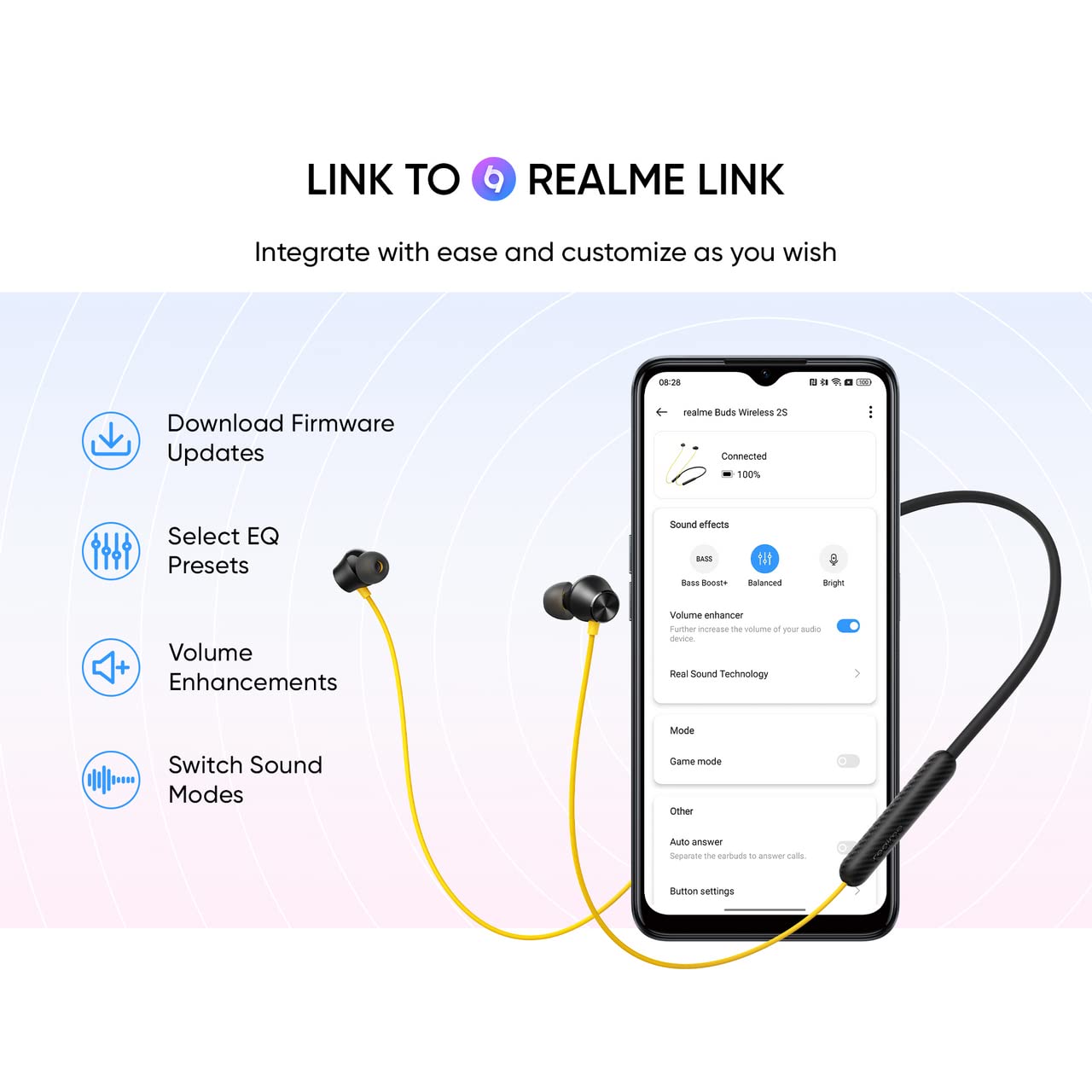
Image: A smartphone screen displaying the realme Link app interface with options for firmware updates, EQ presets, volume enhancements, and sound modes, demonstrating customization options.
5. Maintenance
5.1 Cleaning
Regularly clean the earbuds and neckband with a soft, dry, lint-free cloth. Do not use harsh chemicals, cleaning solvents, or strong detergents. Remove eartips and clean them separately with mild soap and water if necessary, ensuring they are completely dry before reattaching.
5.2 Storage
When not in use, store the earphones in a cool, dry place, away from direct sunlight and extreme temperatures. Avoid tangling the neckband to prevent damage to the internal wiring.
5.3 Water Resistance
The earphones are rated IPX4 water resistant, meaning they are protected against splashing water from any direction. This makes them suitable for workouts and light rain. Do not submerge the earphones in water or expose them to heavy downpours.
6. Troubleshooting
If you encounter issues with your realme Buds Wireless 2S, refer to the following common solutions:
| Problem | Possible Solution |
|---|---|
| Earphones do not power on | Ensure the earphones are fully charged. |
| Cannot pair with device | Ensure Bluetooth is enabled on your device. Make sure the earphones are in pairing mode. Try restarting both the earphones and your device. |
| No sound or low volume | Check the volume levels on both the earphones and your connected device. Ensure the earphones are properly paired. Try playing different audio sources. |
| Intermittent connection | Ensure there are no obstructions between the earphones and your device. Move closer to your device. Avoid environments with strong electromagnetic interference. |
| Microphone not working | Ensure the earphones are selected as the audio input device on your connected device. Check for any physical obstructions on the microphone. |
If the problem persists, please contact realme customer support.
7. Specifications
Key technical specifications for the realme Buds Wireless 2S:
| Feature | Detail |
|---|---|
| Model Name | Wireless 2S |
| Model Number | RMA2011 |
| Brand | realme |
| Colour | Black |
| Ear Placement | In Ear |
| Form Factor | In Ear (Neckband) |
| Impedance | 32 Ohms |
| Driver Size | 11.2mm Dynamic Bass Boost Driver |
| Connectivity Technology | Wireless (Bluetooth 5.3) |
| Noise Control | AI ENC Noise Cancellation (for calls) |
| Battery Life | Up to 24 Hours (Total Playback) |
| Fast Charging | 20 min charge for 7 hrs playback |
| Water Resistance | IPX4 (Water Resistant) |
| Control Type | Media Control (Remote) |
| Item Weight | 23 Grams |
| Compatible Devices | Cellphones, Desktops, Laptops, Tablets |
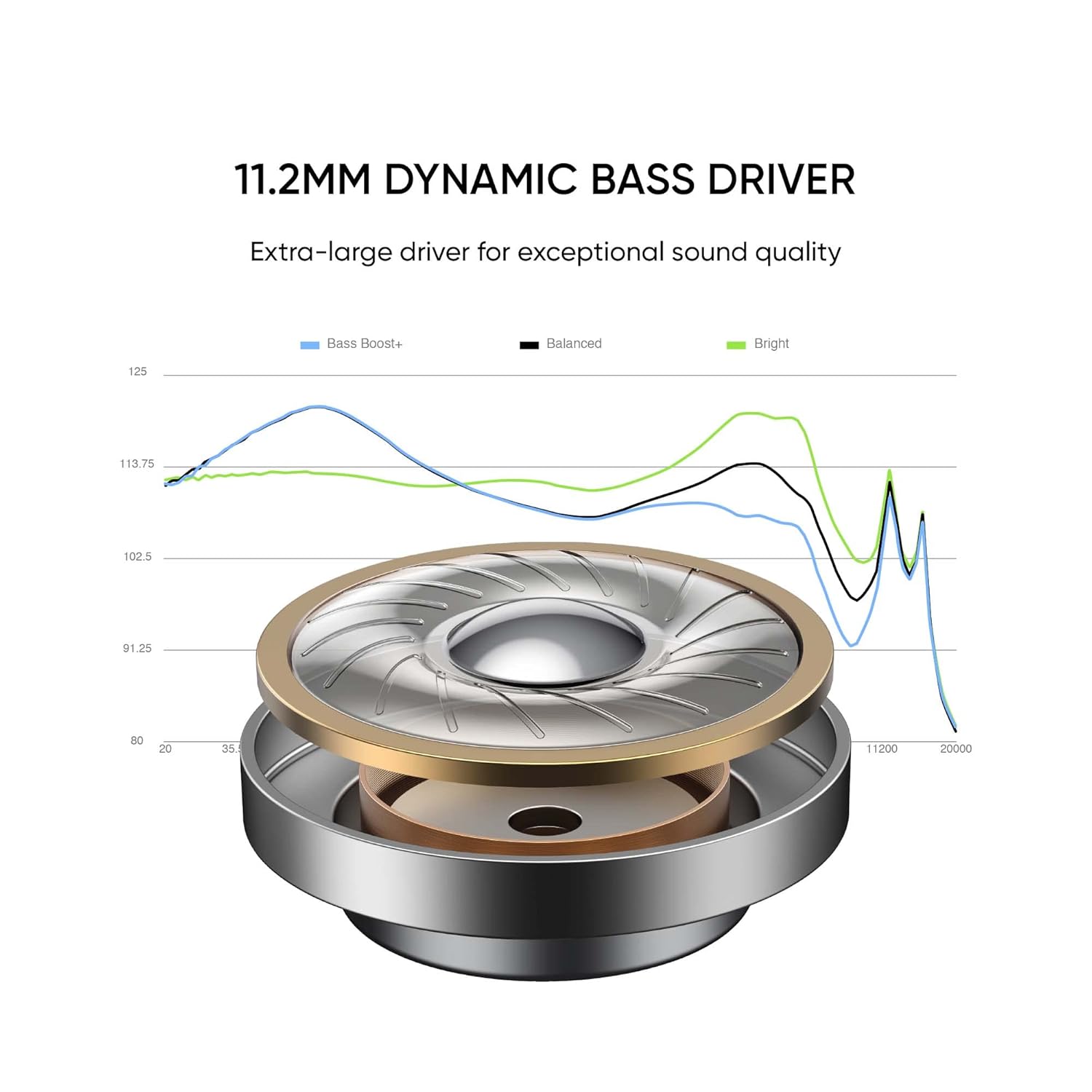
Image: Detailed illustration of the 11.2mm Dynamic Bass Driver, highlighting its structure and frequency response for exceptional sound quality.
8. Warranty and Support
8.1 Warranty Information
The realme Buds Wireless 2S comes with a 1-year manufacturer warranty from the date of purchase. This warranty covers manufacturing defects. Please retain your proof of purchase for warranty claims.
8.2 Customer Support
For further assistance, technical support, or warranty claims, please contact realme customer service through their official website or the contact information provided in your product packaging.
Ask a question about this manual
Ask about setup, troubleshooting, compatibility, parts, safety, or missing instructions. Manuals+ will review the question and use this page’s manual context to help answer it.