
TECHNOVIEW A8-Hidden-Voice-Mini-Recorder
TECHNOVIEW Mini A8 Hidden Voice Mini Recorder User Manual
Model: A8-Hidden-Voice-Mini-Recorder
Product Overview
The TECHNOVIEW Mini A8 is a compact and versatile hidden voice recorder designed for various applications such as lectures, meetings, home, and office use. It features remote call-back functionality, audio bug capabilities, and live listening, all powered by a built-in rechargeable battery. This device also includes GSM locator and tracker functions.
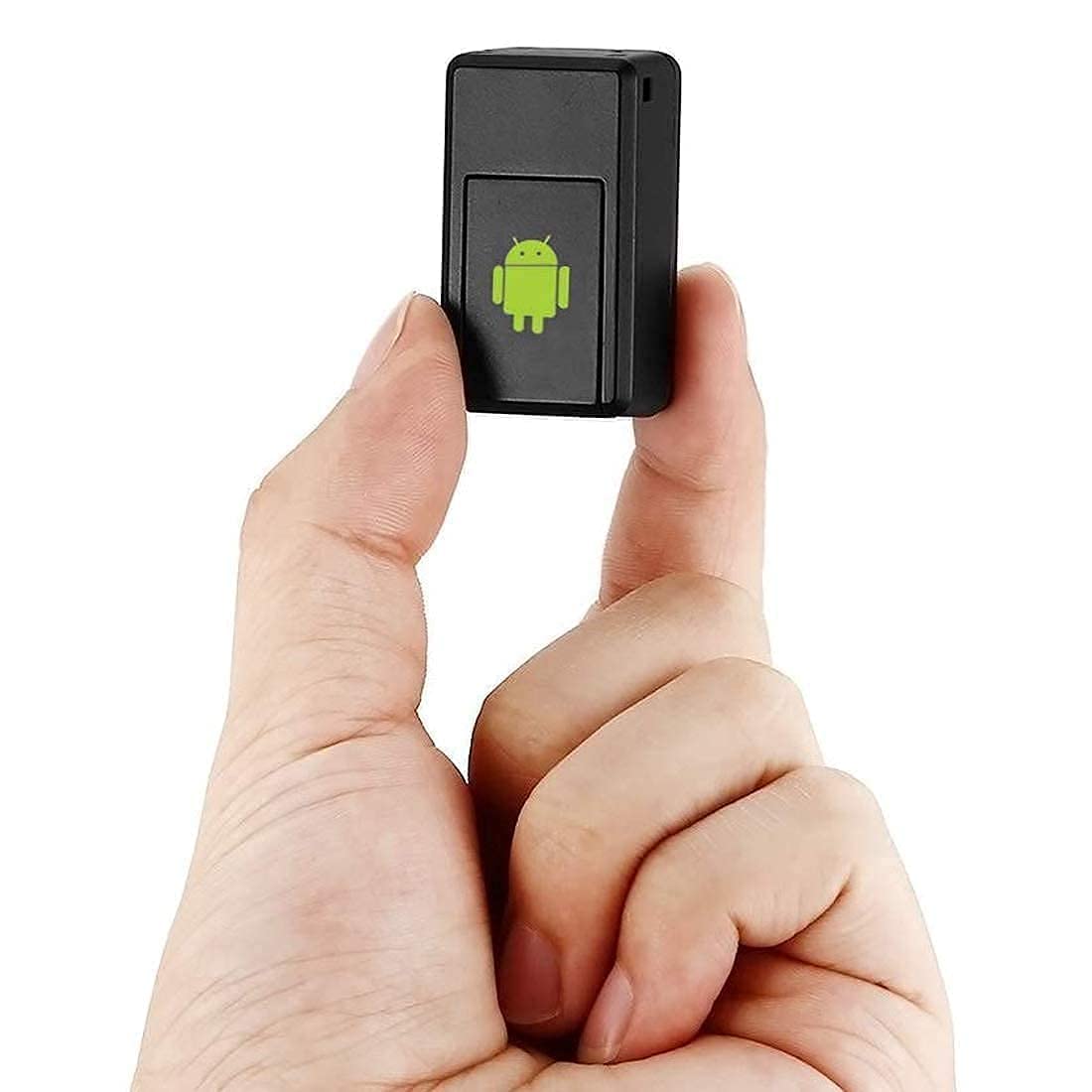
Image: The TECHNOVIEW Mini A8 device, a small black rectangular unit, is shown held between a thumb and forefinger, highlighting its miniature size. The device has a green Android logo on its front surface.
Package Contents
Upon opening the package, you should find the following items:
- 1 x A8 Hidden Voice Mini Recorder
- 1 x Data Cable (Micro USB)

Image: The TECHNOVIEW Mini A8 device is displayed alongside its accompanying micro USB data cable. The device is black and compact, and the cable is also black.
Setup Guide
1. Charging the Device
Before initial use, ensure the product is fully charged. Connect the device using the provided micro USB charger cable to a power adapter. A full charge typically takes approximately 50 minutes. The device will work for up to 5-6 hours on a full charge.
2. SIM Card Installation
The device requires a standard-sized GSM SIM card with a full jacket. Ensure the GSM network signal is strong in the area where the product will be used.
- Open the back cover of the device.
- Carefully insert the standard SIM card into the designated slot. Ensure it is properly seated.
- The device will automatically power on. The indicator light will illuminate for approximately 10 seconds and then turn off.
- Once the indicator light is off, close the back cover. The device is now ready for use.

Image: A close-up view of the TECHNOVIEW Mini A8 with its back cover open, revealing the SIM card slot. Below it, three types of SIM cards are illustrated: Standard, Nano, and Micro, with a checkmark indicating that only Standard SIM cards are compatible.
Operating Instructions
Familiarize yourself with the device's key components:

Image: A detailed view of the Mini A8 device highlighting its main features: the USB charging port, the SIM card slot, and the SOS button. Various application scenarios are shown around the device.
1. Sound Control Dialing (Auto Call Back)
This feature allows the device to automatically call a pre-set number when it detects sound above a certain decibel level.
- From your mobile phone or fixed-line, dial the SIM card number inserted in the Mini A8 device.
- Listen for the sound of the machine for approximately 3 seconds, then hang up. This action successfully sets up the sound control dialing function.
- When a sound above 45 dB is detected within 10 meters of the device, it will automatically call the number you just used to set it up.
2. Enabling/Disabling Sound Control
- To turn off the sound control function, send an SMS with the text "0000" to the device's SIM card number.
- To turn on the sound control function, send an SMS with the text "1111" to the device's SIM card number.
3. Live Listening (Remote Call Back)
To listen in on conversations within 6-8 feet of the device, simply call the SIM card number inserted in the Mini A8 from your designated phone number. The device will automatically answer, allowing you to listen.
4. LBS Positioning (Location Tracking)
The device can provide its approximate location via SMS.
- For use within China, send an SMS with the capital letters "DW" to the device's SIM card number.
- For use outside China, send an SMS with the capital letters "GPS" to the device's SIM card number.
The device will reply with a message containing information about addresses, longitude and latitude, and a website link within one minute.

Image: An illustrative diagram showing the Mini A8 device positioned on a map, with dashed lines extending to various points, indicating its tracking capabilities. Red location pins are visible on the map.
5. SOS Emergency Call
This function allows the device to call a pre-set emergency number.
- To set up the SOS number, send an SMS with the capital letters "SOS" to the device's SIM card number.
- After successful setup, directly press the SOS key on the device for more than three seconds.
- The device will directly call the pre-set SOS number, and the indicator light will flash.
Troubleshooting
- Device not powering on: Ensure the device is fully charged. If the indicator light is out, charge the device.
- Cannot make or receive calls: Try restarting the product or charging it. Ensure the SIM card is properly inserted and has sufficient balance/credit.
- No automatic answering: Restart the product.
- No message reply (SMS commands): Check if the SIM card is in arrears (insufficient balance) or if the SMS inbox is full. Clear the inbox if full and try again.
- Poor signal: Install the product in an area with a strong GSM network signal.
Specifications
| Feature | Detail |
|---|---|
| Brand | TECHNOVIEW |
| Model | A8-Hidden-Voice-Mini-Recorder |
| Connection | GSM/GPRS |
| GSM Frequency | 850/900/1800/1900 MHz |
| Charger Input | AC110-220V 50/60 Hz |
| Charger Output | DC5.0V 500mA |
| Battery Type | Rechargeable 3.7V 500mA Li-ion battery (Lithium Polymer) |
| Battery Average Life | 6 Hours |
| Sound Detection Threshold | Above 45 dB (within 10 meters) |
| Product Dimensions | 3 x 5 x 2 cm (30 x 50 x 20 Millimeters) |
| Item Weight | 16 g |
| Memory Storage Capacity | 32 GB |
| Microphone Format | Built-In |
| Material | Acrylonitrile Butadiene Styrene (ABS) |
| Special Features | Auto Call Receive, GSM Locator, Audio Bug |

Image: A technical drawing of the Mini A8 device with its dimensions clearly marked: length 43.2mm, width 32mm, and height 13.6mm. A red button is visible on one side.
Maintenance and Care
- Keep the device dry and away from moisture.
- Avoid extreme temperatures.
- Do not attempt to disassemble or modify the device, as this will void any potential warranty and may cause damage.
- Clean the device with a soft, dry cloth. Do not use harsh chemicals or abrasive cleaners.
- Store the device in a safe place when not in use.
Customer Support
For any queries, technical assistance, or support regarding your TECHNOVIEW Mini A8 device, please contact the manufacturer directly:
- Manufacturer: TECHNOVIEW
- Contact Number (WhatsApp): 9810601293
- Operating Hours: Monday to Saturday, 11:30 AM to 6:30 PM (Sunday - Closed)
Please have your product model number (A8-Hidden-Voice-Mini-Recorder) ready when contacting support.
Ask a question about this manual
Ask about setup, troubleshooting, compatibility, parts, safety, or missing instructions. Manuals+ will review the question and use this page’s manual context to help answer it.