
AMERTEER RF075
AMERTEER Wireless Presenter RF075 User Manual
Model: RF075
1. Product Overview
The AMERTEER RF075 is a versatile wireless presenter designed for professional presentations. It features a sleek, ergonomic design with intuitive controls, a red laser pointer, and broad compatibility with various operating systems and presentation software. Its rechargeable battery ensures convenience and environmental friendliness.

Figure 1: AMERTEER RF075 Wireless Presenter. The image shows two views of the sleek, gray presenter with its control buttons and laser output.
Key Features:
- Ergonomic Design: Streamlined body with a premium feel, made from drop-resistant material for comfortable handling.
- Multi-functional Controls: Includes laser pointer, page up/down, full screen/exit, and black screen functions.
- Long-Range Wireless: Utilizes 2.4 GHz wireless technology for a reliable connection up to 49 feet (approx. 15 meters).
- USB Rechargeable: Built-in 3.7V/360mAh lithium battery, eliminating the need for disposable batteries.
- Broad Compatibility: Supports Windows, Mac OS, and Linux operating systems, and works with popular presentation software like PowerPoint, Keynote, and Google Slides.
- Plug and Play: No additional software or driver installation required.
2. Package Contents
Please check the package contents upon unboxing to ensure all items are present and in good condition.
- AMERTEER RF075 Wireless Presenter
- USB Receiver (stored inside the presenter)
- USB Charging Cable
- User Manual
- Warranty Card

Figure 2: Contents of the AMERTEER RF075 package, showing the presenter, charging cable, and user manual next to the product box.
3. Setup
3.1 Charging the Presenter
Before first use, or when the battery is low, charge the presenter using the provided USB charging cable.
- Locate the USB charging port on the presenter.
- Connect one end of the USB charging cable to the presenter.
- Connect the other end of the USB charging cable to a USB port on your computer or a compatible USB wall adapter.
- The LED indicator light will show charging status (e.g., solid light while charging, off when fully charged). A full charge takes approximately 1.5 hours and provides up to 12 hours of continuous use.

Figure 3: The AMERTEER RF075 connected to a laptop via its USB-C charging cable, illustrating the charging process.
3.2 Connecting to Your Computer
The AMERTEER RF075 uses a 2.4 GHz wireless receiver for connection. It supports both USB-A and USB-C ports via its dual-type receiver.
- Locate the USB receiver stored in the bottom of the presenter. Gently pull it out.
- Insert the USB receiver into an available USB-A or USB-C port on your computer.
- Your computer should automatically detect and install the necessary drivers (Plug and Play). No manual driver installation is required.
- Once connected, turn on the presenter using the power switch located on the side. The LED indicator will light up, indicating a successful connection.

Figure 4: The AMERTEER RF075 with its dual-type USB receiver inserted into a laptop's USB port. The image also shows the receiver detached, highlighting its USB-A and USB-C compatibility.
4. Operating Instructions
The AMERTEER RF075 features intuitive buttons for seamless presentation control.

Figure 5: Detailed diagram of the AMERTEER RF075's button layout, indicating the function of each button and the location of the laser output and USB receiver storage.
| Button/Feature | Function |
|---|---|
| LED Indicator Lamp | Indicates connection status and battery level. |
| Power Switch (Side) | Turns the presenter ON/OFF. |
| Hyperlink Button (Chain Link Icon) | Activates hyperlinks in presentations. Long press and shake to switch applications. |
| Page Up Button (Up Arrow Icon) | Moves to the previous slide. Long press for 3 seconds to enter/exit full screen mode or ESC. |
| Page Down Button (Down Arrow Icon) | Moves to the next slide. Long press for 3 seconds to activate black screen mode or ESC. |
| Laser Button (Sun/Starburst Icon) | Activates the red laser pointer. |
| USB Receiver Storage | Conveniently stores the USB receiver when not in use. |
4.1 General Usage Tips
- Ensure the presenter is fully charged before important presentations.
- Maintain a clear line of sight between the presenter and the USB receiver for optimal performance.
- The effective range is approximately 15 meters (49 feet).
- The presenter is compatible with various operating systems including Windows, macOS, and Linux, and presentation software such as PowerPoint, Keynote, and Google Slides.
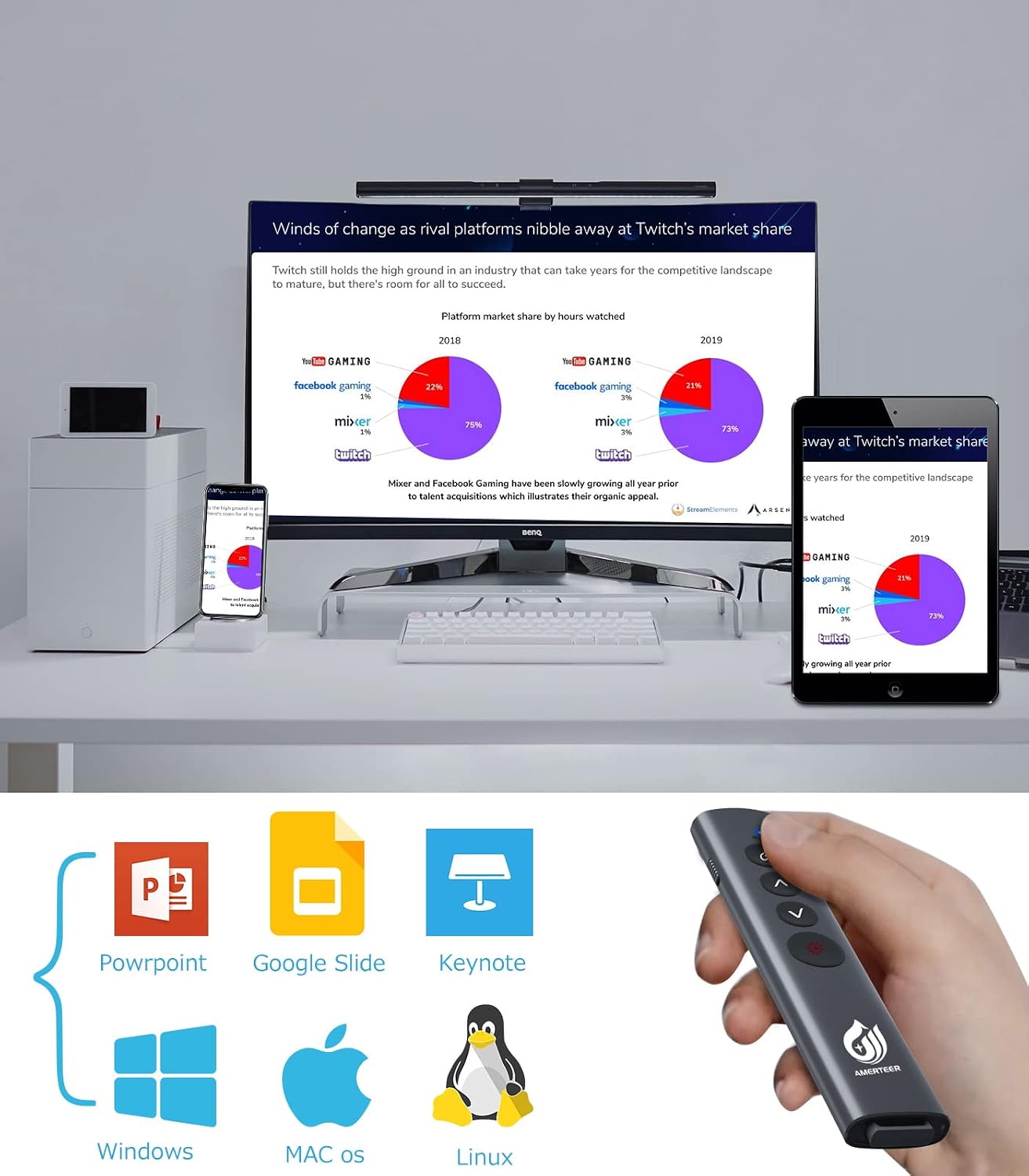
Figure 6: The AMERTEER RF075 demonstrating compatibility with various operating systems (Windows, macOS, Linux) and presentation software (PowerPoint, Google Slides, Keynote).

Figure 7: A user holding the AMERTEER RF075, pointing its laser at a presentation slide displayed on a large screen, demonstrating its use in a professional setting.
5. Maintenance
Proper maintenance ensures the longevity and optimal performance of your AMERTEER RF075 Wireless Presenter.
- Cleaning: Wipe the presenter with a soft, dry cloth. Do not use abrasive cleaners or solvents.
- Storage: Store the presenter in a cool, dry place away from direct sunlight and extreme temperatures. Always store the USB receiver inside the presenter to prevent loss.
- Battery Care: The built-in lithium battery does not require replacement. For best battery life, avoid fully discharging the battery frequently. Charge it regularly, especially if not used for extended periods.
- Handling: While the material is drop-resistant, avoid dropping the device from significant heights to prevent internal damage.
6. Troubleshooting
If you encounter issues with your AMERTEER RF075, please refer to the following common solutions:
| Problem | Possible Cause & Solution |
|---|---|
| Presenter not responding |
|
| Laser pointer is dim or not working |
|
| Page up/down not working |
|
| Hyperlink function not working |
|
If the problem persists after trying these solutions, please contact customer support.
7. Specifications
| Feature | Detail |
|---|---|
| Model Number | RF075 |
| Brand | AMERTEER |
| Color | Gray |
| Connectivity Technology | 2.4 GHz Wireless (USB Receiver) |
| Compatible Devices | PC (Windows, macOS, Linux) |
| Battery Type | Built-in Rechargeable Lithium Battery (3.7V/360mAh) |
| Charging Time | Approx. 1.5 hours |
| Continuous Use Time | Up to 12 hours |
| Wireless Range | Up to 15 meters (49 feet) |
| Dimensions | 15 x 4.9 x 2.2 cm (approx.) |
| Weight | Approx. 30g |
| Laser Type | Red Laser (PSC Certified) |
8. Warranty and Support
AMERTEER provides comprehensive support for its products.
- 30-Day Money-Back Guarantee: You may return the product for a full refund within 30 days of purchase.
- 12-Month Product Exchange Warranty: The product is covered by a 12-month warranty for product defects. If you experience any issues within this period, you are eligible for a product exchange.
- Customer Support: For any inquiries, technical assistance, or warranty claims, please do not hesitate to contact AMERTEER customer support. Contact information can typically be found on the warranty card or the official AMERTEER website.
Ask a question about this manual
Ask about setup, troubleshooting, compatibility, parts, safety, or missing instructions. Manuals+ will review the question and use this page’s manual context to help answer it.