
KIMAFUN KM-G50
KIMAFUN 2.4G Wireless Lavalier Microphone System User Manual
Model: KM-G50 / G50-3
Introduction
Thank you for choosing the KIMAFUN 2.4G Wireless Lavalier Microphone System. This compact and lightweight microphone system is designed to provide high-quality audio recording for various applications, including VLOGs, video recording, interviews, live streaming, and podcasts. With its plug-and-play functionality and stable 2.4G wireless transmission, it offers a convenient and reliable solution for capturing clear sound on your smartphone or iPad with a Type-C interface.

Image: The KIMAFUN wireless microphone system, featuring the Type-C receiver and the clip-on transmitter, ready for use with a smartphone.
Package Contents
Please check the package to ensure all items are present:
- 1 x Wireless Transmitter
- 1 x Type-C Receiver
- 1 x Type-C Charging Cable
- 1 x Furry Windshield
- 1 x Carrying Bag
- 1 x User Manual (this document)

Image: A visual representation of all items included in the KIMAFUN wireless microphone system package.
Product Overview
Transmitter (TX)
- Built-in Omnidirectional Condenser Microphone: Captures sound from all directions.
- Power/Mute Button: Short press to mute/unmute, long press to power on/off.
- Volume +/- Buttons: Adjust microphone input volume.
- Pairing Indicator: Shows connection status.
- Charging Indicator: Shows battery and charging status.
- 3.5mm Headphone Jack: For real-time audio monitoring.
- Type-C Charging Port: For charging the transmitter.
- Clip: For attaching to clothing.
Receiver (RX)
- Type-C Plug: Connects directly to your smartphone or iPad.
- Pairing Indicator: Shows connection status.
- 3.5mm Headphone Jack: For real-time audio monitoring.

Image: Detailed diagram illustrating the various parts and dimensions of both the transmitter and receiver units.
Setup and Pairing
The KIMAFUN wireless microphone system features a simple plug-and-play design, requiring no complex setup, Bluetooth connection, or additional apps.
- Charge the Transmitter: Before first use, ensure the transmitter is fully charged using the provided Type-C charging cable. The charging indicator will show status.
- Connect the Receiver: Plug the Type-C receiver directly into the Type-C port of your smartphone or iPad. The receiver does not require its own battery and is powered by your device.
- Power On the Transmitter: Long press the power button on the transmitter until the blue indicator light stays on.
- Automatic Pairing: The transmitter and receiver will automatically pair. Once successfully paired, the blue indicator light on both units will remain solid.
- Ready to Use: The system is now ready for audio recording.

Image: Visual instructions demonstrating the plug-and-play setup process for the microphone system.
Operating Instructions
Recording Audio
- Once paired, open your preferred audio or video recording application on your smartphone/iPad.
- The system will automatically be recognized as the audio input device.
- Begin recording as usual within your application.
Real-time Monitoring
Both the transmitter and receiver are equipped with a 3.5mm headphone jack for real-time audio monitoring. This allows you to listen to the audio being recorded simultaneously, ensuring optimal sound quality.
- Plug standard 3.5mm headphones into the headphone jack on either the transmitter or the receiver.
- You will hear the audio being captured by the microphone in real-time.
Mute Function
To temporarily stop audio input without powering off the transmitter:
- Short press the power button on the transmitter. The indicator light may change to indicate mute status (refer to indicator light section for details).
- Short press again to unmute.
Volume Adjustment
Adjust the input volume of the transmitter independently:
- Use the Volume +/- buttons on the transmitter to increase or decrease the microphone's sensitivity.

Image: Examples of how the KIMAFUN microphone system can be used in different recording environments.
Key Features
2.4G Wireless Transmission
The system utilizes the international 2.4G frequency band, providing stable and reliable wireless transmission up to 50 meters (165 feet) with low latency (less than 20ms).

Image: A visual representation of the microphone's effective wireless transmission distance.
Intelligent Noise Reduction
Equipped with intelligent noise reduction technology, the microphone system effectively minimizes ambient noise, ensuring clear and crisp audio recordings. The included furry windshield further helps to reduce wind noise in outdoor environments.
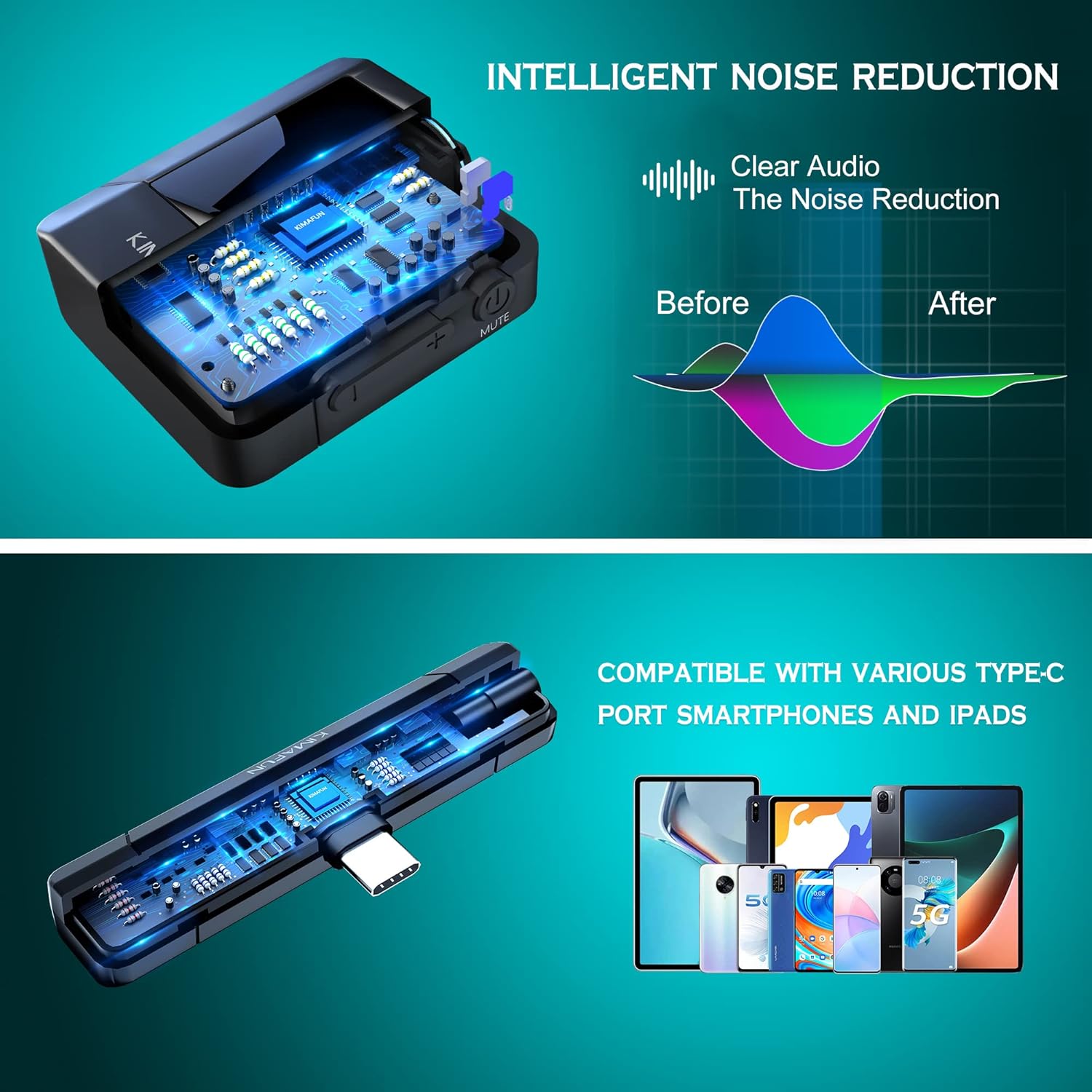
Image: A diagram demonstrating the effect of intelligent noise reduction on audio quality.
Wide Compatibility
The Type-C receiver is compatible with a wide range of smartphones and iPads featuring a USB Type-C port. It supports various live streaming and recording applications.

Image: A visual representation of the microphone system's compatibility with different Type-C devices and applications.
Charging
The transmitter has a built-in lithium battery, while the receiver is powered by the connected device.
- Transmitter Battery Life: Up to 8 hours of continuous use on a full charge.
- Charging Time: Approximately 1.5 hours for a full charge.
- Charging Method: Use the provided Type-C charging cable to connect the transmitter to a USB power source (e.g., wall adapter, computer USB port).
- Charging Indicator: The charging indicator light will show the charging status (e.g., red while charging, off when fully charged).
Maintenance
- Keep the device dry. Avoid exposure to rain, moisture, or corrosive liquids.
- Do not disassemble the device. Repairs should only be performed by authorized personnel.
- Clean the device with a soft, dry cloth. Do not use harsh chemicals or abrasive materials.
- Store the microphone system in its carrying bag when not in use to protect it from dust and damage.
Troubleshooting
| Problem | Possible Cause | Solution |
|---|---|---|
| No sound output | Transmitter not powered on Not paired Transmitter muted Receiver not fully inserted App audio input settings | Ensure transmitter is on Check pairing indicators; re-pair if necessary Unmute transmitter Ensure receiver is securely plugged into device Check your recording app's audio input settings |
| Poor sound quality / Noise | Interference Microphone too far from source Wind noise Volume too high/low | Move away from strong electromagnetic sources Ensure microphone is within optimal range Use the furry windshield Adjust transmitter volume levels |
| Transmitter not charging | Cable issue Power source issue | Try a different Type-C cable Try a different USB power adapter or port |
| Short transmission range | Obstructions Interference | Ensure clear line of sight between transmitter and receiver Avoid environments with many wireless devices |
Specifications
| Feature | Specification |
|---|---|
| Wireless Frequency | 2.4G International Band |
| Transmission Distance | Up to 50 meters (165 feet) |
| Latency | < 20ms |
| Microphone Type | Omnidirectional Condenser |
| Signal-to-Noise Ratio | 80 dB |
| Transmitter Weight | 27g |
| Receiver Weight | 9g |
| Transmitter Battery Life | Approx. 8 hours |
| Transmitter Charging Time | Approx. 1.5 hours |
| Charging Interface | USB Type-C |
| Monitoring Port | 3.5mm Headphone Jack |
| Compatible Devices | Smartphones, iPads with Type-C port |
Warranty and Support
This product comes with a 1-year warranty from the date of purchase. We also offer a 30-day return policy for any reason.
For any questions, technical support, or warranty claims, please contact our customer service team:
- Refer to the contact information provided in your purchase documentation or on the product packaging.
- You can also reach out through your Amazon order page by clicking on "YOUR ORDER" and then "Contact Seller".
Please have your model number (KM-G50 / G50-3) and purchase date ready when contacting support.
Related documentsKM-G50

Ask a question about this manual
Ask about setup, troubleshooting, compatibility, parts, safety, or missing instructions. Manuals+ will review the question and use this page’s manual context to help answer it.