
TOZO NC9
Contents
TOZO NC9 Hybrid Active Noise Cancelling Wireless Earbuds User Manual
Model: NC9 | Brand: TOZO
Introduction
This manual provides detailed instructions for the TOZO NC9 Hybrid Active Noise Cancelling Wireless Earbuds. Designed for immersive sound and comfort, these earbuds feature advanced noise cancellation, transparent mode, and seamless Bluetooth 5.3 connectivity. Please read this manual thoroughly to ensure proper use and maintenance of your device.

Image: The TOZO NC9 earbuds in their dark red charging case, showcasing their sleek design and color.
What's in the Box
The TOZO NC9 package includes the following components:
- TOZO NC9 Hybrid Active Noise Cancelling Wireless Earbuds
- Wireless Charging Case
- Eartip (multiple sizes)
- USB-C (A to C) cable (30cm)
- User Manual
Setup
Initial Charging
Before first use, ensure both the earbuds and the charging case are fully charged. The charging case can be charged via the included USB-C cable or wirelessly. The earbuds charge automatically when placed inside the case.

Image: The TOZO NC9 earbuds and their charging case, highlighting the impressive 40-hour total playtime.
Video: An official product video demonstrating the TOZO NC9 Hybrid Active Noise Cancelling Wireless Earbuds, including charging and features.
One-step Pairing
The TOZO NC9 earbuds feature one-step pairing for quick and easy connection. Simply pick up both earbuds from the charging case, and they will automatically enter pairing mode. Then, enable Bluetooth on your mobile phone or device and select "TOZO-NC9" from the list of available devices to connect.
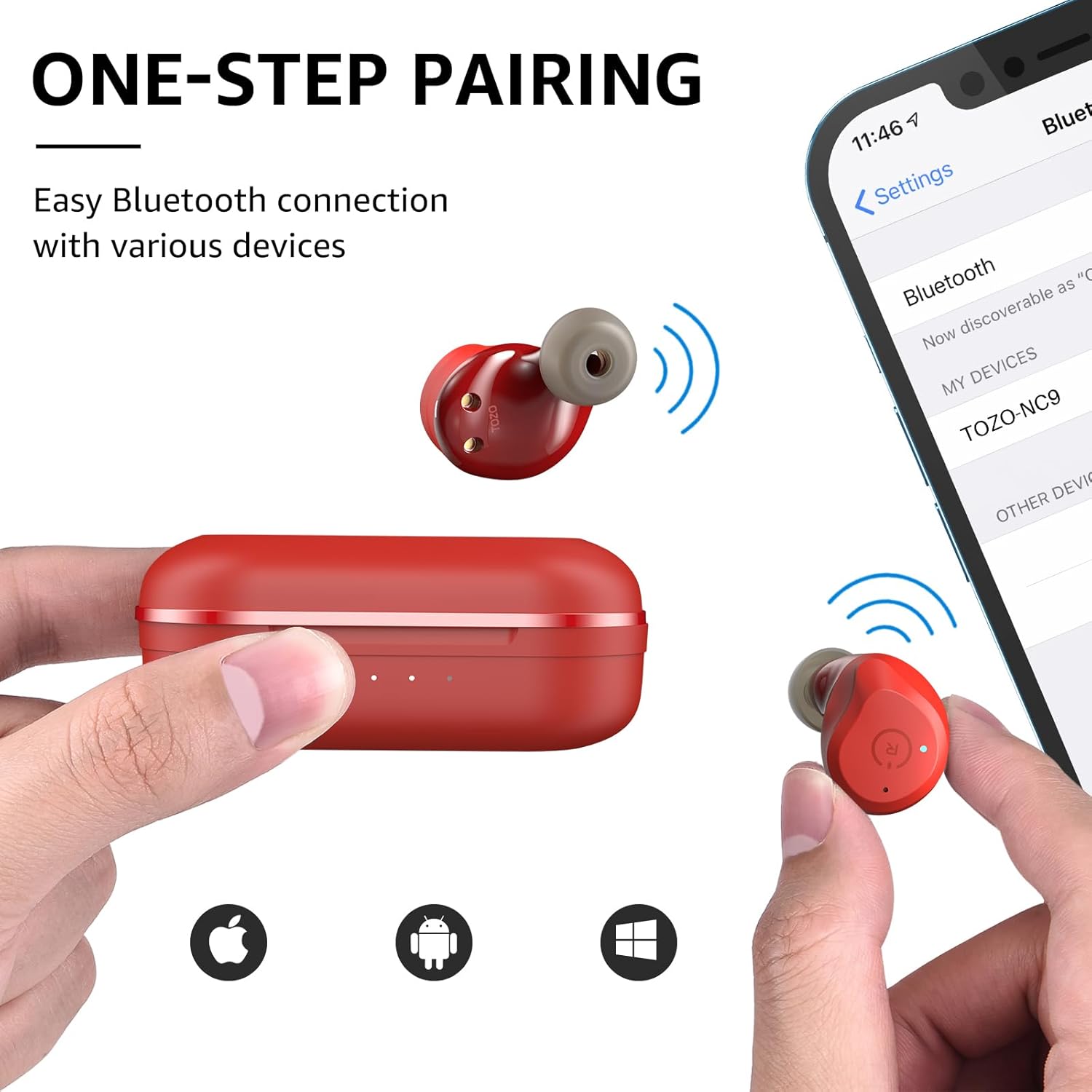
Image: A visual guide illustrating the simple one-step Bluetooth pairing process for the earbuds with various devices.
Operating Instructions
Smart Touch Control
The TOZO NC9 earbuds utilize intuitive touch controls for managing playback, calls, and noise control modes. Refer to the diagram below for specific touch functions:

Image: A comprehensive diagram detailing the touch control functions for both the left and right TOZO NC9 earbuds.
Active Noise Cancellation (ANC)
The TOZO NC9 features Hybrid 3-layer Active Noise Cancellation. This technology uses outward-facing and inward-facing microphones to detect and counter external and internal sounds, significantly reducing ambient noise for an immersive listening experience. Ear caps further prevent noise from entering the ear canal.

Image: A woman wearing the TOZO NC9 earbuds, illustrating the effectiveness of Active Noise Cancellation in blocking out ambient noise for focused listening.

Image: An exploded view diagram explaining the three layers of Hybrid Active Noise Cancellation within the TOZO NC9 earbuds.
Transparent Mode
Activate Transparent Mode to allow outside sounds to pass through, enabling you to hear and interact with your surroundings without removing the earbuds. This is ideal for situations where situational awareness is important, such as hearing announcements or engaging in conversations.

Image: A woman wearing the TOZO NC9 earbuds, highlighting the Transparent Mode feature that allows users to hear their surroundings.
Maintenance
The TOZO NC9 earbuds are IPX6 waterproof, meaning they are resistant to high-pressure water jets. This makes them suitable for workouts and outdoor activities where they might be exposed to sweat or light rain. However, they are not designed for submersion in water. To maintain optimal performance and hygiene, regularly clean the earbuds and charging case with a soft, dry cloth. Ensure the charging contacts are free of debris.

Image: The TOZO NC9 earbuds shown with water splashing on them, emphasizing their IPX6 waterproof capability.
Troubleshooting
If you encounter any issues with your TOZO NC9 earbuds, please refer to the following common solutions:
- Earbuds not pairing: Ensure both earbuds are in the charging case, then take them out simultaneously. Check your device's Bluetooth settings to ensure "TOZO-NC9" is selected. If issues persist, try forgetting the device on your phone and re-pairing.
- Only one earbud working: Place both earbuds back into the charging case, close the lid, and then open it again. This often resets the connection between the two earbuds.
- Poor sound quality: Ensure the earbuds are properly seated in your ears. Try different eartip sizes for a better seal. Check the audio source device for any issues.
- Earbuds falling out: Experiment with the different eartip sizes provided to find the most secure and comfortable fit for your ears.
- Charging issues: Ensure the charging cable is securely connected to both the case and a power source. For wireless charging, ensure the case is correctly placed on the charging pad. Check for any debris in the charging port or on the earbud contacts.
For further assistance, please contact TOZO customer support.
Specifications
| Feature | Detail |
|---|---|
| Model Name | NC9 |
| Noise Control | Hybrid Active Noise Cancellation |
| Bluetooth Version | 5.3 |
| Connectivity Technology | Wireless |
| Water Resistance Level | IPX6 Waterproof |
| Playtime (Single Charge) | Up to 13 hours (ANC off), 7 hours (ANC on) |
| Playtime (with Charging Case) | Up to 40 hours |
| Charging Time | 2 Hours |
| Control Type | Touch Control / APP |
| Ear Placement | In Ear |
| Item Weight | 42.5 Grams (total) |
| Audio Driver Size | 9 Millimeters |
| Frequency Response | 20 KHz |
| Bluetooth Range | 15 Meters |
Warranty and Support
TOZO products typically come with a manufacturer's warranty. For specific warranty details, registration, or technical support, please refer to the warranty card included in your product packaging or visit the official TOZO website. Customer satisfaction is a priority, and support is available for any product-related inquiries.
You can also find more information and support resources on the TOZO Brand Store on Amazon.
Ask a question about this manual
Ask about setup, troubleshooting, compatibility, parts, safety, or missing instructions. Manuals+ will review the question and use this page’s manual context to help answer it.