
Accutime SPD4845AZ
Accutime Marvel Spiderman Kids Digital LCD Wrist-Watch Instruction Manual
Model: SPD4845AZ | Brand: Accutime
Introduction
This manual provides detailed instructions for the Accutime Marvel Spiderman Kids Digital LCD Wrist-Watch. This watch is designed for young enthusiasts, combining a vibrant Spiderman theme with practical time-telling features and interactive elements. Please read this manual thoroughly to ensure proper use and care of your watch.

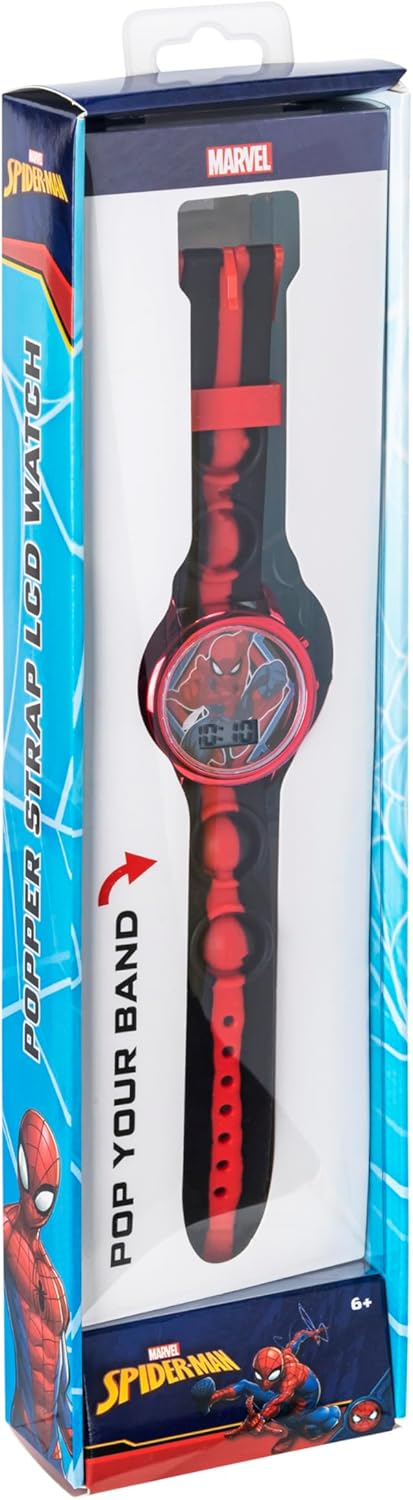
Front view of the Accutime Marvel Spiderman digital watch, showcasing its vibrant red and black design, Spiderman character on the dial, and digital time display.
Key Features
- Marvel Officially Licensed: Features the Spiderman character.
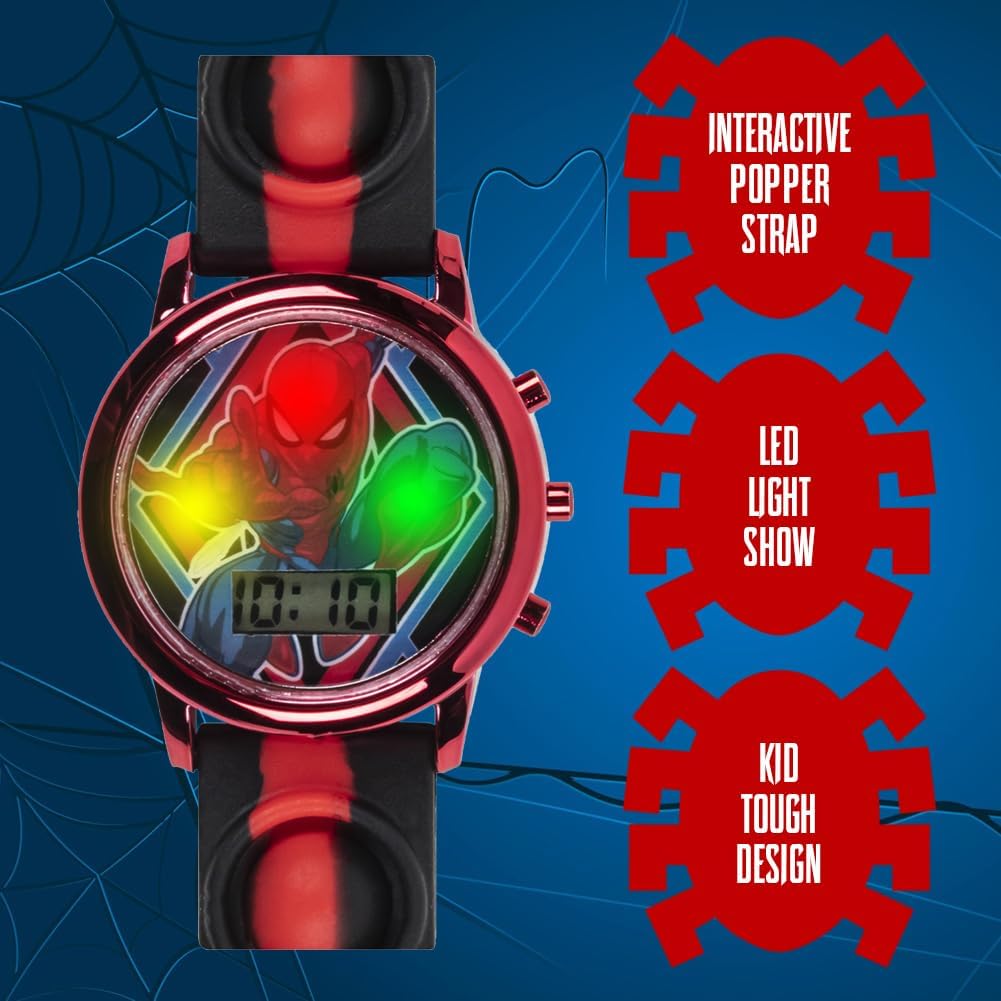
- Interactive Popper Strap: Strap includes poppers for tactile interaction.
- Red, Green, and Yellow LED Light Show: Watch face illuminates with multi-color LEDs.
- Easy to Read Digital Display: Clear LCD for time display.
- Accurate Quartz Movement: Ensures precise timekeeping.
- Durable Design: Constructed for everyday use by children.

A close-up view of the Accutime Spiderman watch, illustrating its key features: the interactive popper strap, the multi-color LED light show on the watch face, and its durable, kid-friendly construction.
Setup
Initial Battery Activation
The watch comes with a pre-installed battery (2 x LR41 1.5V). It is ready for use directly out of the box. No initial battery activation steps are typically required.
Wearing the Watch
Adjust the popper strap to fit comfortably around the child's wrist. Ensure it is secure but not too tight to allow for proper circulation.
The reverse side of the Accutime Spiderman watch, displaying the Marvel logo, model number SPD4845AZ, and battery specifications (2 x LR41 1.5V).
Operating Instructions
Setting the Time
The watch typically has two buttons on the side for operation. Refer to the diagram below for button identification.
A side profile of the Accutime Spiderman watch, highlighting the buttons on the right side of the watch case used for setting time and activating features.
- Display Time: Press the top button (usually labeled 'A' or 'Mode') once to display the current time.
- Enter Setting Mode: Press and hold the top button for approximately 3 seconds until the hour digits begin to flash.
- Adjust Hour: While the hour digits are flashing, press the bottom button (usually labeled 'B' or 'Set') repeatedly to advance the hour.
- Move to Minutes: Press the top button once to move to the minute digits. The minute digits will begin to flash.
- Adjust Minutes: While the minute digits are flashing, press the bottom button repeatedly to advance the minutes.
- Exit Setting Mode: Press the top button again to confirm the time and exit the setting mode. The time will stop flashing and display normally.
Using the LED Light Show
To activate the red, green, and yellow LED light show, press the bottom button (usually labeled 'B' or 'Set') once when the time is displayed. The lights will flash for a few seconds, providing an entertaining visual effect.
Interactive Popper Strap
The strap features integrated poppers. Pressing these poppers will produce a soft popping sound, offering an additional interactive element for the user.
Maintenance
Cleaning
- Wipe the watch case and strap with a soft, damp cloth.
- Avoid using harsh chemicals or abrasive cleaners, as these can damage the watch's finish or components.
- Ensure the watch is dry before storing.
Water Resistance
This watch is generally designed for everyday wear and is splash-resistant. It is not intended for swimming, showering, or submersion in water. Avoid exposing the watch to excessive moisture to prevent damage to the internal components.
Battery Replacement
The watch uses 2 x LR41 (1.5V) batteries. When the display becomes dim or the watch stops functioning, it may be time to replace the batteries. Battery replacement should ideally be performed by a qualified technician or an adult with experience in small electronics to avoid damaging the watch.

A detailed view of the Accutime Spiderman watch face, showing the digital time display and the Spiderman graphic.
Troubleshooting
Refer to the table below for common issues and their potential solutions.
| Problem | Possible Cause | Solution |
|---|---|---|
| Watch display is blank or dim. | Low or dead battery. | Replace the LR41 batteries. |
| Time is incorrect or not advancing. | Time not set correctly or battery issue. | Re-set the time following the 'Setting the Time' instructions. If issue persists, replace battery. |
| LED light show not working. | Low battery or button malfunction. | Ensure battery is fresh. Press the light button firmly. |
| Popper strap not making sound. | Wear and tear or foreign object. | Inspect the popper mechanism for obstructions or damage. |
Specifications
| Feature | Detail |
|---|---|
| Model Number | SPD4845AZ |
| Display Type | Digital LCD |
| Movement | Quartz |
| Battery Type | 2 x LR41 (1.5V) |
| Strap Material | Silicone/Rubber with Popper Feature |
| Case Dimensions | Approximately 11.54 x 2.87 x 1.42 inches (Package Dimensions) |
| Weight | Approximately 4.16 ounces |
| Recommended Age | 3 years and up |
Warranty and Support
Warranty Information
The Accutime Marvel Spiderman Kids Digital LCD Wrist-Watch comes with a one-year warranty from Accutime Watch. This warranty covers manufacturing defects and ensures reliable performance under normal use. Please retain your proof of purchase for warranty claims.
Customer Support
For any questions, technical assistance, or warranty claims, please contact Accutime Watch customer support. Refer to the product packaging or the official Accutime website for the most current contact information.
Related documentsSPD4845AZ


Ask a question about this manual
Ask about setup, troubleshooting, compatibility, parts, safety, or missing instructions. Manuals+ will review the question and use this page’s manual context to help answer it.