
Accutime POK4281AZ
Accutime Kids Pokémon Digital LCD Quartz Watch User Manual
Model: POK4281AZ
Introduction
Thank you for purchasing the Accutime Kids Pokémon Digital LCD Quartz Watch. This watch is designed for young Pokémon fans, featuring a Poké Ball inspired design, an easy-to-read LCD display, and a built-in flashlight. This manual provides essential information for setting up, operating, maintaining, and troubleshooting your new watch.

Image: The Accutime Kids Pokémon Digital LCD Quartz Watch shown in its retail packaging, alongside illustrations of popular Pokémon characters such as Charmander, Pikachu, and Bulbasaur.
Safety Information
- This watch is not a toy. Adult supervision is recommended for young children.
- Do not expose the watch to extreme temperatures or direct sunlight for prolonged periods.
- Avoid submerging the watch in water. It is designed for splash resistance, not full submersion.
- Keep batteries out of reach of small children. If swallowed, seek immediate medical attention.
- Do not attempt to open the watch casing or modify the internal components, as this may void the warranty and cause damage.
Product Overview
The Accutime Kids Pokémon Digital LCD Quartz Watch features a durable design and user-friendly functions. Familiarize yourself with the main components:

Image: A composite image showing the Accutime Kids Pokémon Digital LCD Quartz Watch from a front-angle perspective on the left, and a full top-down view on the right, highlighting its Poké Ball design and digital display.
- LCD Display: Shows time in digital format.
- Poké Ball Bezel: Decorative outer ring with Poké Ball design.
- Function Buttons: Located on the sides for setting time and activating features.
- Flashlight Button: Dedicated button for the built-in LED flashlight.
- Durable Molded Plastic Strap: Comfortable and adjustable for various wrist sizes.

Image: A close-up of the watch with circular callouts pointing to its features: "Soft Silicone Strap", "LED Flashlight", and "Kid Tough Design", emphasizing its durability and comfort.
Setup
Initial Battery Activation
Your watch comes with a pre-installed battery. If the display is not active, check for a small plastic tab protruding from the side of the watch, near the crown or buttons. Gently pull this tab out to activate the battery. If no tab is present, the watch should be ready for use.
Adjusting the Strap
The durable molded plastic strap is adjustable to fit wrist sizes from 5.5 inches to 8 inches. Simply use the buckle to find a comfortable and secure fit on the wearer's wrist.
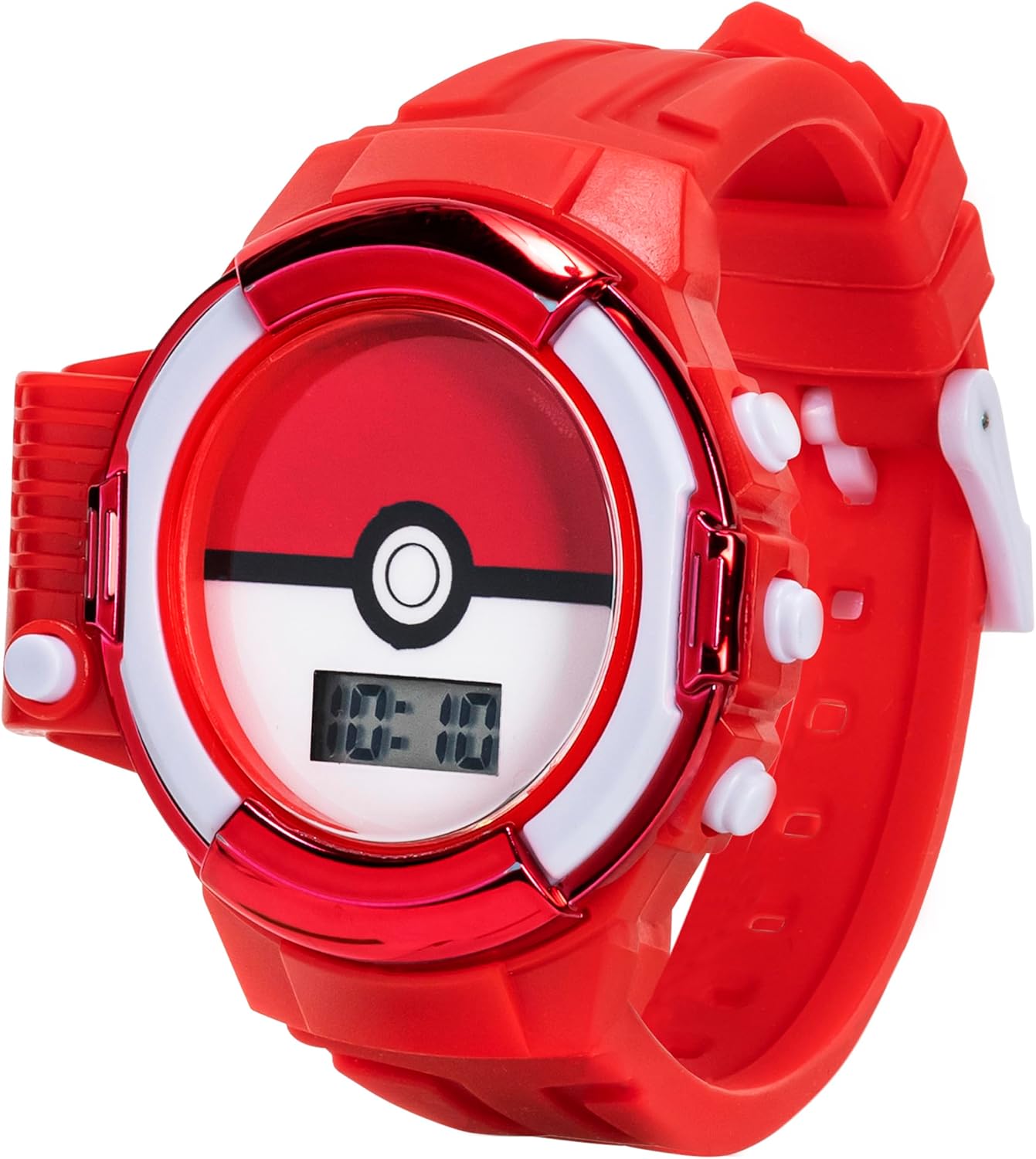
Image: The Accutime Kids Pokémon Digital LCD Quartz Watch with its red strap detached and laid flat, showcasing the full length of the strap and the watch face.
Operating Instructions
Setting the Time
- Locate the function buttons on the side of the watch. There are typically two or three buttons.
- Press the MODE button (often the bottom-left button) repeatedly until the time display starts flashing.
- Use the SET button (often the top-right button) to adjust the hours. Press it once to advance by one hour.
- Press the MODE button again to move to the minutes setting.
- Use the SET button to adjust the minutes.
- Press the MODE button one last time to confirm the settings and return to normal time display.
Note: Button functions may vary slightly. Refer to the specific button labels on your watch if available.
Using the Built-in Flashlight
The watch features a convenient built-in LED flashlight. To activate the flashlight, press the dedicated Flashlight Button, usually located on the left side of the watch casing. Press it again to turn the flashlight off.

Image: A child's hand is shown pressing the side button of the Accutime Kids Pokémon Digital LCD Quartz Watch, illustrating the activation of its built-in flashlight, with a visible light beam.

Image: A child's hand points to the Accutime Kids Pokémon Digital LCD Quartz Watch on their wrist, from which a beam of light extends, with an Eevee character subtly visible in the background, demonstrating the flashlight feature.
Maintenance
Cleaning Your Watch
To clean your watch, gently wipe it with a soft, damp cloth. Do not use harsh chemicals, abrasive cleaners, or solvents, as these can damage the watch's finish or internal components.
Battery Replacement
The watch uses two types of batteries: 2x LR41 (1.5V) for the watch movement and 1x CR2032 (3V) for the flashlight. Battery replacement should ideally be performed by a qualified watch technician to ensure proper sealing and function. If you choose to replace the battery yourself, carefully open the back casing using a small screwdriver, replace the old battery with a new one of the same type, and ensure the casing is securely closed afterward.

Image: The back of the Accutime Kids Pokémon Digital LCD Quartz Watch, displaying engraved text including the Pokémon logo, copyright information, model number POK4281AZ, and battery specifications (2x LR41 (1.5V) & 1x CR2032 (3V)).
Troubleshooting
| Problem | Possible Cause | Solution |
|---|---|---|
| Display is blank or dim. | Battery is dead or not activated. | Ensure plastic battery tab is removed. Replace watch battery (LR41). |
| Flashlight is not working. | Flashlight battery is dead. | Replace flashlight battery (CR2032). |
| Time is incorrect. | Time needs to be set or reset. | Follow the "Setting the Time" instructions in this manual. |
| Watch is uncomfortable. | Strap is too tight or too loose. | Adjust the strap using the buckle to a comfortable fit. |
Specifications
- Model Number: POK4281AZ
- Display Type: Digital LCD
- Movement: Quartz
- Strap Material: Durable Molded Plastic
- Adjustable Wrist Size: 5.5" to 8"
- Watch Battery: 2x LR41 (1.5V)
- Flashlight Battery: 1x CR2032 (3V)
- Manufacturer: Accutime Watch Corp.
- ASIN: B0B4VDMD3B
Warranty and Support
For warranty information and customer support, please refer to the documentation included with your purchase or contact Accutime Watch Corp. directly. You may also visit the official Accutime store on Amazon for additional resources and contact details.
Accutime Store: Visit the Accutime Store on Amazon
For further assistance, please have your model number (POK4281AZ) and ASIN (B0B4VDMD3B) ready.
Related documentsPOK4281AZ


Ask a question about this manual
Ask about setup, troubleshooting, compatibility, parts, safety, or missing instructions. Manuals+ will review the question and use this page’s manual context to help answer it.