
1. Introduction
Thank you for choosing the KZ EDA Dynamic Driver Earbuds. This manual provides essential information for the proper setup, operation, maintenance, and troubleshooting of your new in-ear monitors. Please read this manual thoroughly before use to ensure optimal performance and longevity of your product.
2. Product Overview
2.1 Components
- KZ EDA Earbuds (Left and Right)
- Detachable 2-Pin Cable
- Silicone Eartips (various sizes)
2.2 Key Features
- Dynamic Driver: Engineered for high-fidelity audio reproduction.
- Detachable Cable: Allows for easy replacement and upgrade.
- Ergonomic Design: Shaped for comfortable and secure fit within the ear.
- Passive Noise Cancellation: The in-ear design provides up to 26dB of passive noise isolation.
- Lightweight Construction: Designed for extended listening comfort.

Image: General view of the KZ EDA Dynamic Driver Earbuds, showcasing their transparent housing and metallic accents.
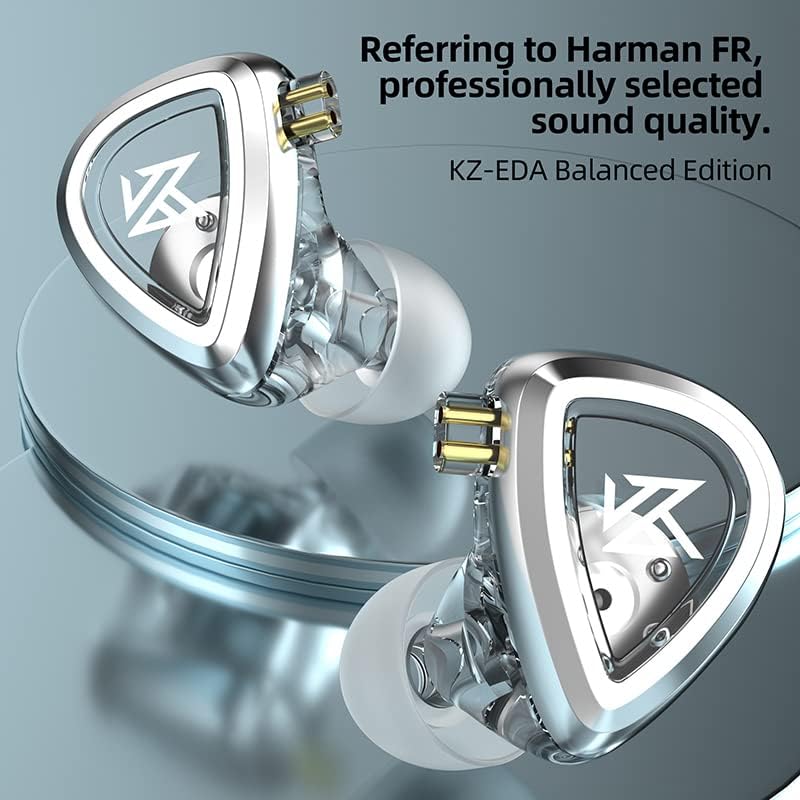
Image: Close-up of the KZ EDA Earbuds, highlighting the detailed design and 2-pin connector interface.
3. Setup
3.1 Identify Left and Right Earbuds
Each earbud is marked with 'L' for left and 'R' for right. Ensure you match them correctly for proper stereo imaging and comfort.
3.2 Connect the Cable
- Identify the left and right connectors on the detachable cable. The cable typically has a pre-formed ear hook for over-ear routing.
- Align the 2-pin connector on the cable with the corresponding receptacle on each earbud. The pins should slide in smoothly. Do not force the connection.
- Ensure a firm connection.
3.3 Select Eartips
Choose the silicone eartips that provide the best seal and comfort for your ears. A good seal is crucial for optimal sound quality and bass response. Experiment with different sizes (Small, Medium, Large) to find your ideal fit.
3.4 Wearing the Earbuds
- Gently insert the earbud into your ear canal.
- Route the cable over the top of your ear. The pre-formed ear hook helps secure the earbud in place and reduces microphonics (cable noise).
- Adjust the earbud until it feels secure and comfortable, forming a good seal.

Image: A person wearing the KZ EDA Earbuds, demonstrating the over-ear cable routing for a secure and comfortable fit.
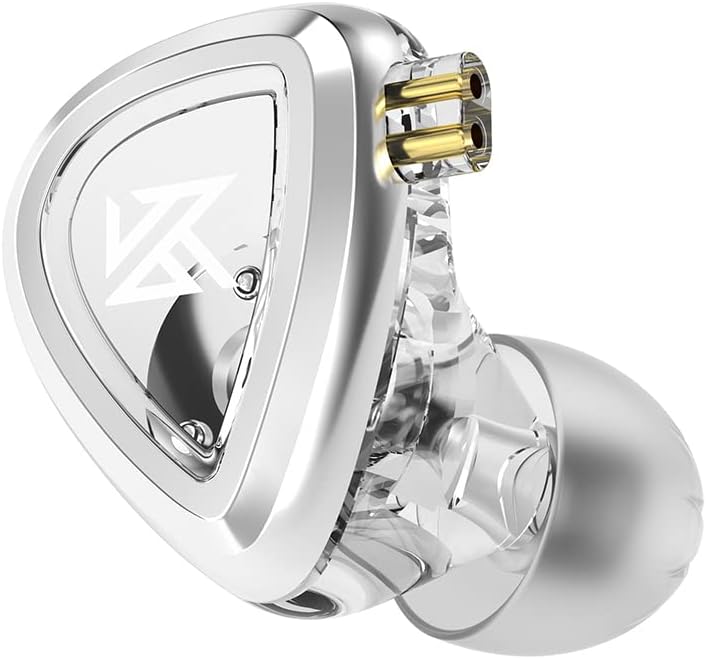
Image: Illustration of the ergonomic design of the KZ EDA Earbuds, highlighting how the shape contributes to passive noise cancellation by sealing the ear canal.
3.5 Connect to Audio Source
Plug the 3.5mm jack of the cable into the headphone output of your audio device (e.g., smartphone, digital audio player, computer).
4. Operating Instructions
4.1 Audio Playback
Once connected to your audio source, simply start playing audio from your device. The earbuds will reproduce the sound.
4.2 Volume Control
Adjust the volume directly on your connected audio device. These earbuds do not feature inline volume controls.
5. Maintenance
5.1 Cleaning the Earbuds and Eartips
- Gently wipe the exterior of the earbuds with a soft, dry, lint-free cloth.
- Remove the silicone eartips and wash them with mild soap and water. Rinse thoroughly and allow them to dry completely before reattaching.
- Do not use harsh chemicals or abrasive materials for cleaning.
5.2 Cable Care
- Avoid sharp bends or excessive pulling on the cable.
- When disconnecting, always pull from the plug, not the cable itself.
- To disconnect the 2-pin cable from the earbuds, hold the earbud firmly and gently pull the cable connector straight out. Do not twist.
5.3 Storage
When not in use, store your KZ EDA Earbuds in a protective case to prevent damage from dust, moisture, and physical impact.
6. Troubleshooting
6.1 No Sound
- Ensure the 3.5mm jack is fully inserted into your audio device.
- Check that the 2-pin cable connectors are securely attached to the earbuds.
- Verify the volume on your audio device is turned up and not muted.
- Test with a different audio source or another pair of headphones to rule out device issues.
6.2 Poor Sound Quality / Distorted Audio
- Ensure the eartips form a proper seal in your ear. Adjust their position or try a different size.
- Check the cable connections for any looseness.
- Reduce the volume on your audio device if distortion occurs at high levels.
- Ensure the audio source file or streaming quality is high.
6.3 Earbuds Falling Out
- Experiment with different eartip sizes to find the most secure fit.
- Ensure the cable is routed over your ear correctly, utilizing the ear hook.
- Adjust the angle and depth of insertion until a stable fit is achieved.
7. Specifications

Image: Illustration detailing the 0.15MM magnetic gap within the dynamic driver, contributing to stronger output and lower distortion.

Image: Illustration showing the customized 0.035MM diameter loop, designed to stabilize and enhance driver vibration frequency.
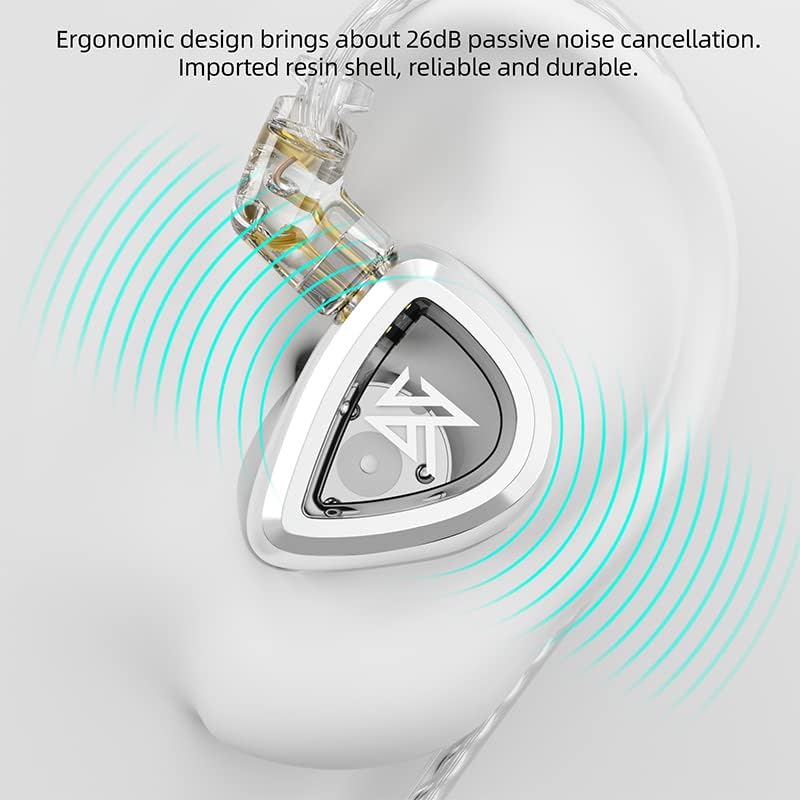
Image: Illustration of the single temperature-controlled forming diaphragm with a thickness of 4.8 microns, which reduces vibration attenuation and improves transient performance.
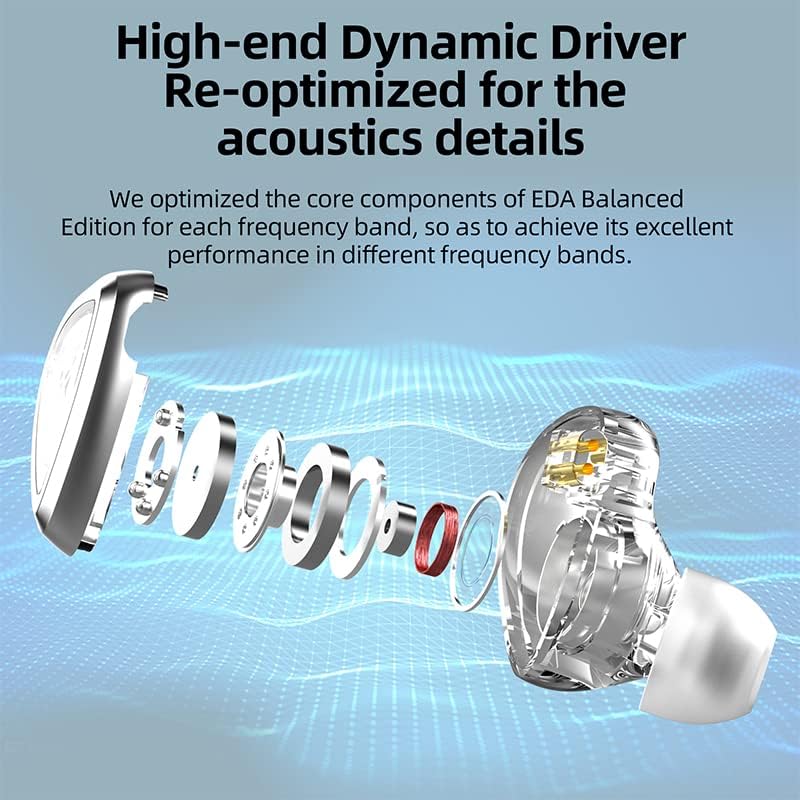
Image: Frequency response graph of the KZ EDA Earbuds, illustrating their balanced acoustic tuning across different frequency bands.
| Model Name | EDA Balanced version |
| Headphones Jack | 3.5 mm Jack |
| Connectivity Technology | Wired |
| Included Components | Cable |
| Material | Plastic |
| Audio Driver Type | Dynamic Driver |
| Special Feature | Lightweight |
| Water Resistance Level | Not Water Resistant |
| Item Weight | 0.06 Kilograms (2.08 ounces) |
| Package Dimensions | 3.74 x 2.8 x 1.26 inches |
| Ear Placement | In Ear |
| Form Factor | In Ear |
| Noise Control | None (Passive Noise Cancellation via design) |
8. Warranty and Support
For warranty information and customer support, please refer to the documentation provided with your purchase or contact the manufacturer directly through their official website. Keep your proof of purchase for warranty claims.


