
Mars Gaming MK422WBRFR
Contents
Mars Gaming MK422 Mechanical Gaming Keyboard User Manual
Model: MK422WBRFR
Introduction
The Mars Gaming MK422 is a high-performance mechanical gaming keyboard designed for demanding applications and broad compatibility. It features a durable construction and advanced functionalities to enhance your gaming and typing experience.
Key features include mechanical anti-dust technology for long life and resistance, 12 rainbow RGB lighting effects, ultra-resistant indelible double-injection keys, dedicated multimedia functions, a game mode, and advanced anti-ghosting. The MK422 offers exceptional performance across various platforms.
Package Contents
- Mars Gaming MK422 Mechanical Gaming Keyboard
- USB Cable
Setup
Connecting the Keyboard
To connect your Mars Gaming MK422 keyboard, simply plug the USB-A connector of the included cable into an available USB port on your computer or gaming console. The keyboard is plug-and-play compatible and does not require additional driver installation for basic functionality.

Driver Installation
The MK422 keyboard is designed for immediate use. For most operating systems (Windows, Linux, Mac), the keyboard will be recognized automatically upon connection, and no specific driver installation is required. For advanced customization, please refer to the official Mars Gaming website for any available software.
Operating Instructions
Keyboard Layout
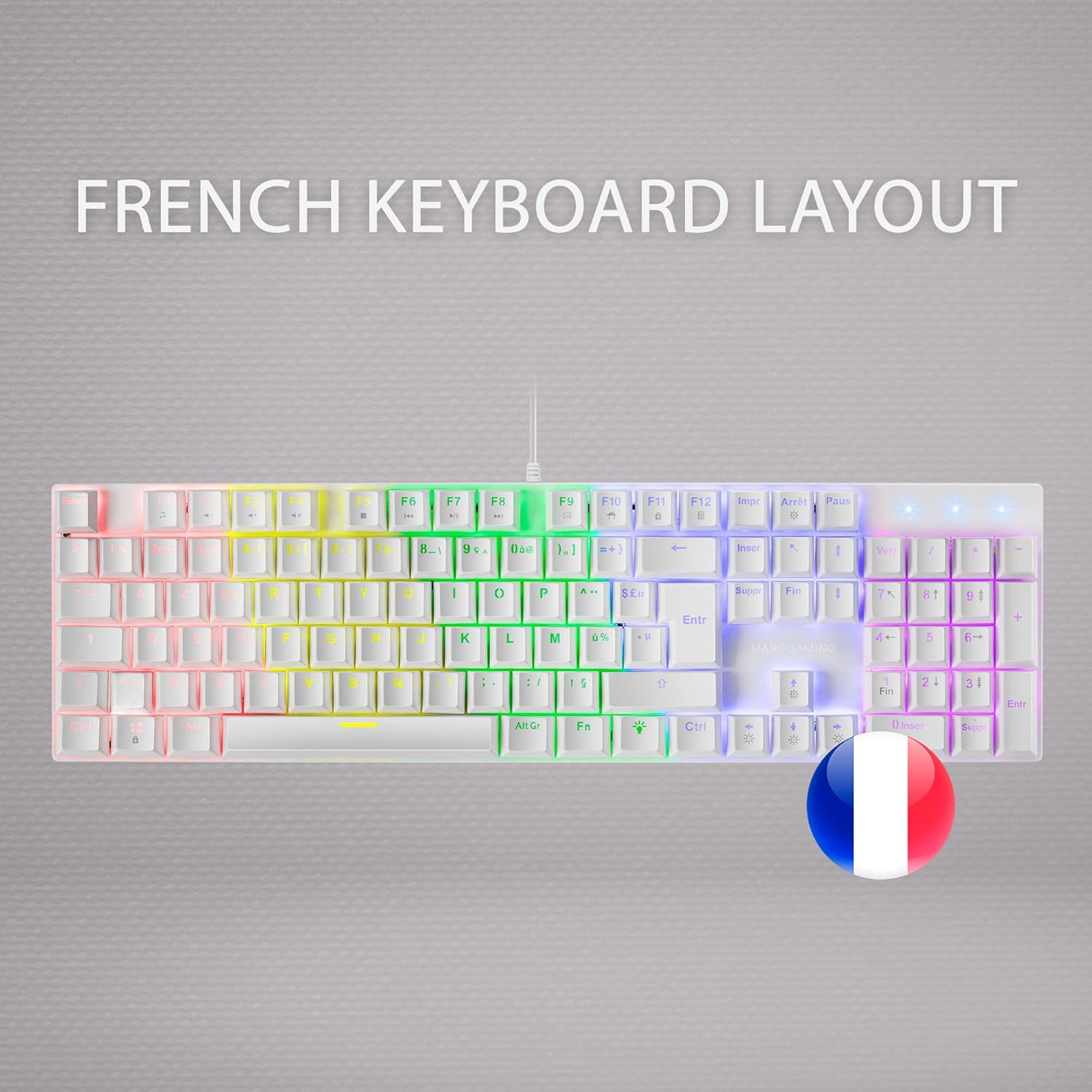
The MK422 keyboard features an AZERTY French layout, optimized for French language input and common European keyboard standards.
RGB Lighting Control
The MK422 is equipped with a Rainbow RGB LED lighting system offering 12 special effects for customization. Use the designated function keys (often Fn + specific keys like F-keys or arrow keys) to cycle through the lighting modes, adjust brightness, or change effect speed. Refer to the keyboard's keycap legends for specific combinations.

Multimedia Keys and Game Mode
Conveniently access multimedia functions and shortcuts located in the top row of keys. These typically include volume control, media playback, and other quick access features. Additionally, activate the game mode to prevent accidental interruptions during gameplay, such as disabling the Windows key.

Mechanical Switches
The MK422 keyboard is equipped with mechanical switches featuring anti-dust technology, ensuring complete accuracy and reliability while protecting against dust and dirt. Different switch types offer distinct tactile and auditory feedback:
- Brown Dustproof Switch: Offers an optimized keystroke with just the right pressure, combining precision and a tactile feel. It's a balanced option between red and blue switches.
- Blue Dust Switch: Features the characteristic
Documents and downloads
Ask a question about this manual
Ask about setup, troubleshooting, compatibility, parts, safety, or missing instructions. Manuals+ will review the question and use this page’s manual context to help answer it.