1. Introduction
This manual provides essential instructions for the safe installation, operation, and maintenance of your Dioche Smart Wi-Fi DIN Rail Circuit Breaker. This device allows for remote control and monitoring of electrical appliances via a mobile application, offering enhanced convenience and energy management capabilities. Please read this manual thoroughly before use and retain it for future reference.
2. Safety Information
WARNING: Electrical installation and maintenance should only be performed by qualified personnel. Failure to follow these instructions may result in electric shock, fire, or serious injury.
- Always disconnect power at the main circuit breaker before installing or servicing the device.
- Ensure all wiring connections are secure and comply with local electrical codes.
- Do not operate the device if it is damaged or malfunctioning.
- Keep the device away from water and excessive moisture.
- The device is designed for indoor use only.
3. Product Overview
The Dioche Smart Wi-Fi DIN Rail Circuit Breaker is designed for integration into smart home systems, providing remote control and monitoring of connected electrical loads. It features intelligent protection mechanisms and multiple timing modes.

Figure 3.1: Dioche Smart Wi-Fi DIN Rail Circuit Breaker. This image shows the front view of the circuit breaker with its branding and a text overlay indicating its function as a Wi-Fi circuit breaker.
3.1 Key Features
- Remote Control: Manage device on/off status from anywhere via a mobile application.
- Real-time Monitoring: Observe the status of connected electrical appliances.
- Multiple Timing Modes: Includes Time mode, Countdown mode, and Cycle time for automated control.
- Durable Construction: Features copper for good conductivity and PA66 flame-retardant material for high temperature resistance.
- Safety Protections: Equipped with intelligent protection features such as short circuit protection and overload protection.
- Status Indicators: Colored LED indicator lights provide immediate visual feedback on the device's working status.
3.2 Components
The device consists of a main circuit breaker unit with integrated Wi-Fi module, power terminals (N, Power L, N, Load L), and a control button with an LED indicator.

Figure 3.2: Front view of the circuit breaker. This image displays the front of the Dioche circuit breaker, showing the power button, signal light, and metering indicator.
4. Setup
4.1 Installation
The Dioche Smart Wi-Fi DIN Rail Circuit Breaker is designed for DIN rail mounting. Ensure proper wiring for safe and effective operation.
- Power Disconnection: Before beginning installation, ensure that the main power supply to the circuit is completely disconnected.
- Mounting: Securely mount the circuit breaker onto a standard DIN rail.
- Wiring: Connect the electrical wires from the upper end (Power L, N) to the lower end (Load L, N) of the circuit breaker. Verify that all connections are correct and tight.

Figure 4.1: Installation of the circuit breaker. This image shows an electrician connecting wires to a circuit breaker within an electrical panel, demonstrating the installation process.
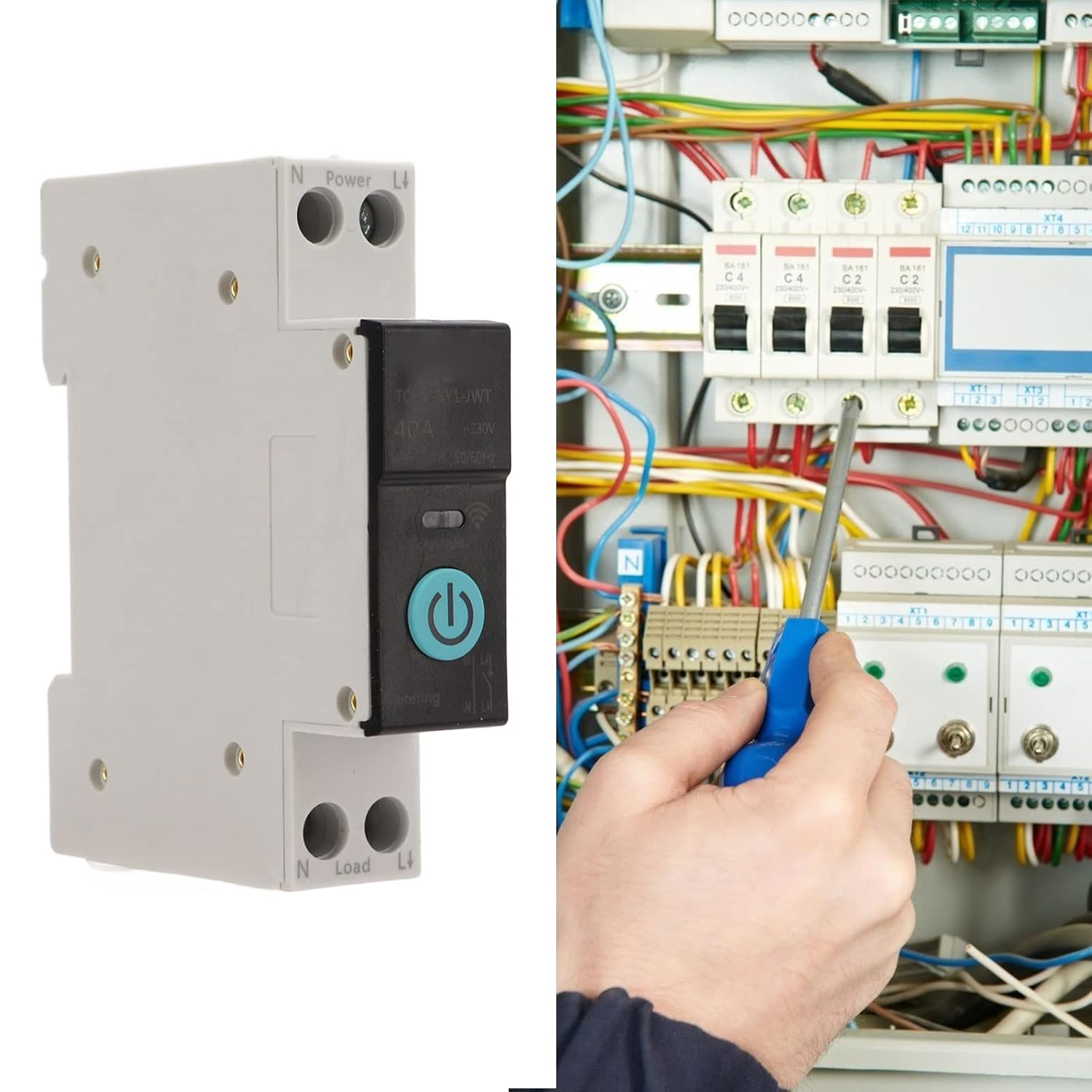
Figure 4.2: Securing wiring. This image depicts an electrician using a screwdriver to tighten connections on a circuit breaker, emphasizing the importance of secure wiring.
4.2 Device Pairing (Wi-Fi Connection)
To enable remote control, the circuit breaker must be paired with your mobile application and Wi-Fi network.
- Power On: After installation, restore power to the circuit breaker.
- Enable Bluetooth & Wi-Fi: On your mobile phone, ensure both Bluetooth and Wi-Fi are enabled.
- Open Application: Launch the compatible smart home application (e.g., Smart Life app).
- Enter Pairing Mode: Press and hold the power button on the circuit breaker for 5-10 seconds. The LED indicator light will begin to flash slowly in blue, indicating it is in pairing mode.
- Add Device: In the application, a pop-up window may appear, or you may need to tap the '+' icon in the upper right corner and select 'Add Device'. Wait for the application to recognize the device.
- Connect to Network: Enter the password for your Wi-Fi network and proceed. Wait for the device to connect to the network.
- Confirmation: Once connected, the LED indicator will change, and the device will appear in your application.
5. Operating Instructions
5.1 LED Indicator Description
- Constant Blue Light: Indicates the circuit breaker is ON.
- Light Off: Indicates the circuit breaker is OFF or in off-grid mode. Note: In off-grid mode, the manual switch has no status indicator. Exercise caution during operation.
- Slow Blue Flash: Indicates the product is in pairing mode.
5.2 Remote Control
After successful pairing, you can use the mobile application to remotely turn the circuit breaker ON or OFF. This allows you to control connected appliances from any location with internet access.
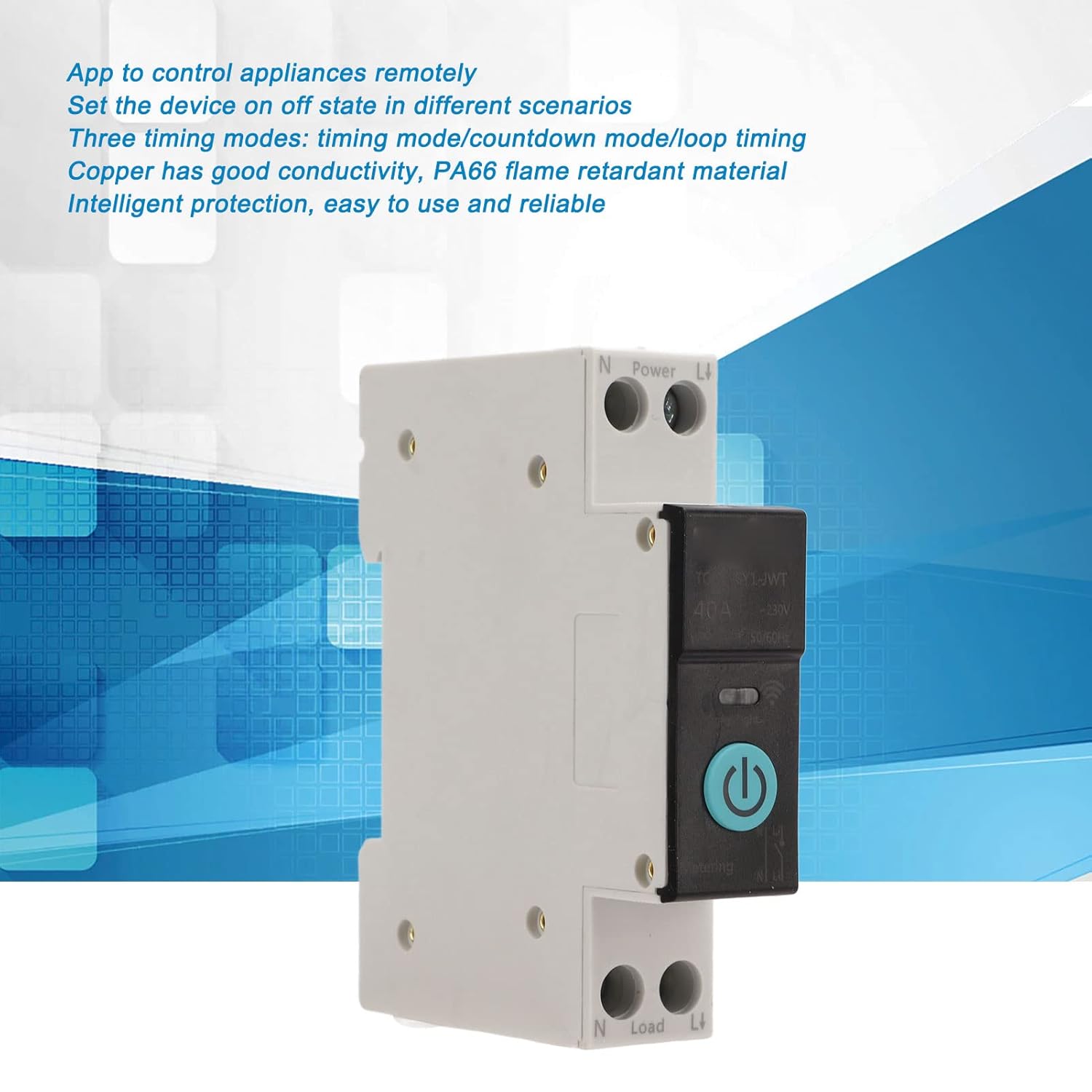
Figure 5.1: Remote control functionality. This image highlights the ability to control the circuit breaker remotely via a mobile application.
5.3 Timing Modes
The device supports three timing modes for automated control of your appliances:
- Time Mode: Schedule specific ON/OFF times for the circuit breaker.
- Countdown Mode: Set a countdown timer after which the circuit breaker will change its state.
- Cycle Time: Program repetitive ON/OFF cycles for regular automation.
These modes can be configured within the mobile application to suit your specific needs, such as turning on an air conditioner before arriving home.
6. Maintenance
The Dioche Smart Wi-Fi DIN Rail Circuit Breaker requires minimal maintenance. Follow these guidelines to ensure optimal performance and longevity:
- Regular Inspection: Periodically check the device and its wiring for any signs of damage, loose connections, or overheating.
- Cleaning: If necessary, gently wipe the exterior of the device with a dry, soft cloth. Do not use liquid cleaners or solvents.
- Firmware Updates: Keep the mobile application and device firmware updated to ensure access to the latest features and security enhancements.
- Professional Check: For any complex issues or concerns, consult a qualified electrician.
7. Troubleshooting
If you encounter issues with your Dioche Smart Wi-Fi DIN Rail Circuit Breaker, refer to the following common problems and solutions:
| Problem | Possible Cause | Solution |
|---|---|---|
| Device does not power on. | No power supply; incorrect wiring. | Check main power supply. Verify wiring connections are correct and secure. |
| Cannot connect to Wi-Fi. | Incorrect Wi-Fi password; weak Wi-Fi signal; device not in pairing mode. | Ensure correct Wi-Fi password. Move device closer to router. Re-enter pairing mode (slow blue flash). |
| Remote control not working. | No internet connection on phone or device; device offline in app. | Check phone's internet connection. Verify device is connected to Wi-Fi and online in the app. |
| LED indicator not functioning as expected. | Device malfunction; off-grid mode. | Refer to LED indicator description (Section 5.1). If persistent, contact support. |
8. Specifications
Technical specifications for the Dioche Smart Wi-Fi DIN Rail Circuit Breaker (40A):
| Feature | Specification |
|---|---|
| Brand | Dioche |
| Model Number | Diochew3m6h809ag1208-15 |
| Current Rating | 40 Amps |
| Circuit Breaker Type | Standard |
| Mounting Type | DIN Rail Mount |
| Number Of Poles | 2 (1P+N) |
| Rated Working Voltage | AC 230V |
| Control Method | Remote control (Wi-Fi), Manual |
| Application | Smart home control (e.g., for Smart Lift app) |
| Material | Copper, PA66 |
| Item Weight | 110 g |
| Country of Origin | China |
8.1 Dimensions

Figure 8.1: Device Dimensions. The image shows the circuit breaker with its approximate dimensions: 82mm (3.23in) height, 68mm (2.68in) width, and 18mm (0.71in) depth.
9. Warranty and Support
9.1 Warranty Information
Please refer to the product packaging or your point of purchase for specific warranty details. Typically, Dioche products come with a limited warranty covering manufacturing defects.
9.2 Customer Support
For technical assistance, troubleshooting, or warranty claims, please contact Dioche customer support through the contact information provided with your product or on the official Dioche website.