
1. Introduction
This manual provides essential information for the safe and effective use of your Wiha Voltage and Continuity Tester, Model 45217. This device is designed for professional electrical testing, offering reliable voltage and continuity measurements, phase rotation indication, and RCD testing. Please read these instructions thoroughly before operation and retain them for future reference.

Figure 1.1: Wiha Voltage and Continuity Tester (Model 45217)
2. Safety Information
Always adhere to local and national safety regulations when working with electrical systems. Failure to follow these safety instructions may result in electric shock, fire, or personal injury.
- DANGER: Risk of electric shock. Do not use the tester if it appears damaged or is not functioning correctly.
- Ensure the tester is suitable for the voltage and current levels of the circuit being tested. This device is rated for CAT IV 1000V.
- Always verify the tester's functionality on a known voltage source before and after use.
- Wear appropriate personal protective equipment (PPE), such as insulated gloves and safety glasses.
- Do not touch the probe tips when connected to a live circuit.
- Replace batteries only with the specified type (AAA) and ensure correct polarity.
The CAT IV 1000V rating indicates that this tester is suitable for measurements at the source of the low-voltage installation, such as electricity meters and primary overcurrent protection devices, and ripple control units.
3. Product Overview
The Wiha Voltage and Continuity Tester features a robust design with clear indicators for various measurements. It includes two probes connected by a flexible cable, a main unit with a display, and function buttons.

Figure 3.1: Tester in an electrical panel, highlighting key features
3.1 Components
- Main Unit: Houses the display, control buttons, and internal electronics.
- Test Probes: Two insulated probes for making contact with electrical circuits.
- LCD Display: Shows voltage readings, continuity status, and other indicators.
- Function Buttons: For RCD test, illumination, and other modes.
- Integrated LED Light: For illuminating dark work areas.
4. Setup
4.1 Battery Installation
The Wiha Voltage and Continuity Tester requires two (2) AAA batteries for operation. These are included with your purchase.
- Locate the battery compartment cover on the rear of the main unit.
- Use a suitable tool (e.g., a small screwdriver) to open the battery compartment.
- Insert two AAA batteries, ensuring correct polarity as indicated inside the compartment.
- Securely close the battery compartment cover.
4.2 Initial Check
Before each use, perform a functional check on a known live circuit (e.g., a standard wall outlet) to ensure the tester is operating correctly.
5. Operating Instructions
5.1 Voltage Measurement (AC/DC)
The tester automatically detects AC or DC voltage.
- Ensure the tester is clean and undamaged.
- Connect the two test probes to the points where voltage is to be measured.
- The voltage reading will appear on the LCD display. The corresponding voltage range LEDs will also illuminate.
- For photovoltaic (PV) systems, the tester supports up to 1000V DC.

Figure 5.1: Measuring voltage in an electrical panel
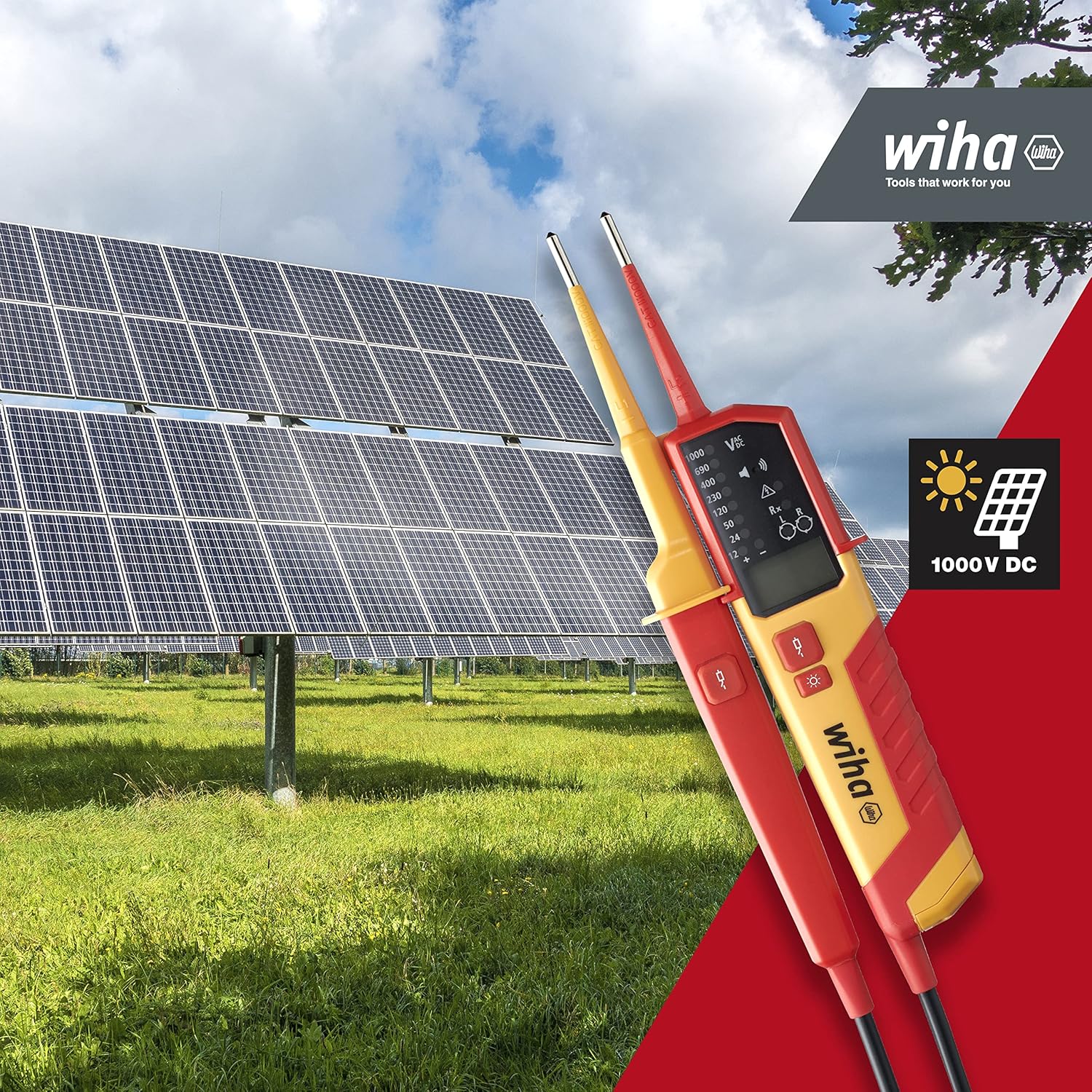
Figure 5.2: Tester compatible with photovoltaic systems up to 1000V DC
5.2 Continuity Test
To check for continuity in a de-energized circuit:
- Ensure the circuit is de-energized before testing.
- Connect the two test probes across the component or circuit path to be tested.
- If continuity exists (low resistance), the continuity indicator on the display will activate, and an audible signal may sound.
5.3 Phase Rotation Test
This function helps determine the phase sequence in three-phase systems.
- Connect the probes to the phases (L1, L2, L3) in sequence.
- The display will indicate the direction of phase rotation (left or right).

Figure 5.3: Performing a phase rotation test
5.4 RCD (Residual Current Device) Test
The tester can trigger RCDs to verify their functionality.
- Connect the probes to the circuit protected by an RCD.
- Press the designated RCD test buttons (often two load buttons) simultaneously.
- The RCD should trip, indicating proper function.

Figure 5.4: Triggering an RCD with the tester
5.5 Integrated LED Illumination
For working in dimly lit environments, the tester includes an integrated LED light.
- Press the light button on the main unit to activate the LED.
- Press again to turn off.

Figure 5.5: Using the integrated LED light
6. Maintenance
6.1 Cleaning
Clean the tester regularly with a dry, soft cloth. Do not use abrasive cleaners or solvents. Ensure no moisture enters the device.
6.2 Battery Replacement
When the battery indicator appears on the display, replace the batteries promptly to ensure accurate readings. Follow the steps in Section 4.1 for battery installation.
6.3 Storage
Store the tester in a dry, clean environment, away from direct sunlight and extreme temperatures. If storing for extended periods, remove the batteries to prevent leakage.
7. Troubleshooting
| Problem | Possible Cause | Solution |
|---|---|---|
| No display/Tester does not turn on | Dead or incorrectly installed batteries | Replace batteries, ensuring correct polarity. |
| Inaccurate readings | Low batteries, damaged probes, or incorrect usage | Replace batteries. Inspect probes for damage. Ensure proper connection to the circuit. |
| Continuity test fails on a known continuous circuit | Circuit is not de-energized, or high resistance | Ensure circuit is de-energized. Check for high resistance connections. |
If problems persist, contact Wiha customer support.
8. Specifications

Figure 8.1: Product dimensions
- Model Number: 45217
- Voltage Range: 0.5 - 1000 V AC/DC
- Measurement Category: CAT IV 1000V
- Power Source: Battery Powered
- Batteries: 2 x AAA batteries (included)
- Product Dimensions: 11.1 x 4.33 x 1.97 inches (28.19 x 10.99 x 5.00 cm)
- Item Weight: 11.99 ounces (340 grams)
- Color: Red
- Manufacturer: Wiha Werkzeuge GmbH
- Date First Available: September 22, 2022
9. What's in the Box
- 1 x Wiha Voltage and Continuity Tester (Model 45217)
- 2 x AAA Batteries
10. Warranty and Support
For warranty information, technical support, or service inquiries, please contact Wiha Werkzeuge GmbH directly. You can find contact details and further information on their official website.
Manufacturer: Wiha Werkzeuge GmbH
Contact Information: For support and contact details, please visit the official Wiha website: Wiha Contact Page


