
EUQQ YYK-530
EUQQ Bluetooth Wireless Earpiece User Manual
Model: YYK-530
1. Introduction
Thank you for choosing the EUQQ Bluetooth Wireless Earpiece. This manual provides essential information for setting up, operating, and maintaining your device. Please read it thoroughly to ensure proper use and to maximize the performance of your earpiece.
This earpiece is designed for clear communication and hands-free convenience, featuring Bluetooth 5.1 technology, CVC 8.0 noise cancellation, and multi-device connectivity, making it ideal for office, driving, and general use.
2. Safety Information
- Do not expose the earpiece to extreme temperatures, humidity, or corrosive substances.
- Avoid dropping or subjecting the device to strong impacts.
- Keep out of reach of children and pets.
- Use only the provided charging cable and a compatible power source.
- Do not attempt to disassemble or modify the earpiece, as this will void the warranty and may cause damage.
- Prolonged listening at high volume levels may cause hearing damage. Adjust volume to a safe level.
3. Package Contents
Please check the package for the following items:
- EUQQ Bluetooth Wireless Earpiece
- Charging Case
- USB Charging Cable
- User Manual
4. Product Overview
Familiarize yourself with the components of your EUQQ Bluetooth Wireless Earpiece.

Image: The EUQQ Bluetooth Wireless Earpiece shown alongside its compact charging case. The earpiece features a sleek black and silver design with an ear hook for secure fit, and the charging case displays a digital battery percentage.

Image: A close-up view of the EUQQ Bluetooth Wireless Earpiece highlighting its elegant design and contours.

Image: Diagram illustrating the multi-function buttons on the earpiece, including power, play/pause, answer/end call, redial, Siri activation, three-way call switching, volume controls, track navigation, and microphone on/off.
5. Setup
5.1 Charging the Earpiece and Case
Before first use, fully charge the earpiece and its charging case.
- Place the earpiece into the charging case.
- Connect the USB charging cable to the Type-C port on the charging case and to a USB power adapter (not included) or computer USB port.
- The digital display on the charging case will show the battery percentage.
- A full charge for the earpiece takes approximately 1.5 hours. The charging case provides multiple charges for the earpiece.

Image: Diagram showing the battery life: 12 hours music time, 15 hours talk time per charge, 1.5 hours charging time, and 80 hours total talk time with the charging case.
5.2 Pairing with Your Device
The earpiece uses Bluetooth 5.1 for a stable connection.
- Ensure the earpiece is charged.
- Turn on the earpiece by pressing and holding the Multi-function Button until the indicator light flashes blue and red, indicating pairing mode.
- On your smartphone or other Bluetooth-enabled device, go to Bluetooth settings and enable Bluetooth.
- Search for available devices and select "EUQQ YYK-530" (or similar name) from the list.
- Once connected, the indicator light on the earpiece will flash blue slowly.
5.3 Wearing the Earpiece
The earpiece is designed for comfortable, all-day wear and can be worn on either the left or right ear.

Image: A person wearing the EUQQ earpiece, demonstrating its comfortable and ergonomic design for all-day wear. The image also shows the earpiece's light weight (0.4oz) and its ability to be worn on either the left or right ear.
- Gently place the ear hook over your ear.
- Adjust the earpiece so the earbud sits comfortably in your ear canal.
- Rotate the earpiece body for optimal microphone positioning towards your mouth.
6. Operating Instructions
6.1 Power On/Off
- Power On: Press and hold the Multi-function Button for approximately 3 seconds until you hear a voice prompt and the indicator light flashes blue.
- Power Off: Press and hold the Multi-function Button for approximately 5 seconds until you hear a voice prompt and the indicator light turns off.
6.2 Call Management

Image: A person driving while using the EUQQ earpiece, illustrating its hands-free conversation capabilities and CVC 8.0 noise-cancelling microphone for clear speaking.

Image: Visual guide demonstrating how to use one-tap mute by pressing and holding the button, and how to switch between call objects by tapping the button.
- Answer/End Call: Press the Multi-function Button once.
- Reject Call: Press and hold the Multi-function Button for 2 seconds.
- Redial Last Number: Double-press the Multi-function Button.
- Mute/Unmute Microphone: During a call, press and hold the Volume Down button for 2 seconds.
- Three-way Call Switching: During a call, tap the Multi-function Button to switch between active calls.
6.3 Music Playback
- Play/Pause: Press the Multi-function Button once.
- Next Song: Press and hold the Volume Up button for 2 seconds.
- Previous Song: Press and hold the Volume Down button for 2 seconds.
6.4 Volume Control
- Volume Up: Short press the Volume Up button.
- Volume Down: Short press the Volume Down button.
6.5 Voice Assistant (Siri/Google Assistant)
- Activate Voice Assistant: Triple-press the Multi-function Button.
6.6 Multi-Device Connection
The earpiece supports connecting to two Bluetooth devices simultaneously.

Image: A person using the EUQQ earpiece in a business setting, highlighting features like Bluetooth 5.1, clear call quality, 15 hours talk time, and dual device connection capability.
- Pair the earpiece with the first device as described in Section 5.2.
- Turn off Bluetooth on the first device.
- Put the earpiece back into pairing mode.
- Pair the earpiece with the second device.
- Turn on Bluetooth on the first device. The earpiece should automatically connect to both devices.
6.7 Wide Compatibility
The EUQQ Bluetooth Wireless Earpiece is compatible with a wide range of Bluetooth-enabled devices.
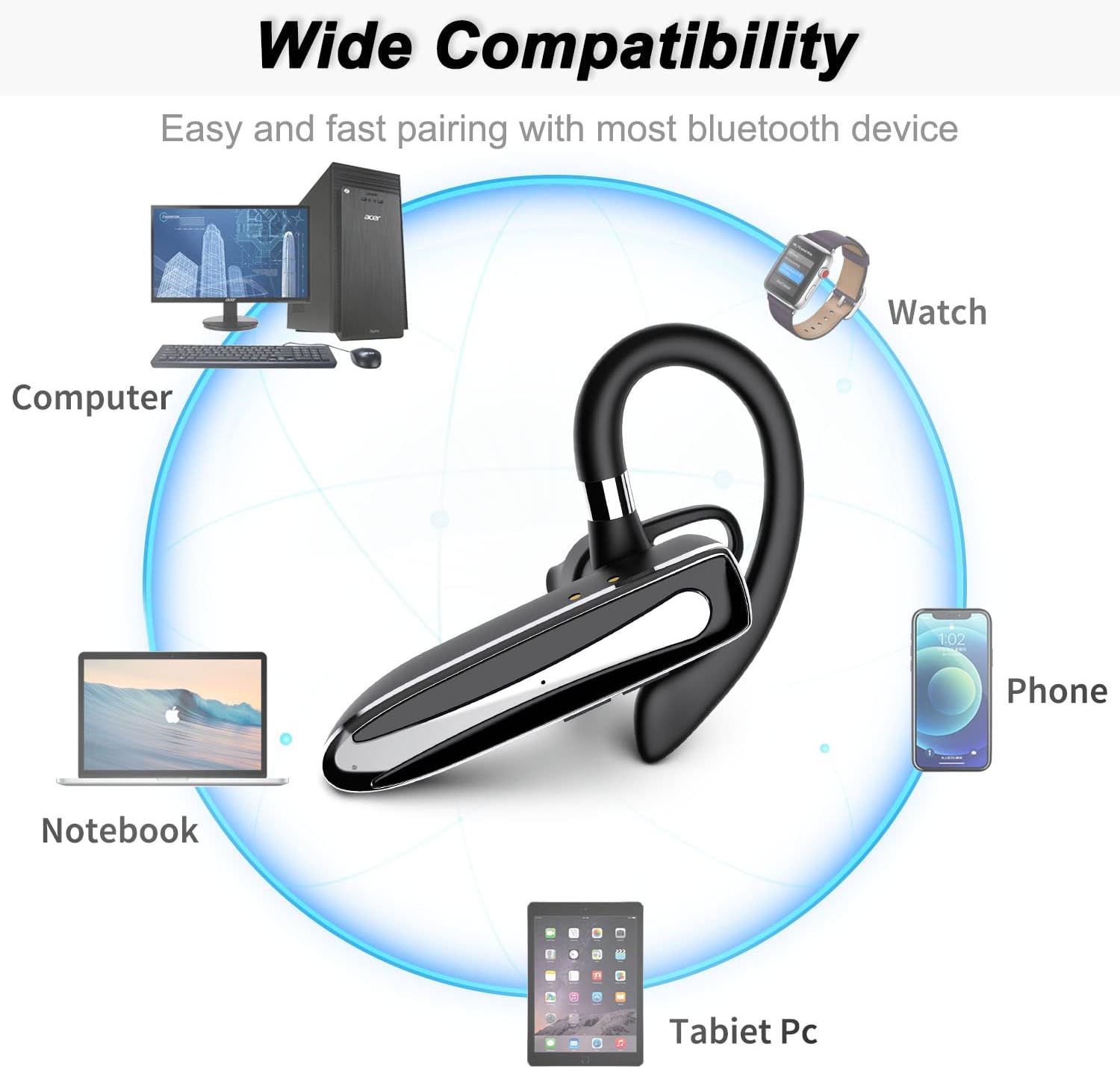
Image: Diagram showing the wide compatibility of the EUQQ earpiece with various devices, including computers, notebooks, phones, smartwatches, and tablet PCs.
7. Maintenance
- Cleaning: Use a soft, dry, lint-free cloth to clean the earpiece and charging case. Do not use harsh chemicals or abrasive materials.
- Storage: When not in use for extended periods, store the earpiece in its charging case in a cool, dry place away from direct sunlight.
- Battery Care: To prolong battery life, avoid fully discharging the battery frequently. Charge the device regularly, even if not in use.
8. Troubleshooting
| Problem | Possible Cause | Solution |
|---|---|---|
| Earpiece does not power on. | Low battery. | Charge the earpiece fully. |
| Cannot pair with device. | Earpiece not in pairing mode; Bluetooth off on device; device too far. | Ensure earpiece is in pairing mode (flashing red/blue). Turn on Bluetooth on your device. Move earpiece closer to device (within 10 meters). |
| No sound or low volume. | Volume too low; earpiece not connected; incorrect audio output. | Increase volume on both earpiece and connected device. Reconnect earpiece. Check audio output settings on your device. |
| Call quality is poor. | Weak signal; microphone obstructed; environmental noise. | Move closer to the connected device. Ensure microphone is clear. Reduce background noise if possible. |
| Earpiece disconnects frequently. | Out of range; interference; low battery. | Stay within Bluetooth range. Avoid strong electromagnetic interference. Charge the earpiece. |
9. Specifications
| Feature | Detail |
|---|---|
| Brand | EUQQ |
| Model | YYK-530 (Inferred) |
| Connectivity Technology | Wireless (Bluetooth) |
| Wireless Communication Technology | Bluetooth 5.1 |
| Ear Placement | In Ear |
| Form Factor | In Ear |
| Microphone | Included (CVC 8.0 Noise Cancelling) |
| Control Type | Voice Control (via assistant), Button Control |
| Material | Plastic |
| Battery Type | Lithium Polymer (2 required) |
| Charging Port | USB Type-C (on charging case) |
| Music Time | Up to 12 hours |
| Talk Time | Up to 15 hours (earpiece), 80 hours (with charging case) |
| Charging Time | Approx. 1.5 hours |
| Package Dimensions | 15.2 x 8.2 x 3.1 cm |
| Weight | 100 g (total package) |
10. Warranty and Support
For warranty information or technical support, please refer to the warranty card included in your package or contact the seller/manufacturer directly through the platform where the product was purchased. Please retain your proof of purchase for any warranty claims.
Manufacturer: EUQQ
Related documentsYYK-530


Ask a question about this manual
Ask about setup, troubleshooting, compatibility, parts, safety, or missing instructions. Manuals+ will review the question and use this page’s manual context to help answer it.