
Introduction
This manual provides essential information for the proper setup, operation, and maintenance of your Samsung HW-S800B 3.2.1ch Soundbar. This soundbar features Wireless Dolby Atmos, DTS Virtual:X, Q-Symphony, SpaceFit Sound, Airplay 2, Game Pro Mode, and Alexa Built-In, designed to enhance your audio experience. Please read this manual thoroughly before using the product.
What's in the Box
Carefully unpack your soundbar system and ensure all components are present. The package should contain the following items:
- Soundbar Unit
- Wireless Subwoofer
- Remote Controller
- HDMI Cable
- Wallmount Kit
- Power Cords for Soundbar and Subwoofer

Image: The Samsung HW-S800B soundbar and its accompanying wireless subwoofer, illustrating the main components of the audio system.
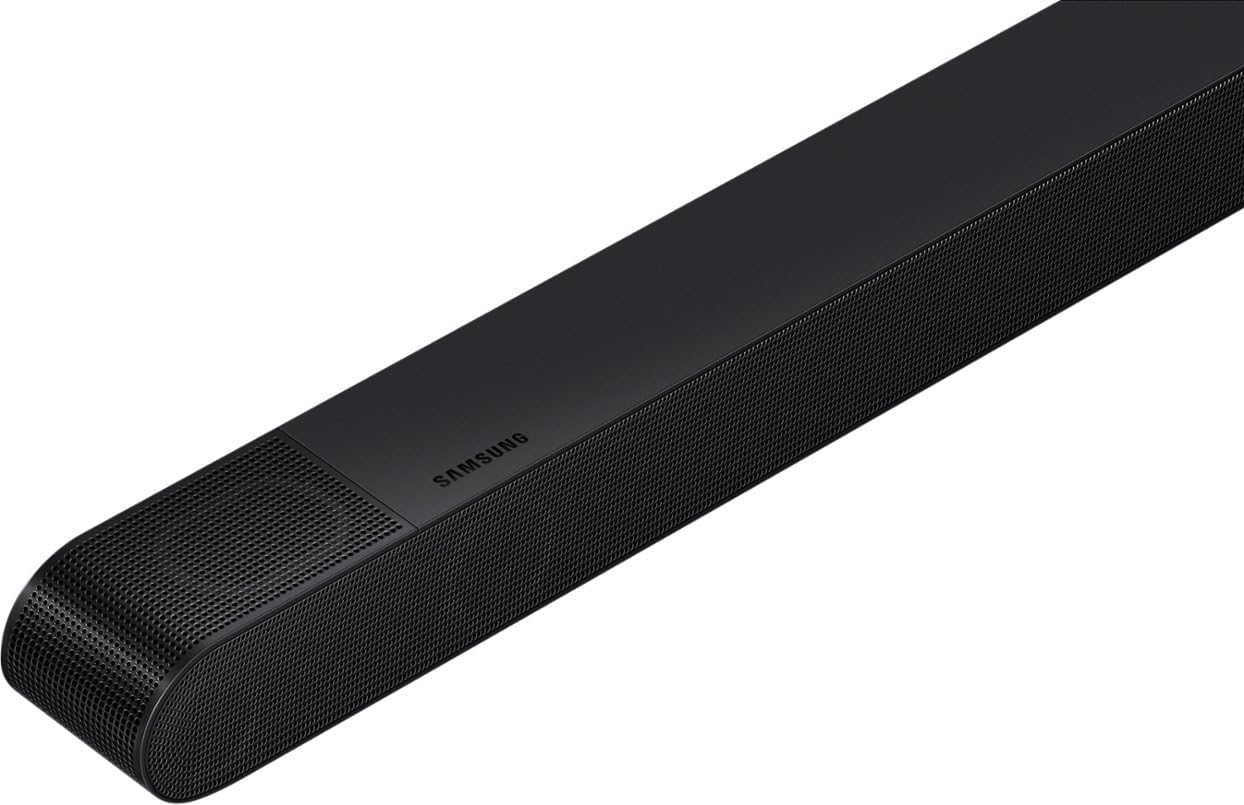
Image: A close-up view of the Samsung wireless subwoofer, highlighting its compact design and speaker grille.
Setup
1. Placement
Place the soundbar centrally below your television. Position the wireless subwoofer in a location that provides optimal bass response, typically in a corner or near a wall, but experiment to find the best sound for your room.
2. Power Connection
- Connect the power cord to the soundbar's power input, then plug it into a wall outlet.
- Connect the power cord to the wireless subwoofer's power input, then plug it into a wall outlet. The subwoofer should automatically pair with the soundbar. If not, refer to the troubleshooting section for manual pairing instructions.
3. Connecting to TV
For the best audio quality, use an HDMI cable to connect your soundbar to your TV. This allows for features like Wireless Dolby Atmos and Q-Symphony.
- HDMI ARC/eARC: Connect one end of the HDMI cable to the HDMI OUT (TV-ARC/eARC) port on the soundbar and the other end to the HDMI IN (ARC/eARC) port on your TV. This enables audio return channel functionality, allowing TV audio to be sent to the soundbar.
- Optical Cable (Alternative): If your TV does not support HDMI ARC/eARC, connect an optical cable from the TV's optical digital output to the soundbar's optical input.
4. Initial Setup and Features
- Wireless Dolby Atmos: Ensure your TV supports Wireless Dolby Atmos for an immersive surround sound experience without additional cables.
- Q-Symphony: If you have a compatible Samsung TV, Q-Symphony synchronizes the TV speakers with the soundbar for a richer, more expansive soundstage. Activate this feature in your TV's sound settings.
- SpaceFit Sound: This feature automatically analyzes your room's acoustics and calibrates the soundbar's audio output for optimal performance. Ensure the feature is enabled in the soundbar settings.

Image: Front view of the Samsung HW-S800B soundbar, showcasing its ultra-slim design and speaker grilles.
Operating
1. Basic Controls
Use the included remote control or the buttons on the soundbar to manage basic functions:
- Power: Turn the soundbar on or off.
- Volume: Adjust the master volume level.
- Input Source: Cycle through available input sources (HDMI, Optical, Bluetooth, Wi-Fi).
- Sound Mode: Select different sound modes (e.g., Standard, Surround, Game Pro, Adaptive Sound).
2. Using Alexa Built-In
Your soundbar has Alexa built-in, allowing for voice control. Ensure the soundbar is connected to your home Wi-Fi network and linked to your Amazon account via the Samsung SmartThings app. You can then use voice commands for music playback, smart home control, and more.
3. Airplay 2
Stream audio directly from your Apple devices to the soundbar using Airplay 2. Ensure both your Apple device and the soundbar are connected to the same Wi-Fi network. Select the soundbar as an audio output device from your Apple device's control center or music app.
4. Game Pro Mode
Activate Game Pro Mode for an optimized gaming audio experience. This mode enhances directional sound and clarity, providing a more immersive gaming environment. It can often be automatically detected or manually selected via the remote control or soundbar settings.
Maintenance
Cleaning
To maintain the appearance and performance of your soundbar:
- Wipe the surfaces with a soft, dry cloth.
- Do not use liquid cleaners, abrasive cleaners, or chemical sprays, as these can damage the finish or internal components.
- Keep ventilation openings clear of dust and debris.
General Care
- Avoid placing the soundbar in direct sunlight or near heat sources.
- Do not expose the unit to moisture or extreme temperatures.
- Ensure proper ventilation around the soundbar and subwoofer.
Troubleshooting
If you encounter issues with your Samsung HW-S800B Soundbar, refer to the following common problems and solutions:
No Power
- Check if the power cords are securely connected to both the soundbar/subwoofer and the wall outlet.
- Verify that the wall outlet is functioning by plugging in another device.
No Sound
- Ensure the correct input source is selected on the soundbar (e.g., HDMI, Optical).
- Check the volume level on both the soundbar and your TV.
- Verify that the HDMI or optical cable is securely connected at both ends.
- If using HDMI ARC/eARC, ensure the feature is enabled in your TV's audio settings.
Subwoofer Not Connecting
- Ensure the subwoofer is powered on and within range of the soundbar.
- If automatic pairing fails, manually pair the subwoofer: Press the ID SET button on the back of the subwoofer with a pointed object. Then, with the soundbar off, press and hold the Up button on the soundbar remote for 5-6 seconds until the ID SET message appears on the soundbar display. Turn the soundbar back on.
Remote Control Not Working
- Check and replace the batteries in the remote control.
- Ensure there are no obstructions between the remote and the soundbar.
For more detailed troubleshooting, please visit the official Samsung support website.
Specifications
| Brand | Samsung |
| Model Name | HW-S800B |
| Model Number | HW-S800B/ZA |
| Number of Audio Channels | 3.2.1 |
| Speaker Maximum Output Power | 330 Watts |
| Frequency Response | 20 KHz |
| Connectivity Technology | HDMI, Bluetooth, Wi-Fi |
| Audio Output Mode | Surround |
| Mounting Type | Bar Mount |
| Enclosure Material | Metal, Plastic |
| Speaker Type | Soundbar, Subwoofer, Surround Sound |
| Additional Features | Alexa Built-In |
| Color | Black |
| Control Method | Remote, Voice control |
| Woofer Diameter | 12 Inches |
| Bluetooth Range | 10 Meters |
| Item Dimensions (D x W x H) | 46"D x 2"W x 2"H |
| Item Weight | 22.9 Pounds |
| Compatible Devices | Television |
| Power Source | Corded Electric |
Warranty and Support
Warranty Information
This Samsung HW-S800B Soundbar comes with a 90 days limited warranty. Please retain your proof of purchase for warranty claims.
Customer Support
For further assistance, technical support, or warranty service, please visit the official Samsung support website or contact their customer service. You can find detailed product information, FAQs, and contact options on their website.
Online Support: www.samsung.com/us/support/


