
1. Introduction and Product Overview
Thank you for choosing the Archer AT0405 4mm Metal Brush Cutter Blade. This manual provides essential information for the safe and effective use of your new blade. Please read this manual thoroughly before installation and operation, and keep it for future reference.
The Archer AT0405 is a robust metal blade designed for efficient cutting of dense brush, weeds, and small saplings when used with a compatible brush cutter. Its durable construction ensures reliable performance in demanding conditions.

A top-down view of the Archer AT0405 metal brush cutter blade, showing its general shape and central mounting hole.
2. Safety Information
Always prioritize safety when handling and operating the brush cutter blade. Failure to follow these safety guidelines may result in serious injury or property damage.
- Personal Protective Equipment (PPE): Always wear appropriate PPE, including safety glasses or a face shield, heavy-duty gloves, long pants, sturdy footwear, and hearing protection.
- Blade Inspection: Before each use, inspect the blade for cracks, bends, dullness, or any other damage. Do not use a damaged blade.
- Proper Installation: Ensure the blade is correctly installed and securely fastened to the brush cutter according to the brush cutter's manufacturer instructions. An improperly installed blade can detach during operation.
- Clear Work Area: Keep bystanders, children, and pets at a safe distance (at least 15 meters/50 feet) from the work area. Clear the area of debris that could be thrown by the blade.
- Awareness of Surroundings: Be aware of hidden objects such as rocks, metal, or stumps that could cause the blade to kick back or become damaged.
- Blade Rotation: Understand the direction of blade rotation and cut accordingly to maintain control.
- Storage: Store the blade in a safe, dry place, out of reach of children and unauthorized users.
3. Setup and Installation
Proper installation is crucial for safe and effective operation. Refer to your brush cutter's specific user manual for detailed instructions on blade attachment.
- Turn Off Engine: Ensure the brush cutter engine is completely off and the spark plug cap is disconnected to prevent accidental starting.
- Secure Brush Cutter: Place the brush cutter on a stable, flat surface.
- Remove Old Blade (if applicable): If replacing an old blade, use the appropriate tools (e.g., wrench, locking pin) to safely remove it.
- Position New Blade: Align the Archer AT0405 blade with the mounting flange on the brush cutter's gearbox. Ensure the blade is oriented correctly (cutting edges facing the direction of rotation).
- Secure Fasteners: Install the washer, nut, and any other securing components as specified by your brush cutter's manual. Tighten the nut firmly using the correct tools, ensuring the blade is secure but not overtightened.
- Final Check: Before starting the engine, manually rotate the blade to ensure it spins freely and is properly seated.

Two views of a metal brush cutter blade, highlighting its central mounting hole and the angled cutting edges, essential for proper installation.
4. Operating Instructions
Once the blade is securely installed, follow these general operating guidelines. Always refer to your brush cutter's manual for specific operating procedures.
- Start Engine Safely: Follow your brush cutter's instructions for starting the engine. Ensure the blade is clear of any objects before starting.
- Maintain Control: Hold the brush cutter firmly with both hands. Maintain a balanced stance.
- Cutting Technique: Approach the material to be cut slowly and deliberately. Use a sweeping motion, cutting from right to left (or as recommended by your brush cutter's manual) to direct debris away from you.
- Avoid Overloading: Do not force the blade through excessively thick or tough material. Allow the blade to cut at its own pace.
- Watch for Kickback: Be prepared for potential kickback if the blade strikes a hard object.
- Stop Safely: When finished or if you need to clear debris, turn off the engine and wait for the blade to come to a complete stop before setting the tool down or approaching the blade.
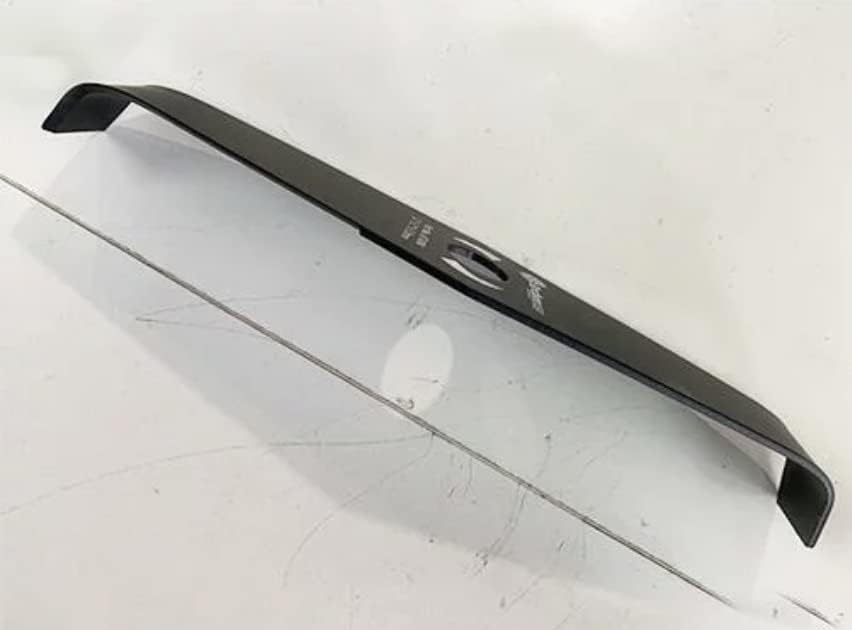
An angled view of a metal brush cutter blade, showcasing its curved design, which aids in efficient cutting.
5. Maintenance
Regular maintenance will extend the life of your Archer AT0405 blade and ensure optimal performance.
- Cleaning: After each use, clean the blade thoroughly to remove sap, dirt, and debris. Use a stiff brush and mild detergent if necessary. Dry the blade completely to prevent rust.
- Inspection: Regularly inspect the blade for signs of wear, cracks, chips, or deformation. Pay close attention to the cutting edges and the area around the mounting hole.
- Sharpening: If the blade becomes dull, it can be sharpened using a suitable file or grinding tool. Maintain the original blade angle. If you are unsure, consult a professional or consider replacing the blade.
- Replacement: Replace the blade immediately if it is severely damaged, bent, or has significant cracks. A damaged blade can be extremely dangerous.
- Lubrication: Apply a light coat of rust-preventative oil to the blade after cleaning, especially before long-term storage.
6. Troubleshooting
This section addresses common issues you might encounter with your brush cutter blade.
| Problem | Possible Cause | Solution |
|---|---|---|
| Blade not cutting effectively | Dull blade; Incorrect cutting technique; Material too thick | Sharpen or replace blade; Adjust cutting technique; Use appropriate tool for material |
| Excessive vibration during operation | Blade bent or damaged; Blade improperly installed; Debris caught on blade | Inspect blade for damage and replace if necessary; Reinstall blade correctly; Clean blade thoroughly |
| Blade overheating | Dull blade; Forcing the cut; Insufficient cooling | Sharpen or replace blade; Reduce cutting speed/load; Ensure brush cutter ventilation is clear |
7. Specifications
| Feature | Detail |
|---|---|
| Model | AT0405 |
| Thickness | 4mm |
| Material | Metal |
| Compatibility | Designed for compatible brush cutters (check your tool's manual for blade specifications) |

A metal brush cutter blade next to a measuring tape, illustrating its dimensions. (Note: Image shows a similar model for illustrative purposes.)
8. Warranty and Support
For information regarding warranty coverage, returns, or technical support for your Archer AT0405 blade, please contact the retailer or the manufacturer directly. Keep your proof of purchase for any warranty claims.
Always ensure you are using genuine Archer replacement parts to maintain product performance and safety.