
LeeKooLuu LK10
Magnetic Wireless Solar Backup Camera System User Manual
Brand: LeeKooLuu | Model: LK10
Introduction
This manual provides comprehensive instructions for the installation, operation, and maintenance of your LeeKooLuu Magnetic Wireless Solar Backup Camera System. Designed for ease of use and enhanced safety, this system offers a clear, reliable view for various vehicles including trucks, cars, SUVs, and RVs. Please read this manual thoroughly before using the product to ensure optimal performance and longevity.

Figure 1: LeeKooLuu Magnetic Wireless Solar Backup Camera System with 5-inch monitor.
What's in the Box
Verify that all components are present in your package:
- 1x 5 Inch Monitor
- 1x Camera
- 1x Cigarette Lighter Adapter
- 1x USB Power Cable
- 1x Suction Cup Bracket for Monitor
- 2x Antennas

Figure 2: All components included in the product package.
Key Features
- Upgraded Automatic Sensor On-Off and Strong Magnetic Design: The camera features a robust magnetic base for secure attachment to metal surfaces and an automatic sensor for energy-saving sleep mode when the monitor is off.
- Latest New Design Covers More Blind Spots: 100% wireless installation, no complex wiring or drilling required. The camera is easily detachable for use on different parts of the vehicle (front/rear/side) or other vehicles.
- Solar Panel Powered or Portable Rechargeable Camera: Equipped with a solar charging panel for continuous power in sunlight. A USB Type-C port is available for charging in low-light conditions.
- Stable Digital Signal & Transmission Range: Utilizes advanced digital technology with a built-in signal enhancement receiver for stable, freeze-free images up to 36ft transmission distance, even on highways.
- Dual-Mode Functionality & Dual Video Input: Easily switch between auto reversing mode (camera activates when reversing) and manual rear view mode. Supports up to two cameras (second camera sold separately) with adjustable mirror/flip and up/down settings.
- Parking Safely: Adjustable parking guide lines (width, position, on/off) to assist with precise parking. Compatible with various vehicles including trucks, pickups, cars, vans, SUVs, RVs, campers, tractors, and boat trailers.
- IP69K Waterproof & Color Night Vision HD 1080P Image: Features IP69K waterproof rating and a 1080P color sensor for vivid images and clear night vision in diverse weather conditions.
Setup and Installation
The LeeKooLuu backup camera system is designed for quick and easy installation without the need for complex wiring or drilling.
1. Camera Installation
The solar magnetic wireless backup camera can be easily attached to any metal surface using its strong magnetic base. It can also be disassembled and reinstalled on other vehicles as needed.

Figure 3: Magnetic installation of the camera on a vehicle or trailer.
2. Monitor Installation
Install the 5-inch monitor on your vehicle's windshield or dashboard using the provided suction cup bracket. Power the monitor by plugging it into a USB outlet or the cigarette lighter outlet.
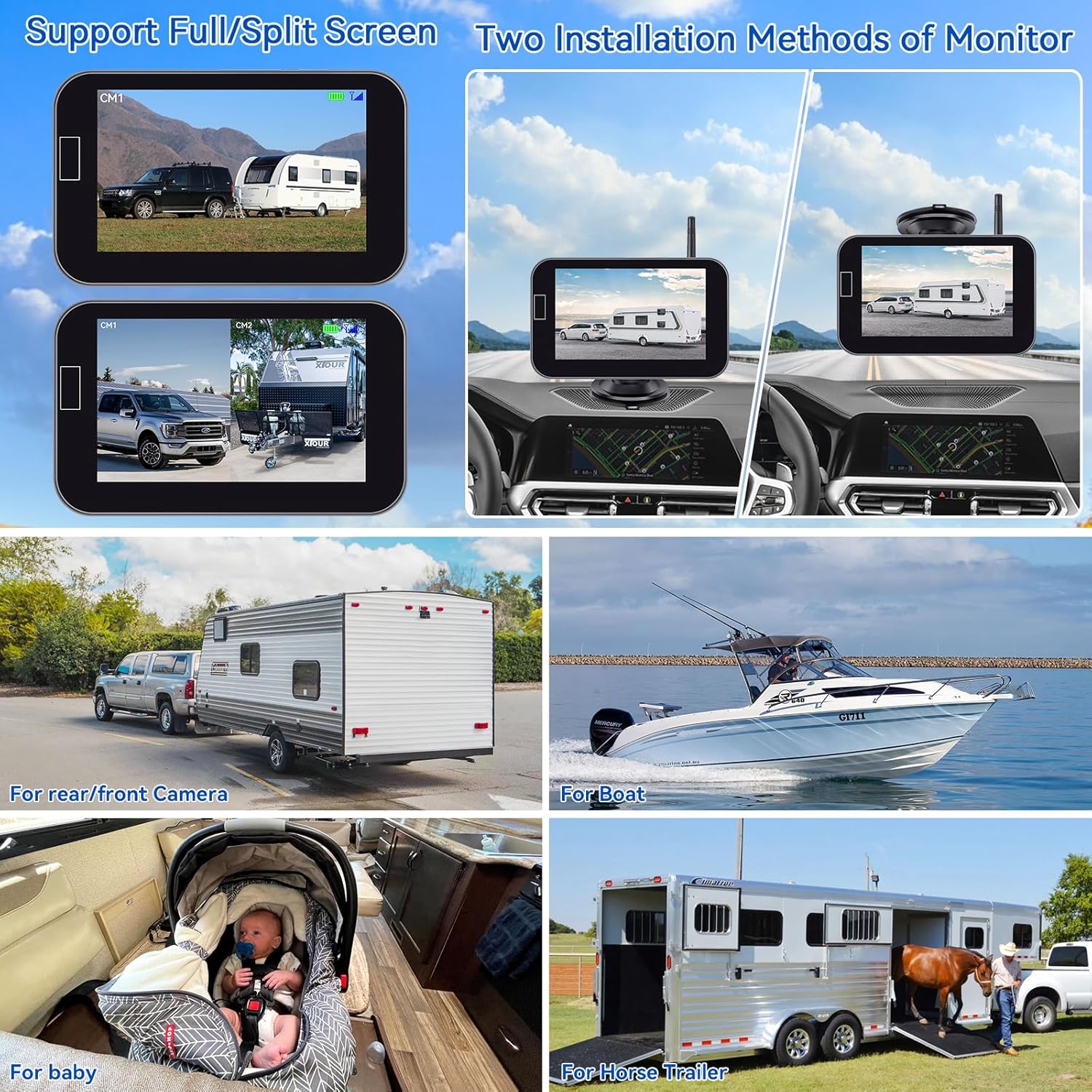
Figure 4: Monitor installation options on the dashboard or windshield.
3. Initial Charging
Before first use, fully charge the backup camera using the provided USB Type-C cable. The camera can also be charged via its solar panel when exposed to sunlight.

Figure 5: Charging methods for the camera, including solar and USB-C.
Installation and Operation Video
Video 1: Official demonstration of the solar wireless backup camera, covering setup and basic operation.
Operating Instructions
The system offers flexible operating modes and customizable display options.
Automatic Sensor On-Off
The camera automatically enters an energy-saving sleep mode when the monitor is turned off via the automatic sensor switch. When the monitor is reactivated, the camera will automatically turn on.

Figure 6: The monitor's automatic sensor for power management.
Dual-Mode Functionality
- Auto Reversing Mode: The camera automatically activates when the vehicle is put into reverse.
- Manual Rear View Mode: The camera can be manually turned on or off to suit your driving needs, providing a continuous rear view.
Adjustable Parking Guide Lines
Customize the parking guide lines on the monitor to match your vehicle and preferences. You can adjust their width, move them left/right/up/down, or turn them on/off entirely.

Figure 7: Customization options for parking guide lines.
Image Flip and Dual Video Input
The system allows for image flipping (mirror/normal, vertical inverted) to accommodate various camera placements. It also supports dual video input, enabling connection of a second camera (sold separately) for expanded coverage.

Figure 8: Wide viewing angle and stable digital signal transmission.
Maintenance
Proper maintenance ensures the longevity and optimal performance of your backup camera system.
- Solar Charging: Ensure the camera's solar panel is regularly exposed to sunlight to maintain battery charge.
- USB Charging: In periods of insufficient sunlight (e.g., cold or rainy weather), use the provided USB Type-C cable to charge the camera.
- Waterproof Design: The camera has an IP69K waterproof rating, making it resistant to various weather conditions. However, regular cleaning of the lens is recommended for clear images.
Troubleshooting
If you encounter issues with your LeeKooLuu backup camera system, refer to the following common solutions:
- No Signal on Monitor:
- Ensure both the camera and monitor are powered on.
- Check the connection of the monitor to the power source (cigarette lighter or USB).
- Verify the camera battery is charged (check solar panel exposure or charge via USB).
- Ensure the camera and monitor are within effective transmission range (up to 36ft for stable signal).
- Minimize obstructions between the camera and monitor that might interfere with the wireless signal.
- Unclear or Distorted Image:
- Clean the camera lens to remove dirt, dust, or water droplets.
- Check for strong electromagnetic interference from other devices.
- Ensure the camera is securely mounted and not vibrating.
- Camera Not Charging via Solar:
- Ensure the solar panel is clean and free from obstructions.
- Verify sufficient direct sunlight exposure. Charge via USB if sunlight is consistently inadequate.
For further assistance, please contact LeeKooLuu customer support.
Specifications
| Feature | Detail |
|---|---|
| Product Dimensions | 0.5 x 0.6 x 6 inches |
| Item Weight | 2.25 pounds |
| Model Number | LK10 |
| Display Technology | LCD |
| Screen Size | 5 Inches |
| Video Capture Resolution | 1080p |
| Voltage | 12 Volts |
| Waterproof Rating | IP69K |
| Connectivity | Wireless |
| Special Features | Automatic Sensor On-Off, Strong Magnetic Design, Solar Charging, Digital Signal, Dual-Mode, Adjustable Parking Lines, Color Night Vision |
Warranty and Support
For warranty information and customer support, please refer to the documentation included with your product or visit the official LeeKooLuu website. Contact details for support are typically provided on the product packaging or within the included user guide.
Related documentsLK10


Ask a question about this manual
Ask about setup, troubleshooting, compatibility, parts, safety, or missing instructions. Manuals+ will review the question and use this page’s manual context to help answer it.