
PTHTECHUS X16 GMW Black-1DUS
PTHTECHUS Kids Smart Watch User Manual
Model: X16 GMW Black-1DUS
Introduction
Thank you for choosing the PTHTECHUS Kids Smart Watch. This manual provides comprehensive instructions for setting up, operating, and maintaining your new smartwatch. Designed for children aged 4-12, this device combines entertainment with educational features, including games, a music player, dual cameras, a pedometer, and more. Please read this manual carefully to ensure proper use and to maximize your child's enjoyment of the watch.

Image: The PTHTECHUS Kids Smart Watch in black, featuring a vibrant display with a dinosaur theme.
What's in the Box
- 1 x PTHTECHUS Kids Smart Watch (Model: X16 GMW Black-1DUS)
- 1 x USB Charge Cable
- 1 x User Manual
Setup Guide
1. Charging the Watch
Before first use, fully charge the smartwatch. Connect the included USB charge cable to the watch's charging port and the other end to a standard USB power adapter (not included) or a computer's USB port. The charging indicator will appear on the screen. A full charge typically takes 2-3 hours.
2. Power On/Off
- Power On: Press and hold the power button (usually on the side of the watch) for a few seconds until the screen lights up.
- Power Off: Press and hold the power button until a power-off option appears on the screen. Tap to confirm.
3. Setting Time and Date
Upon first power-on or after a factory reset, you may need to set the correct time and date. Navigate to the 'Settings' menu on the watch, then select 'Time' or 'Date' to adjust. Follow the on-screen prompts to set the hour, minute, year, month, and day.
Operating the Watch
The PTHTECHUS Kids Smart Watch features a responsive HD touch screen for easy navigation. Swipe left or right to browse through different applications and tap an icon to open it.

Image: An overview of the watch's many functions, including calendar, pedometer, games, music, and camera.
Key Features:
Dual Camera & Video Recording
The watch is equipped with dual cameras, allowing children to take photos and record videos. Access the camera application from the main menu. Photos and videos can be transferred to a computer via the USB cable for storage.

Image: Children using the watch's camera feature to capture moments.

Image: A visual representation of the dual cameras, video recording, and fun photo stickers available on the watch.
MP3 Music Player
The watch supports MP3 audio files. Connect the watch to a computer using the USB cable and transfer MP3 songs to the "My Music" folder on the watch's internal storage. Children can then listen to their favorite songs directly from the watch.

Image: The watch's MP3 music player interface shown on a child's wrist while they are engaged in a musical activity.

Image: A child enjoying music through headphones while wearing the smartwatch.
18 Educational Games
The watch includes 18 built-in educational games designed to enhance hand-eye coordination, imagination, and reaction skills. Parents can set an anti-addiction mode to limit daily game time.

Image: Children engaging with the educational games feature of the watch.

Image: A child interacting with one of the 18 puzzle games on the smartwatch.
Pedometer & Health Tracking
The built-in pedometer tracks steps, helping children stay active. It also includes calorie counting, a timer, and a stopwatch to encourage healthy habits.
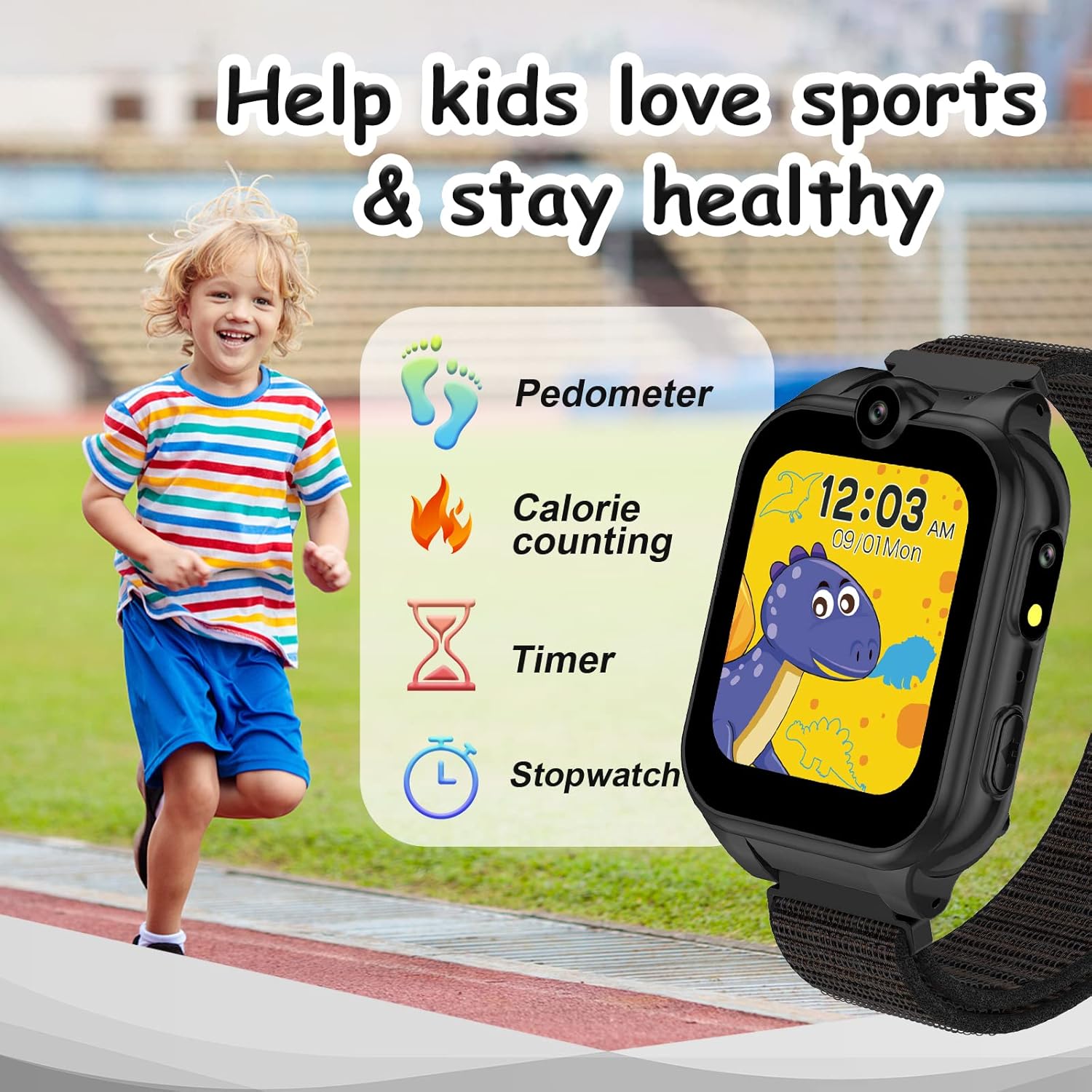
Image: The watch's pedometer and activity tracking features, encouraging physical activity.
Alarm Clock & Time Teacher
Set multiple alarms for reminders. The 'Time Teacher' function helps children learn to tell time with interactive visuals.

Image: The 'Time Teacher' feature, designed to help children learn to read analog clocks.

Image: A compilation of the watch's utility features: flashlight, calculator, alarm, and pedometer.
Flashlight & Calculator
A built-in flashlight provides convenience in low-light conditions. The calculator helps with basic math operations.
Customizable Watch Faces
Choose from multiple analog and digital watch faces to personalize the display.

Image: A selection of the diverse watch faces available for customization.

Image: More examples of the customizable watch faces.
Electronic Pet Bobby
Interact with a virtual pet named Bobby, adding an element of fun and responsibility.

Image: Illustrations of the electronic pet Bobby, demonstrating different interactions.
Sounds Teacher
An interactive feature that helps children learn various sounds.

Image: The 'Sounds Teacher' feature, designed to introduce children to different sounds.
Maintenance
- Cleaning: Wipe the watch screen and body with a soft, dry cloth. For stubborn smudges, slightly dampen the cloth with water. Do not use harsh chemicals or abrasive cleaners.
- Water Resistance: The watch is sweat and splash resistant, but it is not waterproof. Do not submerge the watch in water or wear it while swimming or bathing.
- Battery Care: To prolong battery life, avoid fully discharging the battery frequently. Charge the watch regularly, even if not in daily use. Store in a cool, dry place when not in use for extended periods.
- Storage: Store the watch in a safe place away from direct sunlight, extreme temperatures, and high humidity.
Troubleshooting
| Problem | Possible Solution |
|---|---|
| Watch does not turn on. | Ensure the watch is fully charged. Connect to the charger and wait a few minutes before attempting to power on again. |
| Screen is unresponsive. | Restart the watch by holding the power button. If the issue persists, ensure the screen is clean and dry. |
| Cannot transfer files to computer. | Ensure the USB cable is securely connected to both the watch and the computer. Try a different USB port or cable. The watch should appear as a removable disk drive. |
| Battery drains quickly. | Reduce screen brightness. Close unused applications. Limit continuous video recording or game playing. |
| Games are too addictive. | Utilize the anti-addiction mode in the watch's settings to limit daily game time. |
Specifications
- Model: X16-GM
- Screen Size: 1.68 Inches
- Product Dimensions: 8.66 x 1.38 x 0.59 inches
- Item Weight: 2.12 ounces (60 Grams)
- Battery: 1 Lithium Metal battery (included), 480 Milliamp Hours
- Memory Storage Capacity: 500 MB
- Connectivity Technology: USB
- Special Features: Calendaring, Camera, Pedometer, Music Player, Flashlight, Alarm Clock, Games
- Manufacturer: yangjiangshiyangdongquzhangtongjiayuankejico.LTD
- Country of Origin: China
Warranty and Support
For warranty information or technical support, please refer to the official PTHTECHUS website or contact the seller directly. A digital version of this user manual is available for download at: PTHTECHUS Kids Smart Watch User Manual PDF.
For further assistance, you may also visit the PTHTECHUS Brand Store on Amazon: PTHTECHUS Store.
Related documentsX16 GMW Black-1DUS


Ask a question about this manual
Ask about setup, troubleshooting, compatibility, parts, safety, or missing instructions. Manuals+ will review the question and use this page’s manual context to help answer it.