
ErGear EGESD5N
ErGear Height Adjustable Electric Standing Desk User Manual
Model: EGESD5N
Important Safety Information
This product is UL-certified and meets FCC regulations. Ensure the desk is properly anchored if using the maximum weight capacity, and follow all assembly instructions for safe use.
The desk is designed for indoor use only. Avoid placing it in excessively humid or dusty environments.
Keep children and pets away from the desk during operation to prevent injury.
Do not overload the desk beyond its maximum weight capacity of 176 lbs (80 kg).
Always ensure there are no obstructions in the path of the desk's movement (up or down).
Disconnect power before cleaning or performing any maintenance.
Use only the provided power adapter and components.
Product Overview
The ErGear Height Adjustable Electric Standing Desk is designed to provide a versatile and ergonomic workspace. It features a sturdy solid steel frame and an electric motor for smooth height adjustments.
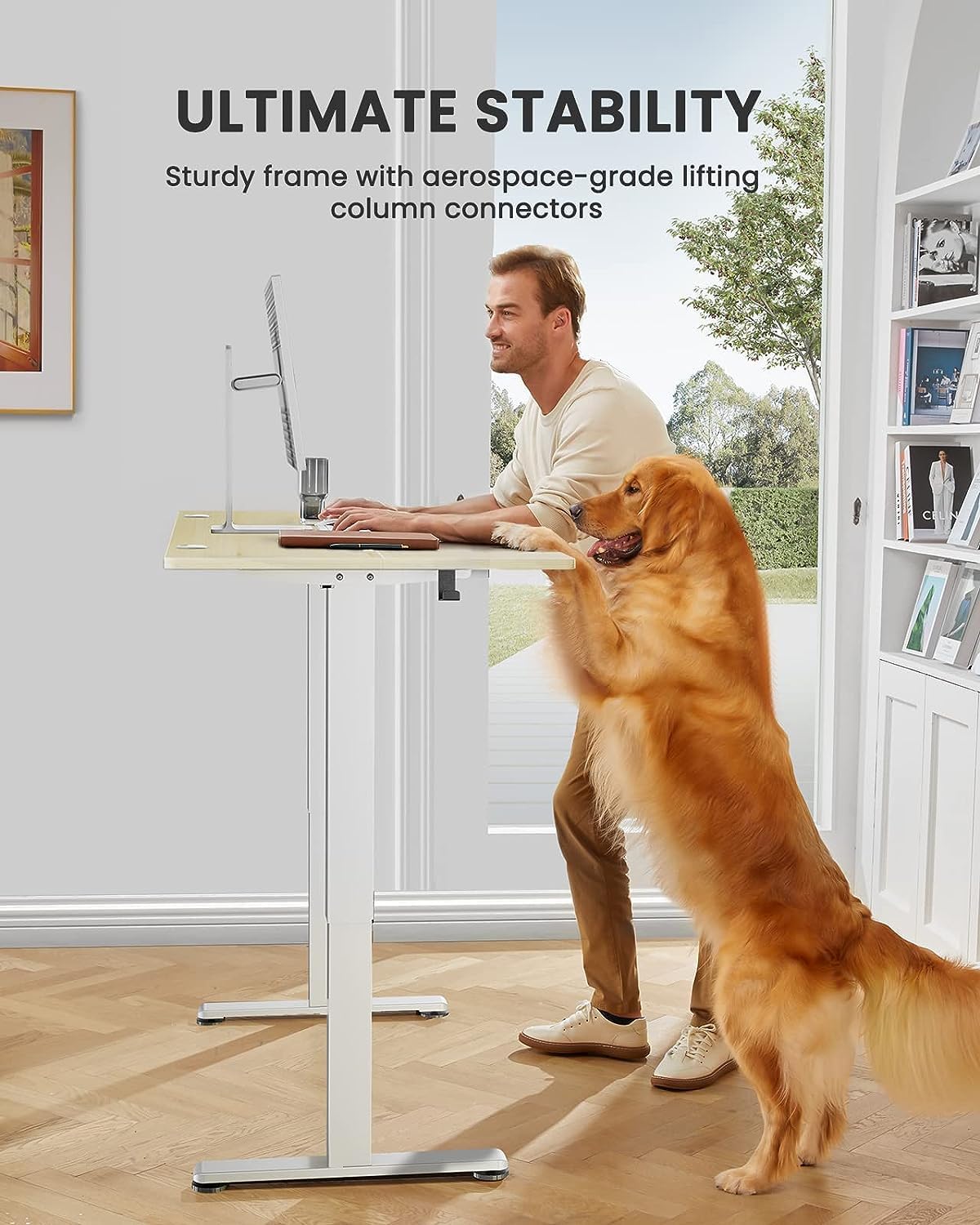
- Outstanding Stability: Features a sturdy solid steel frame with aerospace-grade lifting column connectors, ensuring stability even at full height.
- Smooth Height Adjustment: Freely select electric standing desk height, from 28.35" to 46.72". Save your favorite three settings and smoothly switch between them.
- Uprated Motor: Powerful lifting performance and reliable long-term operation (tested 50,000 times and still going strong).
- Safe Low-VOC Materials: Formaldehyde and other VOC emissions are sharply reduced, meeting US federal and state safe air standards.

The ErGear Height Adjustable Electric Standing Desk, showcasing its spacious desktop and clean design.
Setup and Assembly
Assembly of the ErGear standing desk is designed to be straightforward, with clear instructions and well-labeled parts. Most users report completing assembly in under an hour.
Tools Needed (Not Included):
- Phillips Head Screwdriver
- Drill (optional, for faster assembly)
The package includes all necessary bolts, wrenches (Allen keys), and components. Follow the step-by-step diagrams provided in the included manual for optimal results.
All components are clearly labeled for easy identification during assembly.
For detailed assembly instructions, please refer to the Installation Manual (PDF).
Operating Instructions
Height Adjustment:
The desk features an electric control panel for seamless height adjustment. Use the up (^) and down (v) arrows to move the desk to your desired height. The current height is displayed on the digital screen.

The control panel allows precise height adjustments and memory preset selection.
Memory Presets:
The control panel allows you to save up to four preferred height settings for quick transitions between sitting and standing positions.
- Adjust the desk to your desired height using the up/down arrows.
- Press the "S" button (Set) once. The display will show "S--".
- Press one of the numbered buttons (1, 2, 3, or 4) within 3 seconds to save the current height to that preset. The display will blink to confirm.
- To recall a saved height, simply press the corresponding numbered button (1, 2, 3, or 4). The desk will automatically move to the saved position.
Demonstration of setting and recalling memory presets on the ErGear standing desk. This video shows how to program and use the one-touch height adjustment feature.
Cable Management:
The desk is equipped with cable slots and holes to help keep your workspace tidy and organized.

Integrated cable management features help maintain a clutter-free desktop.
Obstruction Detection:
The desk's motor system includes an obstruction detection feature. If the desk encounters an obstacle during movement, it will stop and rebound slightly to prevent damage to the desk or other objects.
Maintenance
- Cleaning: Use a soft, damp cloth to wipe down the desktop and frame. Avoid harsh chemicals or abrasive cleaners.
- Regular Checks: Periodically check all screws and bolts to ensure they are tight.
- Cable Management: Ensure cables are properly routed and not pinched or tangled, especially during height adjustments.
Troubleshooting
If you encounter any issues with your ErGear Electric Standing Desk, please refer to the common troubleshooting steps below. For more detailed guidance, watch the official troubleshooting video.
Official ErGear Standing Desk Troubleshooting Video. This video covers common error codes and solutions for the EGESD4/5/6/7 Series desks.
Common Error Codes and Solutions:
- E02 - Operation Status Warning: The desk stops moving if vibration, impact, or incline are detected, or if the desk legs aren't moving smoothly.
- Solution: Long-press 'S' button to display '--'. Press 'S' again to enter settings menu. Press up/down to display 'CF' and select with 'S'. Press up/down to display 'H' and select with 'S'.
- E10 - Sensor Malfunction Warning: Motor safety sensor can't be detected.
- Solution: Power off and check the connection between the motor and controller. Power back on again.
- E20 - Overloading Warning (1): The load is more than 154 lbs.
- Solution: Reduce the load to less than 154 lbs.
- E20 - Overloading Warning (2): The heights of the two desk legs are unequal.
- Solution: Remove the transmission rod, adjust leg height, and reattach the rod.
- Hot - Overheating Protection: The motor has been working continuously for too long.
- Solution: Wait for at least 18 minutes before making any further height adjustment.
Specifications
| Feature | Detail |
|---|---|
| Brand | ErGear |
| Model Number | EGESD5N |
| Product Dimensions | 24"D x 48"W x 46.46"H |
| Color | Natural |
| Style | Modern |
| Base Material | Alloy Steel |
| Top Material Type | Engineered Wood |
| Minimum Height | 28.35 Inches |
| Maximum Height | 46.46 Inches |
| Maximum Weight Recommendation | 176 Pounds |
| Item Weight | 17.7 Kilograms |
| Included Components | Storage Hook (2pcs) |
| Required Assembly | Yes |
| UL Listed | Yes |
Warranty and Support
The ErGear Height Adjustable Electric Standing Desk comes with a Limited Warranty. For specific details regarding warranty coverage, please refer to the product documentation or contact ErGear customer support.
For any questions, technical support, or warranty claims, please refer to the official User Guide (PDF) or visit the ErGear website.
Related documentsEGESD5N


Ask a question about this manual
Ask about setup, troubleshooting, compatibility, parts, safety, or missing instructions. Manuals+ will review the question and use this page’s manual context to help answer it.