
1. Introduction and Overview
The Arducam IMX519 Autofocus Camera Module is a high-resolution camera designed for use with Raspberry Pi and Jetson Developer Kit platforms. Featuring a 16-megapixel sensor, it offers significantly higher resolution compared to standard Pi Camera V2 modules. Its autofocus capability provides versatile focusing options, enhancing image and video clarity.
This camera module maintains a compact form factor similar to the V1/V2 Pi cameras, allowing for straightforward integration into existing projects. It is engineered to deliver sharper images and videos, making it suitable for various applications requiring high-quality visual input.

Figure 1: Arducam IMX519 Autofocus Camera Module with its flexible printed circuit (FPC) cable.
2. Package Contents
Upon opening the package, verify that all components are present and undamaged. The standard package includes:
- 1 × IMX519 AF camera module
- 1 × 15pin FPC cable
Additional accessories, such as camera extension kits or case and tripod sets, are sold separately and are not included in the basic package.
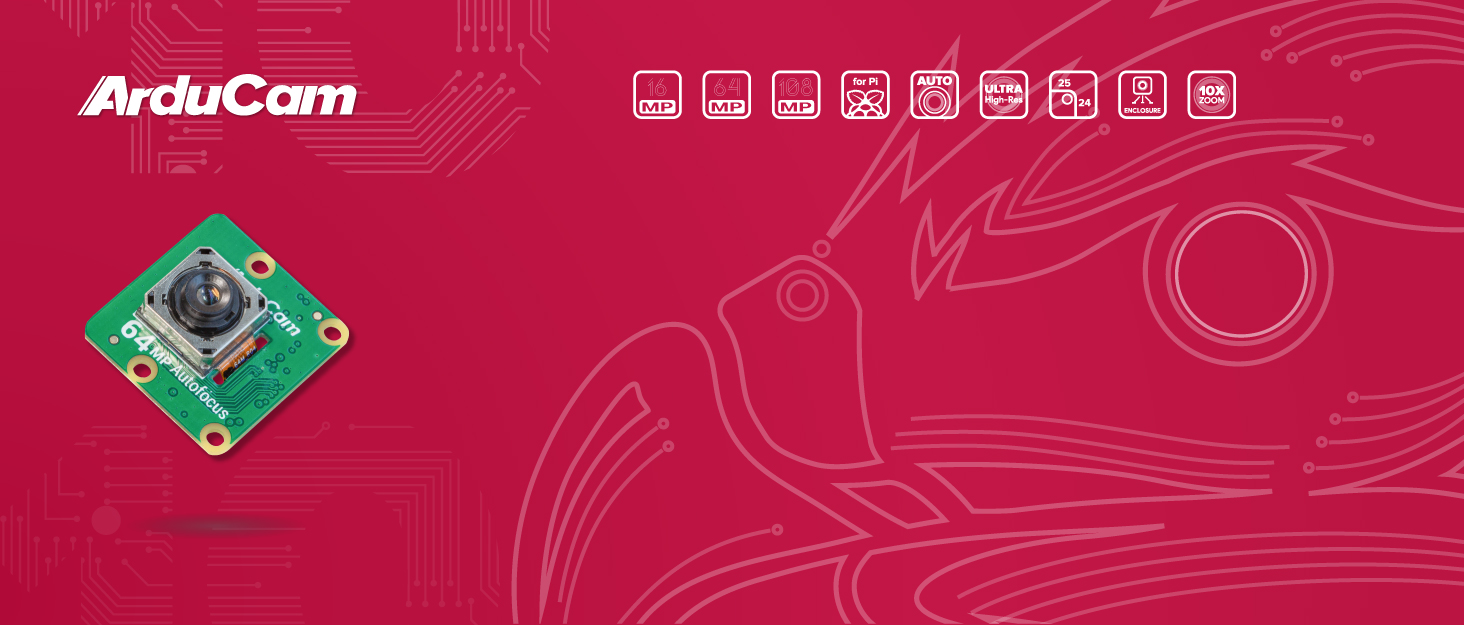
Figure 2: Illustrative image of the Arducam IMX519 camera module and included FPC cable.
3. Setup and Installation
The Arducam IMX519 camera module is compatible with Raspberry Pi 5, 4B, 3B+, Zero 2 W, and Jetson Developer Kit. Installation requires specific script configuration and does not support Raspbian directly.
3.1 Connecting to Raspberry Pi
Connect the camera module to the Raspberry Pi's dedicated camera inlet using the provided FPC cable. Ensure the cable is inserted correctly with the contacts facing the appropriate direction.

Figure 3: The Arducam IMX519 camera module connected to a Raspberry Pi board via its FPC cable.
3.2 Connecting to Jetson Developer Kit
For Jetson Developer Kit, connect the FPC cable to the appropriate camera interface. Refer to the Jetson documentation for specific port locations.

Figure 4: The Arducam IMX519 camera module connected to an NVIDIA Jetson board, highlighting the FPC cable connection.
3.3 Software Configuration
Unlike native Pi cameras, this module requires specific script configuration before use. An automatic installation script is available to simplify this process. Detailed guides are provided by Arducam for both Raspberry Pi and Jetson platforms.
- Quick Guide on Raspberry Pi: bit.ly/IMX519-Guide-for-Raspberry-Pi
- Quick Guide on Jetson: bit.ly/IMX519-Quad-Cam-Kit-Guide-for-Jetson
- Automatic Installation Instruction: bit.ly/Automatic-Installation-IMX519
4. Operating the Camera Module
The IMX519 camera module offers advanced features for capturing high-quality images and videos.
4.1 Autofocus Functionality
The module features a versatile autofocus system, supporting manual, continuous, and other autofocus modes. This allows for precise focusing across various distances and lighting conditions.
- Autofocus Guide: bit.ly/16MP-64MP-Autofocus-Guide
4.2 Image and Video Capture
With its 16-megapixel resolution, the camera delivers sharp and detailed images and 1080p video. It leverages tuning algorithms similar to official camera modules for optimized performance.

Figure 5: Examples of image quality and autofocus capabilities of the Arducam IMX519 camera module in various scenarios.
4.3 PiCamera2 and Third-Party OS Compatibility
The camera is compatible with PiCamera2. For detailed usage, refer to the PiCamera2 User Guide. It is fully compatible with Octoprint. Support for other third-party operating systems like Motioneye, Klipper, and Octolapse is not yet guaranteed.
- PiCamera2 User Guide: bit.ly/16-64MP-PiCamera2-Guide
- Octoprint Tutorial: bit.ly/IMX519-Guide-for-Octopi
5. Maintenance
The Arducam IMX519 Autofocus Camera Module is a delicate electronic component. To ensure its longevity and optimal performance, follow these general maintenance guidelines:
- Handling: Always handle the camera module by its edges to avoid touching the lens or circuit board components.
- Cleaning: Use a soft, lint-free cloth specifically designed for optics to gently clean the lens if necessary. Avoid abrasive materials or harsh chemicals.
- Storage: Store the module in a dry, dust-free environment, ideally in its original anti-static packaging, when not in use.
- Environmental Conditions: Avoid exposing the module to extreme temperatures, high humidity, or direct sunlight for prolonged periods.
- Cable Care: Be gentle when connecting or disconnecting the FPC cable to prevent damage to the cable or the connectors on the module and host board.
No routine user-serviceable parts are present within the camera module itself.
6. Troubleshooting
If you encounter issues with your Arducam IMX519 camera module, consider the following common troubleshooting steps:
- Camera Not Detected:
- Ensure the FPC cable is securely and correctly inserted into both the camera module and the host board (Raspberry Pi/Jetson). Verify the contacts are facing the correct direction.
- Confirm that the necessary software configuration scripts have been run successfully. This camera requires specific setup and does not work out-of-the-box like some native modules. Refer to the "Setup and Installation" section for links to official guides.
- Verify that your operating system and software (e.g., PiCamera2) are correctly configured to recognize and utilize the IMX519 module.
- Poor Image Quality / Out of Focus:
- Check the autofocus settings. The camera has versatile AF modes; ensure the correct mode is selected for your application. Consult the Autofocus Guide.
- Ensure adequate lighting conditions. While the camera has "Low Light" features, extreme low light can still affect image quality.
- Verify that the lens is clean and free from dust or smudges.
- Compatibility Issues:
- This camera is compatible with Raspberry Pi 5/4B/3B+, Zero 2 W, and Jetson Developer Kit. It does not guarantee support for other third-party boards or operating systems not explicitly mentioned in the official documentation.
- If using Octoprint, ensure you follow the specific tutorial provided by Arducam for compatibility.
For persistent issues or advanced technical support, please contact Arducam directly.
7. Specifications
| Feature | Detail |
|---|---|
| Brand | Arducam |
| Model Number | IMX519 |
| Item Weight | 0.317 ounces |
| Package Dimensions | 2.44 x 2.05 x 0.63 inches |
| Country of Origin | China |
| Special Features | Lightweight, Low Light |
| Video Capture Resolution | 1080p |
| Maximum Aperture | 2 f |
| Flash Memory Type | SD |
| Video Capture Format | MP4 |
| Supported Audio Format | AAC, MP3, PCM |
| Screen Size | 2 Inches (Visible screen diagonal) |
| Connectivity Technology | USB |
| Camcorder Type | Video Camera |
8. Warranty and Support
Arducam is committed to providing quality products and support. While specific warranty details are not provided in this manual, if you encounter any issues with your camera module, please do not hesitate to contact Arducam directly for technical assistance.
Contact Information: Please refer to the official Arducam website or your purchase documentation for the most current contact details for technical support.


