
1. Introduction
Thank you for purchasing the Skysonic 1 Million Pixel Car Rear View Camera. This camera is designed to enhance driving safety by providing a clear, wide-angle view of the area behind your vehicle, especially during parking and reversing maneuvers. It features a high-sensitivity CCD sensor, excellent night vision capabilities, and a durable waterproof design. Please read this manual thoroughly before installation and operation to ensure correct usage and optimal performance.
2. Product Features
- High-Resolution Imaging: Equipped with a 1 million pixel high-sensitivity CCD sensor, providing significantly clearer images compared to standard 300,000 pixel cameras.
- Superior Night Vision: Features a minimum illumination of 0.1 Lux, enabling clear visibility even in extremely dark conditions, similar to starlight-level night vision.
- Ultra-Wide Viewing Angle: Offers a horizontal angle of 140°, vertical angle of 120°, and a diagonal field of view of 230°, effectively eliminating blind spots not visible in side mirrors.
- Fisheye Lens: The fisheye lens design contributes to the wide field of view, ensuring comprehensive coverage of the rear area.
- Durable & Weatherproof: Constructed from aluminum alloy and industrial-grade plastic, featuring IP67 dustproof and waterproof rating, shock resistance, anti-interference, heat resistance, and cold resistance.
- Compact & Adjustable Design: With dimensions of 21mm x 18mm x 18mm, its compact size does not obstruct vision and allows for flexible installation. The adjustable angle bracket simplifies mounting in various locations and ensures compliance with vehicle inspection standards.
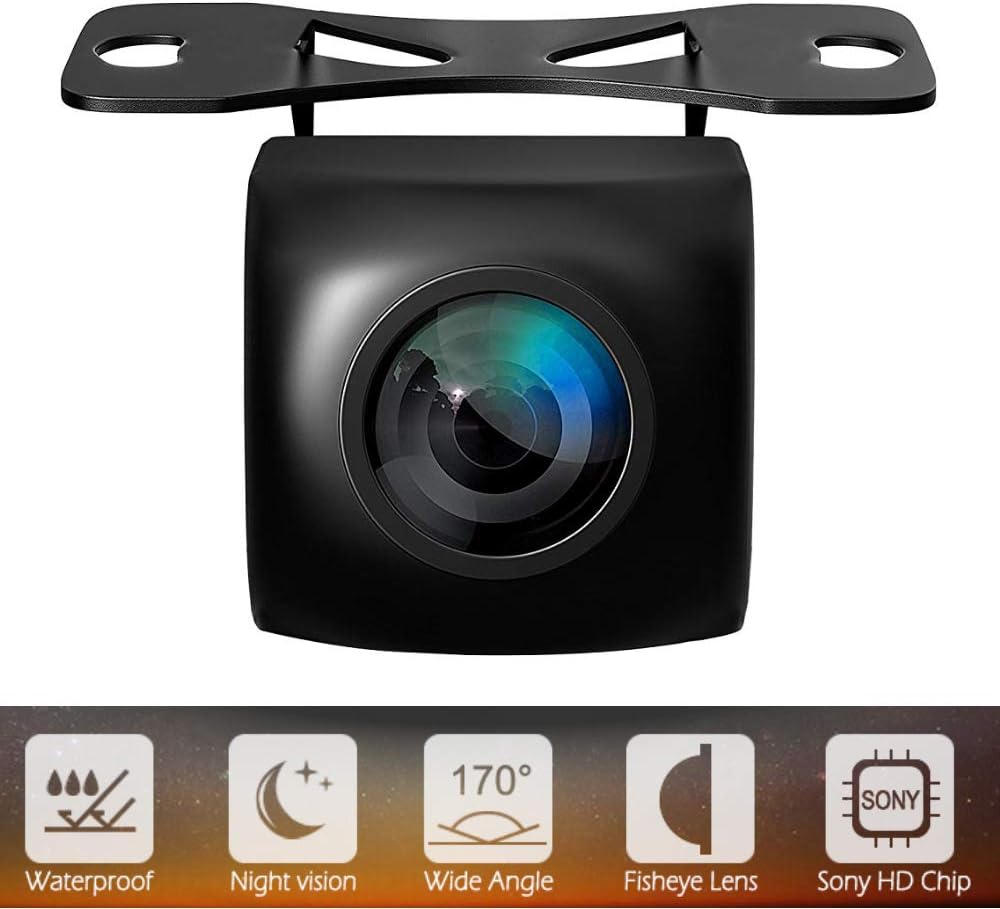
Image: Overview of the Skysonic Rear View Camera highlighting its key features.

Image: High-quality rear camera features including 1 million pixels and wide-angle night vision.
3. Package Contents
Please check that all items are present in the package:
- Rear View Camera Unit: 1
- Power Cable (1m): 1
- Video Cable (6m): 1
- Mounting Screws: 2
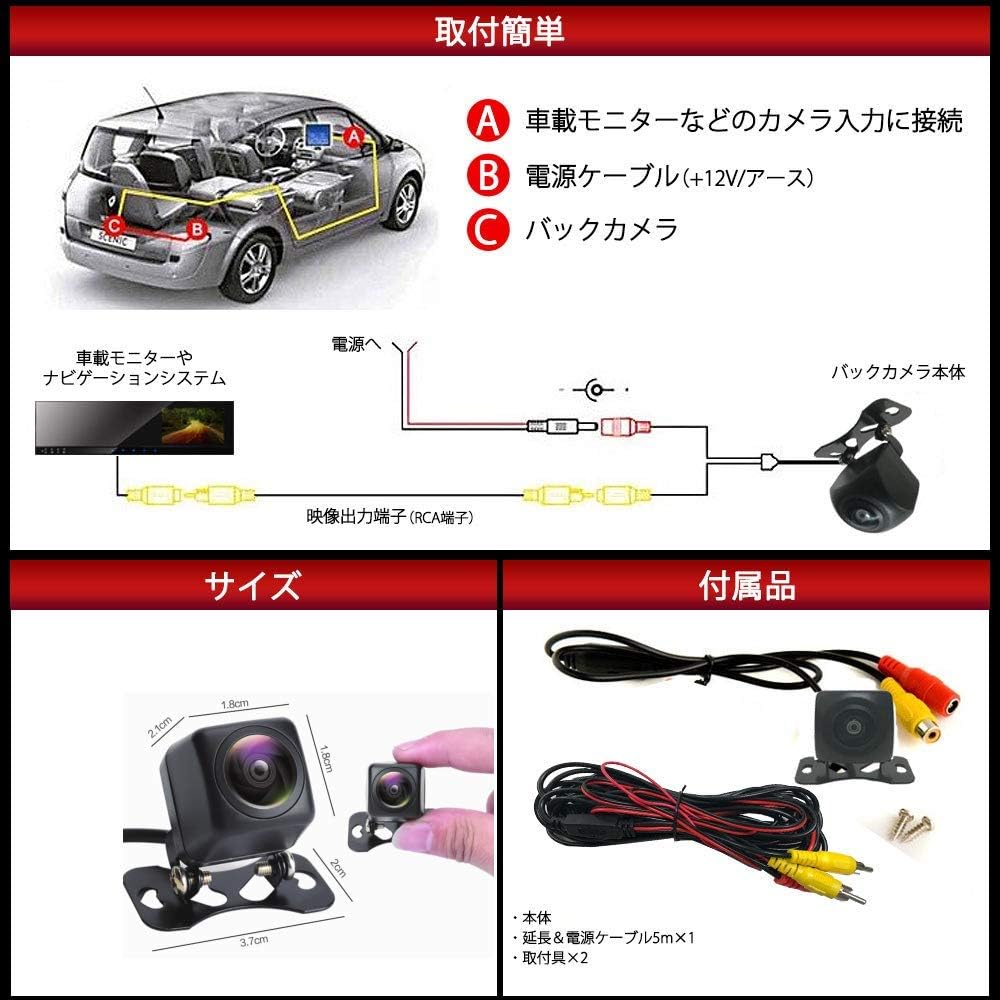
Image: Contents of the package including the camera, cables, and screws.
4. Setup and Installation
Proper installation is crucial for the camera's performance. It is recommended to have this installed by a professional if you are unfamiliar with car electrical systems.
4.1 Wiring Diagram

Image: Detailed wiring diagram for connecting the camera to the vehicle's power and monitor.
4.2 Connection Steps
- Connect to Monitor: Connect the RCA video output cable from the camera to the video input of your car monitor or navigation system.
- Power Connection:
- Connect the red wire of the power cable to a +12V power source (e.g., reverse light power for automatic activation when reversing).
- Connect the black wire of the power cable to a ground (chassis ground).
- Camera Unit Connection: Connect the camera unit to the power cable and video cable.
4.3 Mounting the Camera
The camera's compact size and adjustable bracket allow for versatile mounting. Choose a location that provides the best rear view and does not obstruct any vehicle functions or license plates. Secure the camera using the provided mounting screws.
Image: Installation example showing camera placement and connections within a vehicle.

Image: The camera's adjustable angle and waterproof capabilities.
5. Operating Instructions
Once properly installed and connected, the camera will typically activate automatically when the vehicle is shifted into reverse gear, displaying the rear view on your connected monitor. The camera provides a wide-angle view with guidelines to assist with parking and maneuvering.

Image: Visual representation of the camera's ability to reduce blind spots during reversing.
6. Maintenance
To ensure the longevity and optimal performance of your Skysonic Rear View Camera, follow these maintenance guidelines:
- Cleaning: Regularly clean the camera lens with a soft, damp cloth to remove dirt, dust, or water spots that may obscure the view. Avoid abrasive cleaners.
- Inspection: Periodically check the wiring connections for any signs of wear, corrosion, or looseness. Ensure the camera is securely mounted.
- Avoid Harsh Chemicals: Do not use strong detergents or solvents on the camera body or lens, as this may damage the materials or coatings.
- Water Exposure: While the camera is IP67 waterproof, avoid directing high-pressure water jets directly at the camera for extended periods.

Image: The camera's waterproof design in action.
7. Troubleshooting
If you encounter issues with your camera, refer to the following common problems and solutions:
- No Image on Monitor:
- Check all power connections to ensure they are secure and receiving 12V.
- Verify the video cable connection between the camera and the monitor.
- Ensure the monitor is set to the correct video input channel.
- Blurry or Distorted Image:
- Clean the camera lens to remove any dirt or smudges.
- Check for any physical damage to the lens or camera body.
- Ensure the video cable is not damaged or experiencing interference.
- Intermittent Image:
- Inspect all wiring for loose connections or frayed wires.
- Check for potential electrical interference from other vehicle components.
- Night Vision Not Working:
- Ensure there is some ambient light, as the camera requires a minimum of 0.1 Lux to function.
- Verify the camera lens is clean and unobstructed.
8. Specifications
| Product Dimensions (L x W x H) | 21 x 18 x 18 mm |
| Operating Voltage | DC 12V |
| Optical Sensor Technology | CCD |
| Lens Type | Fisheye |
| Actual Angle of View | 170° |
| Field of View | 230° |
| Optical Sensor Size | 1/3 inch |
| Minimum Illumination | 0.1 Lux |
| Video Output | 1.0Vpp/75Ω |
| TV System | NTSC |
| Waterproof Rating | IP67 |
9. Safety Information
- Always ensure the vehicle's engine is off and the battery is disconnected before performing any electrical installation.
- Do not attempt to modify or disassemble the camera unit. This may void the warranty and cause damage.
- Ensure all cables are routed safely and securely, away from moving parts, heat sources, and sharp edges, to prevent damage or interference.
- The camera is an aid for safe driving and parking. Always check your surroundings directly and use your mirrors in conjunction with the camera feed.
10. Warranty and Support
For warranty information or technical support, please refer to the product packaging or contact your retailer. Keep your purchase receipt as proof of purchase.