
Introduction
This manual provides detailed instructions for the installation, operation, and maintenance of your Vonnision 4K 8MP PoE PTZ IP Dome Security Camera. Please read this manual thoroughly before using the product to ensure proper setup and functionality. This camera is designed for outdoor security applications, offering high-resolution surveillance with pan, tilt, and digital zoom capabilities.
Video: Overview of the Vonnision 4K 8MP PoE Security Camera.
Key Features
- 4K (8MP) Ultra HD Resolution: Provides 3840x2160 super-high-definition images for a wide viewing angle.
- PoE (Power over Ethernet): Simplifies installation by providing power and data through a single Ethernet cable. Compatible with PoE switches, injectors, and NVRs.
- Pan-Tilt Functionality: Offers a Pan Range of 0°~355° (45°/s speed) and Tilt Range of 0°~90° (25°/s speed) for flexible monitoring.
- 3x Digital Zoom: Allows for closer inspection of details within the video feed.
- Built-in Microphone: Supports one-way audio input for sound monitoring.
- IP66 Waterproof Rating: Durable metal casing ensures reliable operation in various outdoor weather conditions.
- 2.8mm Fixed Lens: Provides a 110° wide viewing angle.
- 60ft IR Night Vision: Equipped with infrared LEDs for clear surveillance up to 60 feet in low-light conditions.
- H.265/H.264 Compression: Efficient video compression reduces storage and bandwidth requirements.
- Plug & Play Compatibility: Works seamlessly with Hikvision, LTS, EZVIZ PoE NVRs, and can be configured for Dahua, Lorex, Uniview, TVT, and Raysharp NVRs.

Image: Vonnision 4K 8MP PoE PTZ IP Dome Security Camera highlighting its main features.
Package Contents
Upon opening the package, please verify that all the following items are included and in good condition:
- Vonnision 4K 8MP PoE PTZ IP Dome Security Camera
- Mounting Screw Kit
- Waterproof Connector for Ethernet Cable
- User Manual (this document)
Video: Unboxing and packaging contents of the Vonnision 4K 8MP PoE Security Camera.
Product Overview
Familiarize yourself with the physical components and dimensions of your camera.

Image: Detailed diagram showing the camera's components (Built-in Microphone, Aluminum alloy Case, 2.8mm Fixed Lens, DC 12V Power Port, LAN Port) and dimensions.
Setup & Installation
Mounting the Camera
Follow these steps for secure camera installation:
- Step 1: Stick the positioning card to the desired mounting surface and drill holes according to the marks.
- Step 2: Insert expansion screws into the drilled holes.
- Step 3: Install and fix the quick mounting plate using screws.
- Step 4: Align the bottom of the camera with the mounting plate and rotate it to the right to secure.
- Step 5: Tighten and fix the camera with a hex wrench.

Image: Visual guide for quick installation of the Vonnision dome camera.
Connecting to NVR/Network
The camera supports Power over Ethernet (PoE) for simplified connection. Connect the camera to a PoE-enabled NVR or a PoE switch using an Ethernet cable. If not using PoE, a 12V DC power adapter (not included) will be required.

Image: Connection diagram showing the camera connected to an NVR, router, monitor, and power source.
Video: Installation guide for the Vonnision 4K 8MP PoE Security Camera.
Operating Instructions
Pan-Tilt-Zoom (PTZ) Control
The camera supports remote Pan (horizontal rotation) and Tilt (vertical rotation) control through your NVR or compatible software. The Pan range is 0° to 355° and the Tilt range is 0° to 90°. Digital zoom allows you to magnify areas of interest within the live view.

Image: Illustration of the camera's Pan and Tilt movement ranges.
Audio Functionality
The built-in microphone enables one-way audio monitoring, allowing you to hear sounds from the camera's vicinity. This feature can be accessed via your NVR or compatible viewing software.
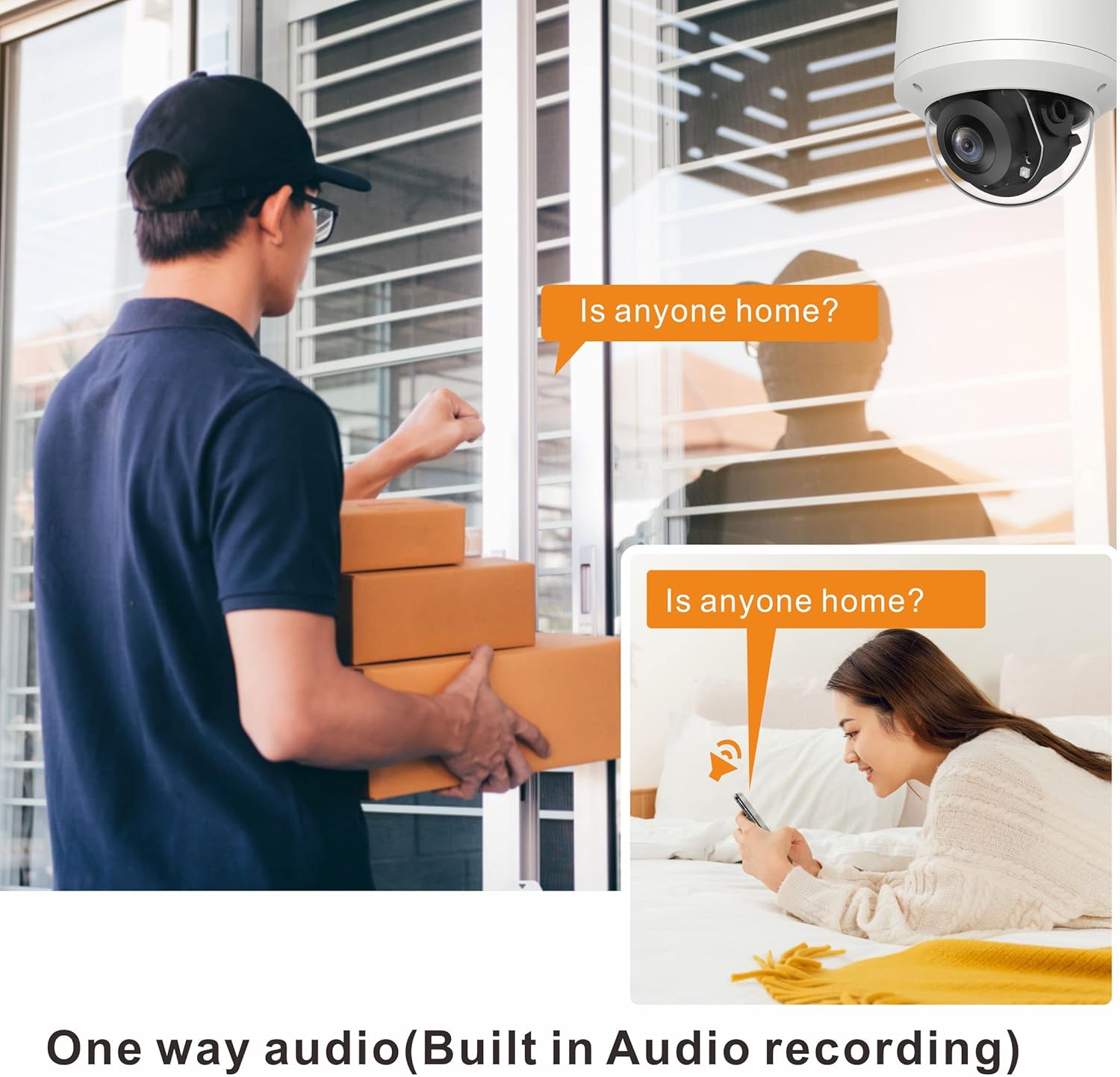
Image: Depiction of the camera's one-way audio recording capability.
Smart Detection (Human/Vehicle)
The camera features intelligent human and vehicle detection, reducing false alarms by distinguishing between relevant subjects and other movements. Alerts can be configured for push notifications, email, or FTP uploads.

Image: Smart Human & Vehicle Detection in action, identifying a person and a car.
Night Vision
Equipped with infrared (IR) LEDs, the camera provides clear black and white video surveillance up to 60 feet in complete darkness, automatically switching modes as light conditions change.

Image: Comparison of day and 4K (8MP) night vision footage.
Maintenance
To ensure optimal performance and longevity of your camera, follow these maintenance guidelines:
- Cleaning: Regularly clean the camera lens and housing with a soft, damp cloth. Avoid abrasive cleaners or solvents.
- Firmware Updates: Check the manufacturer's website periodically for firmware updates to ensure your camera has the latest features and security patches.
- Cable Inspection: Periodically inspect all cables for any signs of wear or damage, especially in outdoor installations.
- Environmental Protection: While the camera is IP66 waterproof, ensure it is installed in a location that minimizes direct exposure to extreme weather conditions where possible.

Image: The camera's metal shell and IP66 waterproof rating, indicating durability in various weather conditions.
Troubleshooting
If you encounter issues with your camera, refer to the following common problems and solutions:
| Problem | Possible Cause | Solution |
|---|---|---|
| No image/video feed | No power; Network cable disconnected; NVR/Software configuration issue. | Check power connection (PoE or 12V DC adapter); Ensure Ethernet cable is securely connected; Verify NVR/software settings. |
| Poor image quality | Dirty lens; Insufficient lighting; Incorrect resolution settings. | Clean the lens; Ensure adequate lighting or proper night vision activation; Adjust resolution settings in NVR/software. |
| PTZ control not working | Network issue; Software incompatibility; PTZ protocol mismatch. | Check network connectivity; Ensure your NVR/software supports PTZ control for this camera model; Verify PTZ protocol settings. |
| No audio | Audio input disabled; Microphone issue; NVR/Software audio settings. | Enable audio input in camera settings; Check microphone for obstructions; Adjust audio settings in NVR/software. |
For further assistance, please contact Vonnision technical support.
Specifications
| Brand | Vonnision |
| Model | 4K 8MP PoE PTZ IP Dome Security Camera |
| Resolution | 8 Megapixels (3840x2160) |
| Lens | 2.8mm Fixed Lens (110° wide viewing angle) |
| Pan Range | 0° ~ 355° |
| Tilt Range | 0° ~ 90° |
| Digital Zoom | 3x |
| Night Vision Range | Up to 60 feet (IR) |
| Audio | Built-in Microphone (one-way audio input) |
| Connectivity | Wired Ethernet (PoE) |
| Compression | H.265/H.264 |
| Weatherproof Rating | IP66 |
| Material | Metal |
| Power Source | PoE (Power over Ethernet) or 12V DC (adapter not included) |
| Operating Temperature | -10°C to 60°C (14°F to 140°F) |
| Item Weight | 1.4 Pounds |
Warranty & Support
Vonnision provides a 1-Year Warranty for this product. This warranty covers manufacturing defects and ensures the product functions as intended under normal use.
For technical support, warranty claims, or any questions regarding your Vonnision 4K 8MP PoE PTZ IP Dome Security Camera, please contact Vonnision customer service. We are committed to responding to your inquiries within 24 hours. SDK for IP cameras can also be provided upon request for technical support.
Manufacturer: Vonnision