
NutriBullet NB9-1301ANB
NutriBullet NB9-1301ANB Pro 900W Personal Blender Instruction Manual
Model: NB9-1301ANB
Introduction
This manual provides essential instructions for the safe and efficient operation, maintenance, and care of your NutriBullet Pro 900W Personal Blender. Please read all instructions thoroughly before first use and retain this manual for future reference.
The NutriBullet Pro is designed for blending whole foods into nutritious shakes, smoothies, and nut butters, utilizing a powerful 900-watt motor and refined nutrient extraction blades.
Product Components
Your NutriBullet Pro 900W system includes the following components:
- (1) 900W Motor Base
- (1) Extractor Blade
- (2) 32 oz (900ml) Cups
- (2) To-Go Lids
- (2) Lip Rings
- (2) Handled Lip Rings
- (1) Recipe Book (for inspiration)

Image: All components of the NutriBullet Pro 900W blender system, including the motor base, two blending cups, extractor blade, to-go lids, and lip rings.
Setup and Assembly
- Unpack Components: Carefully remove all items from the packaging.
- Clean Components: Wash the cups, lids, and extractor blade with warm, soapy water before first use. Rinse thoroughly and dry. The motor base should only be wiped with a damp cloth.
- Place Motor Base: Position the 900W Motor Base on a clean, dry, and level surface. Ensure it is plugged into a grounded electrical outlet.
- Prepare Ingredients: Add your desired ingredients into one of the 32 oz cups. Do not fill past the MAX line.
- Attach Extractor Blade: Screw the Extractor Blade firmly onto the open end of the cup, ensuring a tight seal.
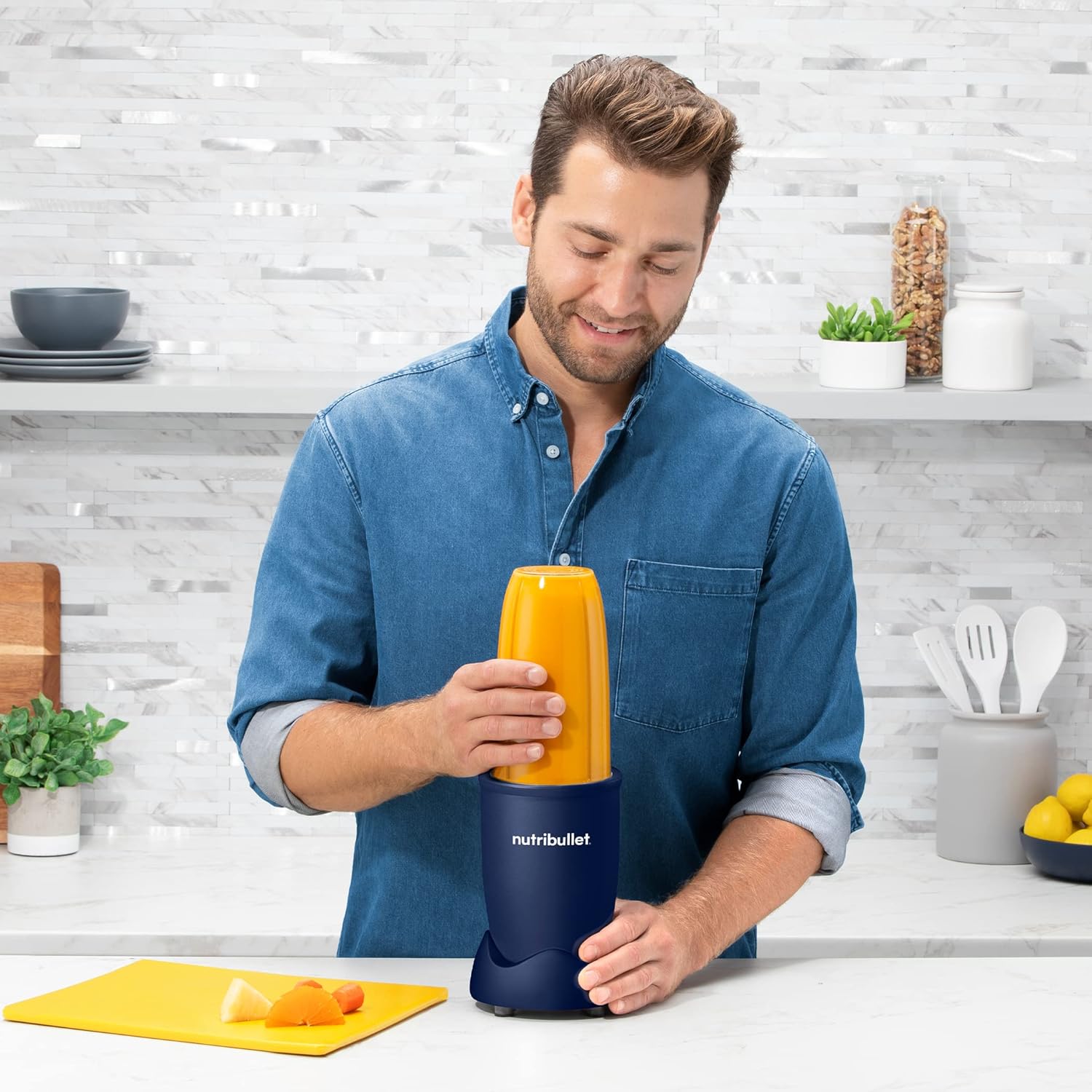
Image: A person adding milk to a NutriBullet cup filled with fruits and berries, demonstrating ingredient preparation.
Operating Instructions
The NutriBullet Pro features simple push-button operation for efficient blending.
- Load Ingredients: Fill the cup with your chosen ingredients. Ensure the liquid level does not exceed the MAX line.
- Attach Blade: Securely twist the Extractor Blade onto the cup.
- Place on Motor Base: Invert the cup and place it onto the 900W Motor Base. Align the tabs on the cup with the slots on the base.
- Activate Blending: Press down firmly on the cup and twist clockwise until the tabs lock into place. The motor will start automatically.
- Blend: Blend until your desired consistency is achieved. For best results, blend in short bursts (pulsing) rather than continuous operation for more than 60 seconds at a time.
- Stop Blending: To stop, simply twist the cup counter-clockwise and lift it off the motor base.
- Serve: Remove the Extractor Blade and attach a To-Go Lid or Lip Ring if desired.

Image: A person placing a filled NutriBullet cup onto the motor base, ready for blending.
Maintenance and Cleaning
Proper cleaning ensures the longevity and hygiene of your NutriBullet Pro.
- Extractor Blade: Twist off the blade from the cup. Rinse the blade with soap and water immediately after use. For thorough cleaning, use a brush to remove any trapped food particles.
- Cups and Lids: The 32 oz cups, To-Go Lids, Lip Rings, and Handled Lip Rings are dishwasher safe (top rack only). Alternatively, wash them with warm, soapy water and rinse.
- Motor Base: Never immerse the motor base in water or any other liquid. Wipe the motor base with a damp cloth to clean. If spills occur, wipe them immediately.
- Storage: Store the NutriBullet Pro in a clean, dry place when not in use.

Image: Close-up view of the stainless steel Extractor Blade, highlighting its design for efficient blending and ease of cleaning.
Troubleshooting
If you encounter issues with your NutriBullet Pro, refer to the following common solutions:
| Problem | Possible Cause | Solution |
|---|---|---|
| Blender does not turn on. | Not properly assembled or plugged in. | Ensure the unit is securely plugged into a working outlet. Verify the cup and blade assembly are correctly twisted onto the motor base and locked into place. |
| Leaking during blending. | Blade not tightened sufficiently or cup overfilled. | Tighten the Extractor Blade firmly onto the cup. Do not fill ingredients past the MAX line. Check the O-ring for proper seating and damage. |
| Motor stops during operation. | Overheating due to continuous use or too much load. | Unplug the unit and allow it to cool down for at least 15-20 minutes. Reduce the amount of ingredients or add more liquid for easier blending. Avoid continuous blending for more than 60 seconds. |
| Ingredients not blending smoothly. | Insufficient liquid or too many hard ingredients. | Add more liquid to the mixture. Cut larger ingredients into smaller pieces. Use pulsing action to break down tougher items. |
Product Specifications
| Feature | Detail |
|---|---|
| Brand | NutriBullet |
| Model Number | NB9-1301ANB |
| Power | 900 Watts |
| Capacity | 900 Milliliters (32 oz cups) |
| Color | Matte Navy Blue |
| Controls Type | Push Button |
| Blade Material | Stainless Steel |
| Material Type Free | BPA Free |
| Product Dimensions | 12.01"D x 7.72"W x 15.94"H |
| Item Weight | 2 pounds |
| Power Source | Corded Electric |
Warranty and Support
Your NutriBullet Pro 900W Personal Blender comes with a Limited Warranty. For specific terms and conditions, please refer to the warranty documentation included with your product packaging or visit the official NutriBullet website.
For customer support, product registration, or to purchase replacement parts, please visit the official NutriBullet website or contact their customer service department. Contact information can typically be found on the product packaging or the brand's official website.
Manufacturer: nutribullet
Related documentsNB9-1301ANB


Ask a question about this manual
Ask about setup, troubleshooting, compatibility, parts, safety, or missing instructions. Manuals+ will review the question and use this page’s manual context to help answer it.