
1. Product Overview
The Lenovo HQ08 Wireless Stereo In-Ear Headphones are designed for an immersive audio experience, featuring Bluetooth 5.0 connectivity, a built-in microphone, and a portable charging case. These earbuds offer stable transmission, low latency, and efficient power consumption, making them suitable for various activities including gaming and music listening.

Image 1.1: Lenovo HQ08 Wireless Stereo In-Ear Headphones in their charging case.
2. Key Features
- Bluetooth 5.0 Connectivity: Ensures stable transmission within a 10-meter range, with low latency and low power consumption.
- High-Performance Audio: Delivers clear high frequencies, smooth mid-range, deep low frequencies, and 360-degree surround stereo sound.
- Noise Reduction Technology: Equipped with a new generation of noise reduction for accurate sound capture and effective ambient noise cancellation.
- Smart Touch Control: Easy operation for play/pause, volume adjustment, call answering, and other functions.
- Ergonomic Design: Made from skin-safe materials with an in-ear design that fits the ear canal, comfortable to wear, and fall-resistant.
- IPX5 Splash-Proof: Designed to resist splashes, rain, and sweat, suitable for active use.
- Long Battery Life: Charging case with 380 mAh battery capacity provides extended playtime.
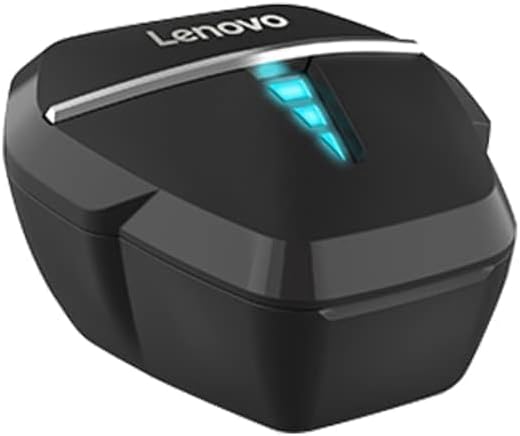
Image 2.1: Visual representation of key features including ultra-low latency, dual mode, 7.1 virtual soundtrack, HD call, gaming/music modes, hall switch, AAC audio decoding, breathing light, and long battery life.

Image 2.2: Illustration highlighting the strong battery life and the 380mAh charging case capacity.

Image 2.3: Depiction of the surround sound feature, enhancing the gaming experience with professional audio and noise reduction.
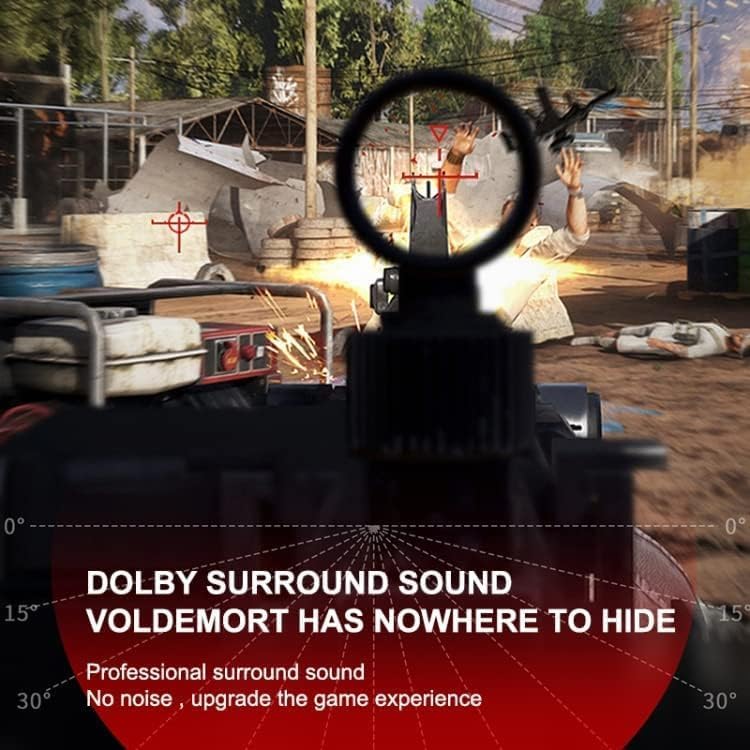
Image 2.4: Visual confirming the IPX5 splash-proof rating, indicating resistance to rain and sweat.
3. Setup Guide
3.1 Charging the Earbuds and Case
- Place the earbuds into the charging case. Ensure they are correctly seated.
- Connect the charging case to a power source using a compatible USB cable.
- The indicator lights on the case and/or earbuds will show charging status. Fully charge before first use.
3.2 Pairing with a Device
- Open the charging case. The earbuds will automatically enter pairing mode (indicator lights will flash).
- On your device (smartphone, tablet, etc.), enable Bluetooth.
- Search for available Bluetooth devices and select "Lenovo HQ08" from the list.
- Once connected, the indicator lights on the earbuds will typically stop flashing or change color.
- If pairing fails, turn off Bluetooth on your device, place earbuds back in the case, close and reopen, then repeat steps 2-4.
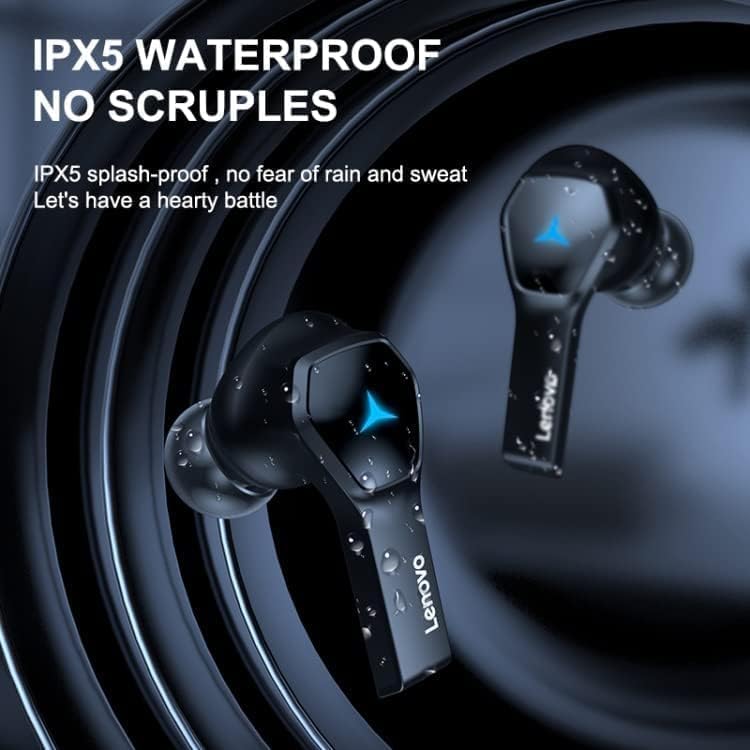
Image 3.1: The Lenovo HQ08 earbuds, charging case, and packaging, illustrating the product components.
4. Operating Instructions
The Lenovo HQ08 earbuds feature smart touch controls for various functions. The exact touch patterns may vary slightly, but common functions are listed below:
4.1 Basic Controls
- Power On/Off: Earbuds typically power on automatically when removed from the case and power off when placed back in. Manual power on/off might involve a long press on the touch area.
- Play/Pause: Single tap on either earbud.
- Next Track: Double tap on the right earbud.
- Previous Track: Double tap on the left earbud.
- Volume Up: Triple tap on the right earbud.
- Volume Down: Triple tap on the left earbud.
4.2 Call Management
- Answer/End Call: Single tap on either earbud during an incoming call.
- Reject Call: Long press on either earbud during an incoming call.
4.3 Voice Assistant
- Activate Voice Assistant: Long press on either earbud (when not on a call) to activate your device's voice assistant (Siri, Google Assistant, etc.).

Image 4.1: The Lenovo HQ08 earbuds being worn, demonstrating their comfortable in-ear fit.
5. Maintenance and Care
- Cleaning: Regularly clean the earbuds and charging case with a soft, dry, lint-free cloth. Do not use harsh chemicals or abrasive materials.
- Ear Tips: Remove ear tips and clean them with a damp cloth if necessary. Ensure they are completely dry before reattaching.
- Charging Ports: Keep the charging contacts on the earbuds and inside the case clean and free of debris.
- Storage: When not in use, store the earbuds in their charging case to protect them and keep them charged.
- Avoid Water: While the earbuds are IPX5 splash-proof, they are not fully waterproof. Avoid submerging them in water.
- Temperature: Do not expose the earbuds or case to extreme temperatures (hot or cold) or high humidity.
6. Troubleshooting
| Problem | Solution |
|---|---|
| Earbuds not pairing/connecting. |
|
| Only one earbud is working. |
|
| Low volume or poor sound quality. |
|
| Charging issues. |
|
7. Product Specifications
| Feature | Detail |
|---|---|
| Brand | Lenovo |
| Model Name | HQ08 |
| Color | Black |
| Connectivity Technology | Wireless (Bluetooth 5.0) |
| Ear Placement | In Ear |
| Headphones Form Factor | True Wireless |
| Impedance | 32 Ohm |
| Noise Control | Active Noise Cancellation (ANC) |
| Included Components | Wireless Charging Case |
| Age Range Description | Adult |
| Manufacturer | Lenovo |
| Ear Tip Shape | Rounded Tips |
| Style | In-Ear |
| Audio Driver Type | Dynamic Driver |
| Special Features | Lightweight, IPX5 Splash-proof |
| Material | Plastic |
| Recommended Uses | Gaming, Music, Calls |
| Compatible Devices | Cellular Phones |
| Cable Feature | Cable-free |
| Water Resistance Level | IPX5 (Splash-proof) |
| Bluetooth Version | 5.0 |
| Control Method | Touch |
| Charging Case Battery | 380 mAh |
| Approximate Playtime | 4 hours |
8. Warranty and Support
8.1 Warranty Information
According to the product information, there is no warranty provided for this product. Please refer to your retailer's return policy for any issues.
8.2 Customer Support
For further assistance or inquiries, please contact the retailer or visit the official Lenovo support website. Keep your purchase receipt for any potential service requests.