
1. Introduction
Thank you for choosing the ROMOSS Sense 4S Pro 10000 mAh Power Bank. This portable charger is designed to provide fast and reliable power for your smartphones, tablets, and other USB-powered devices. Please read this manual carefully before using the product to ensure proper operation and safety.

Image 1.1: The ROMOSS Sense 4S Pro 10000 mAh Power Bank, showcasing its compact white design with the ROMOSS logo and 30W 10000mAh branding.
2. Product Features
- 30W Fast Charging: Equipped with advanced PD3.0 and QC4.0 30W fast charging technologies, capable of charging an iPhone 13 Pro Max up to 60% in just 30 minutes.
- Multiple Input/Output Ports: Features 3 input ports (Lightning, Micro USB, USB Type-C) and 3 output ports (USB Type-C, USB x 2) to charge up to 3 devices simultaneously.
- Compact and Portable Design: Made with a flame-retardant and dust-proof plastic alloy casing, weighing approximately 245g, making it easy to carry.
- Comprehensive Safety Protection: Integrated intelligent safety system provides protection against over-heating, over-charging, over-current, over-discharge, and short-circuits.
- Digital Display: Features a digital display for battery level indication.

Image 2.1: The power bank demonstrating 30W Power Delivery, showing an iPhone 13 Pro Max charging to 55% in 30 minutes.

Image 2.2: Illustration of the power bank's fast charging compatibility with various Apple devices, including iPad Pro, MacBook Air, iPhone 12, and iPhone 13.
3. Package Contents
Upon opening the package, please verify that all items listed below are present and in good condition:
- ROMOSS Sense 4S Pro 10000 mAh Portable Power Bank (USB-C) x 1
- USB-A to USB-C Cable x 1
- User Manual x 1
4. Setup and Initial Use
4.1 Charging the Power Bank
Before first use, it is recommended to fully charge your ROMOSS Sense 4S Pro power bank. You can use any of the three input ports (Lightning, Micro USB, or USB Type-C) to recharge the power bank.
- Connect the provided USB-A to USB-C cable (or your own Lightning/Micro USB cable) to the corresponding input port on the power bank.
- Connect the other end of the cable to a USB wall charger (not included) or a computer's USB port.
- The digital display will show the charging progress. The power bank is fully charged when the display shows 100%.

Image 4.1: Diagram illustrating the various input ports (Lightning, Micro USB, Type-C) and output ports (Type-C, USB x 2) on the power bank.
4.2 Checking Battery Level
Press the power button once to activate the digital display, which will show the current battery percentage of the power bank.
5. Operating Instructions
5.1 Charging Your Devices
The ROMOSS Sense 4S Pro can charge up to three devices simultaneously using its output ports.
- Connect your device's charging cable to one of the power bank's output ports (USB Type-C or USB x 2).
- Connect the other end of the cable to your device.
- The power bank will automatically begin charging your device. If not, press the power button once to initiate charging.
- The digital display will remain active during charging, showing the remaining battery level of the power bank.

Image 5.1: The power bank connected to and simultaneously charging three different mobile devices, demonstrating its multi-output capability.
6. Maintenance and Care
- Keep the power bank away from water, moisture, and extreme temperatures.
- Avoid dropping, hitting, or disassembling the device.
- Clean the power bank with a dry, soft cloth. Do not use harsh chemicals or abrasive materials.
- Store the power bank in a cool, dry place when not in use for extended periods. It is recommended to charge it to about 50% before long-term storage.
7. Troubleshooting
| Problem | Possible Cause | Solution |
|---|---|---|
| Power bank not charging | Cable issue, charger issue, power bank fully charged. | Check cable and charger. Ensure power bank is not already at 100%. |
| Device not charging from power bank | Power bank low on battery, cable issue, device not compatible. | Recharge power bank. Try a different cable. Ensure device is compatible with USB charging. Press power button to activate output. |
| Slow charging | Non-fast charging cable/adapter, multiple devices charging. | Use a fast-charging compatible cable and wall adapter. Charging multiple devices simultaneously may reduce individual charging speeds. |
8. Specifications
| Model Name | Sense 4S Pro |
| Brand | ROMOSS |
| Battery Capacity | 10000 mAh (Milliampere-hour) |
| Battery Composition | Lithium-polymer |
| Color | White |
| Connector Type | Lightning, Micro USB, USB Type-C |
| Voltage | 20 Volts (Max output) |
| Special Features | Digital display, Fast charging, Overcharge protection, Short-circuit protection, LED indicator lights |
| Recommended Use | Charging smartphones, gadgets, and other electronic devices. |
| Power Source | Cable Electric |

Image 8.1: The power bank being placed into a bag, highlighting its compact size and portability, weighing approximately 245g.
9. Safety Information
The ROMOSS Sense 4S Pro is equipped with an intelligent safety system to protect both the power bank and your devices. Adhere to the following safety guidelines:
- Do not expose the power bank to fire or high temperatures.
- Do not immerse the power bank in water or other liquids.
- Avoid using the power bank in extremely hot, cold, or humid environments.
- Do not attempt to disassemble, repair, or modify the power bank.
- Keep out of reach of children.
- Dispose of the power bank responsibly according to local regulations.
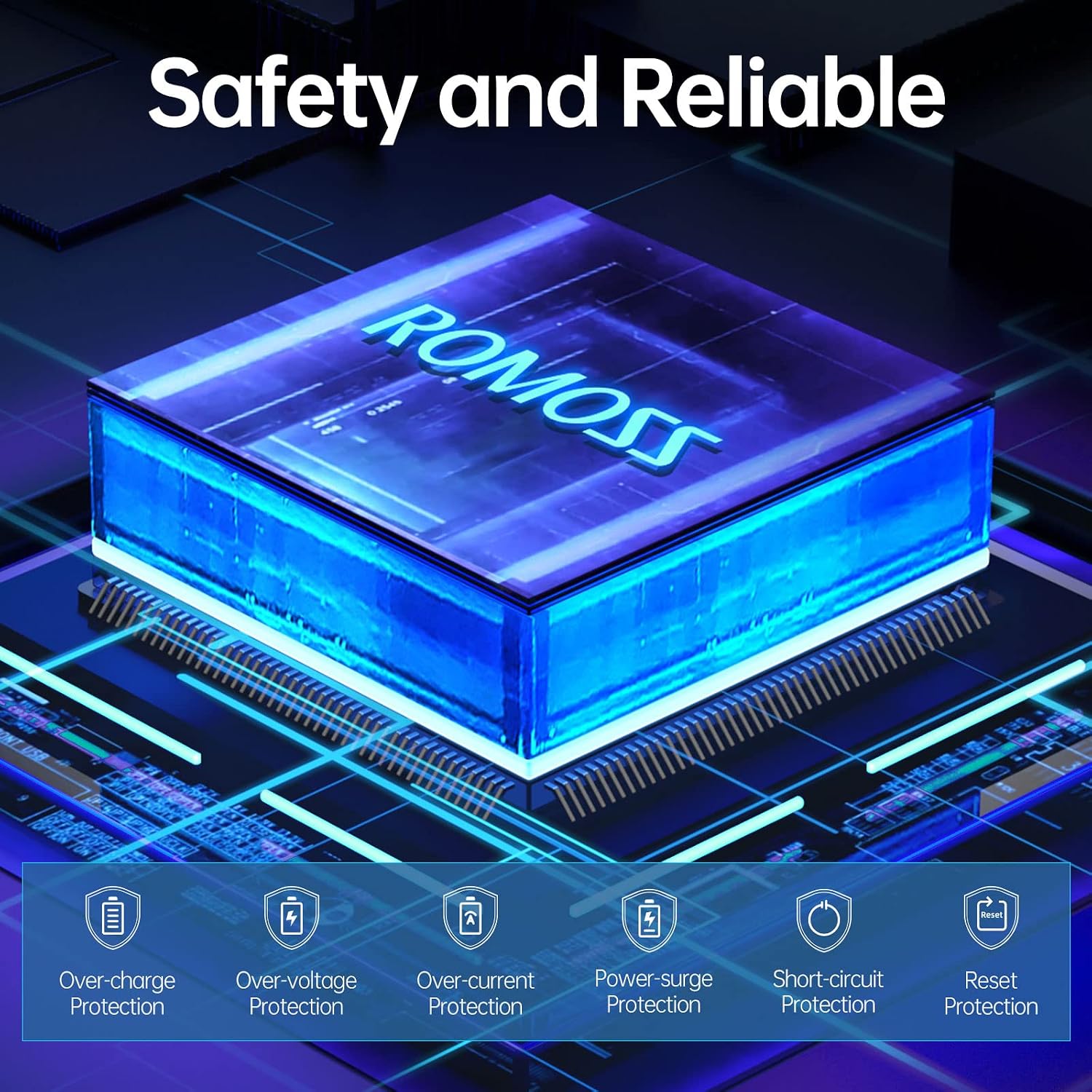
Image 9.1: Visual representation of the integrated safety chip, highlighting various protections: Over-charge, Over-voltage, Over-current, Power-surge, Short-circuit, and Reset Protection.
10. Warranty and Support
For warranty information and customer support, please refer to the official ROMOSS website or contact their customer service directly. Keep your purchase receipt for warranty claims.
For further assistance, please visit: www.romoss.com


