
1. Product Overview
The RAYCOP Cordless UV Futon Cleaner RS4-100WH-C2 is designed to provide a clean and healthy sleeping environment by effectively removing dust mites, bacteria, and viruses from futons, mattresses, and other fabric surfaces. This lightweight, cordless cleaner features UV sterilization and a HEPA filter for thorough cleaning.
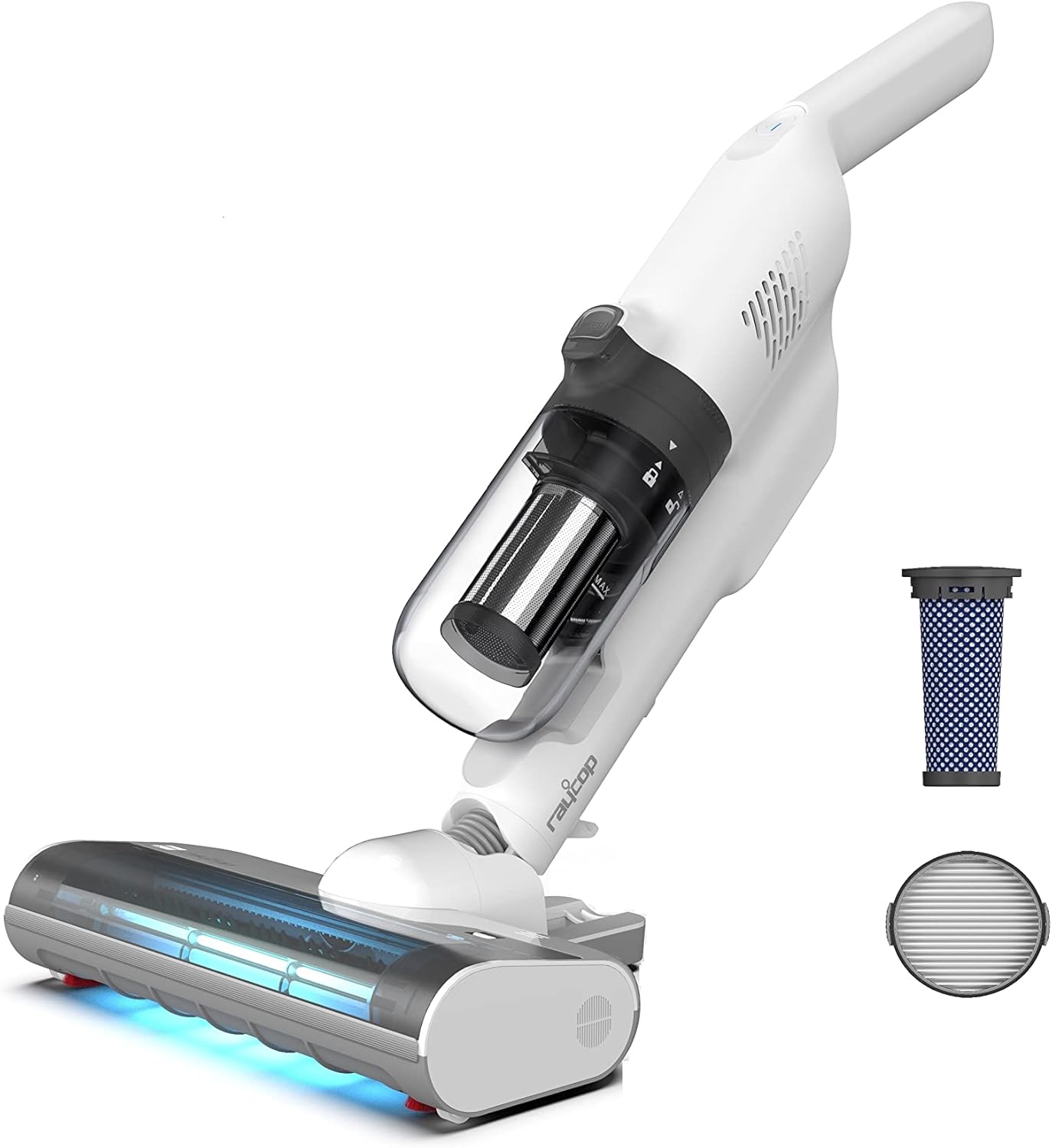
Figure 1.1: RAYCOP Cordless UV Futon Cleaner RS4-100WH-C2 with included filters. This image displays the main unit, dust bin, and the two types of filters (HEPA and mesh) that come with the cleaner.
2. Safety Information
Please read all safety instructions carefully before using the appliance. Failure to follow these instructions may result in electric shock, fire, or serious injury.
- Do not immerse the appliance in water or other liquids.
- Keep the appliance away from heat sources and direct sunlight.
- Do not use the appliance on wet surfaces or to pick up liquids.
- Ensure the dust box and filters are correctly installed before operation.
- Keep children and pets away from the appliance during operation.
- Only use the provided charging adapter.
3. Package Contents
Verify that all items are present in the package:
- RAYCOP Cordless UV Futon Cleaner (Main Unit)
- Charging Adapter
- Dust Box
- HEPA Filter
- Mesh Filter
- Cleaning Brush
- Instruction Manual (This document)
4. Setup
4.1 Assembly
The RAYCOP RS4-100WH-C2 is designed for easy assembly. Simply attach the main body to the cleaning head until it clicks into place. Ensure the dust box and filters are properly inserted.

Figure 4.1: The cleaner in its upright, self-standing position, demonstrating its compact storage capability. This image shows the assembled unit standing independently, ready for use or storage.
4.2 Charging the Battery
Before first use, fully charge the cleaner. Connect the charging adapter to the charging port on the cleaner and plug it into a power outlet. The charging indicator light will show the charging status. A full charge takes approximately 3.5 hours.

Figure 4.2: Illustration of the cleaner's battery life across different operating modes: UV ONLY (approx. 120 minutes), Standard (approx. 28 minutes), and Power (approx. 16 minutes). This graphic helps users understand expected runtimes.
5. Operating Instructions
5.1 Power On/Off
Press the power button located on the handle to turn the cleaner on or off.
5.2 Selecting Cleaning Modes
The cleaner offers three modes:
- UV ONLY Mode: Activates only the UV lamp for sterilization. Ideal for delicate fabrics or quick sanitization. Provides approximately 120 minutes of operation.
- Standard Mode: Combines UV sterilization with standard suction power. Suitable for regular cleaning. Provides approximately 28 minutes of operation.
- Power Mode: Provides maximum suction power and UV sterilization for deep cleaning. Provides approximately 16 minutes of operation.
Press the mode selection button to cycle through the available modes.

Figure 5.1: A person using the RAYCOP cleaner on a bed, demonstrating its effectiveness on bedding. This image highlights the cleaner's primary use for mattresses and futons.

Figure 5.2: Close-up of the cleaner's UV lamp in operation, emitting blue light for sterilization. This image visually confirms the UV function of the device.
5.3 Using the Cleaner
Gently glide the cleaning head over the surface you wish to clean. For best results, move the cleaner slowly to allow the UV lamp and suction to work effectively. The cleaner is designed to be lightweight and easy to maneuver.

Figure 5.3: A collage showing the RAYCOP cleaner being used on various surfaces, including a bed and a sofa, demonstrating its versatility for different household items. This image illustrates the cleaner's adaptability beyond just futons.
6. Maintenance
Regular maintenance ensures optimal performance and extends the lifespan of your RAYCOP cleaner.
6.1 Emptying the Dust Box
The dust box should be emptied after each use or when the "MAX" line is reached. To empty:
- Ensure the cleaner is turned off.
- Press the dust box release button and remove the dust box.
- Open the dust box and discard the collected debris.
- Reattach the dust box until it clicks into place.
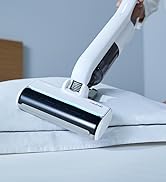
Figure 6.1: Disassembled view of the dust box, mesh filter, and HEPA filter, showing the components that need regular cleaning. This image helps users identify and clean the filter system.
6.2 Cleaning the Filters
The mesh filter and HEPA filter should be cleaned regularly. Tap them gently to remove dust, or rinse them with water if heavily soiled. Ensure filters are completely dry before reinserting them into the cleaner.
6.3 Cleaning the Rotating Brush
Periodically check the rotating brush for tangled hair or fibers. Use scissors or the provided cleaning tool to remove any obstructions. To access the brush, unlock the brush cover on the cleaning head.

Figure 6.2: Image showing how to remove and clean the rotating brush from the cleaning head. This visual guide assists users in performing brush maintenance.
7. Troubleshooting
| Problem | Possible Cause | Solution |
|---|---|---|
| Cleaner does not turn on. | Battery is depleted. Not properly charged. | Charge the battery fully. Ensure the charging adapter is securely connected. |
| Reduced suction power. | Dust box is full. Filters are clogged. Rotating brush is obstructed. | Empty the dust box. Clean the mesh and HEPA filters. Remove any obstructions from the rotating brush. |
| UV lamp not illuminating. | UV ONLY mode not selected. Lamp malfunction. | Ensure UV ONLY or a combined mode is selected. If the issue persists, contact customer support. |
| Unusual noise during operation. | Obstruction in the brush or suction path. Loose component. | Check and clear any obstructions from the brush and suction inlet. Ensure all parts are securely assembled. |
8. Specifications
- Model Name: RS4-100WH-C2
- Brand: RAYCOP
- Cordless: Yes
- Features: HEPA filter, Lightweight design
- Package Dimensions: 63.9 x 35.9 x 32.8 cm
- Package Weight: 3.32 kg
- Battery Life (UV ONLY Mode): Approx. 120 minutes
- Battery Life (Standard Mode): Approx. 28 minutes
- Battery Life (Power Mode): Approx. 16 minutes
9. Warranty and Support
RAYCOP products are manufactured to high-quality standards. For warranty information, please refer to the warranty card included with your purchase or visit the official RAYCOP website. Keep your proof of purchase for warranty claims.
For technical support, replacement parts, or service inquiries, please contact RAYCOP customer service through their official channels. Contact details can typically be found on the product packaging or the official website.
Official RAYCOP Store: Visit RAYCOP Store on Amazon.co.jp


