
Google GX7AS
Google Pixel 6a User Manual
Model: GX7AS
1. Introduction to Your Google Pixel 6a
The Google Pixel 6a is a 5G Android smartphone designed for speed, security, and an exceptional user experience. Powered by the Google Tensor chip, it offers advanced features including a high-quality camera, long-lasting battery, and real-time translation capabilities. This manual provides essential information for setting up, operating, maintaining, and troubleshooting your device.
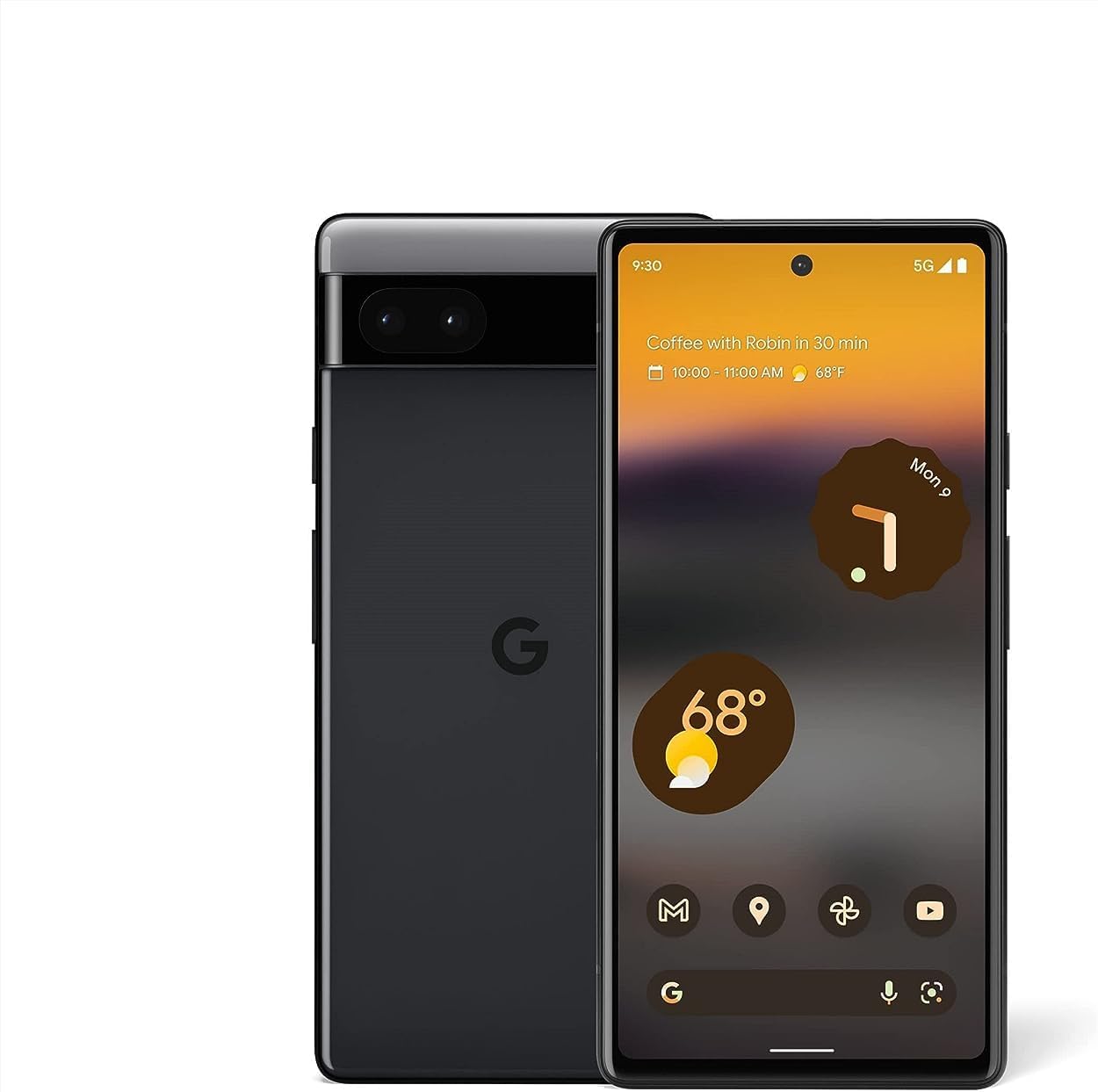
Image: Front and back view of the Google Pixel 6a smartphone, showcasing its sleek design and camera bar.
2. Initial Setup
2.1. What's in the Box
Before you begin, ensure all components are present:
- Google Pixel 6a Cell Phone
- 1m USB-C to USB-C cable (USB 2.0)
- SIM Tool
- Quick Switch Adapter
- Quick Start Guide (not shown in image)

Image: The contents of the Google Pixel 6a box, including the phone, USB-C cable, SIM tool, and Quick Switch Adapter.
2.2. Inserting the SIM Card
- Locate the SIM card tray on the side of your Pixel 6a.
- Insert the SIM tool into the small hole on the tray and press gently until the tray ejects.
- Place your Nano-SIM card into the tray with the gold contacts facing down.
- Carefully reinsert the tray into the phone.
2.3. Powering On and Initial Configuration
Press and hold the Power button until the Google logo appears. Follow the on-screen prompts to:
- Select your language and region.
- Connect to a Wi-Fi network.
- Sign in with your Google Account or create a new one.
- Set up your fingerprint for secure unlocking.
- Transfer data from your old device using the Quick Switch Adapter or wirelessly.

Image: A visual representation of transferring data, including messages, contacts, and photos, from an old device to the new Google Pixel 6a.
The Pixel 6a is an unlocked Android 5G phone, providing flexibility to choose your preferred carrier and data plan. It is compatible with major carriers such as Google Fi, Verizon, T-Mobile, and AT&T.

Image: A man holding the Google Pixel 6a to his ear, demonstrating its use as an unlocked smartphone with carrier flexibility.
3. Operating Your Google Pixel 6a
3.1. Google Tensor Chip Performance
Your Pixel 6a is powered by the Google Tensor chip, designed specifically for Pixel devices. This chip ensures fast app launches, quick loading of pages and images, and overall smooth performance for all your tasks.

Image: An illustration highlighting the Google Tensor chip, emphasizing its role in making the Pixel 6a smart, secure, and fast.
3.2. Battery Management and Charging
The Pixel 6a features an adaptive all-day battery that learns your usage patterns to save power for your most used applications. It supports fast wired charging up to 18W. A few minutes of charging can provide hours of power. Adapters are sold separately and compatible with USB PD 3.0 PPS adapters.

Image: A Google Pixel 6a phone connected to a charger, illustrating its adaptive battery and fast charging capabilities.
3.3. Camera Features
Capture amazing photos with the Pixel 6a's 12-megapixel camera. Key features include:
- Magic Eraser: Easily remove unwanted objects from your photos in Google Photos.
- Motion Mode: Capture dynamic shots with artistic blurs.
- Portrait Mode: Create professional-looking photos with blurred backgrounds.
- Face Unblur: Make blurry faces look sharper.
- Real Tone: Ensures beautifully authentic photos of diverse skin tones.

Image: A collage demonstrating the Google Pixel 6a's camera features, including Face Unblur, Real Tone, and Magic Eraser.
3.4. Live Translate
The Live Translate feature allows you to translate live video captions, private chats, messages, and even signs in up to 55 languages directly on your phone. This feature enhances communication across language barriers.

Image: A person using the Google Pixel 6a to translate a conversation in real-time, demonstrating the Live Translate feature.
3.5. Security and Privacy
Privacy and security are integral to the Pixel 6a. It incorporates the Titan M2 chip and the Google Tensor security core, providing an additional layer of hardware security to protect your device against attacks.

Image: A visual representation of the Pixel 6a's security features, including the Titan M2 chip, IP67 protection, and fingerprint unlock.
3.6. Customizable Interface and Feature Drops
The Pixel 6a offers a highly customizable Android interface, allowing you to personalize your phone's appearance and functionality. Google regularly provides "Feature Drops," delivering new features, tricks, and apps directly to your phone to enhance your experience over time.

Image: Multiple Pixel 6a screens displaying various customizable interface options and color themes.

Image: A notification on a Pixel phone screen indicating a "Feature Drop" update, highlighting continuous improvements.
4. Maintenance and Care
4.1. Water and Dust Resistance
The Pixel 6a is designed with IP67 protection, meaning it can withstand a certain degree of water and dust exposure. While it is resistant, it is not waterproof or dustproof. Avoid intentional submersion or exposure to high-pressure water jets. Water and dust resistance may diminish over time due to normal wear and tear or physical damage.
4.2. Cleaning Your Device
To clean your Pixel 6a, use a soft, lint-free cloth. Avoid abrasive materials, solvents, or aerosol sprays. For stubborn smudges, slightly dampen the cloth with water. Ensure all ports are dry before charging.
5. Troubleshooting Common Issues
This section addresses some common issues you might encounter with your Google Pixel 6a.
5.1. Fingerprint Sensor Issues
If the in-display fingerprint sensor is inconsistent or slow:
- Ensure your finger is clean and dry.
- Re-register your fingerprints, trying different angles and pressures.
- Clean the screen area where the sensor is located.
- If using a screen protector, ensure it is compatible with in-display fingerprint sensors and properly installed. Some screen protectors may interfere with functionality.
5.2. Battery Draining Quickly / Slow Charging
If your battery drains faster than expected or charges slowly:
- Check for background apps consuming excessive power and close them.
- Reduce screen brightness or enable Adaptive Brightness.
- Disable features like always-on display or unnecessary connectivity (Bluetooth, GPS) when not in use.
- Ensure you are using a compatible USB-C charger and cable (preferably the one included or a Google-approved adapter).
- Avoid using the phone heavily while charging.
5.3. Device Overheating
It is normal for the device to warm up during intensive use (e.g., gaming, video streaming, prolonged camera use, or fast charging). If it becomes excessively hot:
- Close all running applications.
- Disconnect from the charger if it's charging.
- Move to a cooler environment.
- Avoid direct sunlight exposure.
- If the issue persists, consider restarting the device.
5.4. Network Connectivity Issues (Wi-Fi/Mobile Data)
If you experience problems with Wi-Fi or mobile data connectivity:
- Toggle Wi-Fi or mobile data off and on.
- Restart your phone.
- For Wi-Fi, forget the network and reconnect. Ensure your router is working correctly.
- For mobile data, check your SIM card is properly inserted and your data plan is active. Contact your carrier if issues persist.
6. Technical Specifications
| Feature | Detail |
|---|---|
| Model Name | Pixel 6a (GX7AS) |
| Brand | |
| Operating System | Android |
| CPU Speed | 2.8 GHz |
| Screen Size | 6.13 Inches |
| Resolution | 1080 x 2400 |
| Refresh Rate | 60 Hz |
| RAM | 6 GB |
| Memory Storage Capacity | 128 GB |
| Battery Capacity | 4410 Milliamp Hours |
| Charging Time | 2 Hours (approx.) |
| Phone Talk Time | 15 Hours |
| Connectivity Technologies | Bluetooth, Wi-Fi, NFC |
| Camera Features | Rear, Front (12 Megapixel main) |
| Audio Jack | USB-C |
| Color | Charcoal |
| Product Dimensions | 6 x 2.8 x 0.35 inches |
| Item Weight | 6.3 ounces (178 Grams) |
| Date First Available | July 18, 2022 |

Image: A comparison chart detailing specifications between the Pixel 6 and Pixel 6a, including display, camera, memory, battery, and security features.
7. Warranty and Support
7.1. Product Warranty
Your Google Pixel 6a comes with a limited manufacturer's warranty. Please refer to the warranty card included with your purchase or visit the official Google support website for detailed terms and conditions, including coverage period and what is covered.
7.2. Customer Support
For further assistance, technical support, or service inquiries, please visit the official Google Pixel Support page. You can find FAQs, troubleshooting guides, and contact options for direct support.
Official Google Support: support.google.com/pixelphone
Related documentsGX7AS


Ask a question about this manual
Ask about setup, troubleshooting, compatibility, parts, safety, or missing instructions. Manuals+ will review the question and use this page’s manual context to help answer it.