
1. Introduction
This manual provides detailed instructions for the installation and use of the Aramox 16-Pin Audio Wiring Harness with CAN Bus Box. This product is designed to facilitate the connection of an aftermarket Android host to your vehicle's audio system, ensuring seamless integration without modification to the original car's wiring.
2. Product Overview
The Aramox Audio Wiring Harness is a specialized adapter designed for specific vehicle models. It includes a 16-pin standard connector for the Android host and connectors compatible with automotive OEMs, along with a CAN Bus Box for communication with the vehicle's electronic system.

Figure 1: Complete Aramox 16-Pin Audio Wiring Harness with CAN Bus Box and antenna adapter.
2.1 Package Contents
- 2 x Wiring Harness (main harness and antenna adapter)
- 1 x CAN Bus Box
2.2 Key Features
- Material: Constructed from high-quality ABS, rubber, and metal for durability and heat resistance.
- Connector Type: 16-pin standard connector for Android head units.
- OEM Compatibility: Designed to connect directly with original equipment manufacturer (OEM) vehicle wiring.
- Nondestructive Installation: Matches original car adapter interfaces, requiring no modification to vehicle wiring.
3. Compatibility (Fitment)
This audio wiring harness is compatible with the following vehicle models:
- Replacement for Chevrolet Cruze 2008-2014 (classic models)
- Replacement for Chevrolet AVEO
- Replacement for Chevrolet TRAX 2014-2016
- Replacement for Chevrolet Malibu 2013-2015
- Replacement for Buick Regal 2011-2013
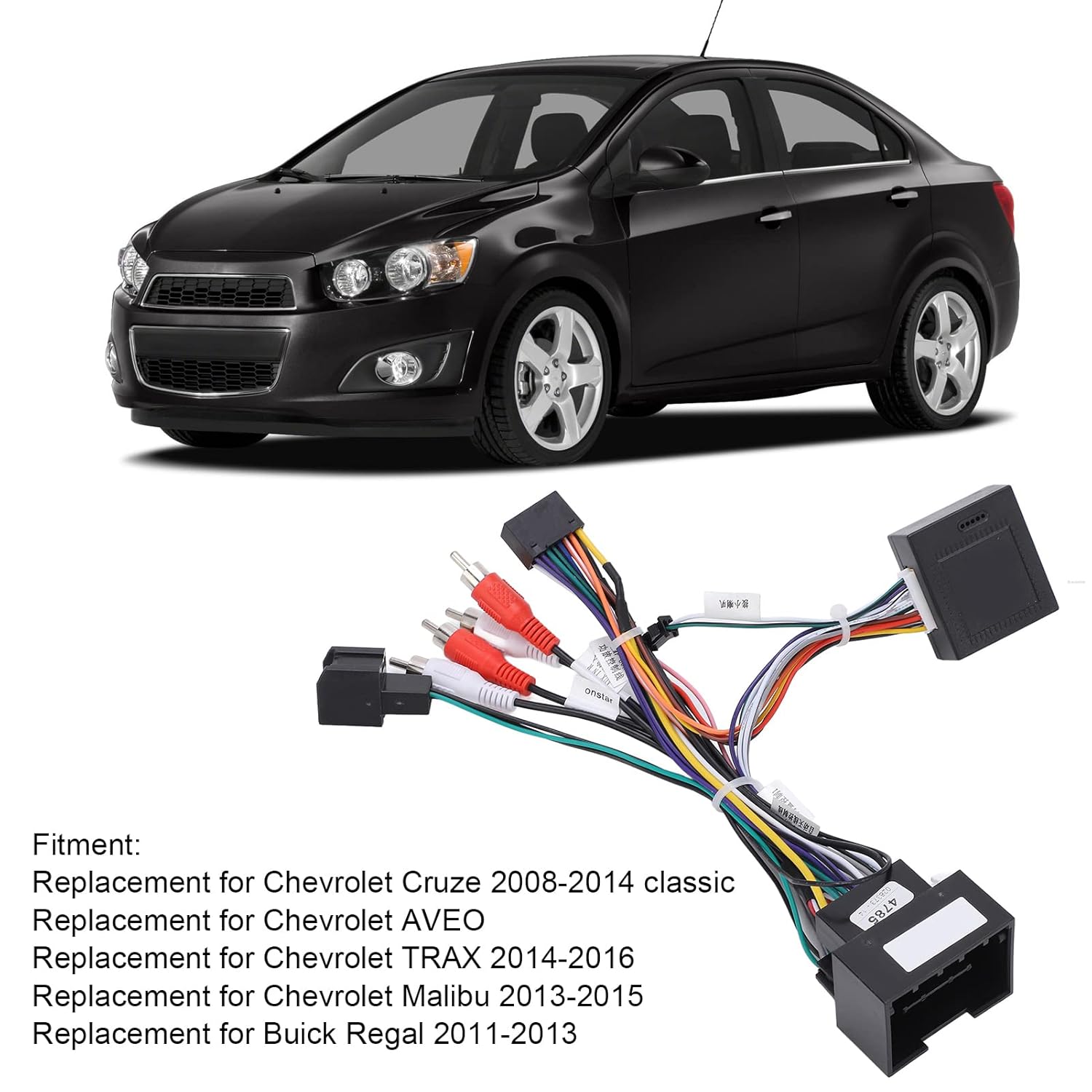
Figure 2: Harness shown with a Chevrolet AVEO, indicating compatibility.

Figure 3: Harness shown with a Chevrolet Cruze, demonstrating fitment.
4. Setup and Installation
Follow these steps for a proper and nondestructive installation of the Aramox Audio Wiring Harness.
- Preparation: Before beginning, ensure your vehicle's ignition is off and the battery is disconnected to prevent electrical shorts.
- Access Vehicle Radio: Carefully remove the existing car radio or head unit to access the vehicle's wiring harness. Refer to your vehicle's service manual for specific instructions on dashboard disassembly.
- Identify OEM Connector: Locate the original equipment manufacturer (OEM) wiring harness connector in your vehicle.
- Connect Aramox Harness: Connect the vehicle-specific end of the Aramox wiring harness to the OEM connector in your car. This connection should be a direct fit, requiring no cutting or splicing of wires.
- Connect to Android Host: Connect the 16-pin standard connector of the Aramox harness to the corresponding port on your aftermarket Android head unit.
- Integrate CAN Bus Box: Ensure the CAN Bus Box is properly connected within the harness system. The CAN Bus Box facilitates communication between the Android host and the vehicle's systems (e.g., steering wheel controls, vehicle information display).
- Antenna Connection: If included, connect the antenna adapter to your vehicle's antenna cable and then to your new head unit.
- Test Connections: Before fully reassembling the dashboard, reconnect the vehicle battery and perform a functional test of the Android head unit. Verify audio output, steering wheel controls (if applicable), and other integrated features.
- Secure and Reassemble: Once functionality is confirmed, carefully route and secure all wiring to prevent pinching or interference. Reassemble the dashboard components.

Figure 4: Example of the wiring harness connected within a car's dashboard, showing the integration point.

Figure 5: Detail of the 16-pin connector designed for Android head units.

Figure 6: Detail of the CAN Bus Box, which manages vehicle communication.
5. Post-Installation Functionality (Operating)
Once installed, the Aramox Audio Wiring Harness enables your aftermarket Android head unit to function correctly with your vehicle's electrical system. This includes:
- Power and Ground connections for the head unit.
- Speaker outputs for audio playback.
- CAN Bus communication for features such as steering wheel controls, reverse camera activation, and vehicle speed sensing (if supported by your head unit and vehicle).
- Antenna signal reception (with adapter).
Refer to your Android head unit's instruction manual for specific operating procedures and feature utilization.
6. Maintenance
The Aramox Audio Wiring Harness is designed for long-term reliability and requires minimal maintenance once installed. Ensure all connections remain secure and free from moisture or excessive heat. Periodically check for any signs of wear or damage if the dashboard is accessed for other reasons.
7. Troubleshooting
If you encounter issues after installation, consider the following troubleshooting steps:
- No Power to Head Unit:
- Verify all connections of the Aramox harness to both the vehicle and the Android head unit are secure.
- Check vehicle fuses related to the radio or accessory power.
- Ensure the vehicle battery is properly connected and charged.
- No Audio Output:
- Confirm speaker wires are correctly connected from the harness to the head unit.
- Check audio settings on the Android head unit.
- Steering Wheel Controls Not Working:
- Ensure the CAN Bus Box is correctly connected and functioning.
- Verify that your Android head unit supports steering wheel controls via CAN Bus and that the feature is enabled in its settings.
- Some head units may require programming or learning functions for steering wheel controls. Refer to your head unit's manual.
- Intermittent Functionality:
- Inspect all connections for looseness or corrosion.
- Ensure no wires are pinched or damaged during dashboard reassembly.
If problems persist, consult a professional automotive electronics technician.
8. Specifications
| Attribute | Detail |
|---|---|
| Item Type | Audio Wiring Harness |
| Material | ABS, Rubber, Metal |
| Connector Type | 16-Pin Standard (for Android Host), OEM Compatible |
| Model Number | B0B3NHM156 |
| Manufacturer | Aramox |
9. Customer Support
For further assistance or inquiries regarding the Aramox 16-Pin Audio Wiring Harness, please contact Aramox customer support through their official channels or the retailer where the product was purchased.
You can visit the Aramox Store on Amazon for more information.