
1. Important Safety Information
Read all safety warnings, instructions, illustrations, and specifications provided with this power tool. Failure to follow all instructions listed below may result in electric shock, fire, and/or serious injury.
- Work Area Safety: Keep the work area clean and well-lit. Cluttered or dark areas invite accidents.
- Electrical Safety: Do not expose power tools to rain or wet conditions. Water entering a power tool will increase the risk of electric shock.
- Personal Safety: Stay alert, watch what you are doing, and use common sense when operating a power tool. Do not use a power tool while you are tired or under the influence of drugs, alcohol, or medication.
- Tool Use and Care: Do not force the power tool. Use the correct power tool for your application. The correct power tool will do the job better and safer at the rate for which it was designed.
- Battery Tool Use and Care: This fan operates with a STANLEY V20 Li-Ion 18V battery (not included). Use only with specified battery packs and chargers.
- Service: Have your power tool serviced by a qualified repair person using only identical replacement parts. This will ensure that the safety of the power tool is maintained.
- Fan Specific Safety: Keep fingers and other objects away from the fan blades and grille during operation. Do not operate the fan if the grille is damaged or removed.
2. Product Overview
The STANLEY SFMCE001B-XJ V20 Li-Ion 18V Cordless Fan is designed for portable air circulation in various work environments. It features three speed settings and a durable construction for reliable performance.

Figure 2.1: Angled view of the STANLEY SFMCE001B-XJ V20 Li-Ion 18V Cordless Fan, highlighting its compact design and robust housing.

Figure 2.2: Front view of the fan, showing the protective grille and the STANLEY FATMAX branding.

Figure 2.3: Side view of the fan, illustrating its adjustable stand and battery compartment.
2.1 Components
- Fan Head with Grille
- Speed Control Dial (0-3 settings)
- Adjustable Stand/Base
- Battery Compartment (for V20 Li-Ion 18V battery)
- Pivot Knob for Angle Adjustment
3. Setup
3.1 Battery Installation
This fan requires a STANLEY V20 Li-Ion 18V battery (sold separately). Ensure the battery is fully charged before first use.
- Align the battery with the battery compartment on the fan's base.
- Slide the battery into the compartment until it clicks securely into place.
- To remove the battery, press the release button (if present) and slide the battery out.
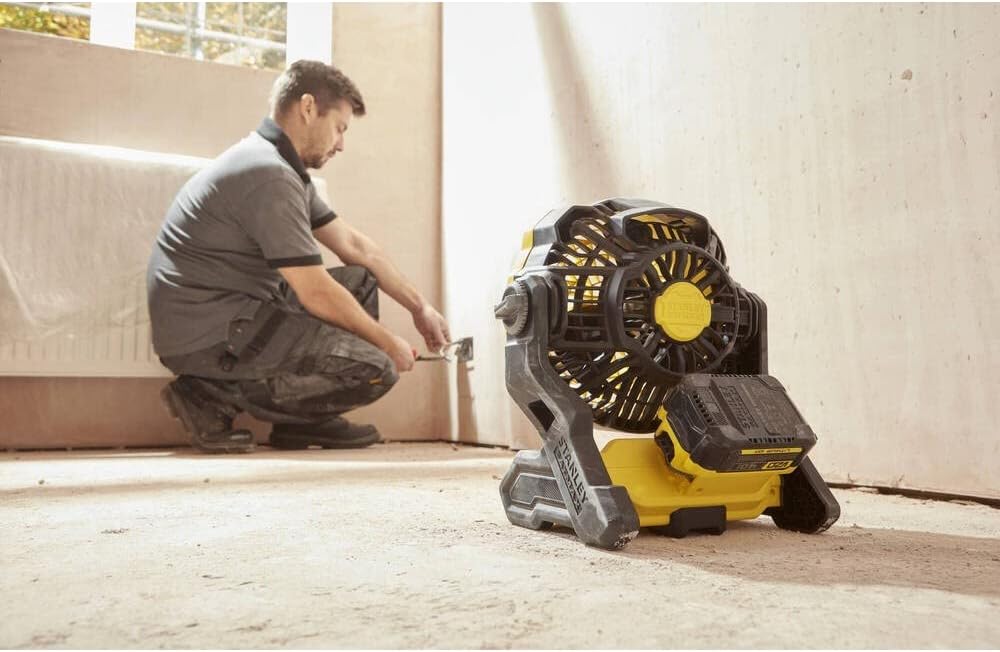
Figure 3.1: The fan positioned on a floor, ready for operation. Ensure a stable surface.
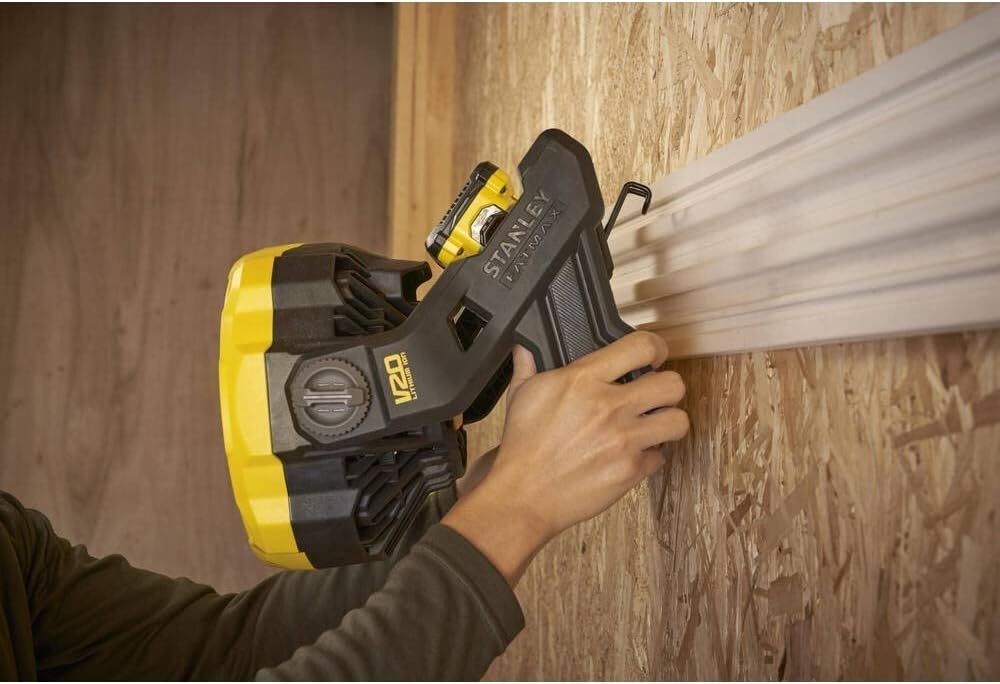
Figure 3.2: The fan demonstrating its versatility by being mounted on a vertical surface, utilizing its integrated hanging features.
3.2 Positioning the Fan
Place the fan on a stable, flat surface. The adjustable stand allows for various angles. For elevated placement, utilize the integrated hanging features if applicable, ensuring the fan is securely fastened.
4. Operating Instructions
4.1 Powering On and Adjusting Speed
- Ensure a charged V20 Li-Ion 18V battery is securely installed.
- Locate the speed control dial on the fan's base.
- Turn the dial from '0' (off) to '1', '2', or '3' to select the desired airflow speed. '3' is the highest speed.
- To turn off the fan, rotate the dial back to '0'.

Figure 4.1: Detail of the speed control dial, showing settings from 0 (off) to 3 (highest speed).
4.2 Adjusting Fan Angle
The fan head can be pivoted to direct airflow as needed.
- Loosen the pivot knob(s) located on the sides of the fan head.
- Carefully tilt the fan head to the desired angle.
- Tighten the pivot knob(s) to secure the fan head in position.

Figure 4.2: A hand adjusting the pivot knob to change the fan's angle, demonstrating the ease of directional airflow control.
5. Maintenance
Regular maintenance ensures optimal performance and extends the life of your fan.
5.1 Cleaning
- Always remove the battery before cleaning.
- Wipe the exterior surfaces of the fan with a soft, damp cloth. Do not use harsh chemicals or abrasive cleaners.
- Use a vacuum cleaner or compressed air to remove dust and debris from the fan grille and blades. Ensure the fan is completely dry before re-installing the battery.
5.2 Storage
- Store the fan in a clean, dry place, away from direct sunlight and extreme temperatures.
- Remove the battery from the fan if storing for extended periods.
6. Troubleshooting
Review the following common issues and their solutions before contacting customer support.
| Problem | Possible Cause | Solution |
|---|---|---|
| Fan does not turn on. | Battery not installed correctly or discharged. | Ensure battery is fully charged and properly seated. |
| Fan runs intermittently. | Loose battery connection or low battery charge. | Check battery connection; recharge or replace battery. |
| Reduced airflow. | Grille or blades are obstructed by dust/debris. | Clean the fan grille and blades as per maintenance instructions. |
| Unusual noise during operation. | Foreign object inside the fan or damaged blades. | Immediately turn off and remove battery. Inspect for obstructions. If noise persists, seek professional service. |
7. Specifications
| Feature | Detail |
|---|---|
| Model Number | SFMCE001B-XJ |
| Brand | STANLEY |
| Voltage | 18 Volts (V20 Li-Ion) |
| Number of Speeds | 3 |
| Diameter | 178 mm |
| Air Flow | 1,100 m³/h |
| Material | Metal |
| Item Weight | 5.61 pounds |
| Product Dimensions (L x W x H) | 21.65 x 24.41 x 20.47 inches |
| Sound Level | 14 Decibels |
| Batteries Included | No (Requires V20 Li-Ion 18V battery) |
| Certifications | CE, RoHS |
8. Warranty and Support
For warranty information and customer support, please refer to the documentation included with your purchase or visit the official STANLEY website. Keep your proof of purchase for warranty claims.
Online Support: www.stanleytools.com


