
DEWALT DCMPP568N-XJ
DEWALT DCMPP568N-XJ XR 18V Hand Pruner Instruction Manual
Model: DCMPP568N-XJ
1. Important Safety Information
Always read and understand all safety warnings and instructions before operating the DEWALT DCMPP568N-XJ Hand Pruner. Failure to follow these instructions may result in electric shock, fire, and/or serious injury.
- Personal Safety: Always wear appropriate eye protection (safety glasses) and gloves when operating the pruner. Keep hands and body parts away from the cutting blades.
- Tool Handling: Ensure the battery is removed when not in use, before cleaning, or when performing maintenance. Never carry the tool with your finger on the trigger.
- Accidental Activation Prevention: The pruner is equipped with a lock-off switch and a lock-off button to prevent unintended operation. Always engage these safety features when the tool is not actively being used.
- Work Area: Keep the work area clean and well-lit. Do not operate power tools in explosive atmospheres, such as in the presence of flammable liquids, gases, or dust.
- Children and Bystanders: Keep children and bystanders away while operating a power tool. Distractions can cause you to lose control.
2. Product Overview
Key Features
- Ergonomic, lightweight, and balanced design for comfortable use.
- Maximum cutting capacity of 38mm (1.5 inches).
- Durable and easy-to-clean non-stick coated blades.
- Optimized battery autonomy for extended task completion.
- Integrated LED light to illuminate the cutting area for precise operation.
Components
Familiarize yourself with the parts of your DEWALT Hand Pruner:

Figure 1: DEWALT DCMPP568N-XJ Hand Pruner with labeled parts.
- Cutting Blade: The moving blade that performs the cut.
- Fixed Blade: The stationary blade that supports the branch during cutting.
- LED Worklight: Illuminates the cutting area for improved visibility.
- Trigger Switch: Activates the cutting action when depressed.
- Lock-off Switch: A safety switch that must be engaged before the trigger can be pulled.
- Lock-off Button: An additional safety button that must be pressed to enable the trigger.
- Hex Wrench: Used for blade maintenance and adjustments.
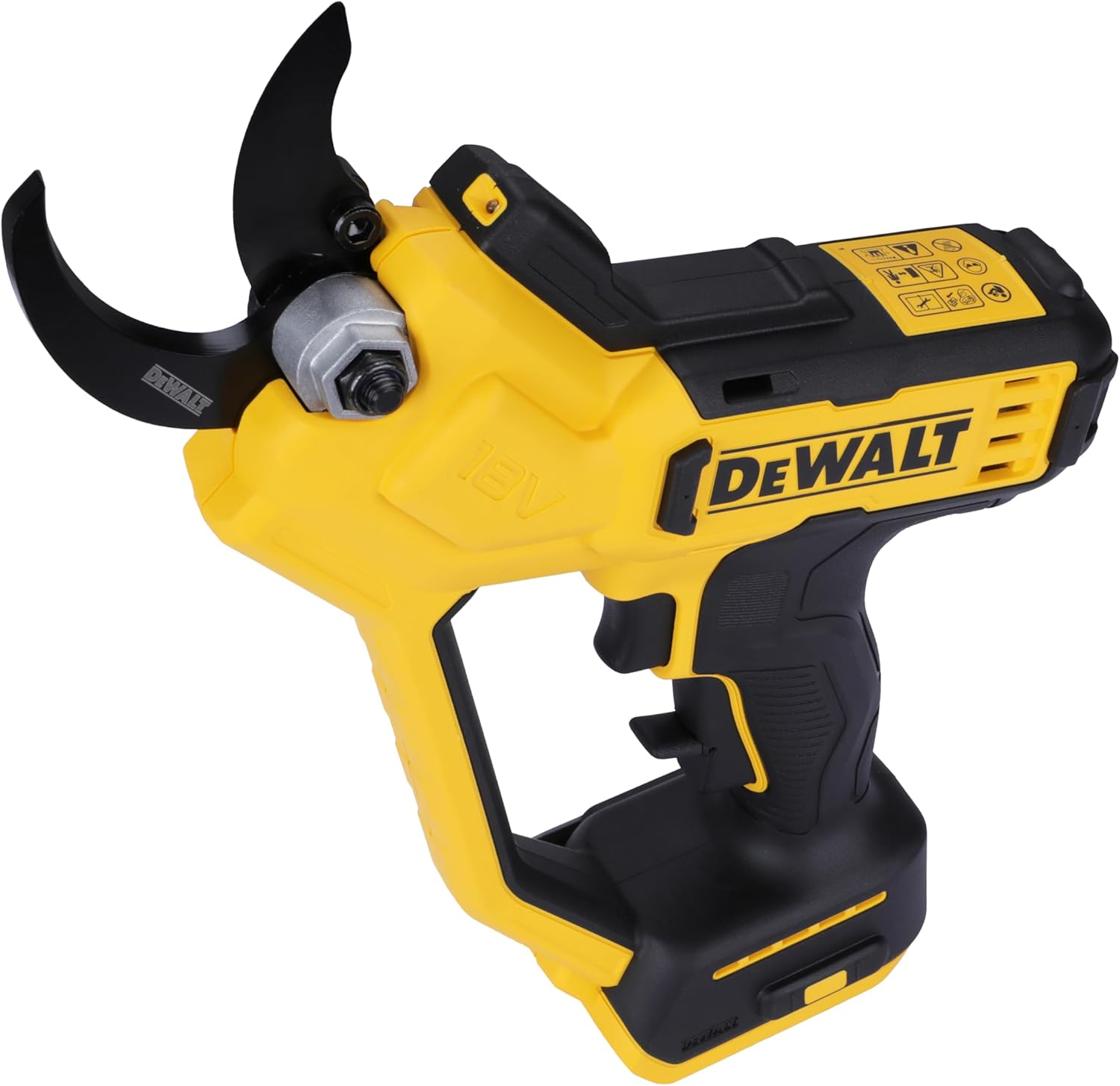
Figure 2: Close-up view of the pruner blades.
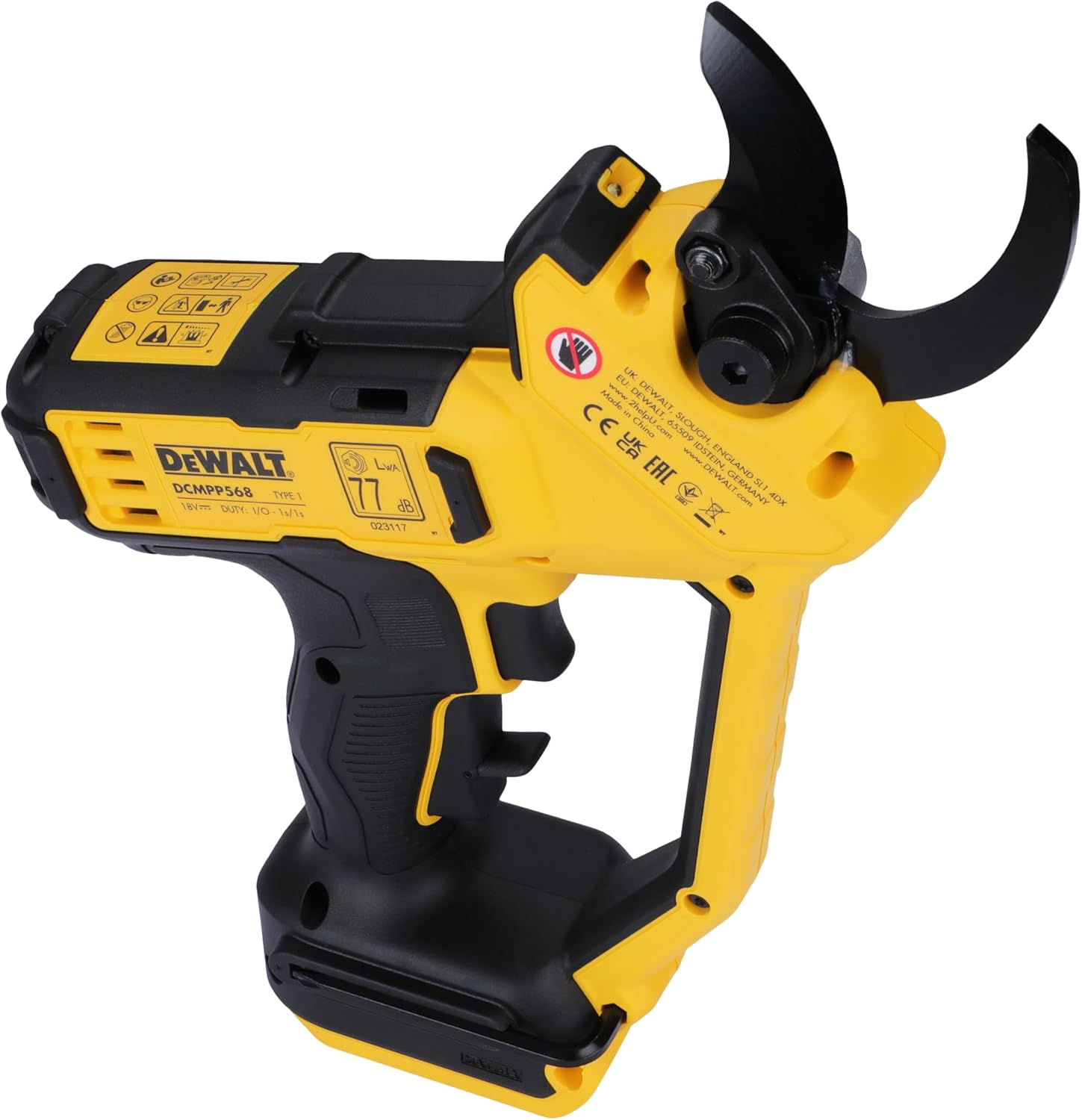
Figure 3: Detail of the trigger and safety mechanisms.
3. Setup
Battery Installation
The DEWALT DCMPP568N-XJ is a basic unit and does not include a battery or charger. It is compatible with DEWALT XR 18V (or 20V MAX) lithium-ion batteries.
- Align the battery pack with the battery port on the bottom of the pruner handle.
- Slide the battery pack into the pruner until it clicks securely into place.
- To remove the battery, press the battery release button and slide the battery pack out.
Initial Blade Preparation
Before first use, or after storage, ensure the blades are ready for operation:
- Carefully remove any protective blade guard.
- Inspect blades for any debris or damage. Clean if necessary.
4. Operating Instructions
Activating the Pruner
To activate the pruner and prepare for cutting:
- Ensure a charged battery is securely installed.
- Press and hold the lock-off button located on the handle.
- While holding the lock-off button, depress the trigger switch. The blades will open, and the LED worklight will activate.
- Release the lock-off button. The pruner is now ready for use.
Pruning Technique
For effective and safe pruning:
- Position the branch to be cut between the open blades. Ensure the branch fits comfortably within the 38mm (1.5 inch) cutting capacity.
- Depress the trigger switch to close the blades and make the cut. Release the trigger to open the blades for the next cut.
- Make clean, precise cuts to promote plant health. The LED light can assist in low-light conditions.

Figure 4: Proper handling and use of the hand pruner.
Safety During Operation
- Always keep your free hand away from the cutting blades.
- Do not attempt to cut branches that exceed the maximum cutting capacity of 38mm. Forcing the tool can cause damage or injury.
- If the tool jams, release the trigger immediately and remove the battery before attempting to clear the obstruction.
Demonstration Videos
Video 1: This video demonstrates the cutting action of a cordless pruning shear on various branches, showcasing its efficiency and ease of use.
Video 2: This video illustrates the two cutting size modes (1 inch and 2 inches) of the pruning shear, demonstrating its versatility for different branch thicknesses.
Video 3: This video shows the installation of an extension rod with a pruning tool. Please note that the extension rod is an optional accessory and may not be included with your hand pruner.
5. Maintenance
Blade Cleaning and Lubrication
Regular maintenance ensures optimal performance and extends the life of your pruner:
- After each use, clean the blades with a damp cloth to remove sap, dirt, and debris. This prevents buildup that can hinder cutting performance.
- Apply a light coat of machine oil or specialized blade lubricant to the blades regularly to prevent rust and ensure smooth operation.
Blade Sharpening
Keep blades sharp for efficient cutting and to minimize strain on the tool and operator:
- When blades become dull, sharpen them using a suitable sharpening stone or file. Follow the original bevel angle of the blade.
- Always remove the battery before attempting to sharpen or replace blades.
Storage
Store your pruner properly when not in use:
- Ensure the blades are clean, dry, and lightly oiled before storage.
- Always attach the protective blade guard to prevent accidental injury and blade damage.
- Store the pruner in a dry, secure location, out of reach of children and unauthorized users.
6. Troubleshooting
If you encounter issues with your DEWALT Hand Pruner, refer to the following common problems and solutions:
- Pruner Not Activating:
- Check if the battery is fully charged and properly installed.
- Ensure both the lock-off button and the trigger switch are depressed correctly and in sequence.
- Ineffective Cutting:
- The blades may be dull or dirty. Refer to the Maintenance section for cleaning and sharpening instructions.
- The branch being cut may exceed the pruner's maximum capacity (38mm). Do not force the tool.
- Unusual Noises or Vibrations:
- Stop operation immediately and remove the battery. Inspect the blades and internal mechanisms for any loose parts or obstructions. If the issue persists, contact customer support.
7. Specifications
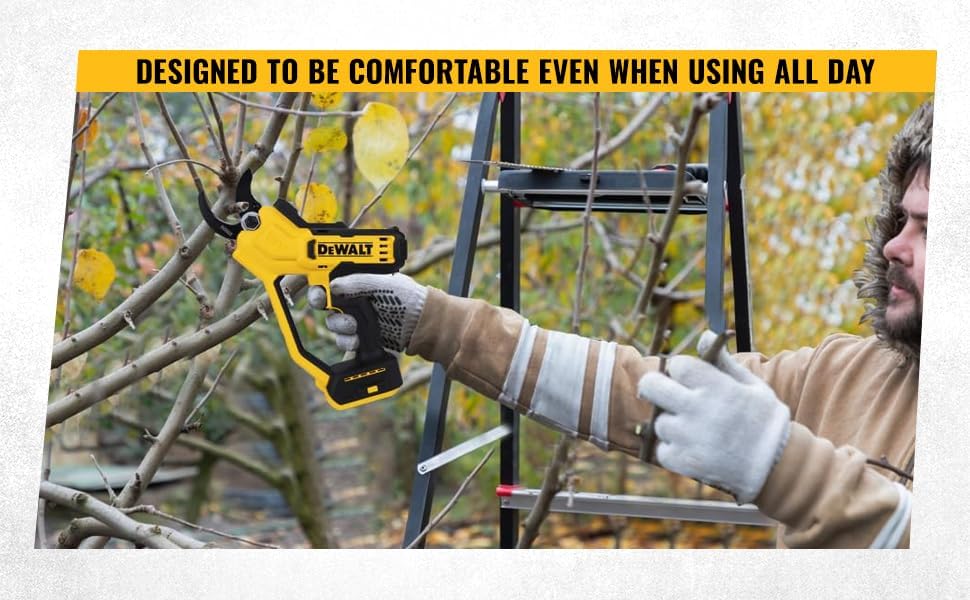
Figure 5: Key product specifications.
| Specification | Detail |
|---|---|
| Brand | DEWALT |
| Model Number | DCMPP568N-XJ |
| Voltage | 18 Volts (XR 18V / 20V MAX compatible) |
| Cutting Capacity | 38mm (1.5 inches) |
| Item Weight | 1.76 kg |
| Product Dimensions | 235 x 14 x 0.25 cm |
| Blade Material | Alloy Steel |
| Handle Material | Plastic, Rubber, Nylon |
| Special Features | LED light, Ergonomic design |
8. Warranty and Support
DEWALT products are designed to deliver high performance and durability. For warranty information or technical support, please refer to your product's specific warranty card or contact DEWALT customer service.
Customer Care Contact

Figure 6: DEWALT Customer Care Contact Information.
- Phone: 1800-203-0644 (Mon-Sat, 09:00 AM - 06:00 PM IST, except government holidays)
- Email: SBD-CUSTOMERCOMMUNICATIONS@SBDINC.COM
- WhatsApp: +91 96060 55835
Ask a question about this manual
Ask about setup, troubleshooting, compatibility, parts, safety, or missing instructions. Manuals+ will review the question and use this page’s manual context to help answer it.