1. Introduction
Thank you for purchasing the Denver PBS-10007 Power Bank. This device is designed to provide portable power for your electronic devices, ensuring you stay connected on the go. With a 10,000 mAh capacity, it can recharge various USB-powered devices, including smartphones, tablets, and MP3 players.
2. Safety Information
- Do not disassemble, open, or shred the battery pack.
- Do not expose the power bank to heat or fire. Avoid storage in direct sunlight.
- Do not short-circuit the power bank. Do not store power banks haphazardly in a box or drawer where they may short-circuit each other or be short-circuited by conductive materials.
- Do not expose the power bank to mechanical shock.
- In the event of a leak, do not allow the liquid to come into contact with the skin or eyes. If contact has been made, wash the affected area with copious amounts of water and seek medical advice.
- Keep the power bank clean and dry.
- Do not leave a power bank on prolonged charge when not in use.
- Supervise children when using the power bank.
- Dispose of the power bank properly according to local regulations.
3. Product Overview
The Denver PBS-10007 Power Bank features multiple ports for charging and recharging, along with an LED indicator to display the remaining power.

Image 1: Top-down view of the Denver PBS-10007 Power Bank, showing its sleek black design and the Denver logo.
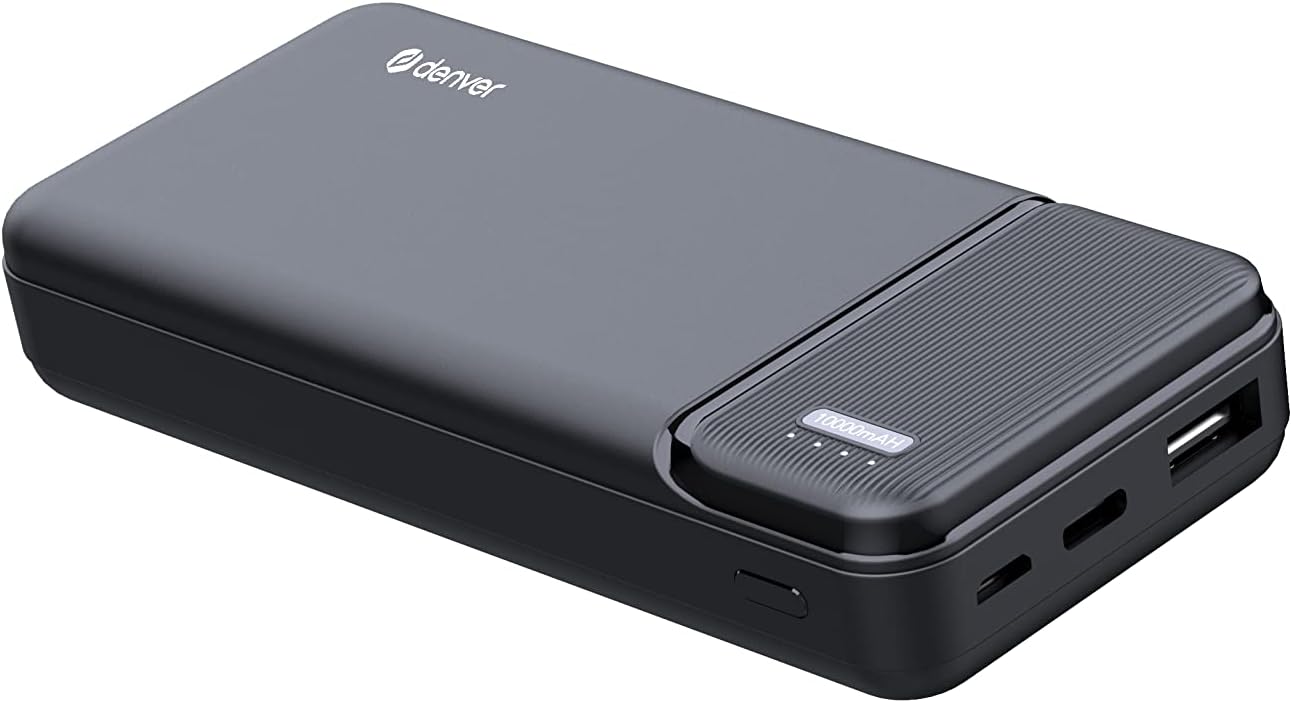
Image 2: Angled view of the Denver PBS-10007 Power Bank, highlighting the Micro USB input, USB-C input, USB output port, and the LED power indicator lights.
Components:
- Micro USB Input: For charging the power bank.
- USB-C Input: For charging the power bank.
- USB Output: For charging external devices.
- LED Indicator: Displays the remaining battery level and charging status.
4. Setup
4.1 Charging the Power Bank
- Connect the power bank to a power source (e.g., wall adapter, computer USB port) using either a Micro USB cable or a USB-C cable.
- The LED indicators will light up to show the charging progress. When all LEDs are solid, the power bank is fully charged.
4.2 Checking Battery Level
Press the power button (if available, or simply connect a device) to activate the LED indicators. The number of lit LEDs indicates the approximate remaining battery capacity:
- 4 LEDs: 75-100% charged
- 3 LEDs: 50-75% charged
- 2 LEDs: 25-50% charged
- 1 LED: 0-25% charged (recharge soon)
5. Operating
5.1 Charging External Devices
- Connect your device (smartphone, tablet, etc.) to the USB output port of the power bank using your device's charging cable.
- The power bank will automatically begin charging your device. The LED indicators will show the power bank's remaining charge.
- Disconnect your device once it is fully charged or when you no longer need to charge it.
The USB output provides 5V at 2.1A, suitable for fast charging most compatible devices.
6. Maintenance
- Cleaning: Use a soft, dry cloth to clean the power bank. Do not use harsh chemicals or abrasive materials.
- Storage: Store the power bank in a cool, dry place away from direct sunlight and extreme temperatures.
- Battery Care: If the power bank is not used for an extended period, charge it at least once every three months to maintain battery health.
- Avoid Drops: Do not drop or subject the power bank to strong impacts.
7. Troubleshooting
- Power bank not charging:
- Ensure the charging cable is securely connected to both the power bank (Micro USB or USB-C input) and the power source.
- Try a different charging cable or power adapter.
- Verify the power source is active.
- Device not charging from power bank:
- Ensure the power bank has sufficient charge (check LED indicators).
- Ensure the charging cable is securely connected to both the power bank (USB output) and your device.
- Try a different charging cable.
- Some devices may require a specific charging current; ensure compatibility.
- Slow charging:
- Ensure you are using a high-quality cable.
- Check if your device supports fast charging and if the cable/adapter used for charging the power bank is adequate.
8. Specifications
| Model | PBS-10007 |
| Capacity | 10,000 mAh |
| Input (Micro USB) | 5V / 2.1A |
| Input (USB-C) | 5V / 2.1A |
| Output (USB) | 5V / 2.1A |
| LED Indicator | Yes, for charge status |
9. Warranty and Support
This product comes with a standard manufacturer's warranty. For detailed warranty information, please refer to the warranty card included with your purchase or visit the official Denver website. For technical support or any inquiries regarding the product, please contact Denver customer service.


