
1. Product Overview
The truke BTG Alpha True Gaming in Ear Earbuds are designed for an immersive audio experience, featuring low latency for gaming, environmental noise cancellation, and a unique RGB LED case design. This manual provides instructions for setup, operation, and maintenance.
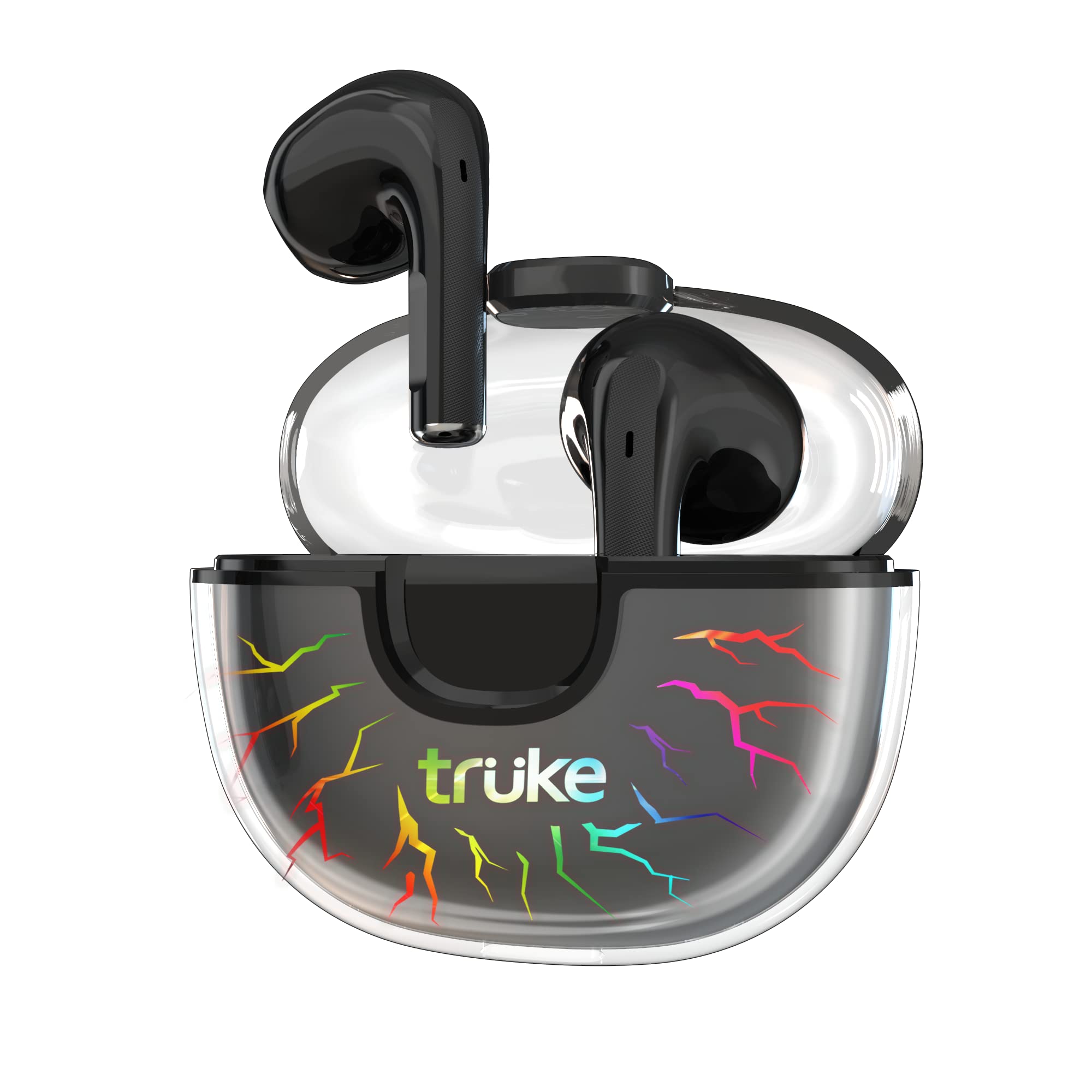
Image: truke BTG Alpha Earbuds and Charging Case.
2. What's in the Box
- 2 x Bluetooth Earbuds (Left and Right)
- 1 x Charging Case
- 1 x Type-C Cable
- 1 x User Manual
- 1 x Warranty Card
3. Setup Instructions
3.1 Charging the Earbuds and Case
Before first use, fully charge the earbuds and charging case. Connect the provided Type-C cable to the charging port on the case and a power source. The case features 7 RGB LEDs that indicate charging status and add to the gaming aesthetic.
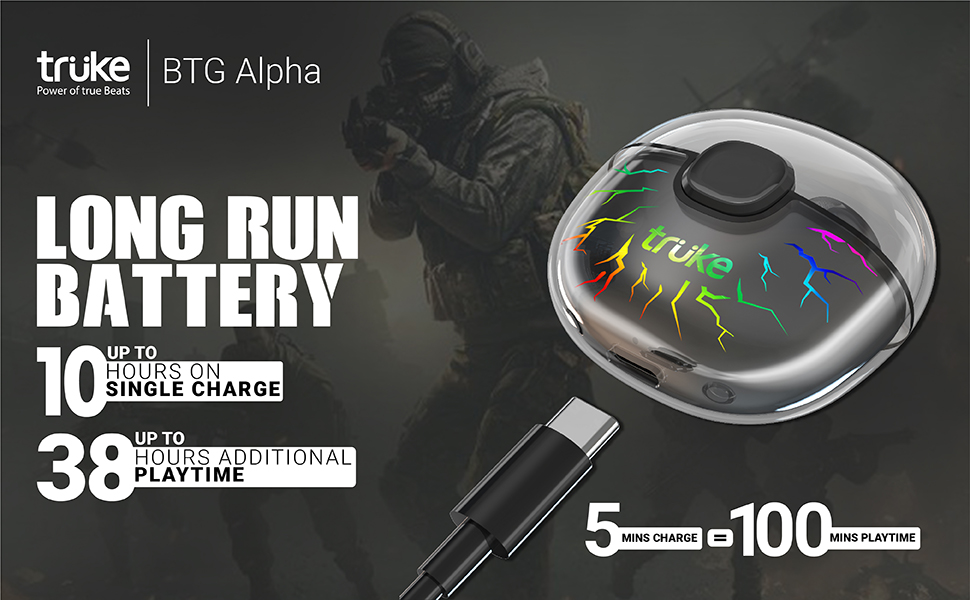
Image: Charging case with RGB LEDs and Type-C cable. A 5-minute charge provides approximately 100 minutes of playtime.
3.2 Pairing with a Device
The truke BTG Alpha earbuds utilize Open-to-Pair technology for quick connection. Simply open the charging case, and the earbuds will automatically enter pairing mode and connect to the last paired device. For a new device, ensure Bluetooth is enabled on your device and select 'truke BTG Alpha' from the available devices list.

Image: Earbuds in charging case with 'Instant Pairing' text, highlighting Bluetooth 5.3 connectivity.
4. Operating Instructions
4.1 Touch Controls
The earbuds feature a high-quality touch panel for easy control of music playback, calls, and voice assistants. The touch panel is designed to minimize accidental touches.
- Play/Pause: Double tap on either earbud.
- Answer Call: Double tap on either earbud.
- Next Song: Touch and hold the right earbud for 2 seconds.
- Previous Song: Touch and hold the left earbud for 2 seconds.
- Voice Assistant (Google Assistant/Apple Siri): Triple tap on the left earbud.
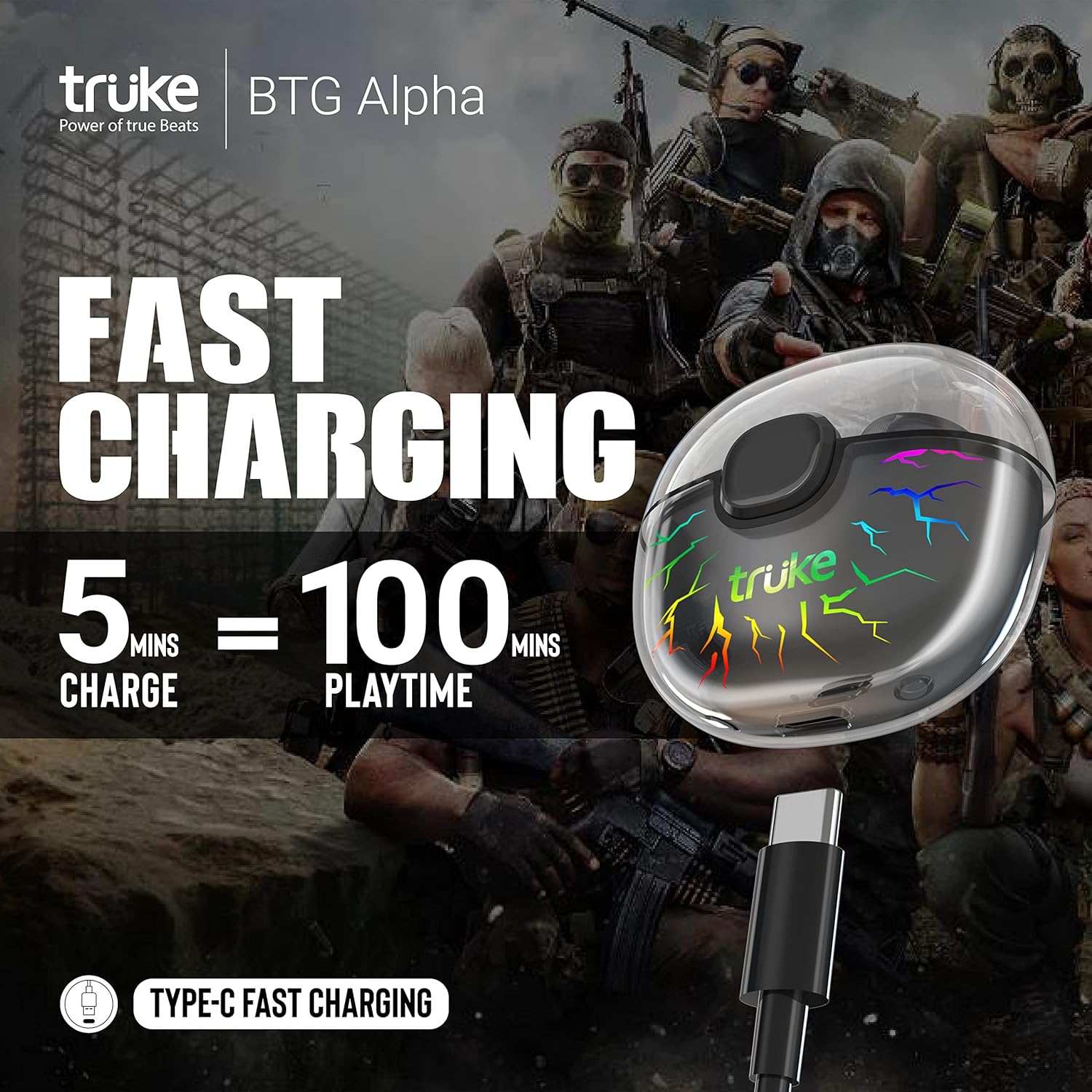
Image: Diagram illustrating the touch control area on the earbud and corresponding functions.
4.2 Gaming Mode (40ms Ultra Low Latency)
Activate Gaming Mode for an ultra-low latency experience, reducing audio delay to as low as 40ms. This mode enhances sound effects like footsteps and gunshots, providing a competitive edge in gaming.
- Activate Gaming Mode: Triple tap on the right earbud.

Image: Earbuds with '40ms Ultra Low Latency' text, indicating the gaming mode feature.
4.3 Environmental Noise Cancellation (ENC)
The earbuds are equipped with Dual MEMS Microphones and Deep Neural Network Call Noise Cancellation Technology. This system accurately identifies and filters out environmental noise using AI, ensuring clear call quality.
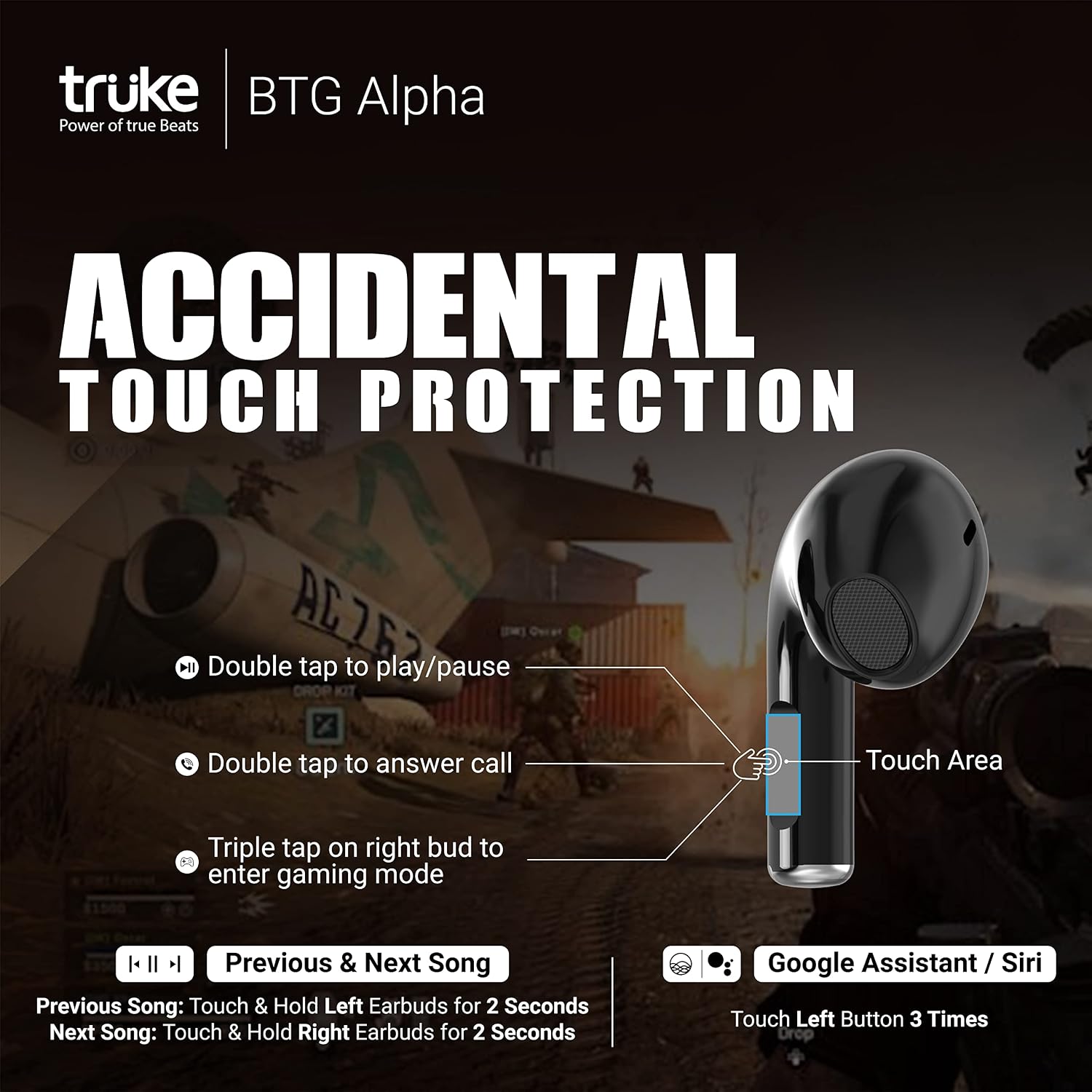
Image: Diagram illustrating how Environmental Noise Cancellation (ENC) works with dual microphones to filter ambient sound.
4.4 Audio Playback
Experience powerful deep bass and cinematic sound in Music mode, delivered by 10mm Dynamic Driver Speakers. The earbuds support both SBC and AAC audio codecs.
5. Maintenance and Care
- Clean the earbuds and charging case regularly with a soft, dry cloth.
- Avoid using harsh chemicals or abrasive materials.
- Keep the charging contacts on the earbuds and inside the case clean and dry.
- Store the earbuds in their charging case when not in use to protect them and maintain battery life.
- The earbuds are water-resistant (IPX4), but avoid submerging them in water.
6. Troubleshooting
| Issue | Possible Solution |
|---|---|
| Earbuds not pairing | Ensure earbuds are charged. Turn off and on Bluetooth on your device. Place earbuds back in case, close, then open to re-enter pairing mode. |
| Only one earbud working | Ensure both earbuds are charged. Try resetting the earbuds (refer to manufacturer's website for specific reset instructions if needed). Re-pair with your device. |
| Low volume or poor sound quality | Check device volume. Ensure earbuds are clean and properly seated in your ears. Try different ear tips if available. |
| Charging issues | Verify the Type-C cable and power adapter are working. Clean the charging contacts on the earbuds and case. |
7. Specifications
- Model Name: truke BTG Alpha
- Model Number: E215
- Brand: truke
- Color: Black
- Ear Placement: In Ear
- Form Factor: In Ear
- Impedance: 32 Ohms
- Audio Driver Type: Dynamic Driver (10mm)
- Bluetooth Version: 5.3
- Wireless Technology Type: Bluetooth
- Battery Average Life (Earbuds): 8 Hours
- Total Playtime (with Case): Up to 38 Hours
- Charging: Type-C, Fast Charging (5 mins charge = 100 mins playtime)
- Environmental Noise Cancellation: Dual MEMS Mic with Deep Neural Network Call Noise Cancellation Technology
- Low Latency: 40ms (Gaming Mode)
- Case Design: Transparent with 7 RGB LEDs
- Water Resistance Level: Water Resistant (IPX4)
- Control Method: Touch, Voice
- Compatible Devices: Android, Cellphones, Laptops, Tablets, iPhone
- Item Weight: 34 Grams
- Enclosure Material: Plastic, Rubber
8. Warranty and Support
The truke BTG Alpha Truly Wireless Earphones come with a 1 Year Warranty from the date of purchase. Mandatory registration is required on the truke website within 10 days of purchase to activate the warranty. For support or warranty claims, please visit the official truke website or contact their customer service.
9. Product Videos
Video: Overview of truke BTG Alpha features, including low latency, battery life, and design. This video highlights key selling points of the earbuds.
Video: Demonstration of the 7 RGB LED lighting effects on the truke BTG Alpha charging case, showcasing its unique design.