Introduction
This manual provides detailed instructions for the proper setup, operation, and maintenance of your Teslord PVS-7 Night Vision Binoculars. Please read this manual thoroughly before using the device to ensure optimal performance and longevity.
The Teslord PVS-7 (Gen2+) is a high-quality night vision goggle designed for various applications including hunting, surveillance, military, and tactical operations. It offers enhanced visibility in low-light and complete darkness conditions.
Package Contents
Upon unpacking, please verify that all items listed below are present and in good condition:
- 1 x Teslord PVS-7 Night Vision Goggle
- 1 x Protective Carrying Bag
- 1 x Instruction Manual (this document)
- 1 x Lens Cleaning Cloth
- 1 x Desiccant Packet
Product Overview
The Teslord PVS-7 Night Vision Binoculars are designed for robust performance in challenging environments. Key features include:
- Built-in Infrared (IR) Illuminator: Provides "invisible" light for operation in complete darkness.
- Automatic Brightness Control (ABC): Adjusts image brightness to maintain clarity in varying light conditions.
- Bright Light Cut-off: Protects the image intensifier tube from damage due to intense light sources.
- Flip-up Shut-off Feature: Automatically powers off the device when used with an optional helmet mount and flipped up.
- Versatile Use: Can be used handheld, hands-free with a head mount, or with optional long-range objective lenses.
- Indicators: IR on and low battery indicators for operational awareness.
- Auto-Shut Off: Shuts down the device within seconds if accidentally exposed to bright light.

Figure 1: Side view of the Teslord PVS-7 Night Vision Binoculars, showing the eyepiece and objective lens.
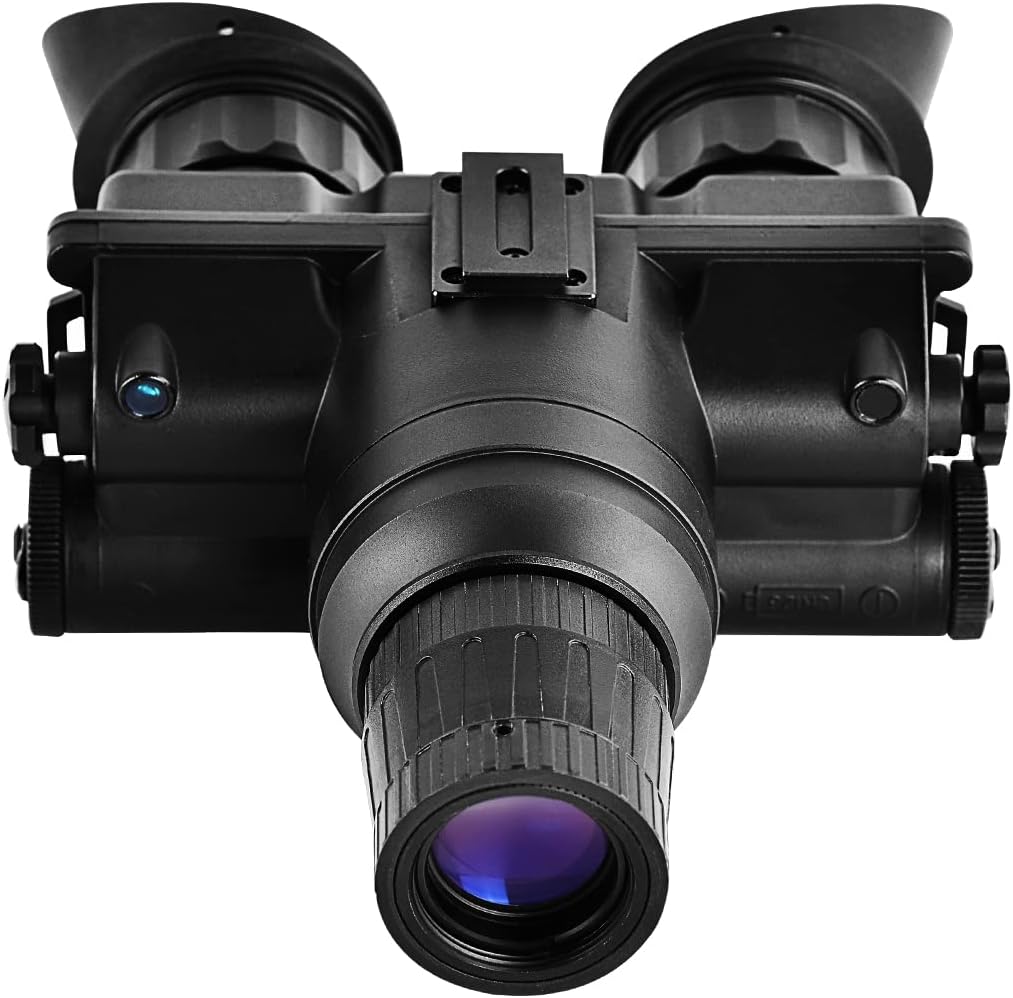
Figure 2: Front view of the Teslord PVS-7 Night Vision Binoculars, highlighting the objective lens and control knobs.
Setup
1. Battery Installation
- Locate the battery compartment on the device.
- Open the battery compartment cover.
- Insert the required batteries, ensuring correct polarity (+/-).
- Close the battery compartment cover securely.
2. Head Mount / Helmet Mount Attachment (Optional)
The PVS-7 can be attached to an optional head mount or helmet mount for hands-free operation.
- Secure the head mount or helmet mount to your head or helmet according to its specific instructions.
- Align the mounting interface on the PVS-7 with the corresponding attachment point on the mount.
- Slide or click the PVS-7 into place until it is securely locked.
- Adjust the position of the device for comfortable viewing.

Figure 3: Teslord PVS-7 Night Vision Binoculars shown mounted on an optional head strap for hands-free use.

Figure 4: Front-side view of the Teslord PVS-7 Night Vision Binoculars attached to a head mount, demonstrating proper fit.
Operating Instructions
1. Powering On/Off
- To power on the device, rotate the main power switch to the "ON" position.
- To power off, rotate the main power switch to the "OFF" position.
- If using a helmet mount with the flip-up shut-off feature, flipping the device up will automatically power it off.
2. Adjusting Focus
- Eyepiece Focus: Rotate the eyepiece diopter adjustment rings until the image appears sharp and clear to your eyes.
- Objective Lens Focus: Rotate the objective lens focus ring to bring distant objects into sharp focus. The focus range is 0.2m to infinity.
3. Using the Infrared (IR) Illuminator
The built-in IR illuminator provides additional illumination in conditions of absolute darkness.
- To activate the IR illuminator, rotate the IR switch to the "ON" position.
- An IR "ON" indicator will illuminate in the field of view.
- Adjust the IR illuminator's beam for optimal visibility if applicable.
- Turn off the IR illuminator when not needed to conserve battery life.
4. Automatic Brightness Control (ABC)
The PVS-7 features Automatic Brightness Control, which continuously adjusts the image intensifier tube's gain to maintain a consistent image brightness level, adapting to changing ambient light conditions.
5. Bright Light Cut-off and Auto-Shut Off
The device is equipped with protection mechanisms:
- Bright Light Cut-off: If exposed to a sudden, intense light source, the device will automatically reduce the image brightness or temporarily shut down to prevent damage to the image tube.
- Auto-Shut Off: The device will automatically shut down within seconds if accidentally exposed to bright light for an extended period.
6. Optional Long-Range Lenses
The PVS-7 is compatible with optional objective lenses (3.0x, 5.0x, or 6.0x magnification) to convert it into a powerful viewer for extended range observation. Refer to the specific instructions provided with the optional lenses for installation and use.
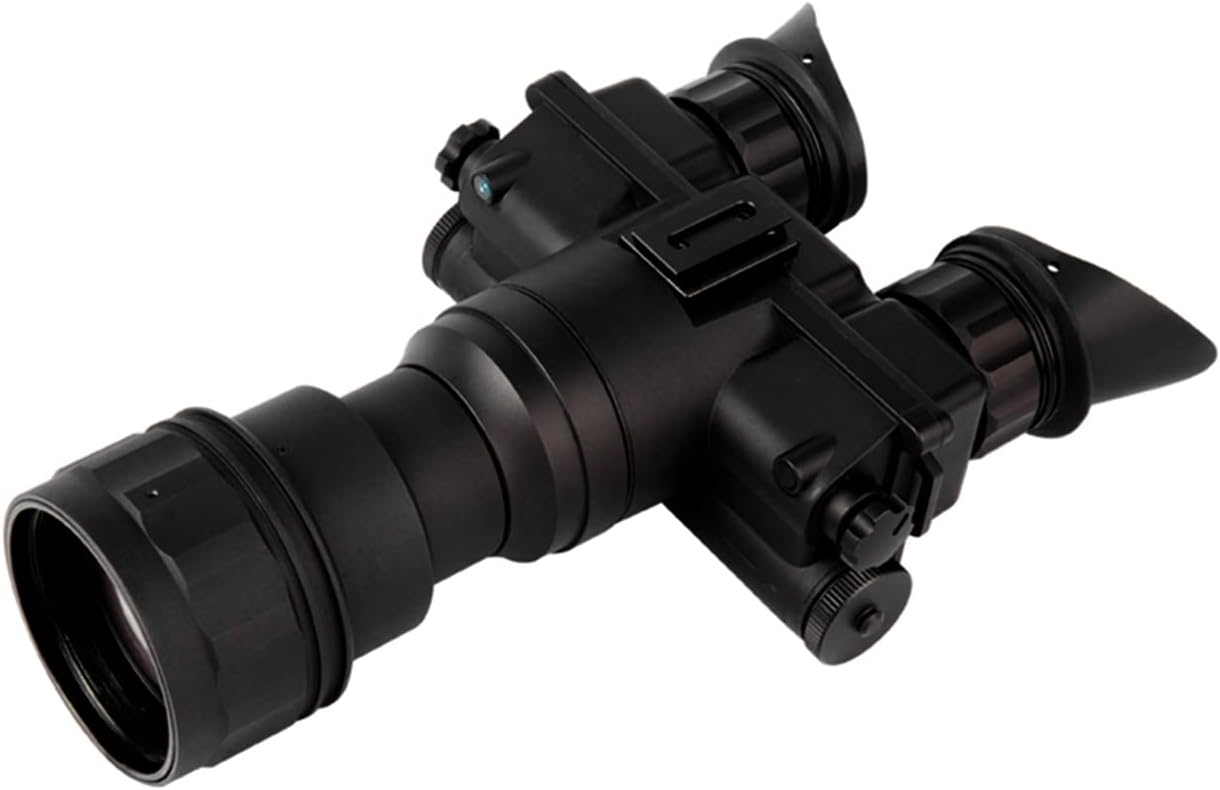
Figure 5: Teslord PVS-7 Night Vision Binoculars equipped with an optional long-range objective lens for increased magnification.
Maintenance
1. Cleaning the Lenses
- Use the provided lens cleaning cloth or a soft, lint-free cloth specifically designed for optics.
- Gently wipe the lens surfaces to remove dust and smudges.
- For stubborn dirt, use a small amount of optical lens cleaning solution applied to the cloth, not directly to the lens.
- Avoid abrasive materials or harsh chemicals, as they can damage the lens coatings.
2. General Cleaning
- Wipe the exterior of the device with a soft, damp cloth.
- Do not immerse the device in water or use excessive moisture.
3. Storage
- When not in use, store the PVS-7 in its protective carrying bag.
- Remove batteries if storing for extended periods to prevent leakage.
- Store in a cool, dry place, away from direct sunlight and extreme temperatures.
- The included desiccant packet helps absorb moisture during storage.
Troubleshooting
| Problem | Possible Cause | Solution |
|---|---|---|
| Device does not power on. |
|
|
| Image is blurry or out of focus. |
|
|
| Image is too bright or too dim. |
|
|
| IR illuminator does not work. |
|
|
Specifications
| Feature | Detail |
|---|---|
| Model | PVS-7 (Gen2+) |
| Brand | Teslord |
| Focus Range | 0.2m to Infinity |
| Color | Black |
| Mounting Type | Helmet Mount (optional) |
| Material | Metal |
| Image Intensifier Tube | Gen2+ (Level 2+) |
| Integrated Features | IR Illuminator, Automatic Brightness Control, Bright Light Cut-off, Auto-Shut Off |
Warranty and Support
For warranty information and technical support, please refer to the documentation included with your purchase or contact Teslord customer service. Keep your purchase receipt as proof of purchase for warranty claims.
Contact information for Teslord customer support can typically be found on the product packaging or the official Teslord website.


