
1. Introduction
The WAVLINK Dual Bay Hard Drive Docking Station provides a convenient and efficient solution for managing your 2.5-inch and 3.5-inch SATA I/II/III HDD/SSD drives. Featuring USB 3.0 with UASP support, it offers high-speed data transfer and an offline clone function for easy data duplication without a computer. This manual will guide you through the setup, operation, and maintenance of your device.
2. Package Contents
Please verify that all items listed below are included in your package:
- 1x USB 3.0 Dual Bay Hard Drive Docking Station
- 1x USB 3.0 Type-B to A Cable
- 1x USB 3.0 Type-A to C Adapter
- 1x 12V/3A Power Adapter
- 1x User Manual
- 2x Bezels
- Several Screws
3. Product Overview
The WAVLINK Dual Bay Hard Drive Docking Station is designed for ease of use and high performance. It features two bays for simultaneous access to 2.5-inch or 3.5-inch SATA drives.
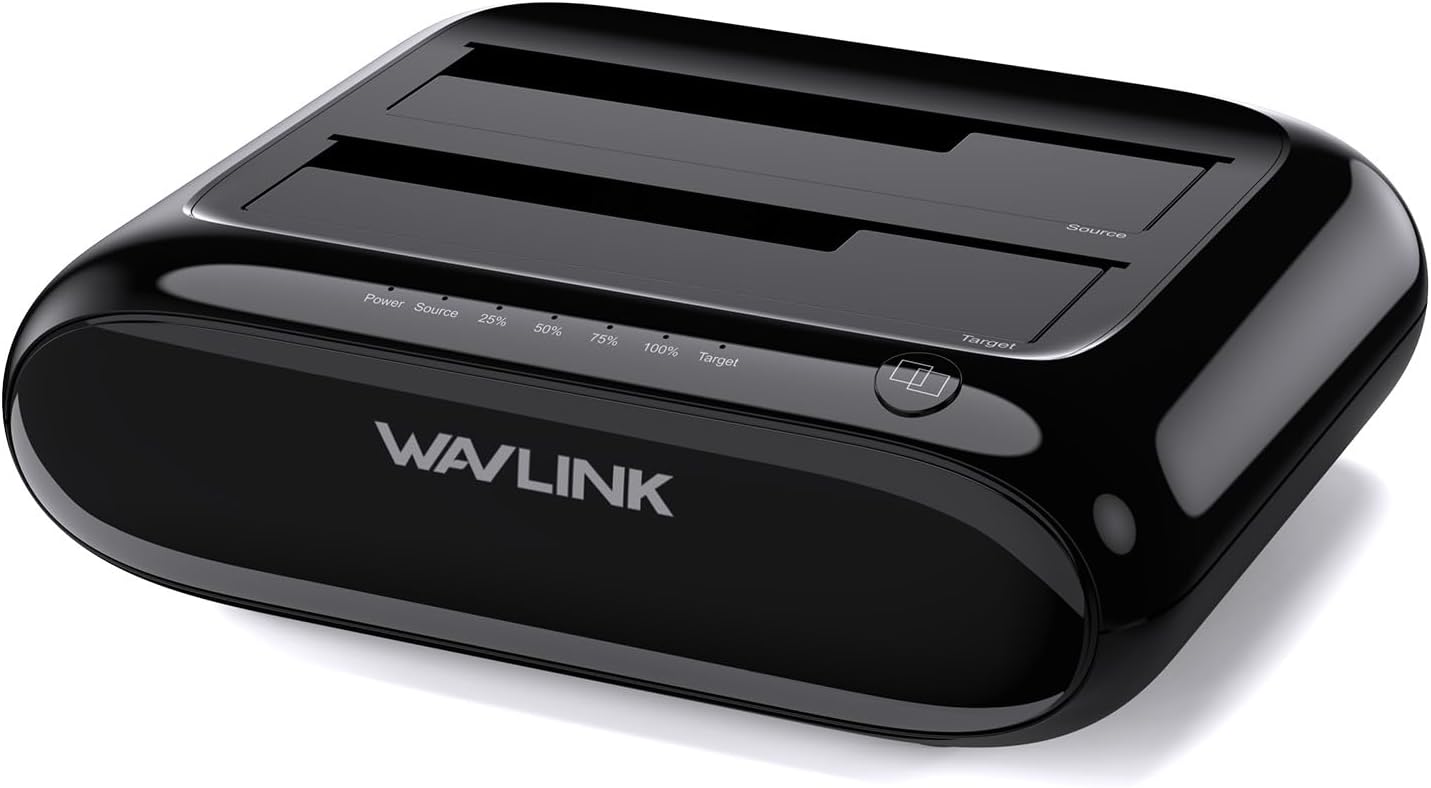
Front view of the WAVLINK Dual Bay Hard Drive Docking Station, showing the two drive bays and LED indicators.
Key Components:
- Drive Bays: Two slots for inserting 2.5" or 3.5" SATA HDDs/SSDs.
- LED Indicators: Display power status, source drive activity, and cloning progress (25%, 50%, 75%, 100%).
- Clone Button: Initiates the offline clone function.
- Power Switch: Turns the device on/off.
- USB 3.0 Port: Connects the docking station to your computer for data transfer.
- DC 12V Power Input: Connects to the included power adapter.
- Kensington Lock Slot: For securing the device.
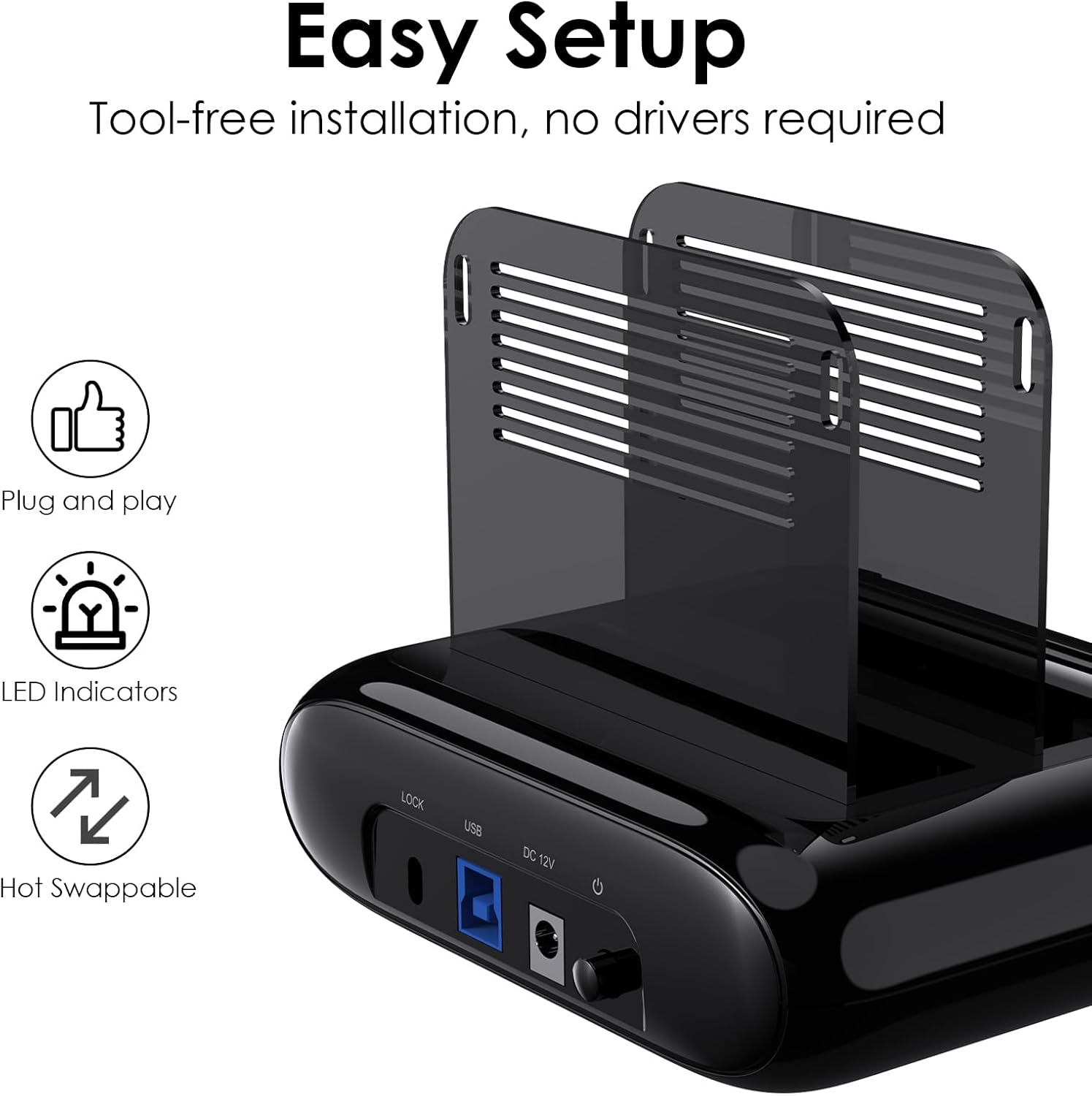
Rear view of the docking station, highlighting the USB 3.0 port, DC 12V power input, power switch, and Kensington lock slot.
Official product video demonstrating the features and setup of the Wavlink Dual Bay External Hard Drive Docking Station.
4. Setup
Follow these steps to set up your WAVLINK Dual Bay Hard Drive Docking Station:
- Insert Hard Drives: Open the drive bay flaps and gently insert your 2.5-inch or 3.5-inch SATA HDDs/SSDs into the