
NEQUARE S12
NEQUARE S12 Cordless Vacuum User Manual
Model: S12
Introduction
Thank you for choosing the NEQUARE S12 Cordless Vacuum. This manual provides essential information for the safe and efficient operation, maintenance, and troubleshooting of your new vacuum cleaner. Please read it thoroughly before first use and keep it for future reference.
Important Safety Instructions
Always follow basic safety precautions when using electrical appliances to reduce the risk of fire, electric shock, or injury.
- Read all instructions before using the appliance.
- Do not use outdoors or on wet surfaces.
- Do not allow to be used as a toy. Close attention is necessary when used by or near children.
- Use only as described in this manual. Use only manufacturer's recommended attachments.
- Do not use with damaged cord or plug. If appliance is not working as it should, has been dropped, damaged, left outdoors, or dropped into water, return it to a service center.
- Do not pull or carry by cord, use cord as a handle, close a door on cord, or pull cord around sharp edges or corners. Do not run appliance over cord. Keep cord away from heated surfaces.
- Do not unplug by pulling on cord. To unplug, grasp the plug, not the cord.
- Do not handle plug or appliance with wet hands.
- Do not put any object into openings. Do not use with any opening blocked; keep free of dust, lint, hair, and anything that may reduce air flow.
- Keep hair, loose clothing, fingers, and all parts of body away from openings and moving parts.
- Do not pick up anything that is burning or smoking, such as cigarettes, matches, or hot ashes.
- Use extra care when cleaning on stairs.
- Do not use to pick up flammable or combustible liquids, such as gasoline, or use in areas where they may be present.
- Prevent unintentional starting. Ensure the switch is in the off-position before connecting to battery pack, picking up or carrying the appliance.
- Recharge only with the charger specified by the manufacturer.
- Do not modify or attempt to repair the appliance or the battery pack.
Product Components
Familiarize yourself with the parts of your NEQUARE S12 Cordless Vacuum.

Image Description: An exploded diagram showing the various components of the NEQUARE S12 Cordless Vacuum. Numbered parts include the main motor unit, motorized brush head, dust cup assembly, filters, extension wand, and various attachments like the dusting brush and crevice nozzle, along with the charging adapter.
- Main Motor Unit
- LED Motorized Brush Head
- Dust Cup Assembly
- HEPA Filter
- Sponge Filter
- Wall Mount Bracket
- Crevice Nozzle
- Dusting Brush
- Power Adapter
- Extension Wand
Setup and Assembly
Assembly
The NEQUARE S12 is designed for easy assembly. Follow these steps:
- Attach the Extension Wand: Connect the extension wand to the main motor unit until it clicks into place.
- Attach the Brush Head: Connect the LED motorized brush head to the other end of the extension wand until it clicks into place.
- Install Attachments: For handheld use, attach the crevice nozzle or dusting brush directly to the main motor unit. For extended reach, attach them to the extension wand.

Image Description: A composite image showing the NEQUARE S12 Cordless Vacuum assembled in its full stick vacuum configuration, as well as in handheld mode with the crevice nozzle and dusting brush attached directly to the main unit.
Charging the Battery
Before first use, fully charge the vacuum's battery. The detachable battery ensures flexible charging options.
- Connect the power adapter to the charging port on the main motor unit or directly to the detachable battery.
- Plug the adapter into a wall outlet.
- The battery indicator lights will illuminate during charging. A full charge takes approximately 4.5 hours.
- The vacuum offers up to 40 minutes of runtime in low mode on a full charge.

Image Description: A close-up view of the NEQUARE S12 Cordless Vacuum's battery compartment, highlighting the 2200mAh battery, indicating fast charging capability (4.5 hours), and a runtime of 40 minutes.

Image Description: A close-up of the main motor unit showing the battery indicator lights and the MAX mode button.
Operating Instructions
Powering On/Off and Suction Modes
- To turn on the vacuum, press the power button located on the handle.
- The vacuum operates in two suction modes: Standard Mode and MAX Mode.
- Press the "MAX" button on the main unit to switch between Standard (for dust, pet hair) and MAX (for heavier debris like pet food) modes.
- To turn off the vacuum, press the power button again.
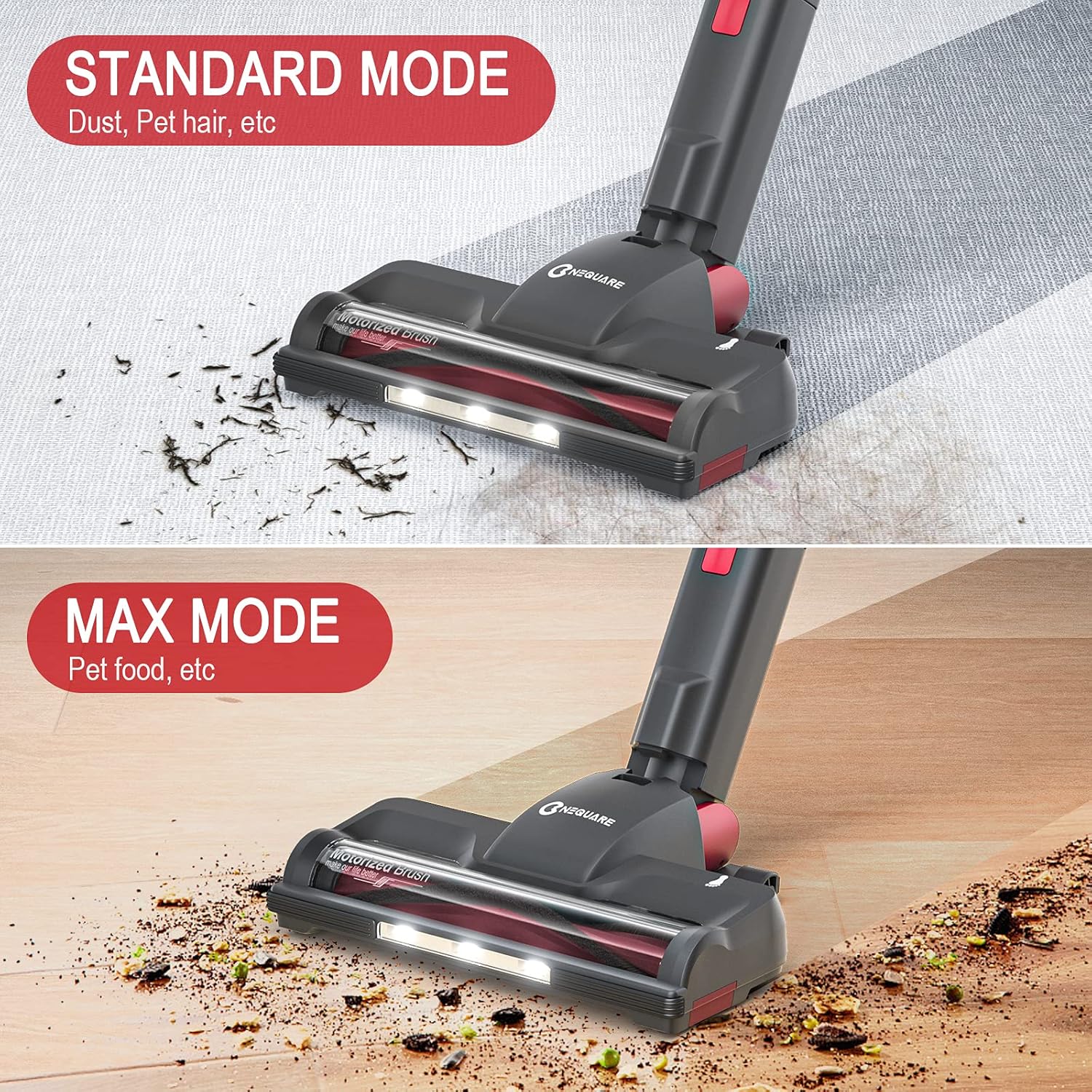
Image Description: Two comparison images showing the vacuum head cleaning different types of debris. The top image shows "Standard Mode" for dust and pet hair, while the bottom image shows "MAX Mode" for pet food and larger particles.
Powerful Suction Technology
The NEQUARE S12 features a 175-watt powerful suction motor, designed to effectively pick up debris, dust, crumbs, and pet hairs. Its advanced design ensures efficient airflow for thorough cleaning on various surfaces.
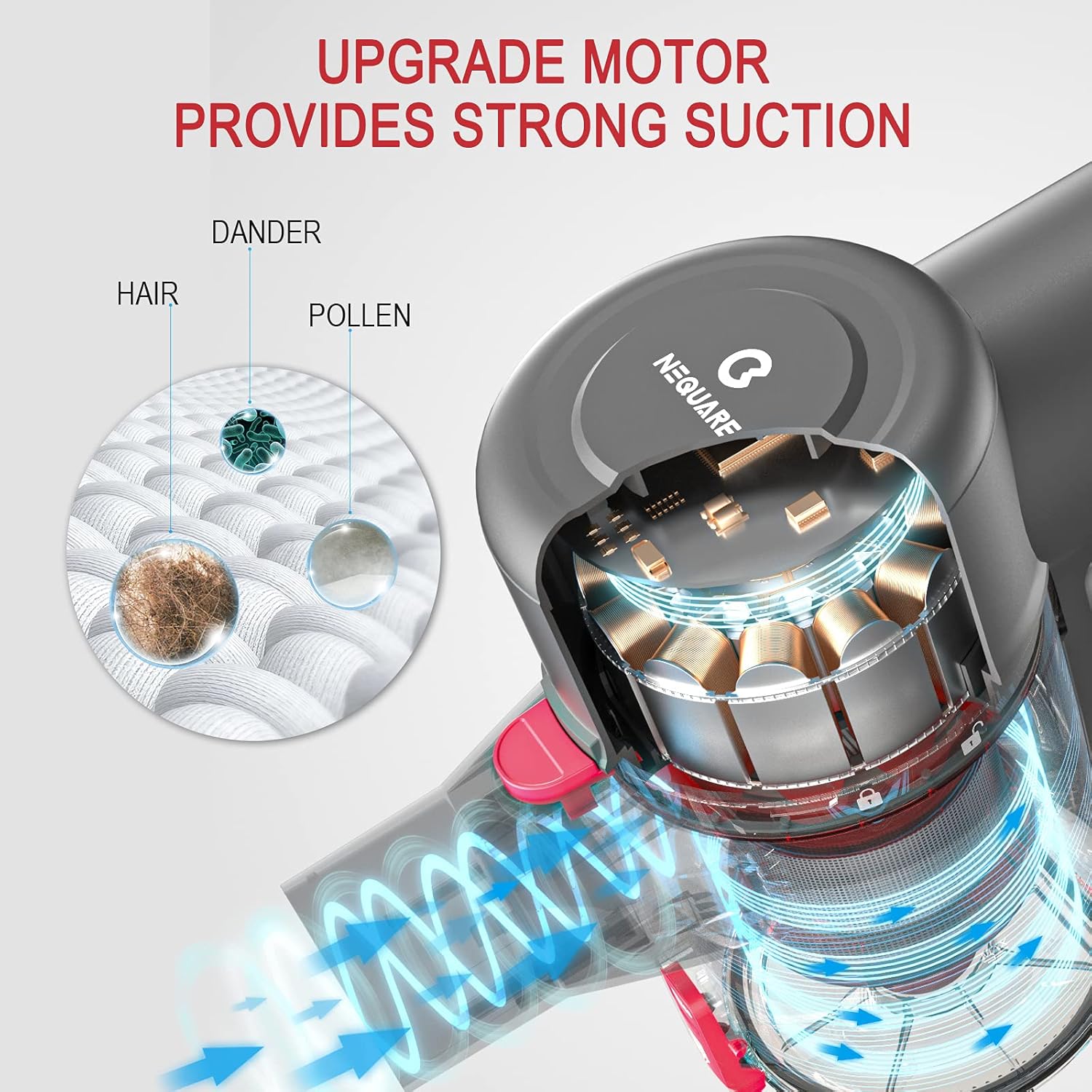
Image Description: A cutaway diagram illustrating the upgraded motor and powerful suction mechanism of the NEQUARE S12, showing how it draws in particles like hair, dander, and pollen.
Using Attachments
The NEQUARE S12 comes with versatile attachments for various cleaning tasks:
- LED Motorized Brush Head: Ideal for hard floors and low-pile carpets. The built-in LED lights illuminate dark corners, helping to spot hidden dust. Its flexible design allows for easy maneuverability, including a 90-degree pivot for reaching under furniture.
- Crevice Nozzle: Perfect for narrow gaps, corners, and tight spaces like car interiors, sofa crevices, and along baseboards.
- Dusting Brush: Suitable for delicate surfaces, curtains, upholstery, and keyboards.

Image Description: A collage of images demonstrating the NEQUARE S12 Cordless Vacuum in use. It shows the dusting brush cleaning curtains, the crevice nozzle cleaning sofa cushions, and the main brush head cleaning a hard floor with its LED lights illuminated.

Image Description: A comprehensive view showing the NEQUARE S12 Cordless Vacuum with various attachments (LED motorized brush, crevice nozzle, dusting brush) attached to the extension tube and directly to the main unit, demonstrating their versatility for different cleaning tasks.

Image Description: An illustration showing the motorized brush head pivoting up to 90 degrees for easy maneuverability under furniture.
Suitable and Unsuitable Surfaces
The NEQUARE S12 is optimized for specific floor types:
- Suitable: Hard floors (wood, tile, laminate) and low-pile carpets.
- Unsuitable: Surfaces with water or high-pile carpets. Do not use on wet surfaces or to pick up liquids.

Image Description: A graphic illustrating suitable surfaces (hard floor, low pile carpet with green checkmarks) and unsuitable surfaces (surface with water, high pile carpet with red X marks) for the vacuum cleaner.
Storage
For convenient storage, the NEQUARE S12 can be vertically placed and comes with a storage rack for its attachments.
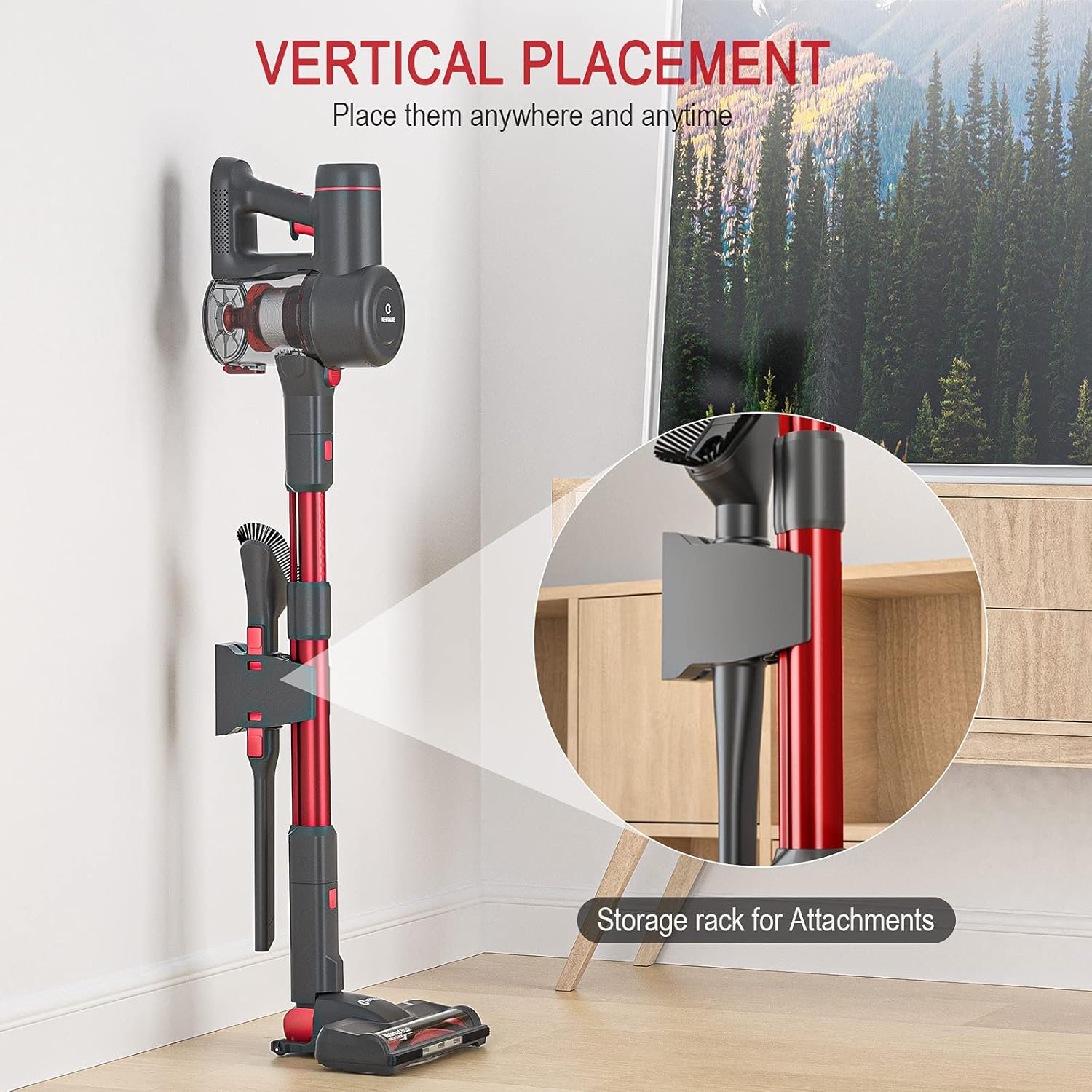
Image Description: An image showing the NEQUARE S12 Cordless Vacuum stored vertically against a wall, with a close-up inset showing the wall-mounted storage rack for its attachments.
Maintenance
Regular maintenance ensures optimal performance and extends the lifespan of your NEQUARE S12 Cordless Vacuum.
Emptying the Dustbin
Empty the dustbin regularly, especially when it reaches the MAX fill line, to maintain strong suction.
- Press the dustbin release button to detach the dustbin from the main motor unit.
- Hold the dustbin over a trash can and press the bottom release latch to open the dustbin flap and empty contents.
- Close the dustbin flap and reattach the dustbin to the main unit until it clicks.

Image Description: A diagram showing the process of detaching the dustbin from the main unit and emptying its contents into a waste receptacle.

Image Description: An illustration demonstrating how to remove and reattach the dustbin to the main vacuum unit.
Cleaning the Filters
The NEQUARE S12 features a multi-cone cyclone filtration system for effective dust separation and purified air. Regular cleaning of filters is crucial.
- Twist and pull to remove the filter assembly from the dustbin.
- Separate the HEPA filter, sponge filter, and stainless steel filter.
- Tap off loose dirt. Rinse the filters under cold running water. Ensure they are completely dry (24-48 hours) before reassembling and placing back into the vacuum.
- Do not use the vacuum without all filters properly installed and dry.

Image Description: A detailed diagram illustrating the multi-stage filtration system of the NEQUARE S12, including MIF Filtration, Sponge Filtration, Cyclone Filtration, Stainless Steel Filtration, and Root Cone Filtration, all contributing to purified fresh air.

Image Description: A close-up image of the multi-cone cyclone filter component, showing its intricate design for separating dust from air.

Image Description: A graphic highlighting the multi-cone filtration system's ability to capture and trap over 99.99% of dust, allergens, and dander, ensuring fresh air and preventing secondary pollution, with an image of a family in a clean home environment.
Cleaning the Brush Roll
Periodically check the brush roll for tangled hair or debris. Use scissors to cut away any tangled hair and remove it.
Troubleshooting
If you encounter issues with your NEQUARE S12 Cordless Vacuum, refer to the following common problems and solutions:
| Problem | Possible Cause | Solution |
|---|---|---|
| Vacuum does not turn on. | Battery is not charged or not properly installed. | Ensure battery is fully charged and securely clicked into place. |
| Loss of suction. | Dustbin is full; filters are clogged; brush roll is tangled; blockage in hose/wand. | Empty dustbin. Clean all filters thoroughly and ensure they are dry. Remove any hair/debris from brush roll. Check for and clear any blockages in the extension wand or attachments. |
| Brush roll not spinning. | Brush roll is tangled or blocked; brush head is not properly attached. | Clear any obstructions from the brush roll. Ensure the brush head is securely connected to the extension wand or main unit. |
| Short runtime. | Battery not fully charged; vacuum used primarily in MAX mode. | Ensure battery is fully charged before use. MAX mode consumes more power, reducing runtime. Use Standard mode for general cleaning. |
Specifications
| Feature | Detail |
|---|---|
| Brand | NEQUARE |
| Model Number | S12 |
| Color | Red |
| Capacity | 1.2 liters |
| Power/Wattage | 175-watt (suction power), 2200 milliamp_hours (battery) |
| Voltage | 22.2 Volts |
| Runtime | Up to 40 minutes (low mode), up to 80 minutes (with spare battery) |
| Special Features | Lightweight, Detachable Battery, Multi-cone Cyclone Technology, LED Motorized Brush |
| Item Weight | 2.18 kg (4.8 lbs) |
| Filter Type | Cartridge (Multi-cone Cyclone, HEPA, Sponge, Stainless Steel) |
| Surface Recommendation | Hard Floor, Low Pile Carpet |
| Power Source | Battery Powered |
Warranty and Support
NEQUARE products are manufactured to the highest quality standards. For warranty information, technical support, or service inquiries, please contact NEQUARE customer service through the retailer's platform or the official NEQUARE website. Please have your model number (S12) and purchase details ready when contacting support.
Related documentsS12


Ask a question about this manual
Ask about setup, troubleshooting, compatibility, parts, safety, or missing instructions. Manuals+ will review the question and use this page’s manual context to help answer it.