1. Product Overview
The Paladone Minecraft Steve Diorama Light (Model PP9463MCF) is a decorative lighting product featuring iconic Minecraft characters and elements. This diorama light is designed for indoor use and is not intended for outdoor environments.

Image 1: The Paladone Minecraft Steve Diorama Light, showcasing Steve with a diamond sword, a pig, and a TNT block on a tiered grass and dirt base.
2. Setup Instructions
2.1 Powering the Device
The Steve Diorama Light can be powered using either 3 AAA batteries or a USB cable. Batteries are required for portable use, while the USB cable provides continuous power when connected to a compatible USB power source (adapter not included).

Image 2: Rear view of the diorama light, highlighting the power button and the USB input port. A USB cable is shown separately.
Battery Installation:
- Locate the battery compartment on the underside of the diorama light.
- Open the battery compartment cover.
- Insert 3 AAA batteries, ensuring correct polarity (+/-).
- Securely close the battery compartment cover.
USB Power Connection:
- Connect the provided USB cable to the USB port located at the back of the diorama light.
- Plug the other end of the USB cable into a compatible USB power adapter (not included) or a powered USB port.
2.2 Assembly
The Paladone Minecraft Steve Diorama Light comes pre-assembled. No additional assembly is required. The figures of Steve and the pig are removable and movable, allowing for customization of the diorama layout.

Image 3: Detail showing the removable Steve figure and the TNT block, which functions as the brightness adjustment switch.
3. Operating Instructions
3.1 Turning On/Off
To turn the diorama light on or off, press the power button located at the back of the unit (refer to Image 2).
3.2 Adjusting Brightness
The brightness of the light can be adjusted by twisting the TNT block on the diorama base. Twist the block clockwise to increase brightness and counter-clockwise to decrease it.
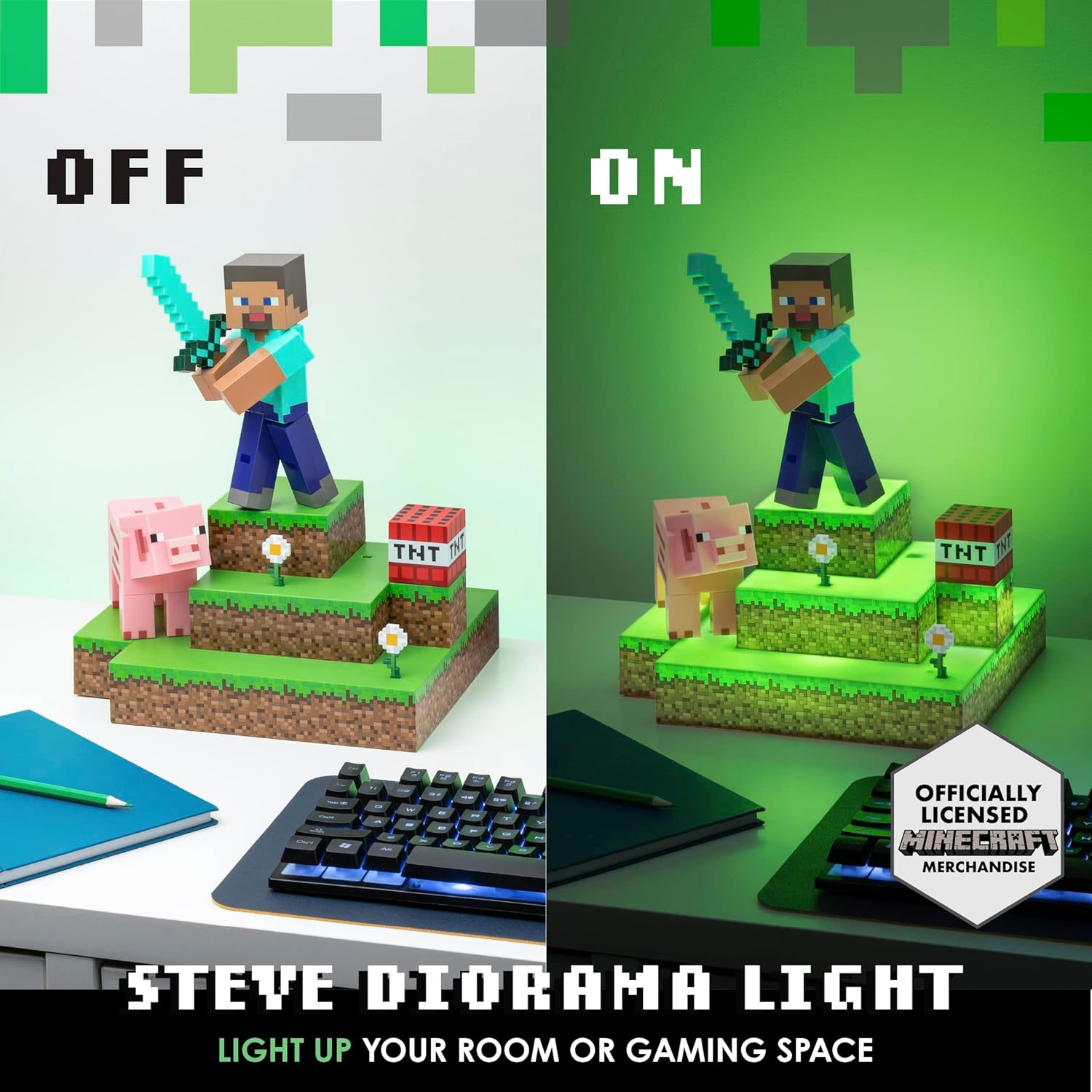
Image 4: A visual comparison of the diorama light when turned off and when illuminated with a green glow.
4. Maintenance
To ensure the longevity and proper functioning of your Paladone Minecraft Steve Diorama Light, follow these maintenance guidelines:
- Cleaning: Use a soft, dry cloth to gently wipe the surface of the diorama light. Avoid using abrasive cleaners, solvents, or excessive moisture, as these can damage the product's finish or internal components.
- Storage: When not in use for extended periods, store the diorama light in a cool, dry place away from direct sunlight and extreme temperatures. If using batteries, remove them before storage to prevent leakage.
- Handling: Handle the product with care to avoid dropping or impacting it, which could cause damage to the figures or the light mechanism.
5. Troubleshooting
If you encounter any issues with your Steve Diorama Light, please refer to the following common troubleshooting steps:
- Light Not Turning On:
- Check if the batteries are correctly installed and not depleted. Replace with new AAA batteries if necessary.
- If using USB power, ensure the USB cable is securely connected to both the diorama light and a working power source. Try a different USB port or adapter.
- Ensure the power button at the back is fully pressed.
- Light Flickering or Dim:
- This often indicates low battery power. Replace the batteries or switch to USB power.
- Ensure the TNT block is twisted to the desired brightness level.
- Figures Not Staying in Place:
- The figures are designed to be removable. Ensure they are placed firmly into their designated slots on the diorama base.
If these steps do not resolve the issue, please contact Paladone customer support for further assistance.
6. Specifications
| Feature | Detail |
|---|---|
| Product Name | Minecraft Steve Diorama Light |
| Brand | Paladone |
| Model Number | PP9463MCF |
| ASIN | B0B3LBNGXQ |
| Dimensions (Approx.) | 30 cm (11.8 in) Height, 24.5 cm (9.6 in) Width |
| Product Weight | 712 Grams |
| Material | PVC |
| Finish Type | Matte |
| Power Source | 3 x AAA Batteries (not included) or USB (cable included, adapter not included) |
| Assembly Required | No |
| Components Included | Light bulb included |
| Specific Uses | Indoor use only |
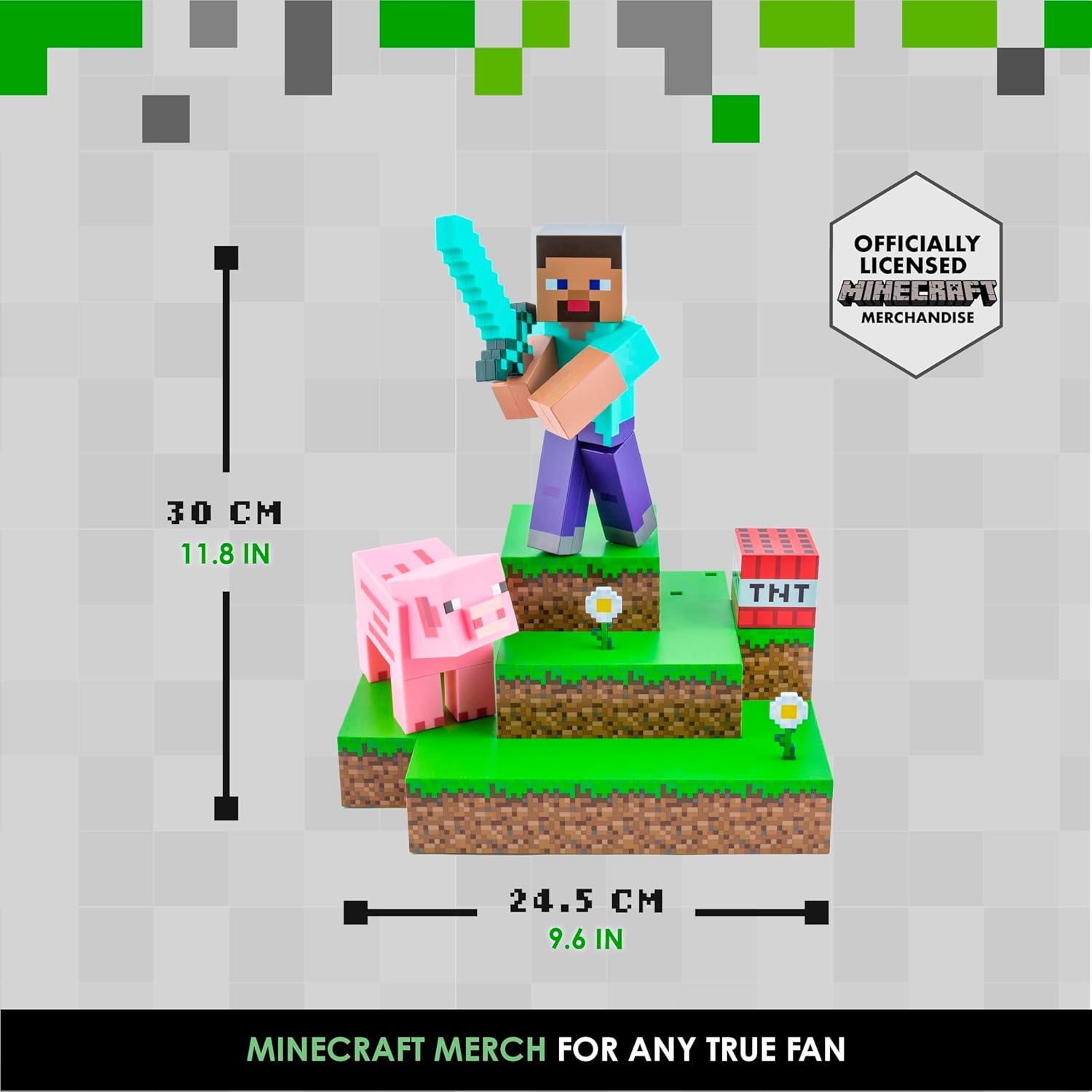
Image 5: Dimensional diagram indicating the height (30 cm / 11.8 in) and width (24.5 cm / 9.6 in) of the diorama light.
7. Warranty Information
Warranty information for the Paladone Minecraft Steve Diorama Light (PP9463MCF) is not explicitly detailed in the provided product data. Please refer to the product packaging or contact Paladone customer support for specific warranty terms and conditions.
8. Customer Support
For any further questions, technical assistance, or support regarding your Paladone Minecraft Steve Diorama Light, please contact Paladone customer service through their official website or the retailer from whom the product was purchased.
9. Related Products (Seller Videos)
The following videos showcase other Minecraft-themed lighting products from Paladone. While not the exact Steve Diorama Light, they provide insight into the brand's quality and design for similar items.
Minecraft Creeper Icon Light
Video 1: A demonstration of the Paladone Minecraft Creeper Icon Light, showing its design and how it illuminates. This video is for a different model (Creeper Light) but is from the same manufacturer.
Mini Minecraft Creeper Lamp
Video 2: A short video showcasing the Mini Minecraft Creeper Lamp, highlighting its compact size and light-up feature. This video is for a different model (Mini Creeper Lamp) but is from the same manufacturer.


