
1. Introduction
This manual provides comprehensive instructions for the setup, operation, maintenance, and troubleshooting of your AOSU WirelessCam Pro System. This system is designed to provide reliable outdoor and indoor security surveillance with advanced features such as 2K HD video, night vision, and smart alerts, all without recurring monthly fees.
Please read this manual thoroughly before installation and use to ensure proper functionality and safety.
2. What's in the Box
Verify that all components are present in your package:
- 1x Homebase
- 2 x Battery Security Cameras
- 1x Ethernet Cable
- 2x Charging Cable
- 1x Adaptor
- 1x Manual Book
- 2x Mounting Bracket
- 2x Screw Pack

Image: AOSU WirelessCam Pro System with Homebase and two cameras.
3. Setup
3.1 Homebase Connection
- Connect the Homebase to your router using the provided Ethernet cable.
- Plug the power adapter into the Homebase and an electrical outlet.
- Wait for the Homebase indicator light to turn solid blue, indicating a successful connection.

Image: Homebase with connected cables.
3.2 Camera Pairing and App Installation
- Download the 'aosu' app from your smartphone's app store (iOS or Android).
- Open the app and create an account or log in.
- Follow the in-app instructions to add your Homebase by scanning the QR code located on the back of the device.
- Once the Homebase is added, the app will guide you through pairing each camera. Ensure cameras are fully charged before pairing.

Image: Dual-view remote monitoring via the AOSU app.
3.3 Camera Mounting
The cameras are designed for easy installation and can be mounted on walls or under eaves, suitable for both indoor and outdoor use. Use the provided mounting brackets and screws to secure the cameras in desired locations. Ensure the mounting location provides a clear view of the area you wish to monitor and is within range of the Homebase's Wi-Fi signal.

Image: Examples of camera mounting locations.
4. Operating the System
4.1 Live View and Recording
Access live video feeds from your cameras through the aosu app. You can view multiple cameras simultaneously on one screen. The system records events based on motion detection and stores them locally on the Homebase's 32GB memory, providing 240-360 days of video recording without monthly fees.

Image: Example of 2K clarity for detailed viewing.
4.2 Smart Alerts and Motion Detection
The system utilizes advanced AI with motion sensors to provide precise human detection, reducing false alerts. Receive instant notifications on your smartphone for detected events, with quick preview images for rapid assessment and response.

Image: Automatic defense with spotlight and siren alarm.
4.3 Night Vision and Spotlight
Experience clear color night vision up to 23ft/7m. Upon detecting intruders at night, the camera activates spotlights and a 120dB siren to deter intrusion and notify you.
4.4 Two-Way Audio
Communicate with visitors or deter unwanted guests using the built-in two-way audio feature via the aosu app. The app includes quick responses and voice transformation options for added privacy.
4.5 Cross-Camera Event Linking
The system intelligently correlates videos from multiple cameras within the same period, providing a cohesive and comprehensive view of events, making it easier to review footage and gather evidence.

Image: Cross-camera AI event linking for comprehensive surveillance.
4.6 Smart Control and Customization
Pre-set camera modes for automated experiences. Effortlessly switch security settings with a single tap when you head out or return. Customize activity zones to focus on important areas and configure privacy zones to shield sensitive areas from view.

Image: Smart control settings in the AOSU app.
4.7 Video Demonstration
Video: Demonstration of the AOSU Wireless Security Cameras in outdoor use, showcasing features and clarity.
5. Maintenance
5.1 Battery Charging
The cameras feature a 240-day battery life on a single charge (based on lab data with 40 events/day, 10s recording each). When the battery level is low, you will receive a notification via the app. Use the provided charging cable and adapter to recharge the cameras. For continuous power, a solar panel can be added (sold separately).

Image: Camera with long battery life.
5.2 Cleaning
To maintain optimal performance, periodically clean the camera lens and housing with a soft, damp cloth. Avoid using harsh chemicals or abrasive materials that could damage the camera.
5.3 Weather Resistance
The cameras are rated IP65 weatherproof, ensuring consistent protection against various weather conditions, including rain and dust. While designed for outdoor resilience, avoid submerging the cameras in water.
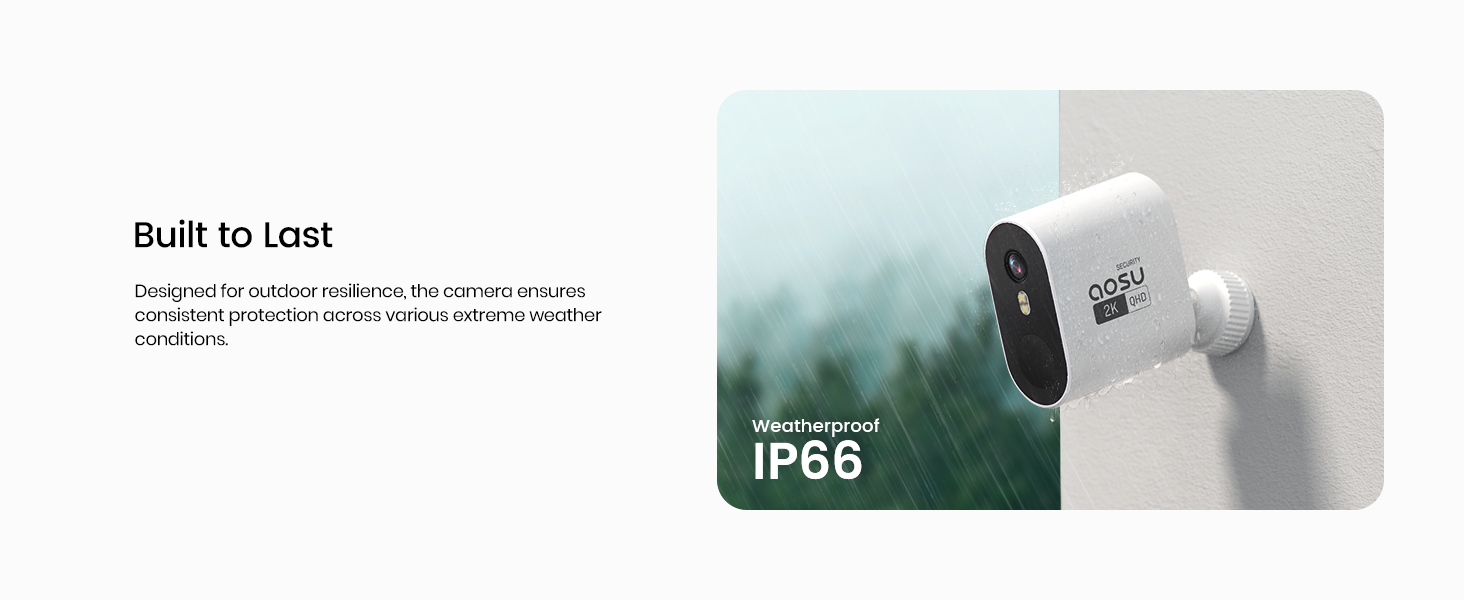
Image: Weatherproof IP66 rating for durability.
6. Troubleshooting
If you encounter issues with your AOSU WirelessCam Pro System, refer to the following common problems and solutions:
| Problem | Possible Cause | Solution |
|---|---|---|
| Camera not connecting to Homebase | Homebase not powered on or connected to internet; camera out of range or low battery. | Ensure Homebase is powered and connected to router. Move camera closer to Homebase. Recharge camera battery. Re-pair camera via app. |
| Delayed notifications | Network congestion; app settings. | Check your Wi-Fi signal strength. Ensure the aosu app has necessary permissions and is running in the background. |
| Poor video quality | Dirty lens; poor lighting; network issues. | Clean the camera lens. Ensure adequate lighting for optimal image capture. Check network stability. |
| Battery drains quickly | High activity in monitored area; frequent live view. | Adjust motion detection sensitivity. Utilize sleep period settings in the app. Consider adding a solar panel for continuous charging. |
If the issue persists, please contact AOSU customer support for further assistance.
7. Specifications
| Feature | Detail |
|---|---|
| Model Name | AOSU WirelessCam Pro System |
| Model Number | C6P2AH11 |
| Video Capture Resolution | 2K, 2048*1536 |
| Viewing Angle | 166 Degrees |
| Power Source | Battery Powered |
| Battery Life | Up to 240 days (based on lab data with 40 events/day, 10s recording each) |
| Local Storage | 32GB (Built-in Homebase) |
| Connectivity Technology | Wireless (Wi-Fi, Wi-Fi Router 2.4 GHz & 5.0 GHz) |
| Indoor/Outdoor Usage | Outdoor, Indoor |
| Water Resistance Level | IP65 (Waterproof) |
| Compatible Devices | Google Assistant, Amazon Alexa, Tablet, Smartphone |
| Item Dimensions (L x W x H) | 10 x 6 x 4 inches |
| Item Weight | 2.66 pounds |
8. Warranty and Support
AOSU provides dedicated customer support to ensure your satisfaction. If you have any questions or require assistance with your security camera system, please contact AOSU directly. They offer 24-hour quick response support.
For support, please visit the official AOSU website or refer to the contact information provided in your product packaging.