
Audizio Tours
Audizio Tours Home HiFi Stereo System User Manual
Model: Tours
Introduction
Thank you for purchasing the Audizio Tours Home HiFi Stereo System. This manual provides detailed instructions for the safe and efficient operation of your new audio system. Please read this manual thoroughly before use and retain it for future reference.
Safety Information
- Do not expose the unit to rain or moisture to prevent fire or electric shock.
- Ensure proper ventilation. Do not block ventilation openings.
- Only use attachments/accessories specified by the manufacturer.
- Unplug the apparatus during lightning storms or when unused for long periods.
- Refer all servicing to qualified service personnel.
What's in the Box
Upon unpacking, please ensure all items listed below are present and in good condition:
- Audizio Tours HiFi Stereo System
- Instruction Manual (this document)
- Remote Control
Product Overview
Familiarize yourself with the main components and controls of your Audizio Tours system.

The Audizio Tours Home HiFi Stereo System shown with its included remote control. The main unit features a central display and integrated speakers on either side.
Front Panel Controls & Display
- Power/Standby Button: Turns the unit on or off.
- Source Button: Selects input source (CD, USB, Bluetooth, DAB+, FM, AUX).
- Menu/Info Buttons: Navigates menus and displays information.
- Navigation/Enter Buttons: For menu selection and track control.
- Volume +/-: Adjusts the master volume.
- LCD Display: Shows current mode, track information, radio station, etc.
- USB Port: For MP3 playback from USB drives.

A close-up view of the Audizio Tours system's bright LCD display, showing 'Bluetooth' as the selected source. The display provides clear visual feedback on the system's status.

A top-down perspective highlighting the control panel of the Audizio Tours system, featuring the USB port for MP3 playback, the CD slot, and various buttons for source selection, menu navigation, and volume control.
Remote Control

The remote control for the Audizio Tours system, featuring dedicated buttons for power, source selection, CD/USB playback controls, radio tuning, volume adjustment, and sound equalization settings like X-Bass.
The remote control provides full functionality for convenient operation from a distance. Ensure batteries are correctly inserted.
Setup
Placement
The Audizio Tours system can be placed on a flat surface using its integrated stand or mounted on a wall. Ensure the unit is placed on a stable surface or securely mounted.

The Audizio Tours system is shown with its detachable stand, illustrating how it can be positioned on a flat surface. The stand provides stability for tabletop use.
Power Connection
- Connect the power cable to the AC IN socket on the rear of the unit.
- Plug the other end of the power cable into a suitable wall outlet (220V).
Antenna Connection
For optimal DAB+ and FM radio reception, ensure the included antenna is properly extended and positioned.
Operating Instructions
Power On/Off
Press the Power/Standby button on the unit or remote control to turn the system on or off.
Source Selection
Press the Source button repeatedly on the unit or remote control to cycle through available input sources: CD, USB, Bluetooth, DAB+, FM, AUX.
Bluetooth Pairing
- Select the Bluetooth source using the Source button. The display will show "Bluetooth".
- On your smartphone or tablet, enable Bluetooth and search for available devices.
- Select "Audizio Tours" from the list of devices.
- Once paired, you can stream audio wirelessly from your device to the system.

A user holding a smartphone, demonstrating wireless music streaming via Bluetooth to the Audizio Tours system. The system also supports DAB+ digital radio.
CD Playback
- Select the CD source.
- The motorized CD door will open. Insert a CD (CD-R/RW compatible) with the label side facing up.
- The door will close automatically, and the system will begin reading the disc.
- Use the playback controls (Play/Pause, Skip, Stop) on the unit or remote control.

The Audizio Tours system's CD player with its motorized sliding door open, revealing a CD inserted. This design allows for easy loading and unloading of discs.
USB Playback (MP3)
- Insert a USB flash drive containing MP3 files into the USB port.
- Select the USB source.
- The system will automatically detect and begin playing MP3 files.
- Use the playback controls (Play/Pause, Skip, Stop) on the unit or remote control.
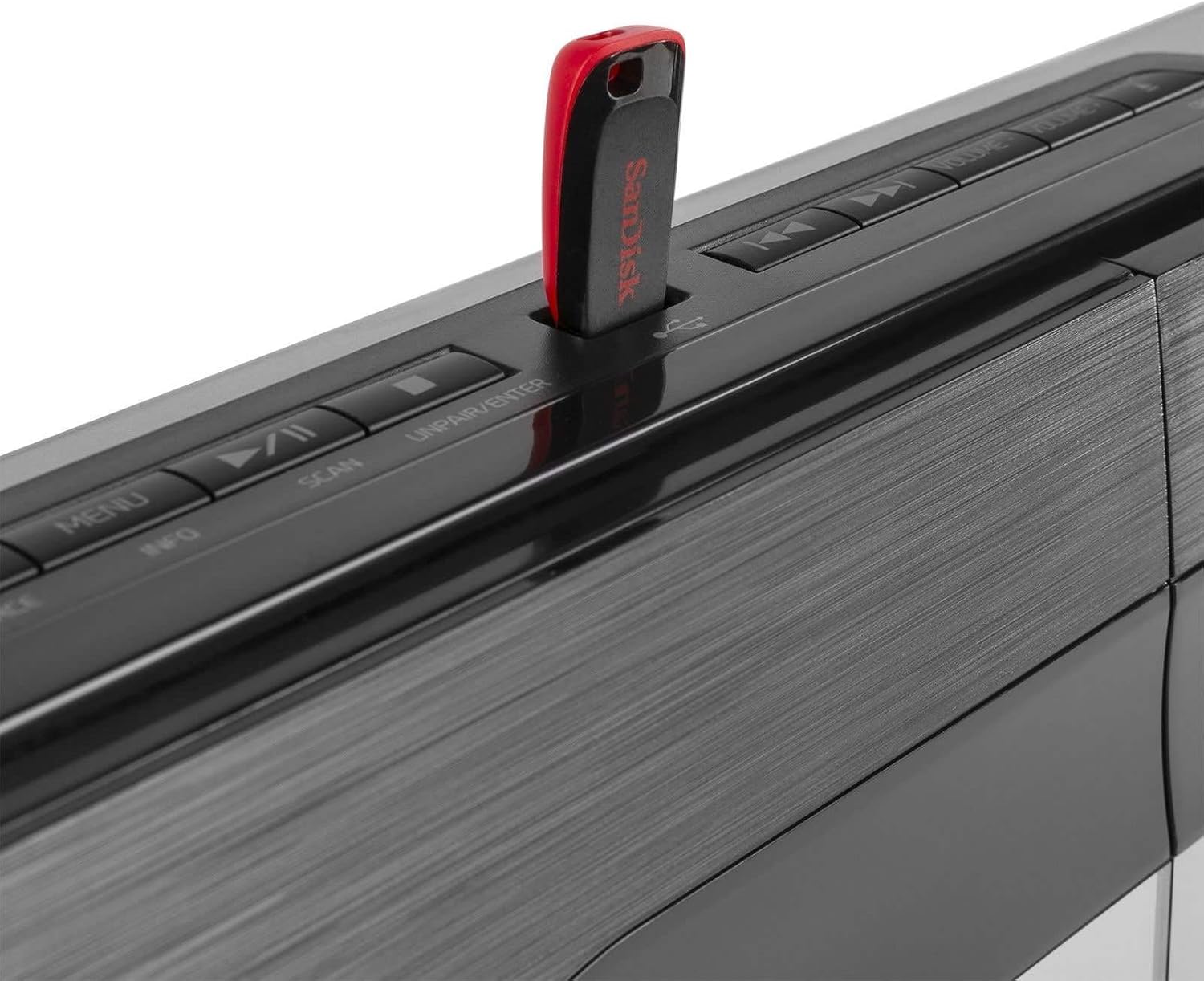
A close-up image of the Audizio Tours system's USB port, showing a red USB flash drive inserted. This port allows for direct playback of MP3 audio files from compatible USB storage devices.
Radio Operation (DAB+ and FM)
- Select DAB+ or FM source.
- For DAB+, the system will automatically scan for available stations on first use. For FM, you can manually tune or auto-scan.
- Use the navigation buttons to browse stations.
- To save a preset, press and hold the Preset button, then select a preset number and confirm.
- To recall a preset, briefly press the Preset button and select the desired number.
Sound Settings
- Volume: Adjust using the Volume +/- buttons on the unit or remote.
- Equalization (EQ): Use the EQ button on the remote to cycle through preset sound modes.
- X-Bass: Press the X-Bass button on the remote to enhance bass frequencies.
Clock, Alarm, and Sleep Timer
The system includes a clock with sleep timer and alarm functions.

The Audizio Tours system's display showing the clock, accompanied by icons indicating the sleep timer and alarm functions. This feature allows users to set wake-up alarms or schedule automatic power-off.
- Setting the Clock: Refer to the detailed instructions in the full manual for setting the time.
- Sleep Timer: Allows the unit to automatically turn off after a set period.
- Alarm Function: Set an alarm to wake up to your preferred audio source.
Maintenance
- Always unplug the unit from the power outlet before cleaning.
- Use a soft, dry cloth to clean the exterior of the unit.
- Do not use abrasive cleaners, waxes, or solvents as they may damage the finish.
- Keep the CD slot and USB port free of dust and debris.
Troubleshooting
| Problem | Possible Cause | Solution |
|---|---|---|
| No power | Power cable not connected; Power outlet not active. | Check power cable connection; Try a different outlet. |
| No sound | Volume too low; Incorrect source selected; Mute function active. | Increase volume; Select correct source; Deactivate mute. |
| Bluetooth not pairing | Bluetooth not enabled on device; Unit not in pairing mode; Device too far. | Ensure Bluetooth is on and in pairing mode; Move device closer. |
| CD/USB not playing | Disc/USB damaged or incompatible format; Incorrect source selected. | Try another disc/USB; Ensure files are MP3; Select correct source. |
| Poor radio reception | Antenna not extended; Weak signal. | Fully extend and reposition antenna; Try auto-scan again. |
Specifications
| Feature | Detail |
|---|---|
| Brand | Audizio |
| Model Name | Tours (102.318) |
| Dimensions (L x W x H) | 50 x 15.3 x 24.5 cm |
| Weight | 2.7 kg |
| Power Output | 80 Watts |
| Voltage | 220 Volts |
| Power Source | Corded Electric |
| Audio Output Mode | Stereo |
| Supported Audio Formats | MP3 |
| Compatible Formats | CD (CD-R/RW) |
| Connectivity | Bluetooth, USB, 3.5mm AUX |
| Radio Tuner | DAB+, FM |
| Compatible Devices | Laptop, Smartphone, Tablet |
Warranty and Support
For warranty information and technical support, please refer to the warranty card included with your product or visit the official Audizio website. Keep your proof of purchase for any warranty claims.
Related documentsTours


Ask a question about this manual
Ask about setup, troubleshooting, compatibility, parts, safety, or missing instructions. Manuals+ will review the question and use this page’s manual context to help answer it.