
1. Product Overview
The FreedConn TCOM Screw Clip is an essential accessory designed for securely mounting your FreedConn T-COMSC or T-COMVB motorcycle Bluetooth headset helmet intercom to your helmet. This package includes the mounting clip, necessary screws, and a screwdriver for convenient installation. It serves as a direct replacement or an additional mounting option for compatible intercom units.

Image 1.1: The TCOM Screw Clip accessory, shown with a screwdriver and examples of compatible FreedConn T-COMVB and T-COMSC intercom units.
2. Compatibility
This TCOM Screw Clip is specifically designed for use with the following FreedConn helmet intercom models:
- FreedConn T-COMSC Bluetooth Headset Helmet Intercom
- FreedConn T-COMVB Bluetooth Headset Helmet Intercom
Ensure your intercom unit is one of these models for proper fit and function.
3. Setup and Installation
Follow these steps to correctly install the TCOM Screw Clip onto your helmet and attach your intercom unit.
3.1 Attaching the Clip to the Helmet
- Identify Mounting Location: Choose a suitable flat edge on the left side of your helmet, typically near the bottom rim, where the intercom unit will not obstruct your vision or movement.
- Position the Clip: Place the TCOM Screw Clip onto the helmet edge. The two screws should align with the pre-drilled holes on the clip, allowing it to clamp firmly onto the helmet shell.
- Secure the Screws: Insert the provided screws through the clip and into the helmet shell. Use the included screwdriver to tighten the screws. Ensure the clip is firmly attached and does not move. Do not overtighten, as this may damage the helmet or the clip.
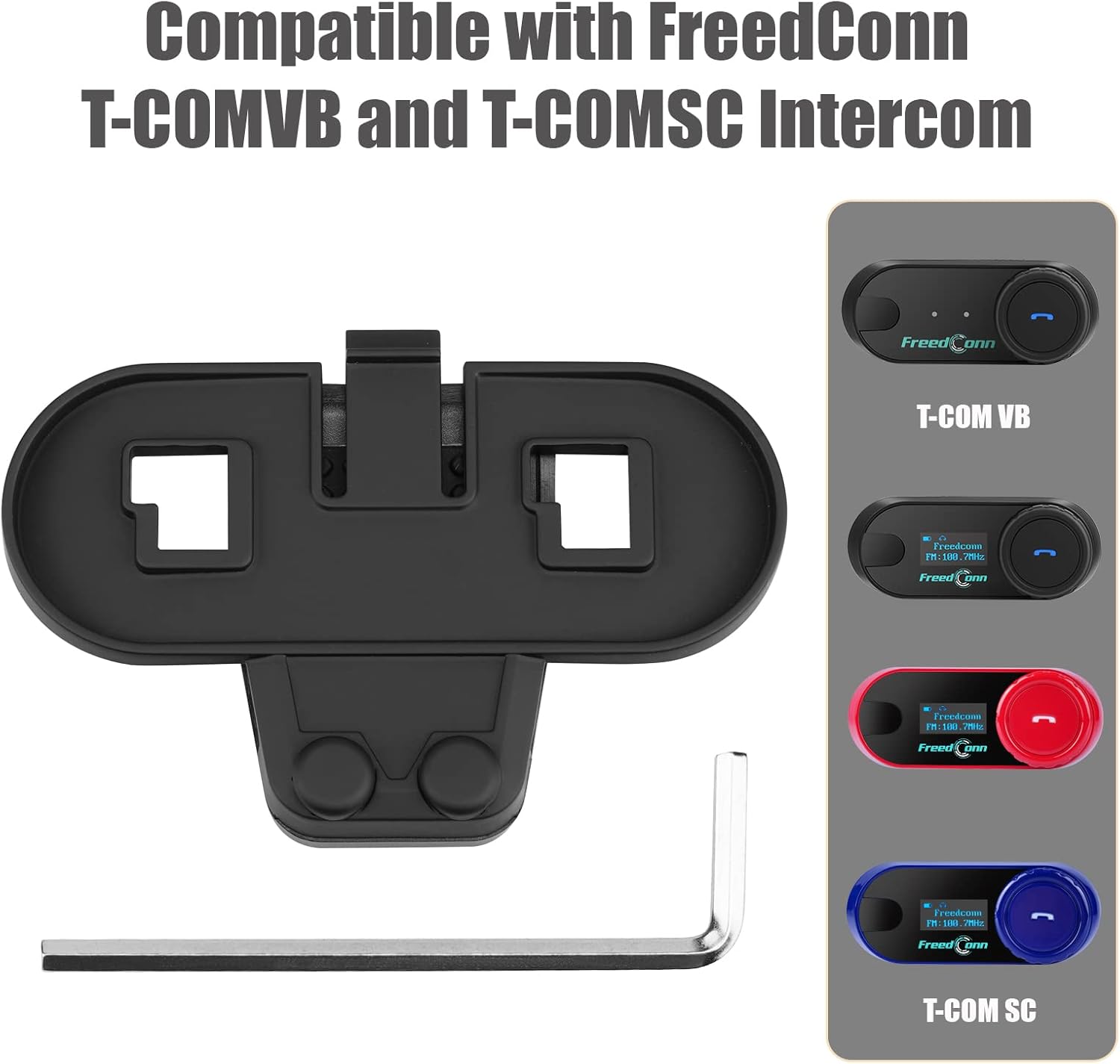
Image 3.1: The TCOM Screw Clip and screwdriver, ready for installation.
3.2 Attaching the Intercom Unit
- Slide Intercom: Align your FreedConn T-COMSC or T-COMVB intercom unit with the grooves on the installed TCOM Screw Clip.
- Secure Intercom: Gently slide the intercom unit downwards into the clip until it clicks into place. Ensure it is fully seated and secure.
- Verify Stability: Lightly tug on the intercom unit to confirm it is firmly attached to the clip and does not wobble.
4. Operating Instructions
The TCOM Screw Clip is a mounting accessory and does not have any operational functions. For instructions on operating your FreedConn T-COMSC or T-COMVB intercom unit, please refer to the specific user manual provided with your intercom device.
5. Maintenance
Regular maintenance helps ensure the longevity and secure performance of your TCOM Screw Clip.
- Cleaning: Wipe the clip with a soft, damp cloth to remove dust and dirt. Avoid using harsh chemicals or abrasive cleaners.
- Screw Inspection: Periodically check the tightness of the screws securing the clip to the helmet. Re-tighten if necessary, but avoid overtightening.
- Damage Check: Inspect the clip for any signs of cracks, wear, or damage. If the clip is damaged, replace it immediately to ensure the secure mounting of your intercom unit.
6. Troubleshooting
If you encounter issues with your TCOM Screw Clip, refer to the following common problems and solutions.
- Clip is Loose on Helmet:
Solution: Ensure the screws are properly tightened. If the helmet edge is too thin, consider adding a small piece of rubber or foam (not included) between the clip and the helmet for a tighter fit, ensuring it does not interfere with the screw mechanism. - Intercom Unit Does Not Securely Attach:
Solution: Verify that the intercom unit is correctly aligned with the grooves on the clip and slid down completely until it locks. Check for any obstructions in the clip or on the intercom unit's mounting slot. - Screws Are Stripped or Damaged:
Solution: If the screws are stripped or damaged, they will not provide a secure hold. Replace the screws with appropriate replacements. If the clip itself is damaged, replace the entire clip.
7. Specifications
| Brand | FreedConn |
| Model Name | TCOM Screw Clip (FDC-VB) |
| Model Number | Tc01 |
| Compatible Devices | FreedConn T-COMSC, FreedConn T-COMVB |
| Additional Features | Clip, Lightweight |
| Item Weight | 0.01 Kilograms |
8. Warranty and Support
For warranty information regarding your FreedConn TCOM Screw Clip, please refer to the documentation provided with your original FreedConn intercom purchase or contact FreedConn customer support directly. If you require further assistance with installation or have questions about the product, please reach out to the manufacturer or your point of purchase.