
1. Product Overview
The Transformers Studio Series Deluxe Class 100 Bumblebee action figure is a collectible toy designed with details inspired by the Transformers movies. This figure converts between robot mode and Chevrolet Camaro mode in 23 steps. It is suitable for individuals aged 8 years and up.

Image 1.1: Bumblebee in Robot Mode with accessories.
Key Features:
- 4.5-inch scale Bumblebee figure.
- Highly articulated for various poses.
- Converts between robot and Chevrolet Camaro modes in 23 steps.
- Includes Stinger Blaster and arm blade accessories.
- Comes with a removable backdrop for display.
2. Safety Information
WARNING: Small parts may be generated. Not for children under 3 years. Adult supervision is recommended for younger users to ensure proper handling and prevent choking hazards.
3. What's Included
- 1 x Bumblebee Action Figure
- 1 x Stinger Blaster Accessory
- 1 x Arm Blade Accessory
- 1 x Removable Backdrop (Volcano Showdown scene)
- 1 x Instruction Sheet (this manual)
4. Transformation Instructions
The Bumblebee figure can be converted between its robot and Chevrolet Camaro modes. The complete transformation involves 23 steps. Refer to the detailed diagrams on the included instruction sheet for precise guidance.
4.1. Robot to Vehicle Mode (Chevrolet Camaro)
- Detach any accessories (Stinger Blaster, arm blade) from the figure.
- Fold the robot's arms and legs into their compact positions, aligning them with the vehicle's chassis.
- Rotate and collapse the torso and head sections to form the interior of the vehicle.
- Align and secure the vehicle panels, ensuring all tabs and slots are correctly engaged.
- Ensure the wheels are properly positioned and can roll freely.

Image 4.1: Bumblebee in Chevrolet Camaro Mode.
4.2. Vehicle to Robot Mode
- Carefully separate the vehicle panels, starting from the rear or sides as indicated in the diagrams.
- Unfold the robot's legs and arms from their stored positions.
- Extend the torso and head, locking them into place.
- Adjust the shoulder and hip joints to achieve the desired robot stance.
- Attach the Stinger Blaster and arm blade accessories as desired.
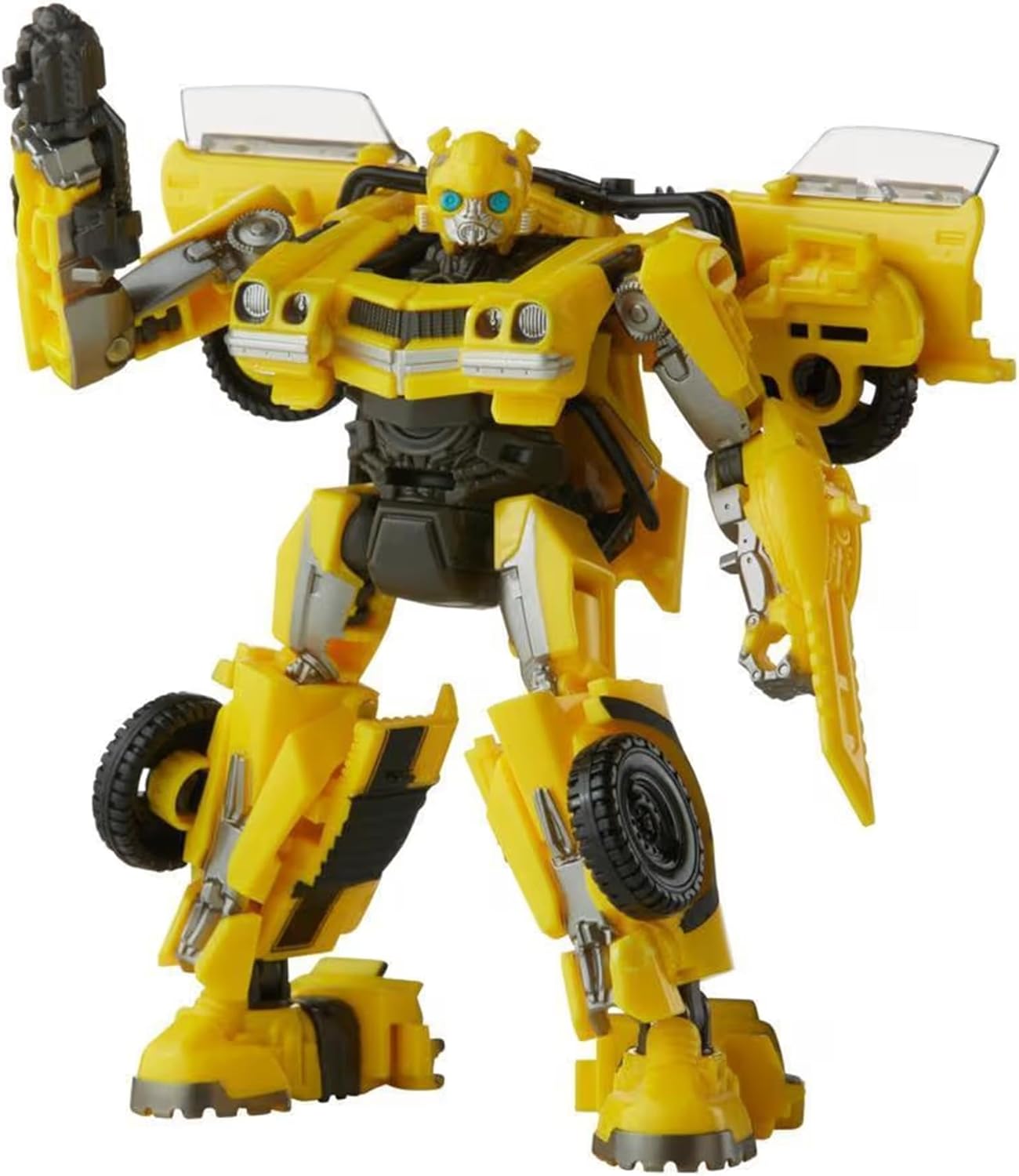
Image 4.2: Bumblebee in Robot Mode, ready for action.
5. Accessory Attachment
The Bumblebee figure comes with a Stinger Blaster and an arm blade. These accessories can be attached to the figure in both robot and vehicle modes. Locate the designated ports on the figure's arms or other attachment points as shown in the instruction diagrams to secure the accessories.
6. Displaying Your Figure
The figure includes a removable backdrop featuring the Volcano Showdown scene. This backdrop can be used to enhance the display of your Bumblebee figure in either robot or vehicle mode. Position the figure in front of the backdrop to recreate movie-inspired scenes.
7. Care and Maintenance
- Cleaning: Wipe the figure with a soft, dry cloth. Avoid using harsh chemicals or abrasive materials, as these may damage the paint or plastic.
- Storage: Store the figure in a cool, dry place away from direct sunlight to prevent discoloration or material degradation.
- Handling: Handle the figure with care, especially during transformation, to avoid stressing joints or breaking small parts.
8. Troubleshooting
- Stiff Joints: If joints are stiff, gently move them back and forth to loosen. Do not force movement.
- Parts Not Aligning: Ensure all previous transformation steps are correctly completed. Refer to the instruction diagrams to verify alignment.
- Loose Parts: If a part becomes loose, check if it is designed to be detachable or if it can be re-secured by gently pressing it back into place.
9. Specifications
- Product Dimensions: 2.5 x 5.5 x 8.63 inches
- Item Weight: 4.4 ounces
- Item Model Number: TF7
- Manufacturer Recommended Age: 8 years and up
- Manufacturer: Hasbro
- Release Date: March 3, 2023

Image 9.1: Figure Dimensions.
10. Warranty and Support
For warranty information or product support, please refer to the official Hasbro website or contact their customer service directly. Details regarding specific warranty terms and conditions are typically provided with the product packaging or on the manufacturer's official channels.


