
1. Introduction
Thank you for choosing the UGREEN 63W Dual USB-C Car Charger Adapter. This manual provides essential information for the safe and efficient operation of your device. This car charger is designed to provide high-speed charging for a wide range of devices, including smartphones, tablets, and laptops, while on the go.
The charger features a 45W USB-C port with PPS (Programmable Power Supply) for Super Fast Charging 2.0 compatible devices, and an 18W USB-A port, allowing for simultaneous charging of two devices with a total output of 63W.
2. Product Overview
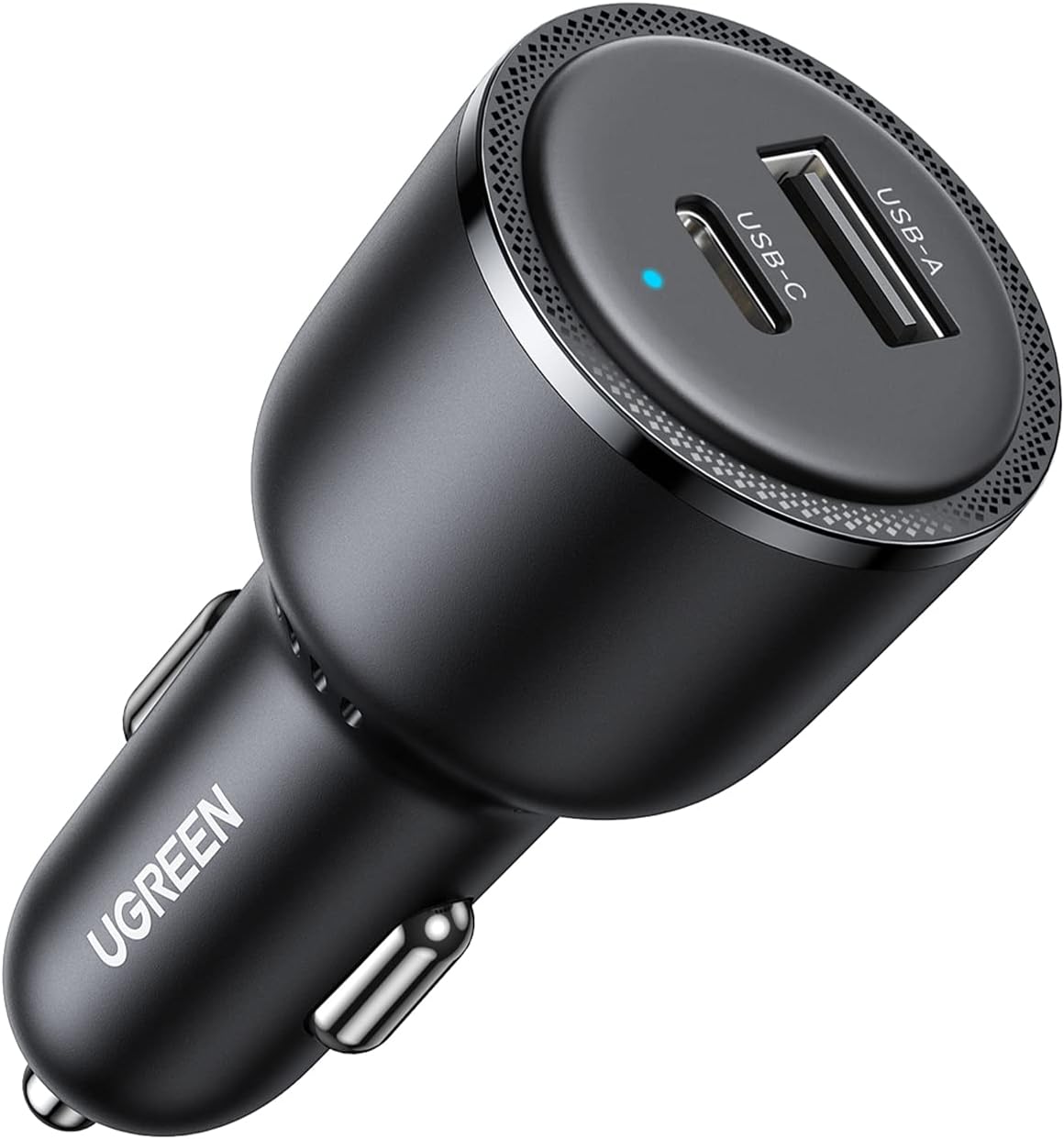
Figure 1: UGREEN 63W Dual USB-C Car Charger Adapter with USB-A and USB-C ports.
The UGREEN 63W Car Charger is a compact and robust device designed for in-vehicle use. It integrates two charging ports: one USB-C and one USB-A. The USB-C port supports Power Delivery (PD) 3.0 with PPS, enabling up to 45W output for devices requiring Super Fast Charging 2.0, such as the Samsung Galaxy S24 Ultra. The USB-A port provides up to 18W output, compatible with Quick Charge (QC) 3.0 and other fast charging protocols.

Figure 2: Illustration of the charger's 63W maximum power and compatible protocols including PD3.0/PPS 45W/QC3.0/FCP/AFC/BC1.2/DCP/APPLE2.4A.
An integrated blue LED indicator light confirms the charger is receiving power and ready for use.
3. Package Contents
- 1 x UGREEN 63W USB C Car Charger
- 1 x User Manual
4. Specifications
| Feature | Detail |
|---|---|
| Product Dimensions | 2.9 x 1.4 x 1.4 inches |
| Item Weight | 1.34 ounces |
| Model Number | 90645 |
| Input Voltage | 24 Volts |
| Total USB Ports | 2 (1x USB-C, 1x USB-A) |
| USB-C Output | 45W (PD3.0 PPS) |
| USB-A Output | 18W (QC3.0) |
| Total Output | 63W Max |
| Color | Black |
| Material | Scratch-resistant PC |
5. Setup
- Locate the 12V DC Power Outlet: Identify the cigarette lighter socket or 12V DC power outlet in your vehicle. This is typically found in the dashboard, center console, or sometimes in the rear passenger area.
- Insert the Car Charger: Firmly insert the UGREEN 63W Car Charger into the 12V DC power outlet. Ensure it is securely seated.
- Verify Power: Once properly inserted, a blue LED indicator light on the charger will illuminate, confirming that the charger is receiving power and is ready for use. If the light does not illuminate, ensure your vehicle's ignition is on (if required for the outlet) and that the charger is fully inserted.

Figure 3: The UGREEN 63W Car Charger securely installed in a vehicle's power outlet, demonstrating its compact fit and dual charging capability.
6. Operating Instructions
- Connect Your Device: Use a compatible charging cable (not included) to connect your device to either the USB-C port or the USB-A port on the car charger.
- USB-C Port (45W PD3.0 PPS): For optimal fast charging, especially for devices supporting Super Fast Charging 2.0 (e.g., Samsung Galaxy S24/S23/S22 series), use a USB-C to USB-C cable with this port. It can also fast charge iPhones (17/16/15/14/13/12 series), iPads, and MacBooks.
- USB-A Port (18W QC3.0): Use a standard USB-A cable for devices compatible with Quick Charge 3.0 or other standard charging protocols. This port is suitable for a wide range of smartphones and accessories.
- Simultaneous Charging: The charger supports simultaneous charging of two devices. The total maximum output is 63W (45W from USB-C + 18W from USB-A).
- Charging Indication: Your device's screen will indicate that it is charging. The blue LED on the car charger will remain illuminated during operation.

Figure 4: The UGREEN 63W Car Charger actively charging a smartphone via USB-C and a tablet via USB-A simultaneously.
7. Compatibility
The UGREEN 63W Car Charger is broadly compatible with various devices and charging protocols:
- USB-C Port (45W PD3.0 PPS):
- Samsung Galaxy S24 Ultra/S24+/S23 Ultra/S23+/S23/S22 Ultra/S22+/S22/S21Ultra/S21+/S21/S20Ultra/S20+/S20/S10/9/8/7/6/5/4, Z Flip 3/Z Fold 3, Note 20/10/9/8, A20/A10e /A52/A51/A50/A70/A71/A80
- iPhone 17/17 Air/17 Pro/17 Pro Max, iPhone 16/16 Plus/16 Pro/16 Pro Max, iPhone 15/15 Plus/15 Pro/15 Pro Max, iPhone 14/14 Plus/14 Pro/14 Pro Max, iPhone 13/13 Mini/13 Pro/13 Pro Max, iPhone 12/12 Mini/12 Pro/12 Pro Max, iPhone 11/11 Pro/11 Pro Max, iPhone SE 3/2/1, iPhone X/XR/Xs/Xs Max, iPhone 8/8 plus
- iPad, iPad Pro, iPad Air, iPad Mini
- MacBook Pro, MacBook Air, MacBook 12-inch
- Google Pixel 6a/6Pro/6/5a/5/4a/4XL/4/3aXL/3a/3/2XL/2/XL/1
- Huawei Mate Xs/40/30, P40/P30/P20
- Xiaomi 11/10/9/8/MIX FOLD/MIX 4
- Surface Go, Nintendo Switch, GoPro 7/6/5, GPS, Dash Camera, Driving recorder, Portable power bank
- USB-A Port (18W QC3.0):
- Moto G6 G7
- AirPods Series
- And other USB-A powered devices.

Figure 5: Visual representation of the wide compatibility of the UGREEN 63W Car Charger with various iOS, Android, and other electronic devices.
8. Safety Information
To ensure safe operation and prevent damage to the charger or your devices, please observe the following safety guidelines:
- Do not expose the charger to extreme temperatures, direct sunlight, or moisture.
- Avoid dropping or subjecting the charger to strong impacts.
- Do not disassemble, modify, or attempt to repair the charger.
- Keep out of reach of children.
- The charger is equipped with superior safety features to protect against over-current, over-voltage, over-heating, and short-circuiting. However, always ensure proper ventilation around the charger during use.
- Use only certified and compatible charging cables with the device.
9. Maintenance
- Clean the charger regularly with a soft, dry cloth.
- Do not use liquid cleaners or aerosol sprays.
- Ensure the ports are free from dust and debris to maintain optimal connection and charging efficiency.
- Store the charger in a cool, dry place when not in use.
10. Troubleshooting
- Charger not working / No LED light:
- Ensure the car charger is fully inserted into the 12V DC power outlet.
- Check if your vehicle's ignition needs to be on for the 12V outlet to function.
- Verify the vehicle's 12V outlet fuse is intact.
- Device not charging or charging slowly:
- Ensure your charging cable is not damaged and is properly connected to both the charger and your device.
- Confirm that your device supports the fast charging protocols (PD3.0 PPS for USB-C, QC3.0 for USB-A) for optimal speed.
- If charging two devices simultaneously, the total power is shared. Disconnect one device to see if the charging speed improves for the other.
- Check your device's battery health or charging port for any issues.
- Charger feels warm during use:
- It is normal for the charger to become warm during high-power charging. The thermal hole design helps dissipate heat. If it becomes excessively hot, disconnect it immediately and contact support.
11. Warranty and Support
UGREEN products come with a standard manufacturer's warranty. For specific warranty terms, technical support, or customer service inquiries, please refer to the warranty card included with your product or visit the official UGREEN website. Please retain your proof of purchase for warranty claims.