1. Product Overview
This manual provides instructions for the assembly, operation, and maintenance of your FITUEYES White TV Stand Mount, Model F02A2461A-KSA. This floor-standing TV mount is designed to accommodate most 32 to 60-inch television screens, supporting a maximum weight of 66 lbs (30 kg). It features height adjustment and a swivel function for optimal viewing flexibility.

The FITUEYES White TV Stand Mount, designed for televisions between 32 and 60 inches.
2. Safety Information
- Read all instructions carefully before assembly and use.
- Do not exceed the maximum load capacity of 66 lbs (30 kg).
- Ensure the VESA pattern of your TV is compatible (200x200mm to 600x400mm).
- Assemble the stand on a soft, clean surface to prevent scratches.
- Keep children and pets away during assembly.
- Verify all connections are secure before placing the TV on the stand.
- Do not attempt to modify the product.
3. Parts List
Please ensure all components are present before beginning assembly. Refer to the included hardware pack for specific part identifiers.
- Base (Tempered Glass)
- Support Column (Metal)
- TV Mounting Bracket
- Adjustable Shelf (Plastic)
- Cable Management Clips
- Hardware Kit (Screws, Washers, Spacers, Allen Keys)
- Environmental Foot Pads
4. Setup and Assembly
Follow these steps carefully for proper assembly. Two people are recommended for TV installation.
- Attach the Support Column to the Base: Secure the metal support column to the tempered glass base using the provided screws and tools. Ensure a stable connection.
- Install the Adjustable Shelf: Slide the plastic shelf onto the support column at your desired height. Tighten the locking mechanism to secure it in place.
- Assemble the TV Mounting Bracket: Attach the horizontal arms to the vertical bracket, ensuring they are aligned with your TV's VESA pattern.
- Attach Brackets to TV: Carefully place your TV face down on a soft, flat surface. Attach the assembled TV mounting bracket to the back of your television using the appropriate screws, washers, and spacers from the hardware kit. Ensure the screws are tightened securely but do not overtighten.
- Mount TV to Stand: With assistance, lift the television and hook the TV mounting bracket onto the support column. Engage the safety TV lock design to prevent accidental dislodgement.
- Cable Management: Route all cables through the integrated cable management system on the support column using the provided clips to maintain a tidy appearance.
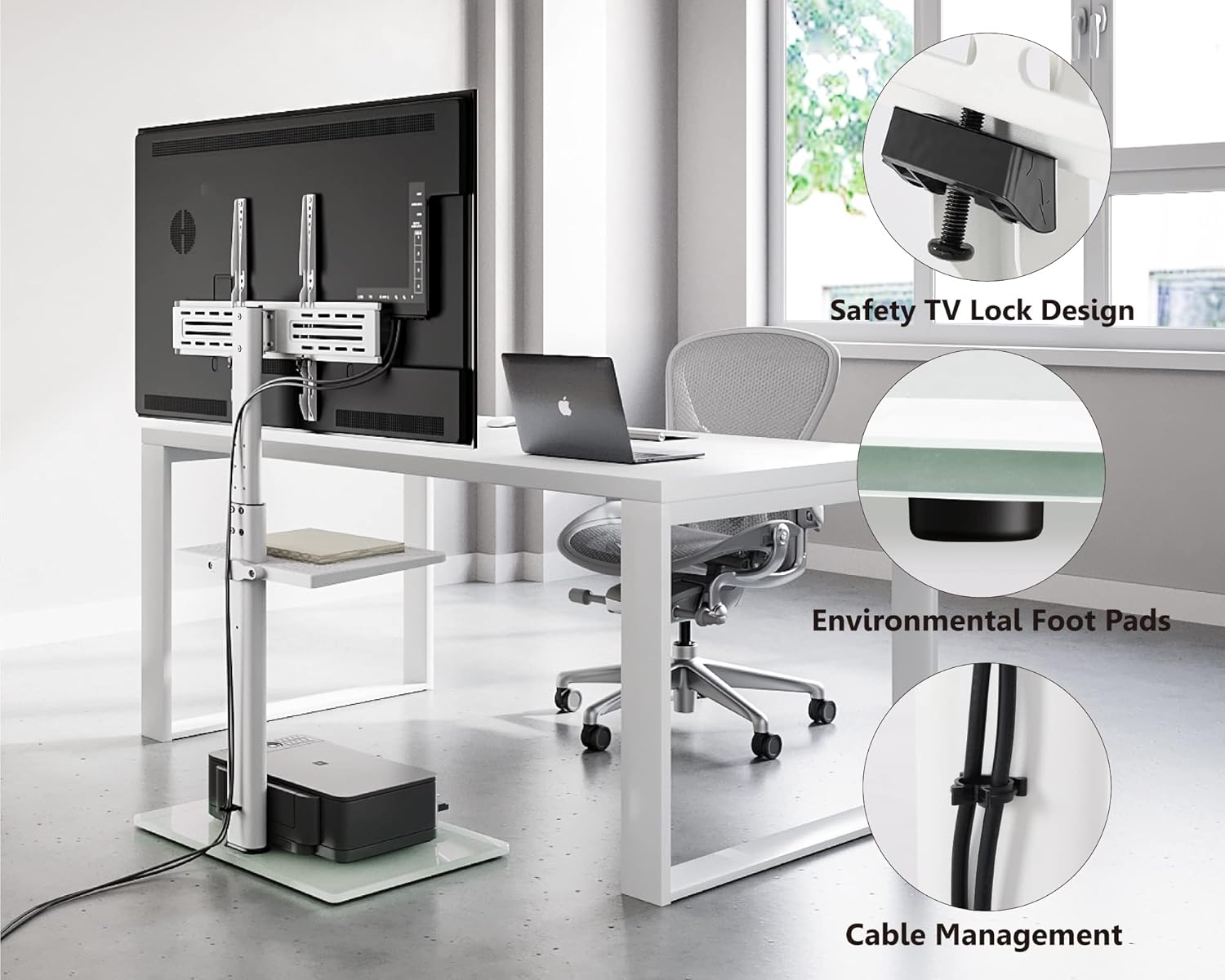
Key features of the TV stand, including the safety TV lock for secure TV attachment, protective foot pads, and integrated cable management system.
5. Operating Instructions
- Height Adjustment: To adjust the TV height, loosen the locking mechanism on the support column, carefully raise or lower the TV to the desired position, and then re-tighten the mechanism securely.
- Swivel Function: The TV can be swiveled up to 35 degrees left or right. Gently rotate the television to achieve your preferred viewing angle.
- Shelf Usage: The adjustable shelf can hold small media devices, remote controls, or other accessories. Ensure items placed on the shelf do not exceed its weight capacity.

The TV stand allows for vertical height adjustment to optimize viewing angles.
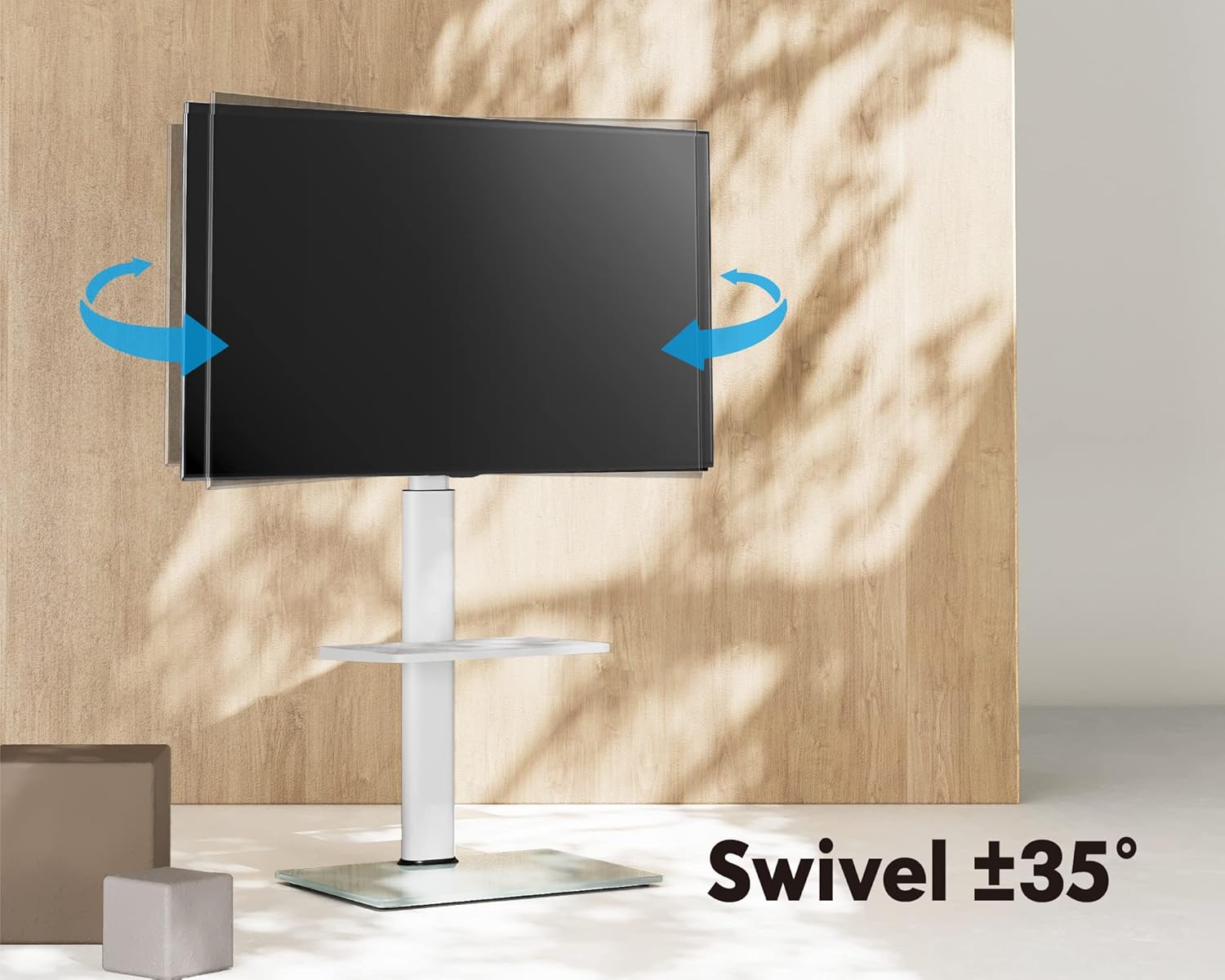
The TV stand offers a 35-degree swivel range for flexible viewing from different positions.
6. Maintenance
- Cleaning: Use a soft, dry cloth to clean the stand. For glass surfaces, a mild glass cleaner can be used. Avoid abrasive cleaners or solvents.
- Inspection: Periodically check all screws and connections to ensure they remain tight and secure.
- Relocation: When moving the stand, always lift it from the base. Do not drag it, especially on sensitive flooring.
7. Troubleshooting
- TV is not level: Check that the mounting bracket is evenly attached to the TV and that the stand's base is on a flat surface. Adjust the height mechanism if necessary.
- Stand feels unstable: Ensure all assembly screws are fully tightened. Verify the TV weight and VESA pattern are within the specified limits.
- Difficulty with height adjustment: Loosen the locking mechanism completely before attempting to adjust. Do not force the mechanism.
- Scratches on floor: Ensure the environmental foot pads are correctly installed on the base to protect your flooring.
8. Specifications
| Feature | Detail |
|---|---|
| Model Number | F02A2461A-KSA |
| Compatible TV Sizes | 32 - 60 inches |
| Maximum Load Capacity | 66 lbs (30 kg) |
| VESA Compatibility | 200x200mm to 600x400mm |
| Swivel Range | ±35 degrees |
| Height Adjustment | 41.7" to 48.8" (1060mm to 1240mm) |
| Material | Metal, Tempered Glass |
| Product Dimensions | 54.86 x 37.85 x 123.95 cm (21.6 x 14.9 x 48.8 inches) |
| Item Weight | 9.8 kg (21.6 lbs) |

Detailed dimensions of the TV stand and a chart indicating compatible VESA mounting patterns (200x200mm to 600x400mm) for TVs from 32 to 60 inches, with a maximum load of 66 lbs (30 kg).
9. Warranty and Support
FITUEYES products are designed for durability and performance. This product comes with a warranty of up to 10 years, covering manufacturing defects under normal use.
- Warranty Coverage: Covers defects in materials and workmanship. Does not cover damage due to improper assembly, misuse, or unauthorized modifications.
- Customer Service: For technical assistance, missing parts, or warranty claims, please contact FITUEYES customer support. We offer 24-hour global service.
- Contact Information: Refer to the FITUEYES official website or your purchase documentation for the most current contact details.


