Introduction
Thank you for choosing the WARSUN Y36 and Y39 LED Work Lights. These portable, rechargeable work lights are designed for various applications, including car repair, camping, and emergency situations. This manual provides essential information for the safe and effective use of your device. Please read it thoroughly before operation and retain it for future reference.

Image: WARSUN Y36 (yellow) and Y39 (orange) LED Work Lights.
Safety Information
To ensure safe operation, please observe the following precautions:
- Do not look directly into the LED light when it is on, as it can cause eye strain or damage.
- Keep the device away from water and moisture. This product is not water-resistant.
- Do not disassemble, repair, or modify the device. Contact authorized service personnel for any repairs.
- Keep out of reach of children.
- Use only the provided or recommended charging cables and adapters.
- Avoid exposing the device to extreme temperatures or direct sunlight for prolonged periods.
- Dispose of batteries and electronic components according to local regulations.
Product Overview
Familiarize yourself with the components of your WARSUN LED Work Light.

Image: WARSUN Y36 Component Diagram. This diagram illustrates the key features of the Y36 model, including the COB light panel, magnetic base, integrated hook, and USB port.

Image: WARSUN Y39 Component Diagram. This diagram highlights the COB panel, power switch, wall hanging hole, metal hook, strong magnet, and Micro USB port for the Y39 model.
- COB LED Panel: Provides bright, wide-angle illumination.
- Power Button: Controls power and switches between lighting modes.
- USB Input/Output Port: For charging the work light and for using it as a power bank.
- Magnetic Base: Allows attachment to metal surfaces for hands-free operation.
- Integrated Hook: For hanging the light in various locations.
- Bracket Design (Y36): Provides a stand for directional lighting.
- Wall Hanging Hole (Y39): For mounting on a wall.
Setup
Charging the Work Light
Before first use, fully charge your WARSUN LED Work Light.
- Locate the USB input/output port on the side of the work light.
- Connect the provided USB charging cable to the port and plug the other end into a suitable USB power source (e.g., wall adapter, computer USB port).
- The charging indicator light will illuminate red during charging.
- Once fully charged, the indicator light will turn green.

Image: Charging Indicator. The red light signifies that the device is currently charging, while the green light indicates that the battery is fully charged.
Using as a Power Bank
The work light can also be used to charge other devices.
- Connect your mobile phone or other electronic device to the USB output port of the work light using your device's charging cable.
- The work light's internal battery will begin charging your connected device.

Image: Power Bank Function. The Y36 work light can be used to charge mobile phones and other USB-powered devices.
Operating Instructions
Turning On and Changing Modes
The work light features multiple lighting modes:
- Press the power button once to turn on the light in High brightness mode.
- Press the power button again to switch to Medium brightness mode.
- Press the power button a third time to switch to Low brightness mode (or Strobe mode, depending on model).
- Press the power button a fourth time to turn off the light.
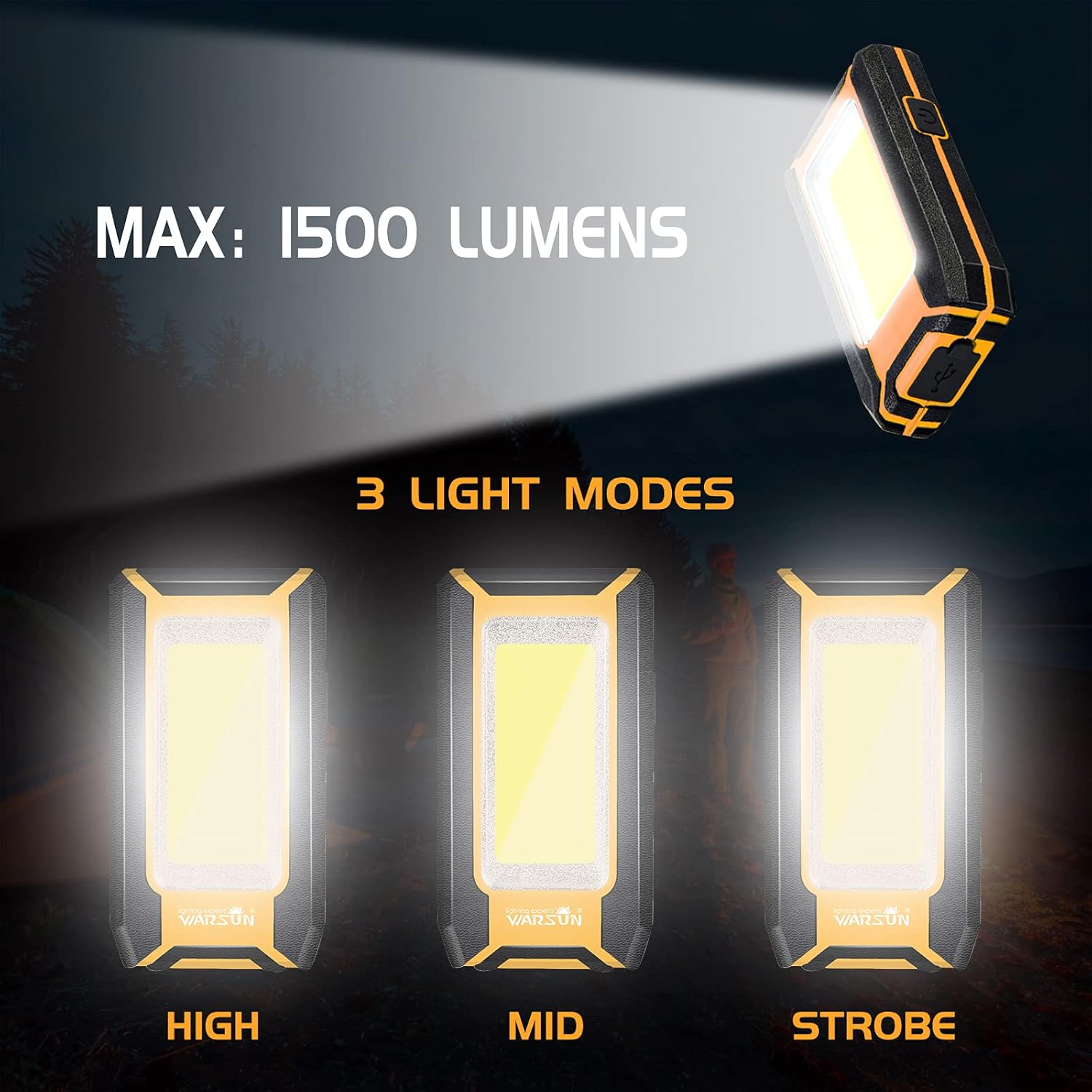
Image: Three Light Modes. The work light offers High, Mid, and Strobe (or Low) brightness settings for various needs.
Using the Magnetic Base
The strong magnetic base allows for hands-free operation.
- Attach the magnetic base to any ferrous metal surface, such as a car hood, metal beam, or workbench.
- Ensure the light is securely attached before releasing it.

Image: Magnetic Design in Use. The integrated magnet allows the light to be securely attached to metal surfaces, providing convenient hands-free illumination for tasks like car repair.
Using the Integrated Hook
The integrated hook provides additional mounting options.
- Extend the hook from the back of the work light.
- Hang the light on tents, pipes, or other suitable structures for overhead or directional lighting.

Image: Hook Design. The retractable hook allows for versatile hanging options, making it suitable for various environments.
Maintenance
Cleaning
- Ensure the device is turned off and disconnected from any power source before cleaning.
- Wipe the exterior of the work light with a soft, damp cloth.
- Do not use abrasive cleaners, solvents, or harsh chemicals, as these can damage the finish.
Storage
- Store the work light in a cool, dry place away from direct sunlight and extreme temperatures.
- If storing for an extended period, charge the battery to approximately 50% every 3-6 months to maintain battery health.
Troubleshooting
If you encounter issues with your WARSUN LED Work Light, refer to the table below:
| Problem | Possible Cause | Solution |
|---|---|---|
| Light does not turn on. | Battery is depleted. | Charge the work light fully. |
| Light is dim. | Battery is low. | Recharge the work light. |
| Cannot charge external device. | Work light battery is too low or cable is faulty. | Ensure work light is sufficiently charged. Try a different USB cable. |
| Charging indicator not working. | Charging cable or power source issue. | Try a different charging cable or USB power adapter. |
Specifications
| Feature | Detail |
|---|---|
| Brand | WARSUN |
| Models | Y36, Y39 |
| Light Source Type | COB LED |
| Brightness | Up to 1200 Lumens (Y36), Up to 1500 Lumens (Y39) |
| Power Source | Battery Powered (Rechargeable Lithium Ion) |
| Battery Capacity | 2 x 1800 mAh (Total 3600 mAh) |
| Voltage | 3.7 Volts (DC) |
| Material | Aluminum Alloy |
| Special Features | Durable, Portable, Rechargeable, Magnetic Base, Integrated Hook, Power Bank Function |
| Water Resistance Level | Not Water Resistant |
| Included Components | Battery |
Warranty and Support
WARSUN offers a 30-day money-back guarantee and a 1-year limited warranty for this product. For warranty claims or technical support, please refer to your purchase documentation or contact WARSUN customer service through the retailer where the product was purchased.


