1. Product Overview
The Sony KD32W830K is a 32-inch LED Smart TV designed to provide an immersive viewing experience with its vibrant display and integrated Google TV platform. This manual provides essential information for setting up, operating, and maintaining your television.
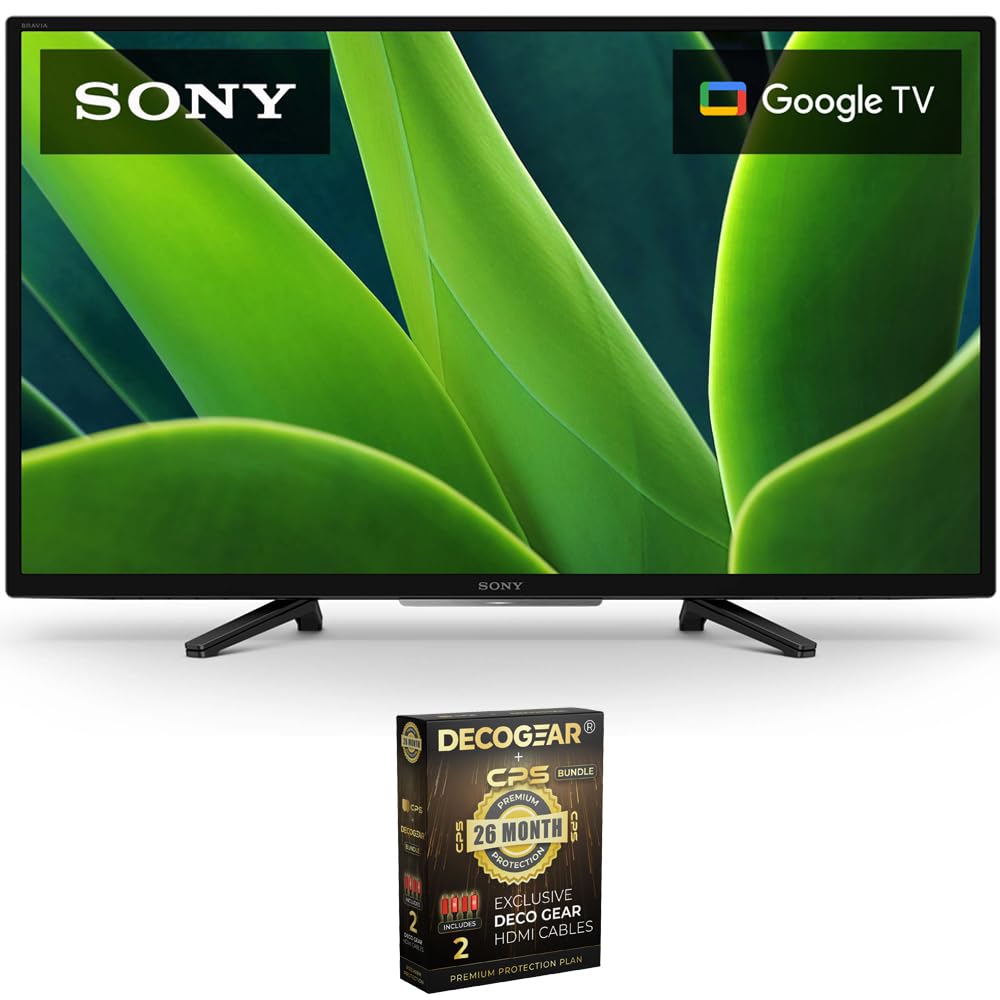
Figure 1: Front view of the Sony KD32W830K 32-inch LED TV.
2. What's in the Box
Upon unboxing your Sony KD32W830K TV, please ensure all the following components are present:
- Sony KD32W830K 32-inch LED TV
- Remote Control
- TV Stand (2 pieces)
- Power Cord
- Setup Guide
- Safety and Regulatory Information
3. Setup
3.1 Attaching the TV Stand
- Carefully place the TV screen-down on a soft, clean surface to prevent damage.
- Align each stand piece with the corresponding slots on the bottom of the TV.
- Secure the stands using the provided screws. Ensure they are tightened firmly.
3.2 Wall Mounting (Optional)
If you choose to wall-mount your TV, please refer to the instructions provided with your wall-mount bracket. Ensure the bracket is compatible with VESA mounting standards for a 32-inch TV and is installed by a qualified professional.
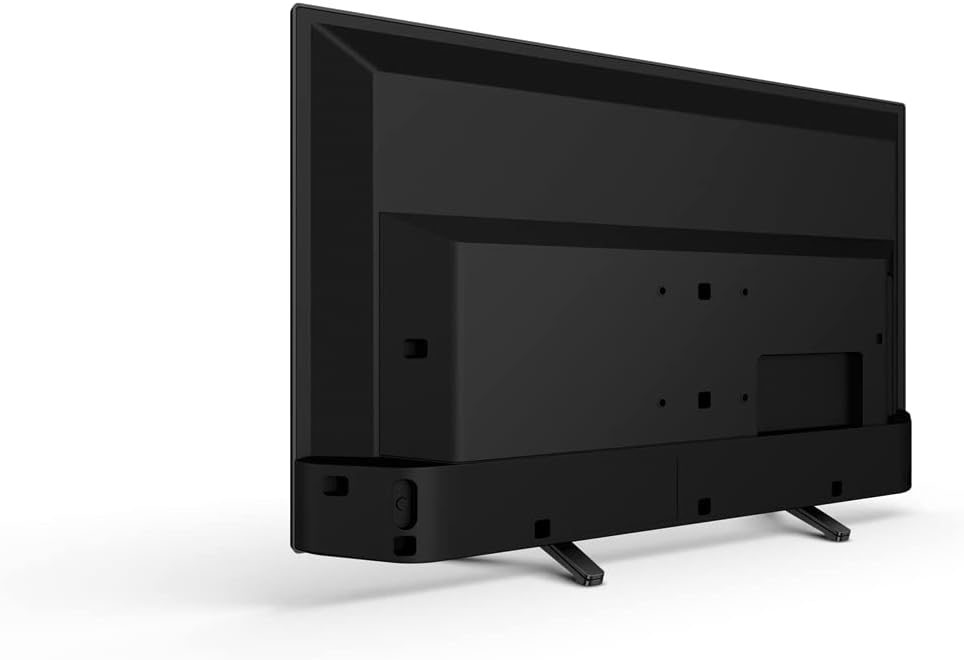
Figure 2: Rear view of the Sony KD32W830K TV, illustrating mounting points and port locations.
3.3 Connecting Peripherals
Connect your external devices (e.g., cable box, Blu-ray player, gaming console) to the appropriate ports on the TV. The Sony KD32W830K features multiple connectivity options:
- HDMI: For high-definition audio and video.
- USB: For connecting USB storage devices.
- Ethernet (LAN): For wired internet connection.
- Digital Audio Out (Optical): For connecting to external audio systems.
- Video In (RCA): For older analog devices.

Figure 3: Detailed view of the connectivity ports on the Sony KD32W830K TV.
3.4 Power On and Initial Setup
- Plug the power cord into the TV and then into a wall outlet.
- Press the power button on the remote control or on the TV itself.
- Follow the on-screen instructions to complete the initial setup, including language selection, network connection (Wi-Fi or Ethernet), and Google TV account setup.
4. Operating the TV
4.1 Remote Control Functions
The included remote control provides full functionality for navigating your Sony KD32W830K TV. Key features include:
- Power Button: Turns the TV on/off.
- Navigation Pad: For menu navigation.
- Volume/Channel Buttons: Adjusts volume and changes channels.
- Dedicated App Buttons: Quick access to popular streaming services like Netflix.
- Google Assistant Button: Activates voice control for searching content, controlling smart home devices, and more.
4.2 Voice Control with Google Assistant
Press the Google Assistant button on your remote and speak clearly into the remote's microphone to issue commands. For example, you can say, "Open Netflix," "Find action movies," or "What's the weather?"

Figure 4: Utilizing the voice control feature on the remote for seamless interaction with Google Assistant.
5. Picture Quality Features
The Sony KD32W830K is equipped with advanced technologies to enhance your viewing experience:
- LED Display: Provides bright and clear images.
- 720p Resolution: Delivers crisp and detailed visuals.
- 60Hz Refresh Rate: Ensures smooth motion for most content.
- HDR (High Dynamic Range): Enhances contrast and color accuracy, revealing more detail in bright and dark scenes.

Figure 5: Illustration of High Dynamic Range (HDR) technology enhancing picture contrast and color.
- X-Reality PRO: Upscales images to near 720p quality, sharpening and refining them for improved clarity.

Figure 6: X-Reality PRO processing for enhanced image detail and clarity.
- Motionflow XR: Reduces motion blur in fast-moving scenes, ensuring smooth and clear action.

Figure 7: Motionflow XR technology for smoother on-screen motion.
6. Smart TV Features (Google TV)
Your Sony KD32W830K comes with Google TV built-in, offering a personalized and intuitive smart TV experience:
- Personalized Content: Google TV organizes movies, shows, and live TV from all your apps and subscriptions into one central interface.
- App Access: Download and access thousands of apps from the Google Play Store, including popular streaming services like Netflix, Hulu, Disney+, and YouTube.

Figure 8: The Google TV home screen with content recommendations and app shortcuts.
- Kids Profiles: Create dedicated profiles for children with age-appropriate content and parental controls.

Figure 9: Google TV's dedicated kids profile interface.
7. Maintenance
7.1 Cleaning the TV
- Screen: Gently wipe the screen with a soft, lint-free cloth. For stubborn marks, slightly dampen the cloth with water or a specialized screen cleaner. Avoid harsh chemicals.
- Frame and Stand: Use a soft, dry cloth to wipe dust from the TV frame and stand.
7.2 Software Updates
Your TV will periodically receive software updates to improve performance and add new features. Ensure your TV is connected to the internet to receive these updates automatically. You can also manually check for updates in the TV's settings menu.
8. Troubleshooting
If you encounter issues with your TV, try the following common troubleshooting steps:
- No Power: Check if the power cord is securely plugged into both the TV and the wall outlet. Try a different outlet.
- No Picture/Sound: Ensure the correct input source is selected. Check all cable connections (HDMI, etc.) for looseness.
- No Internet Connection: Verify your Wi-Fi network is active. Restart your router and modem. For wired connections, check the Ethernet cable.
- Remote Not Responding: Replace the batteries in the remote control. Ensure there are no obstructions between the remote and the TV.
- Picture Quality Issues: Adjust picture settings (brightness, contrast, color) in the TV menu. Ensure the content source is high quality.
For persistent issues, consult the full user manual available online or contact Sony customer support.
9. Specifications
| Feature | Specification |
|---|---|
| Brand | Sony |
| Model Name | KD32W830K |
| Screen Size | 32 Inches |
| Display Technology | LED |
| Resolution | 720p |
| Refresh Rate | 60 Hz |
| Connectivity Technology | Bluetooth, Ethernet, HDMI, USB |
| Supported Internet Services | Amazon Instant Video, Hulu Plus, Pandora (and others via Google TV) |
| Aspect Ratio | 1.77:1 |
| Item Weight | 14.57 pounds |
| Package Dimensions | 31 x 20.9 x 6 inches |
| Color Name | Black |
| First Available Date | September 30, 2022 |

Figure 10: Dimensions of the Sony KD32W830K TV.
10. Warranty and Support
The Sony KD32W830K 32-inch LED TV includes a 2-Year Extended Warranty, providing additional peace of mind beyond the standard manufacturer's warranty. For warranty claims or technical assistance, please refer to the warranty documentation included with your product or visit the official Sony support website.

Figure 11: The Sony KD32W830K TV, highlighting the included 2-year extended warranty.


