
1. Introduction
Thank you for choosing the Xiaomi MI A2 L50M7 50-inch 4K UHD LED Smart TV. This manual provides essential information for the safe and efficient use of your television. Please read it thoroughly before operating the device and retain it for future reference.
2. Safety Information
- Power Supply: Ensure the TV is connected to a power outlet with the correct voltage as indicated on the product label.
- Ventilation: Do not block ventilation openings. Allow adequate space around the TV for proper airflow to prevent overheating.
- Water and Moisture: Do not expose the TV to rain, moisture, or place objects filled with liquids on or near the TV.
- Cleaning: Unplug the TV before cleaning. Use a soft, dry cloth. Avoid liquid cleaners or aerosol sprays.
- Placement: Place the TV on a stable, level surface to prevent it from falling. Keep it away from direct sunlight, heat sources, and strong magnetic fields.
- Servicing: Do not attempt to service the TV yourself. Refer all servicing to qualified service personnel.
3. Package Contents
Verify that all items are present in the package:
- Xiaomi MI A2 L50M7 50-inch 4K UHD LED Smart TV
- Remote Control (2 AAA batteries included)
- Power Cable
- TV Stand (2 pieces)
- Screws for TV Stand
- User Manual (this document)
4. Setup
4.1 Unpacking
Carefully remove the TV from its packaging. It is recommended to have two people for this process due to the size and weight of the television. Retain the packaging materials for future transport or servicing.
4.2 Attaching the TV Stand
Place the TV face down on a soft, clean surface to prevent screen damage. Align the stand pieces with the corresponding slots on the bottom of the TV and secure them with the provided screws.

Image: The Xiaomi MI A2 L50M7 TV shown with its two-piece stand securely attached, ready for placement on a flat surface.
4.3 Connecting Power
Plug the power cable into the TV's power input, then plug the other end into a wall outlet. Do not power on the TV yet.
4.4 Connecting External Devices
Connect your external devices such as set-top boxes, gaming consoles, or Blu-ray players to the HDMI ports. Use the USB ports for external storage devices. For antenna or cable TV, connect the coaxial cable to the ANTENNA IN port.
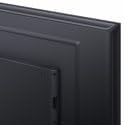
Image: A close-up view of the back panel of the Xiaomi MI A2 L50M7 TV, highlighting the various input and output ports for connecting external devices.
4.5 Initial Setup Wizard
After connecting all devices and power, press the power button on the remote control or TV. The TV will guide you through the initial setup process, including:
- Language Selection: Choose your preferred language.
- Network Connection: Connect to your home Wi-Fi network.
- Channel Scan: Scan for available digital and analog channels.
- Google Account Setup: Sign in with your Google account to access Smart TV features and apps.
5. Operating
5.1 Remote Control Overview
The remote control allows you to navigate the TV's functions. Insert the two AAA batteries into the remote control, ensuring correct polarity.

Image: The sleek black remote control for the Xiaomi MI A2 L50M7 TV, featuring various buttons for power, volume, channel, navigation, and smart TV functions.
5.2 Basic Functions
- Power: Press the power button to turn the TV on or off.
- Volume: Use the Volume Up/Down buttons to adjust the sound level.
- Channel: Use the Channel Up/Down buttons to change TV channels.
- Input: Press the Input button to select different input sources (HDMI 1, HDMI 2, AV, etc.).
5.3 Smart TV Features
Your Xiaomi MI A2 L50M7 is a Smart TV with built-in Wi-Fi, allowing access to a variety of online content and applications. Navigate the Smart TV interface using the remote control's directional pad and OK button.
- Apps: Access pre-installed apps or download new ones from the app store.
- Streaming: Enjoy content from popular streaming services.
- Internet Browsing: Use the built-in web browser to surf the internet.
5.4 Picture and Sound Settings
Access the TV's settings menu to customize picture and sound preferences. You can adjust brightness, contrast, color, sound mode, equalizer settings, and more to suit your viewing environment.
6. Maintenance
6.1 Cleaning the Screen
Gently wipe the screen with a soft, lint-free cloth. For stubborn marks, slightly dampen the cloth with water or a specialized screen cleaner (ensure it's safe for LED screens) and wipe gently. Do not apply pressure.
6.2 Cleaning the TV Body
Use a soft, dry cloth to wipe the TV's casing. Avoid abrasive materials or chemical cleaners that could damage the finish.
6.3 Software Updates
Periodically check for software updates through the TV's settings menu. Keeping your TV's software up-to-date ensures optimal performance and access to the latest features and security patches.
7. Troubleshooting
| Problem | Possible Solution |
|---|---|
| No power | Check if the power cable is securely connected to both the TV and the wall outlet. Ensure the outlet is functional. |
| No picture, but sound is present | Verify the correct input source is selected. Check cable connections to external devices. |
| No sound, but picture is present | Check the volume level and ensure the TV is not muted. Verify audio cable connections for external devices. |
| Remote control not working | Replace the batteries. Ensure there are no obstructions between the remote and the TV's IR sensor. |
| Cannot connect to Wi-Fi | Ensure your Wi-Fi router is on and within range. Re-enter the Wi-Fi password. Try restarting both the TV and the router. |
8. Specifications

Image: The Xiaomi MI A2 L50M7 50-inch 4K UHD LED Smart TV displaying a vibrant image, showcasing its slim bezels and modern design.
- Model: L50M7
- Screen Size: 50 inches
- Resolution: 4K Ultra HD (3840 x 2160)
- Display Technology: LED
- Smart TV Features: Yes, with Wi-Fi connectivity
- Dimensions (Product): Approximately 8 x 14.4 x 76 cm (This dimension appears to be for a component or packaging, please refer to product packaging for full TV dimensions)
- Weight (Product): 12.1 kg
- Remote Control Batteries: 2 x AAA (included)
- ASIN: B0B3254FHN
- Item Number: L50M7-EAEU
9. Warranty and Support
For warranty information, please refer to the warranty card included with your product or visit the official Xiaomi website. For technical support or service inquiries, please contact Xiaomi customer service through their official channels.


