
Alecto FR115
Alecto FR-115RD Kids Walkie Talkie Set - Instruction Manual
Model: FR115
Introduction
Welcome to the Alecto FR-115RD Kids Walkie Talkie Set instruction manual. This guide provides essential information for setting up, operating, maintaining, and troubleshooting your new walkie-talkies. Designed for children, these walkie-talkies offer reliable communication with a range of up to 7 kilometers, featuring an integrated flashlight and an illuminated display.
What's in the Box
- 2 x Alecto FR-115RD Walkie Talkies
- 2 x Belt Clips
- Instruction Manual (this document)
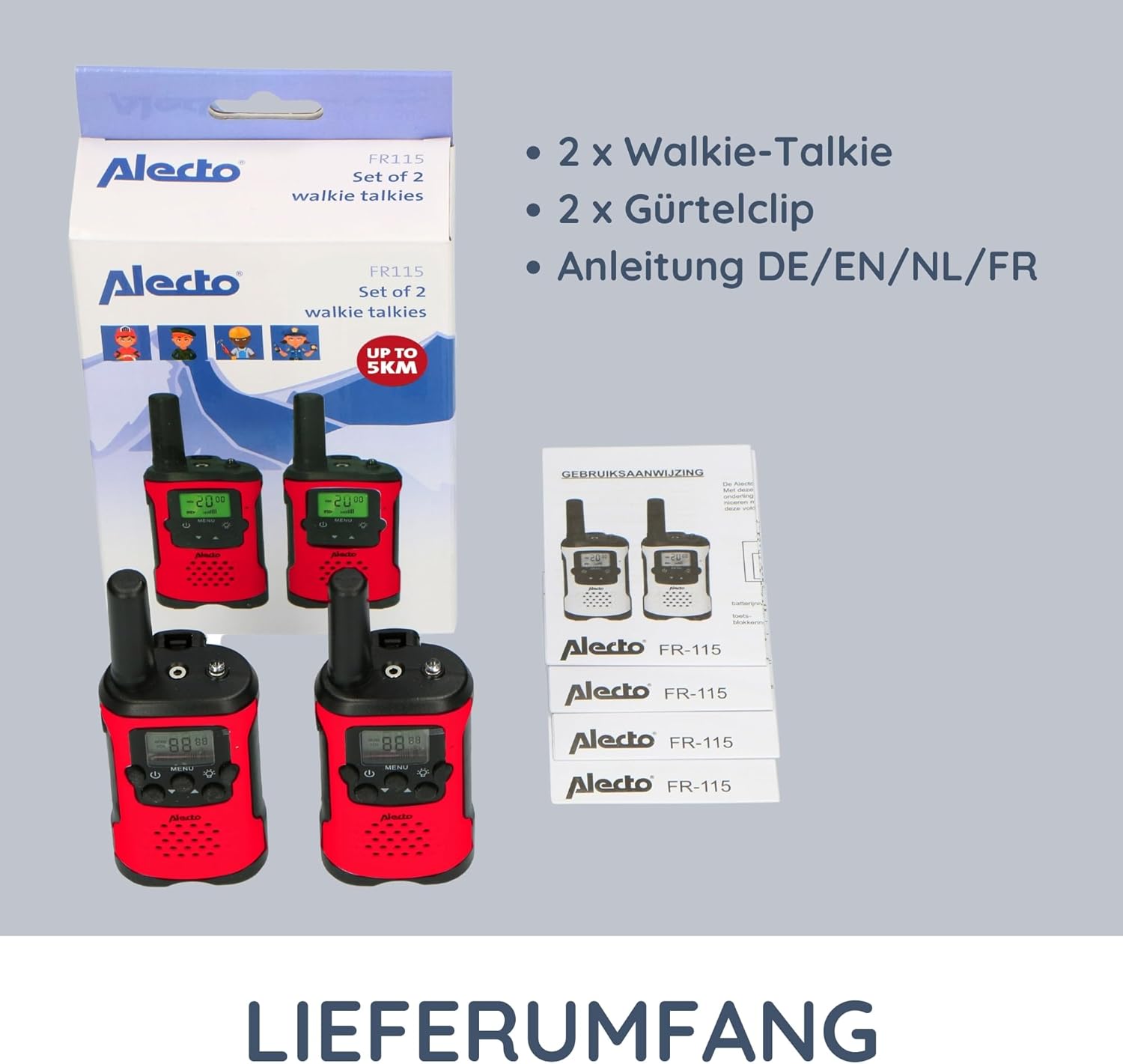
Image: The complete contents of the Alecto FR-115RD package, including the two walkie-talkies, their respective belt clips, and the instruction manual.
Setup
Battery Installation
The Alecto FR-115RD walkie-talkies require 3 AAA batteries each (not included).
- Locate the battery compartment cover on the back of the walkie-talkie.
- Slide or unclip the cover to open.
- Insert 3 AAA batteries, ensuring correct polarity (+ and -).
- Close the battery compartment cover securely.
Note: A battery warning indicator will appear on the display when batteries are low.
Attaching the Belt Clip
Each walkie-talkie comes with a removable belt clip for convenient carrying.
- Align the belt clip with the slot on the back of the walkie-talkie.
- Slide the clip downwards until it clicks into place.
- To remove, push the release tab (if present) and slide the clip upwards.
Operating Instructions
Power On/Off
Press and hold the Power button (usually marked with a power symbol) to turn the walkie-talkie on or off.
Channel Selection
The FR-115RD features 8 main channels. To change channels:
- Press the MENU button. The channel number will flash.
- Use the Up/Down buttons to select your desired channel (1-8).
- Press the MENU button again to confirm, or wait a few seconds for it to auto-confirm.
For optimal communication, ensure both walkie-talkies are on the same channel.
Sub-Tone (CTCSS) Selection
The device supports 38 CTCSS codes to reduce interference from other users on the same channel.
- Press the MENU button twice. The sub-tone code will flash.
- Use the Up/Down buttons to select your desired CTCSS code (0-38).
- Press the MENU button again to confirm.
Both walkie-talkies must have the same channel and CTCSS code for communication.
Transmitting and Receiving
To transmit (speak): Press and hold the Push-to-Talk (PTT) button (usually on the side of the device). Speak clearly into the microphone. Release the PTT button to listen.
To receive: Ensure the PTT button is not pressed. The walkie-talkie will automatically receive signals on the selected channel.
Volume Adjustment
Use the Up/Down buttons (when not in menu mode) to adjust the speaker volume.
Integrated Flashlight
Press the Flashlight button (usually marked with a light bulb icon) to turn the integrated flashlight on or off. Useful in low-light conditions.
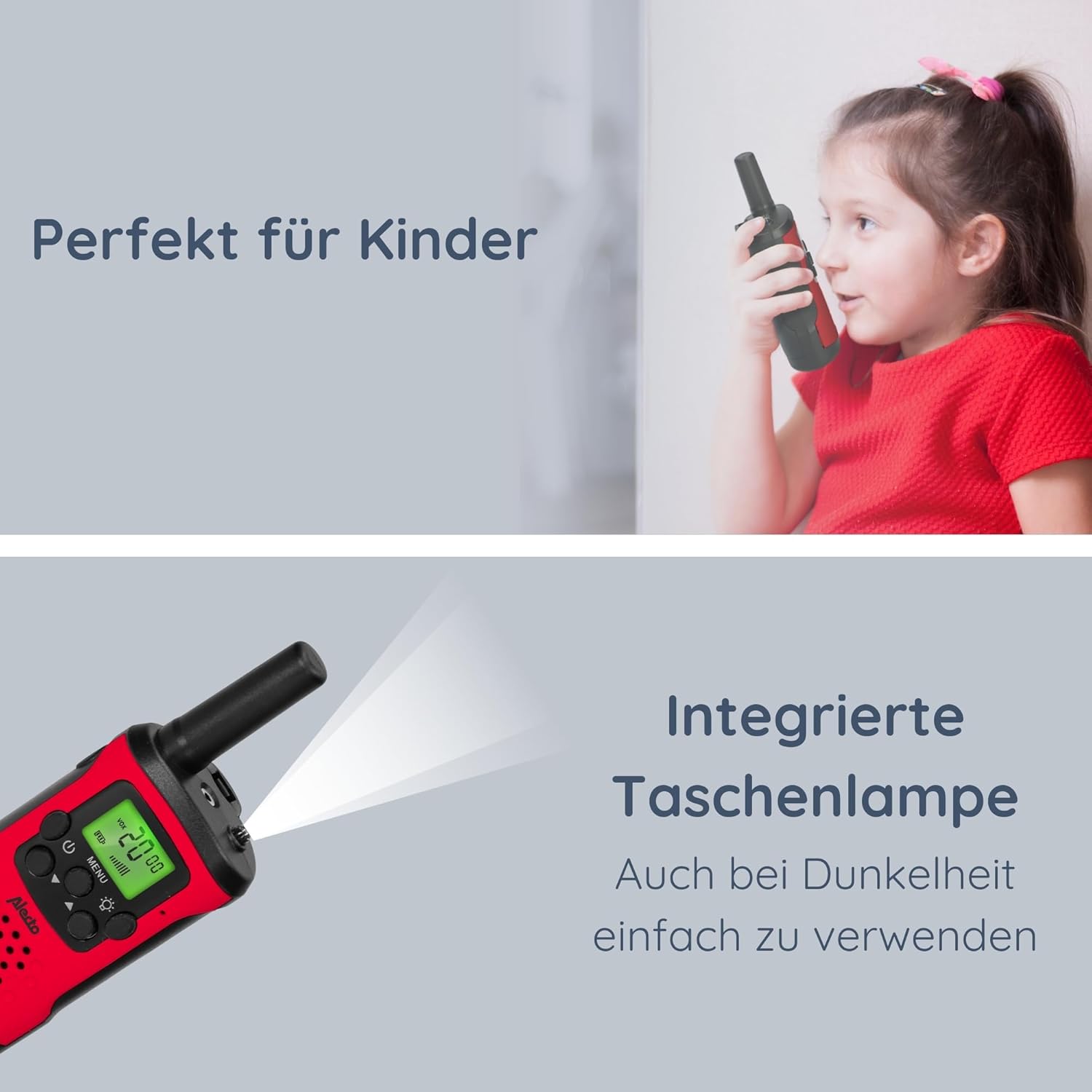
Image: The Alecto FR-115RD walkie-talkie in use by a child, highlighting the integrated flashlight feature for visibility in dark environments.

Image: The illuminated LCD display of the Alecto FR-115RD, showing channel and VOX status, emphasizing its readability and the voice-activated transmission feature.
VOX Function (Voice-Activated Transmission)
The VOX function allows for hands-free transmission. When activated, the walkie-talkie will transmit automatically when it detects your voice.
- Press the MENU button three times. "VOX" will appear on the display.
- Use the Up/Down buttons to select the VOX sensitivity level (e.g., 1-3, with 3 being most sensitive) or "OFF" to disable.
- Press the MENU button to confirm.
When VOX is active, the walkie-talkie will only transmit when speech is detected.
Headphone Output
A 2.5 mm headphone output is available for private listening. Connect compatible headphones (not included) to this port.
Maintenance
Cleaning
Wipe the walkie-talkies with a soft, damp cloth. Do not use abrasive cleaners or solvents.
Storage
If storing for extended periods, remove the batteries to prevent leakage and damage.
Store in a cool, dry place away from direct sunlight and extreme temperatures.
Water Resistance
These walkie-talkies are not waterproof. Avoid exposure to rain, splashes, or submersion in water.
Troubleshooting
| Problem | Possible Cause | Solution |
|---|---|---|
| No power | Batteries are dead or incorrectly installed. | Replace batteries or check polarity. |
| Cannot communicate with other walkie-talkie | Different channels or CTCSS codes. Out of range. | Ensure both units are on the same channel and CTCSS code. Move closer to the other unit. |
| Poor sound quality / Static | Weak signal. Interference. Low battery. | Move to an open area. Change channel/CTCSS. Replace batteries. |
| Flashlight not working | Low battery. Faulty button. | Replace batteries. If problem persists, contact support. |
Specifications
- Model: FR115
- Brand: Alecto
- Color: Red
- Dimensions: 3 x 4.9 x 12.9 cm (L x W x H)
- Weight: 224 grams (per set, approximate)
- Power Source: 3 x AAA batteries (per unit)
- Voltage: 4.5 V DC
- Number of Channels: 8 main channels
- CTCSS Codes: 38
- Frequency Range: 446 MHz
- Max. Speaking Range: Up to 7 kilometers (in optimal conditions)
- Special Features: Integrated flashlight, Illuminated LCD display, VOX function, 2.5 mm Headphone output
- Water Resistance: Not waterproof
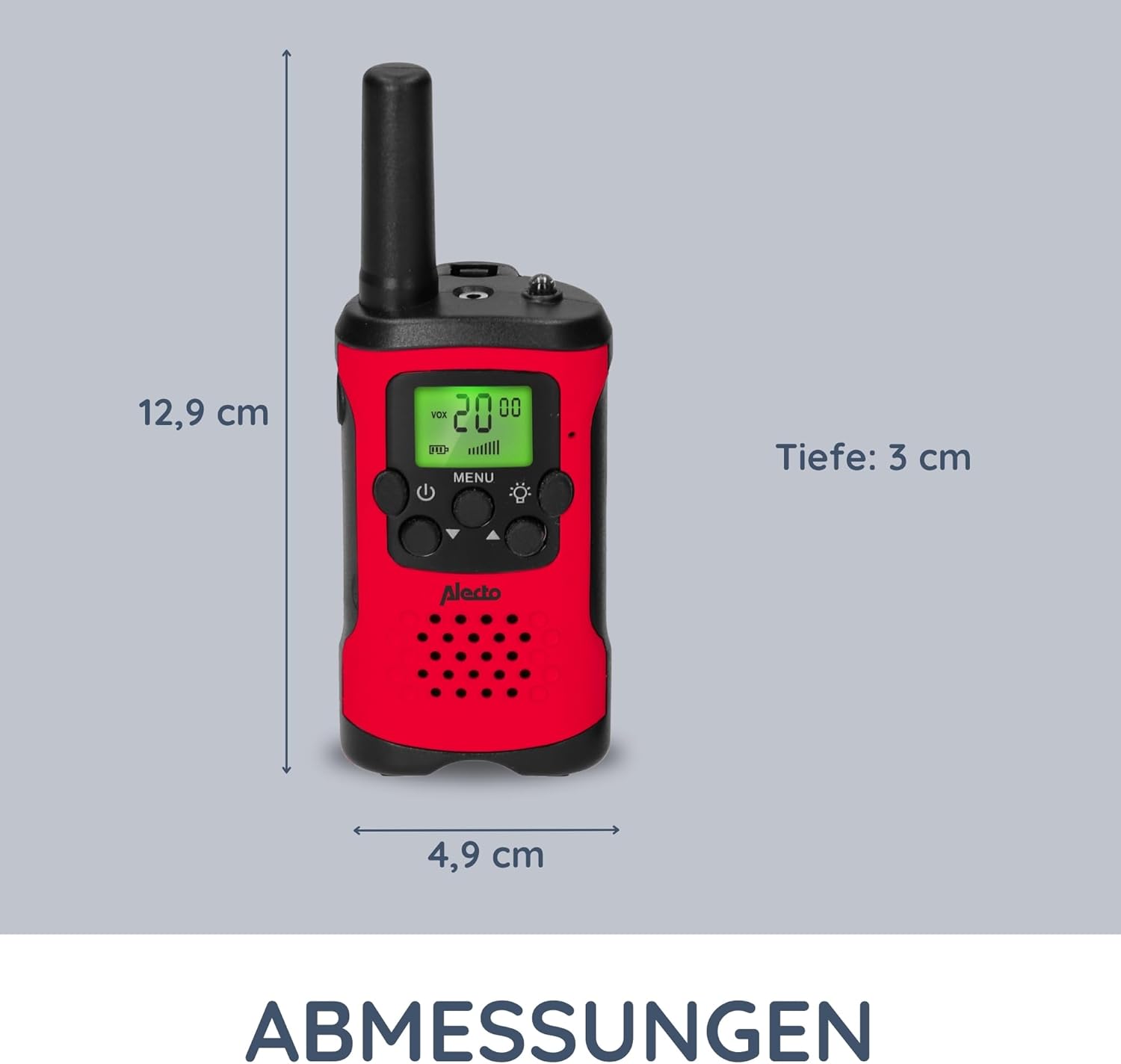
Image: Detailed dimensions of the Alecto FR-115RD walkie-talkie for reference.

Image: Overview of the main benefits and features of the Alecto FR-115RD walkie-talkies.

Image: Visual representation of the impressive 7-kilometer communication range of the walkie-talkies.
Warranty and Support
For warranty information or technical support, please refer to the official Alecto website or contact their customer service directly. Keep your purchase receipt as proof of purchase.
Alecto Baby is committed to providing reliable products and support. You can find more information and contact details on the Alecto Brand Store.
Related documentsFR115


Ask a question about this manual
Ask about setup, troubleshooting, compatibility, parts, safety, or missing instructions. Manuals+ will review the question and use this page’s manual context to help answer it.