
Frizzlife PD800-TAM4
Frizzlife PD800-TAM4 Reverse Osmosis Water Filtration System User Manual
Model: PD800-TAM4
1. Introduction
This manual provides detailed instructions for the installation, operation, and maintenance of your Frizzlife PD800-TAM4 Reverse Osmosis Water Filtration System. This under-sink system is designed to provide high-quality, alkaline, and remineralized drinking water with a high flow rate and efficient wastewater ratio.
The PD800-TAM4 system features a 7-layer filtration process with 0.0001 micron accuracy, effectively removing over 1000 types of contaminants including chlorine, fluoride, lead, heavy metals, arsenic, chloramine, TDS, lime scale, and VOCs. The TAM4 post-filter remineralizes the water and adjusts the pH to over 7.5.
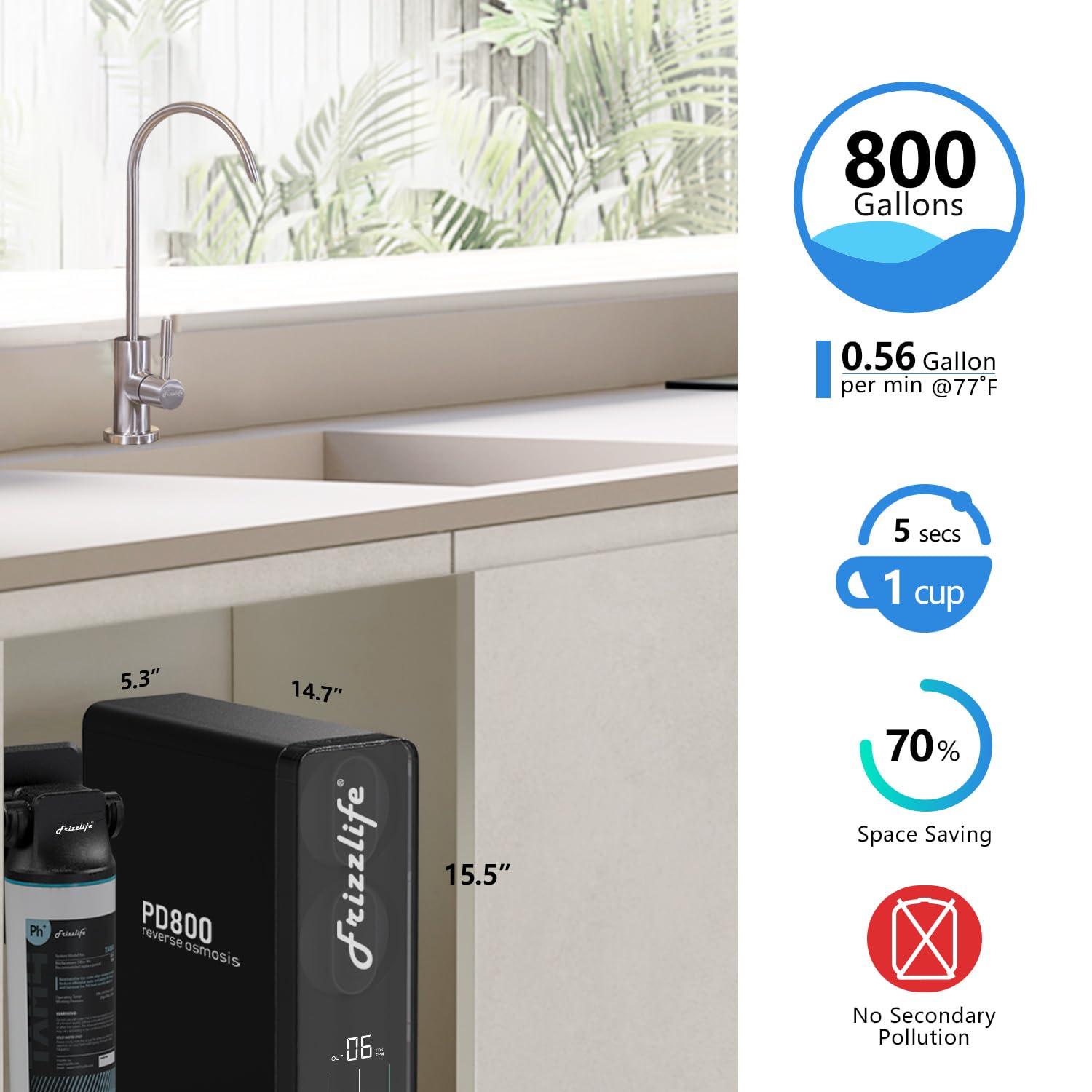
Key features include a 2:1 ultra-low drain ratio for significant water savings, a high flow rate of 3028 liters per day (2.11 liters per minute), real-time TDS monitoring, and a tankless design to prevent secondary contamination and save under-sink space.
2. Safety Information
- Read all instructions carefully before installation and use.
- Ensure all connections are secure to prevent leaks.
- Do not operate the system outside the specified operating pressure range of 20-80 PSI.
- Do not operate the system outside the specified temperature range of 4-38 degrees Celsius.
- Only use genuine Frizzlife replacement filters to ensure proper performance and avoid damage.
- Disconnect power before performing any maintenance or filter changes.
- Keep the system away from direct sunlight and heat sources.
- This system is for cold water use only.
3. Package Contents
Verify that all components are present before beginning installation:
- Frizzlife PD800-TAM4 Main Unit
- RO Faucet
- Filter Cartridges (Pre-installed or separate)
- Tubing and Connectors
- Feed Water Adapter
- Drain Saddle
- Power Adapter
- User Manual
4. Specifications
| Feature | Specification |
|---|---|
| Brand | Frizzlife |
| Model Name | PD800-TAM4 |
| Purification Method | Reverse Osmosis |
| Special Features | Alkaline and Remineralization, NSF/ANSI 42&58&372 Standards, TDS Reduction, 800 GPD High Flow, Filter Replacement Indicator |
| Product Dimensions (L x W x H) | 37.3 x 13.4 x 39.4 cm (14.7 x 5.3 x 15.5 inches) |
| Material | Polyamide, Stainless Steel |
| Capacity | 800 Gallons Per Day (GPD) |
| Installation Type | Under Sink |
| Power Source | Electric Corded |
| Lower Temperature Range | 4 Degrees Celsius |
| Upper Temperature Range | 38 Degrees Celsius |
| Operating Pressure Range | 20-80 PSI |
| Max Supported Water TDS Level | 500 ppm |
| Item Weight | 30.8 Pounds |
| UPC | 850040788150 |
5. Installation
The Frizzlife PD800-TAM4 system is designed for DIY-friendly installation with fewer connection points. Installation typically takes less than 30 minutes.
Installation Steps:
- Prepare the Installation Area: Clear the under-sink cabinet space. Ensure you have access to the cold water line, drain pipe, and a power outlet.
- Install the RO Faucet: Drill a hole in your sink or countertop (if not already present) and install the dedicated RO faucet according to the instructions provided with the faucet.
- Connect the Feed Water Adapter: Shut off the cold water supply. Disconnect the cold water line from your kitchen faucet. Install the feed water adapter to the cold water supply valve, then reconnect the kitchen faucet line to the adapter.
- Install the Drain Saddle: Attach the drain saddle to the drain pipe under your sink, ensuring it is above the P-trap. Drill a small hole through the drain pipe at the saddle location.
- Connect Tubing: Connect the appropriate tubing from the feed water adapter to the system's inlet, from the system's purified water outlet to the RO faucet, and from the system's drain outlet to the drain saddle.
- Insert Filter Cartridges: Ensure all filter cartridges are securely installed in the main unit.
- Connect Power: Plug the power adapter into the system and then into a grounded electrical outlet.
- Flush the System: Turn on the cold water supply. Open the RO faucet and allow water to run for at least 30 minutes to flush the system and remove any air or carbon fines. Check for leaks during this process.


6. Operation
Once installed and flushed, your Frizzlife PD800-TAM4 system is ready for use. The system operates automatically to provide purified water on demand.
Real-time TDS Monitoring:
The integrated smart panel on the front of the unit provides real-time information about your water quality. It displays the Total Dissolved Solids (TDS) levels of both the incoming tap water and the outgoing purified RO water. A lower TDS reading for the purified water indicates effective filtration.

Filter Life Indicators:
The smart panel also features color-coded indicators that show the remaining lifespan of each filter cartridge. These indicators will remind you when it is time to replace a filter, ensuring consistent water quality.
Water Flow:
To dispense purified water, simply open the dedicated RO faucet. The system provides a strong and stable flow of up to 2.11 liters per minute, allowing you to fill an 8oz cup in approximately 7 seconds.

7. Maintenance
Regular maintenance, primarily filter replacement, is crucial for the optimal performance and longevity of your Frizzlife PD800-TAM4 system.
Filter Replacement:
The system features a simple twist-and-replace mechanism for filter changes. The filter life indicators on the smart panel will alert you when a filter needs to be replaced. Typically, filter cartridges should be replaced every 2 years or after 2 uses, depending on water quality and usage.
- Turn off Water Supply: Close the cold water supply valve connected to the system.
- Release Pressure: Open the RO faucet to release any pressure in the system.
- Twist and Remove: Gently twist the old filter cartridge counter-clockwise to unlock and remove it from the housing.
- Insert New Filter: Remove the packaging from the new filter cartridge. Insert it into the housing and twist clockwise until it locks securely into place.
- Restore Water Supply: Slowly open the cold water supply valve.
- Flush New Filter: Open the RO faucet and allow water to run for several minutes to flush the new filter. Check for any leaks.
- Reset Filter Indicator: Follow the instructions in your quick start guide to reset the filter life indicator on the smart panel for the replaced filter.

System Cleaning:
Periodically wipe down the exterior of the system with a clean, damp cloth. Do not use harsh chemicals or abrasive cleaners.
8. Filtration Details
The Frizzlife PD800-TAM4 employs a multi-stage filtration process to ensure comprehensive water purification.

Contaminant Reduction:
The system is certified to reduce a wide range of contaminants, providing safe and clean drinking water.
Water Efficiency:
The innovative 2:1 pure to drain ratio significantly reduces wastewater compared to traditional RO systems, contributing to water conservation.

9. Troubleshooting
This section addresses common issues you might encounter with your Frizzlife PD800-TAM4 system.
No Water Flow or Slow Flow:
- Check Water Supply: Ensure the cold water supply valve is fully open.
- Check Power: Verify the system is plugged in and receiving power.
- Clogged Filters: Check the filter life indicators on the smart panel. Replace any expired or clogged filters.
- Kinked Tubing: Inspect all tubing for kinks or blockages.
Leaking:
- Check Connections: Ensure all tubing connections are secure and properly seated.
- Filter Installation: Verify that filter cartridges are correctly installed and twisted into place.
- O-Rings: Inspect O-rings on filter housings for damage or improper seating.
Poor Water Quality (High TDS):
- Flush System: If recently installed or filters changed, flush the system for a longer period.
- Check RO Membrane: The RO membrane (typically the last filter in the main unit) may be exhausted. Replace it if the filter life indicator suggests it.
- Water Pressure: Ensure your incoming water pressure is within the recommended range (20-80 PSI). Low pressure can affect RO performance.
If you encounter an issue not listed here or if troubleshooting steps do not resolve the problem, please contact Frizzlife customer support.
10. Warranty and Support
Your Frizzlife PD800-TAM4 Reverse Osmosis Water Filtration System is manufactured by Frizzlife. For specific warranty details, including coverage period and terms, please refer to the warranty card included with your product or visit the official Frizzlife website.
For technical assistance, troubleshooting, or to inquire about replacement parts and filters, please contact Frizzlife customer support directly. Contact information can typically be found on the manufacturer's website or on the product packaging.
Related documentsPD800-TAM4


Ask a question about this manual
Ask about setup, troubleshooting, compatibility, parts, safety, or missing instructions. Manuals+ will review the question and use this page’s manual context to help answer it.