
Autel BT506
Autel MaxiBAS BT506 Car Battery Tester User Manual
Model: BT506 | Brand: Autel
1. Introduction
The Autel MaxiBAS BT506 is an advanced battery and electrical system analysis tool designed for comprehensive testing of 6V and 12V vehicle batteries, as well as 12V and 24V cranking/charging systems. Utilizing adaptive conductance technology, it provides accurate and detailed insights into battery health and performance.
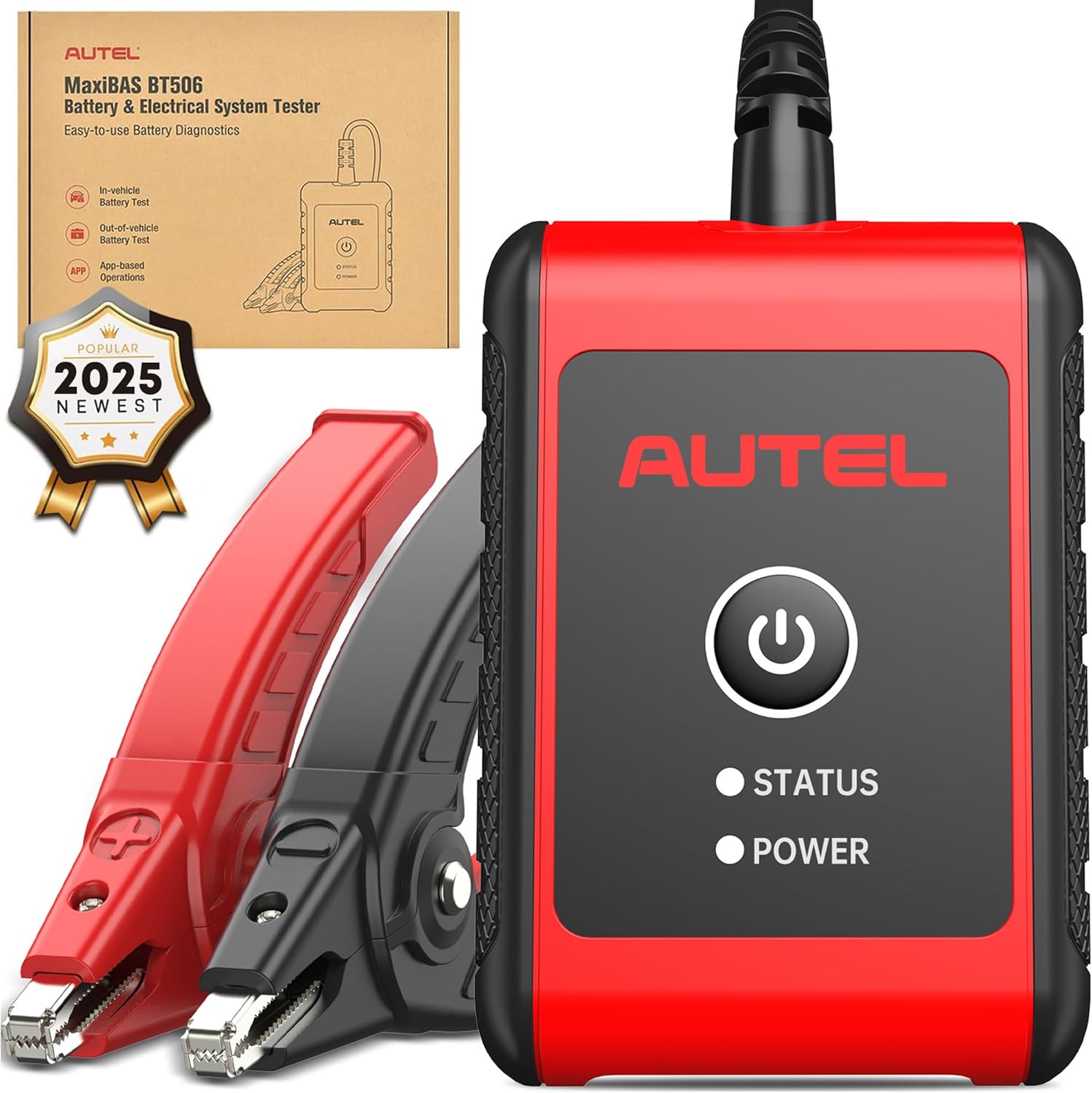
Image: The Autel MaxiBAS BT506 unit with its red and black battery clamps, alongside its retail packaging.
2. Key Features
- Comprehensive Battery Analysis: Tests 6V/12V batteries (FLOODED, AGM, AGM Spiral, EFB, GEL) with 100-2000 CCA capacity, adhering to CCA, SAE, CA, EN, IEC, DIN, JIS, and MCA standards.
- Cranking and Charging System Tests: Evaluates starting system condition (voltage, current, run-up time) and charging system performance (current, no-load/load voltage, ripple).
- Advanced Adaptive Conductance: Provides high-precision results, identifies cold cranking ability, tests low capacity/discharged batteries, and minimizes misjudgment rates.
- Smartphone & Autel Scanner Compatibility: Operates via a free mobile app (iOS/Android) or integrates with compatible Autel wireless scanners.
- User-Friendly Operation: Open system for easy connection, on-screen instructions, and clear data display.
- Reporting & Data Management: Easy viewing, sharing, and printing of test reports; accurate battery location diagrams; record of test records and data logging.
- Lifetime Free Software Updates: Ensures the device remains up-to-date with the latest features and vehicle coverage.
3. What's in the Box
- MaxiBAS BT506 Tester
Note: The BT506 comes with a lithium rechargeable battery. A USB charging cable is required but may not be included.
4. Setup and Connection
4.1. App Installation and Account Registration
- Download and install the MaxiAP200 App (or "Battery Test" app) from the App Store (iOS) or Google Play (Android) on your mobile device.
- Register and log into your Autel account within the app. If you do not have an account, you can create one directly from the app.

Image: A smartphone displaying the steps to download the "Battery Test" app, register, and log in to an Autel account.
4.2. Device Pairing (Smartphone)
- Scan the QR code located on the back of the BT506 unit using the app to bind the device with your smartphone.
- Press and hold the power button on the BT506 tester to turn it on.
- In the app, navigate to the "Me" icon at the bottom of the screen, then select "BAS Manager" to ensure successful connection and firmware updates.

Image: A smartphone scanning the QR code on the back of the BT506 unit for Bluetooth pairing.
4.3. Device Pairing (Autel Scanner)
- On your Autel scanner, open the "VCI Manager" app.
- Bind the BT506 with your scanner.
- Open the "Battery Test" app on the scanner to begin testing.

Image: The Autel BT506 connected to a car battery, with a smartphone showing the app interface and various Autel scanners in the background, illustrating compatibility.
4.4. Connecting to the Battery
Connect the red (positive) clamp to the positive (+) battery terminal and the black (negative) clamp to the negative (-) battery terminal. The clamps are polarity protected, meaning incorrect connection will not damage the device, but the tester will indicate an error.

Image: The Autel BT506 connected to a car battery, highlighting its compatibility with 6V/12V batteries and 100-2000 CCA range, along with various battery types.
5. Operating Instructions
5.1. Out-of-Vehicle Battery Test
- Connect the BT506 to the battery as described in Section 4.4.
- In the app, select "Out-of-Vehicle Test".
- Input the battery voltage (e.g., 12V), type (e.g., FLOODED, AGM), standard (e.g., CCA), and capacity (e.g., 370 CCA).
- Tap "Start Testing". The app will display the battery's State of Health (SOH), State of Charge (SOC), voltage, measured capacity, and recommendations (e.g., "Good & Recharge").

Image: A smartphone screen illustrating the four-step process to use the Autel BT506: download app, register/login, scan QR for pairing, and start battery test.
5.2. In-Vehicle Test (Battery, Cranking, Charging System)
For in-vehicle tests, ensure the BT506 is connected to the battery and the VCI is plugged into the vehicle's OBD2 port (if using a scanner) or the app is connected via Bluetooth.
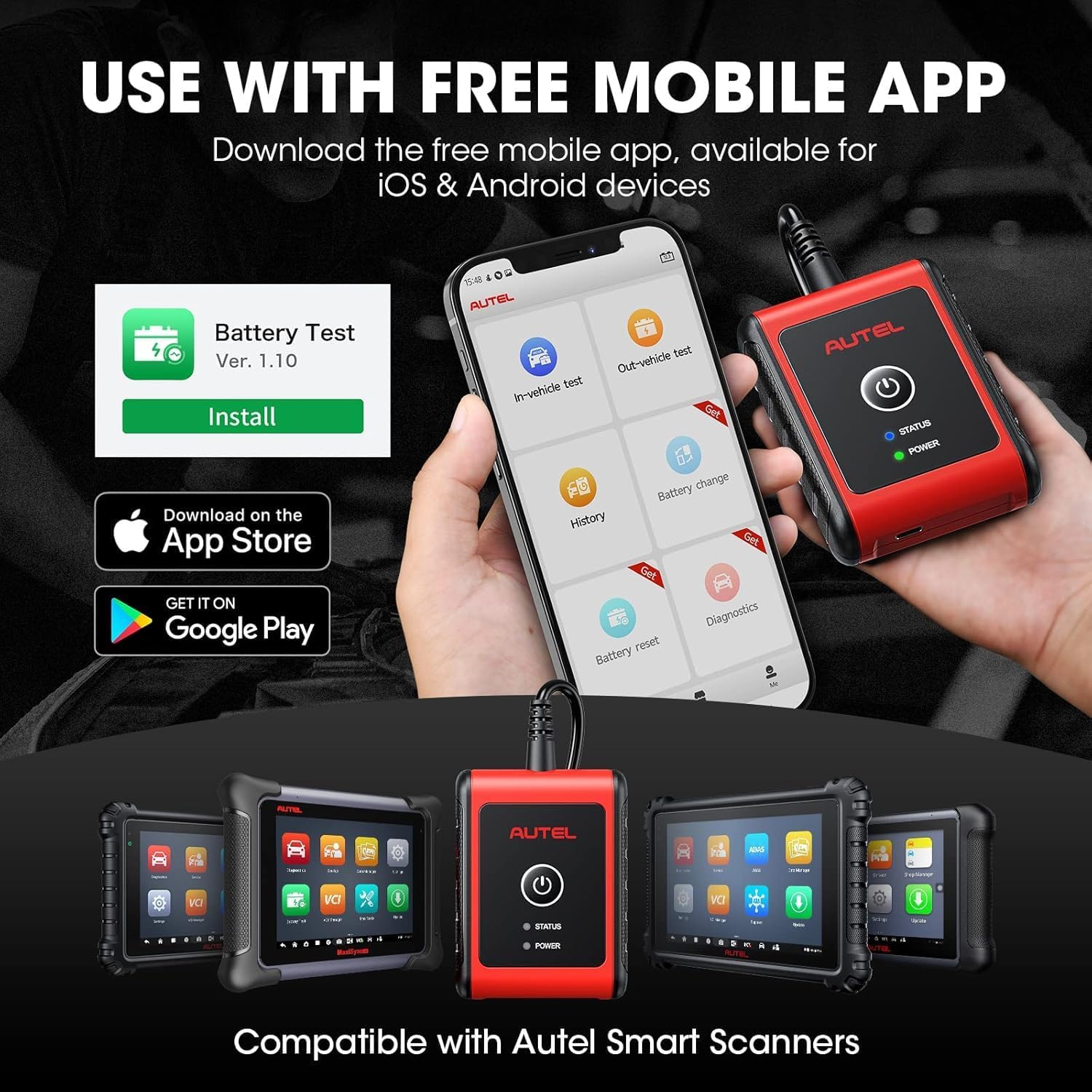
Image: The Autel BT506 connected to a car battery, with a smartphone showing the app's main menu, including options for in-vehicle test, out-vehicle test, history, and reporting features.
5.2.1. Pre-Test Preparations
- Turn off all electrical accessories (headlights, radio, A/C, etc.).
- Ensure the ignition is OFF.
- Close all vehicle doors.
5.2.2. Battery Test (In-Vehicle)
- In the app, select "In-Vehicle Test".
- Input vehicle information (VIN, Make, Year, Model) and battery details (Type, Standard, Capacity). The tool may auto-detect VIN.
- Follow on-screen prompts to confirm pre-test conditions.
- Tap "Start Testing". The app will display battery SOH, SOC, voltage, measured capacity, and recommendations.
5.2.3. Cranking System Test
- After the battery test, the app will prompt for the starter test.
- Ensure the ignition is OFF.
- Start the vehicle's engine when prompted by the app.
- The tool will measure starting voltage, current, run-up time, and engine parameters to assess the starter's condition.
5.2.4. Charging System Test (Alternator/Generator)
- After the cranking test, the app will prompt for the generator test.
- Follow on-screen instructions to test the alternator at idle (no electrical loads) and at sustained higher RPMs (e.g., 2000-3000 RPM).
- The test will be repeated with electrical appliances (headlights, A/C) turned on to measure output under load.
- The app will display ripple, no-load voltage, and load voltage to indicate the charging system's condition.
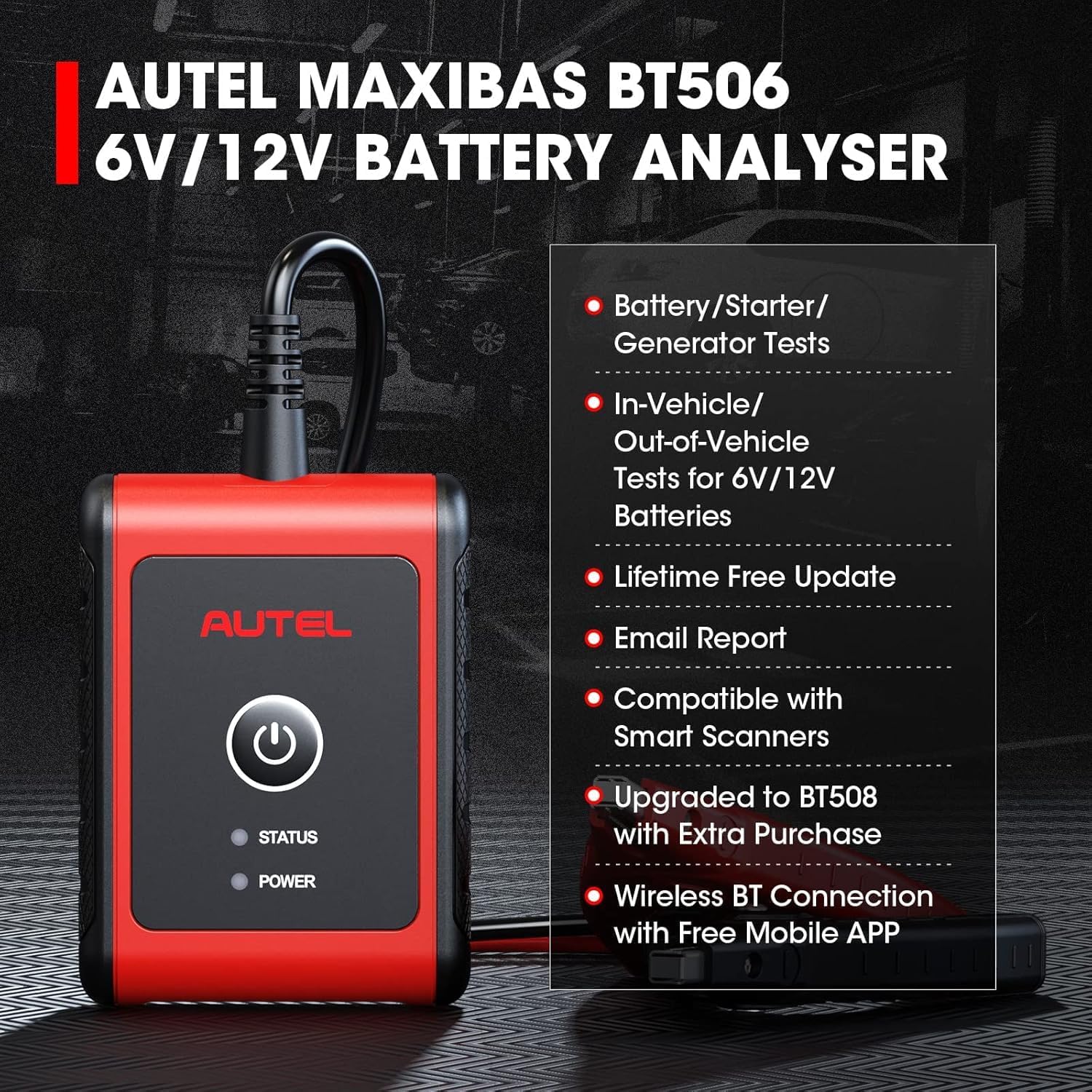
Image: The Autel BT506 unit with its clamps connected, illustrating its three main testing functions: Battery Test (6V/12V status), Starter Test (starting current/voltage), and Generator Test (charging system status).
5.3. Interpreting Test Results
- SOH (State of Health): Indicates the overall health and lifespan of the battery.
- SOC (State of Charge): Shows the current charge level of the battery.
- Voltage: Measures the battery's electrical potential.
- Measured Capacity: The actual CCA measured by the tester, compared to the rated CCA.
- Recommendations: The app provides clear recommendations such as "Good & Recharge," "Replace," or "Maintain battery again in 90 days."
5.4. Reporting and Data Logging
All test results are automatically saved in the app's history folder. You can view, print, or share these reports at any time. The BT506 also supports data logging for further analysis.

Image: A screenshot from the Autel app highlighting the data logging feature, allowing users to record and review test data.
6. Bonus Features
- Battery Location Diagrams: Provides accurate diagrams to locate batteries within vehicles.
- Upgrade to BT508: By purchasing an extra V200P, you can upgrade your BT506 to BT508, unlocking additional functions like battery registration, battery replacement, and electrical reset functions.
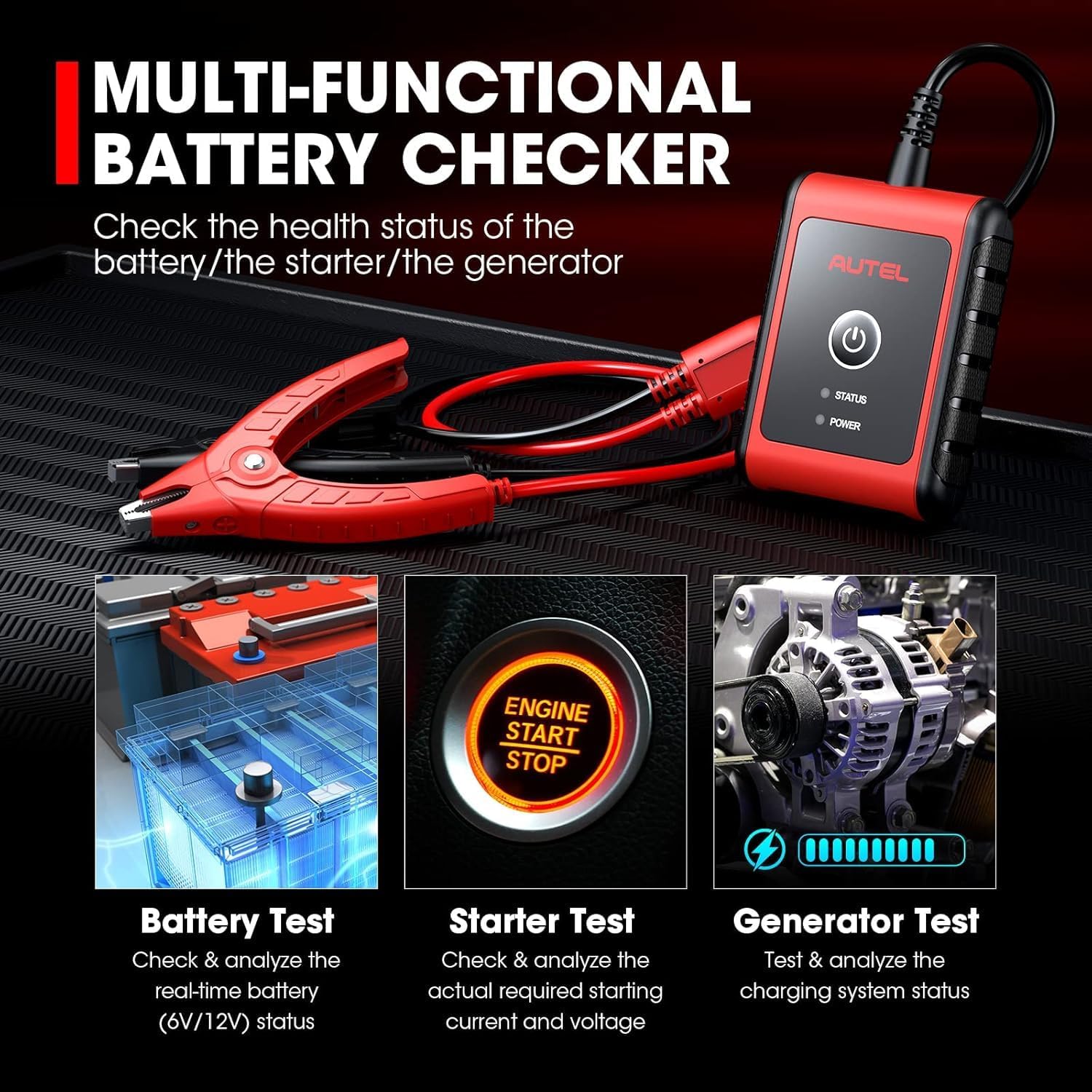
Image: A comparison chart detailing the features of the Autel BT506 versus the upgraded BT508, showing additional capabilities of the latter.
7. Specifications
| Specification | Value |
|---|---|
| Brand | Autel |
| Model | BT506 |
| Power Source | Battery Powered |
| Min. Operating Voltage | 6 Volts |
| Upper Temperature Rating | 50 Degrees Celsius |
| Item Weight | 1.21 pounds |
| Product Dimensions (L x W x H) | 3.15 x 3.15 x 1.97 inches |
| Battery Testing Range | 100-2000 CCA |
| Supported Battery Types | FLOODED, AGM, AGM Spiral, EFB, GEL |
| Supported Battery Standards | CCA, SAE, CA, EN, IEC, DIN, JIS, MCA |
8. Troubleshooting
- Connection Issues: Ensure clamps are securely attached to battery terminals. Check Bluetooth connection status in the app's BAS Manager.
- Incorrect Polarity: The device is polarity protected. If clamps are reversed, the tester will indicate an error. Correct the connection.
- App Not Responding: Close and restart the app. Ensure your mobile device's Bluetooth is enabled.
- Inaccurate Readings: Verify correct battery type and CCA rating are entered in the app. Ensure all electrical loads are off during initial tests.
9. Maintenance
- Keep the device clean and free from dirt, grease, and moisture.
- Store the device in a dry, cool place when not in use.
- Regularly check for firmware updates through the app to ensure optimal performance and compatibility.
- Ensure the internal rechargeable battery is adequately charged for reliable operation.
10. Warranty and Support
The Autel MaxiBAS BT506 comes with a 1-year warranty. For any questions or support, please contact Autel customer service.
Lifetime Free Software Updates: This digital battery tester provides lifetime free software updates, ensuring you always have access to the latest features without additional costs.
11. Official Product Videos
Autel MaxiBAS BT506 Battery & Electrical System Analysis Tool Overview
Video: An official overview of the Autel MaxiBAS BT506, demonstrating its features and capabilities for battery and electrical system analysis.
Autel BT506 Battery Tester Demo Video
Video: A demonstration of the Autel BT506 Battery Tester in action, showcasing its ease of use and testing procedures.
Autel MaxiBAS BT506 Intelligent Battery Tester Features
Video: A detailed look at the intelligent features of the Autel MaxiBAS BT506 Battery Tester.
Related documentsBT506


Ask a question about this manual
Ask about setup, troubleshooting, compatibility, parts, safety, or missing instructions. Manuals+ will review the question and use this page’s manual context to help answer it.