
Introduction
Thank you for choosing the ivoler Adjustable Aluminum Laptop Stand. This stand is designed to enhance your computing experience by providing ergonomic adjustability, portability, and robust support for a wide range of devices. Please read this manual carefully to ensure proper setup and optimal use of your new laptop stand.
Product Overview
The ivoler Laptop Stand is a versatile accessory compatible with most laptops and tablets ranging from 10 to 15.6 inches. Its multi-angle adjustable design allows for 6-speed height adjustments, promoting comfortable operating angles and heights to alleviate neck, shoulder, and spinal discomfort. Crafted from anodized aluminum alloy with sandblasted and brushed processes, it features non-slip silicone mats for device protection and stable placement. The foldable design makes it compact and portable, ideal for use at home, in the office, or while traveling.
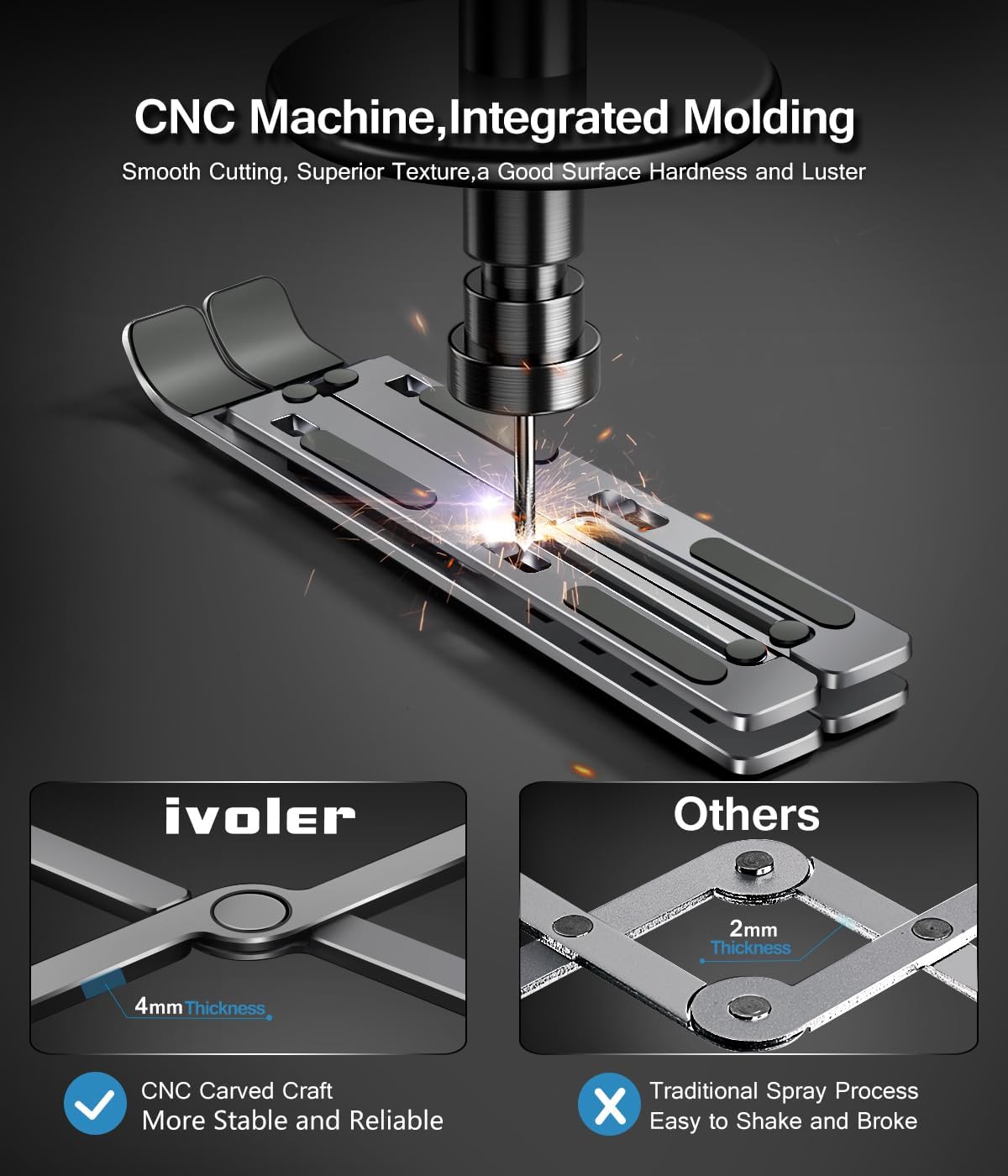
Image: The ivoler Adjustable Aluminum Laptop Stand, showcasing its sleek design and sturdy construction.
Setup and Assembly
The ivoler Laptop Stand features a creative portable foldable design for quick setup. No complex assembly is required.
- Unfold the Stand: Gently pull the two main arms of the stand apart. The cross-braces will automatically extend.
- Adjust the Angle: Lift the support arms and engage them into the desired slots on the base. There are 6 adjustable angles available.
- Place Your Device: Position your laptop or tablet securely on the non-slip silicone pads of the stand.
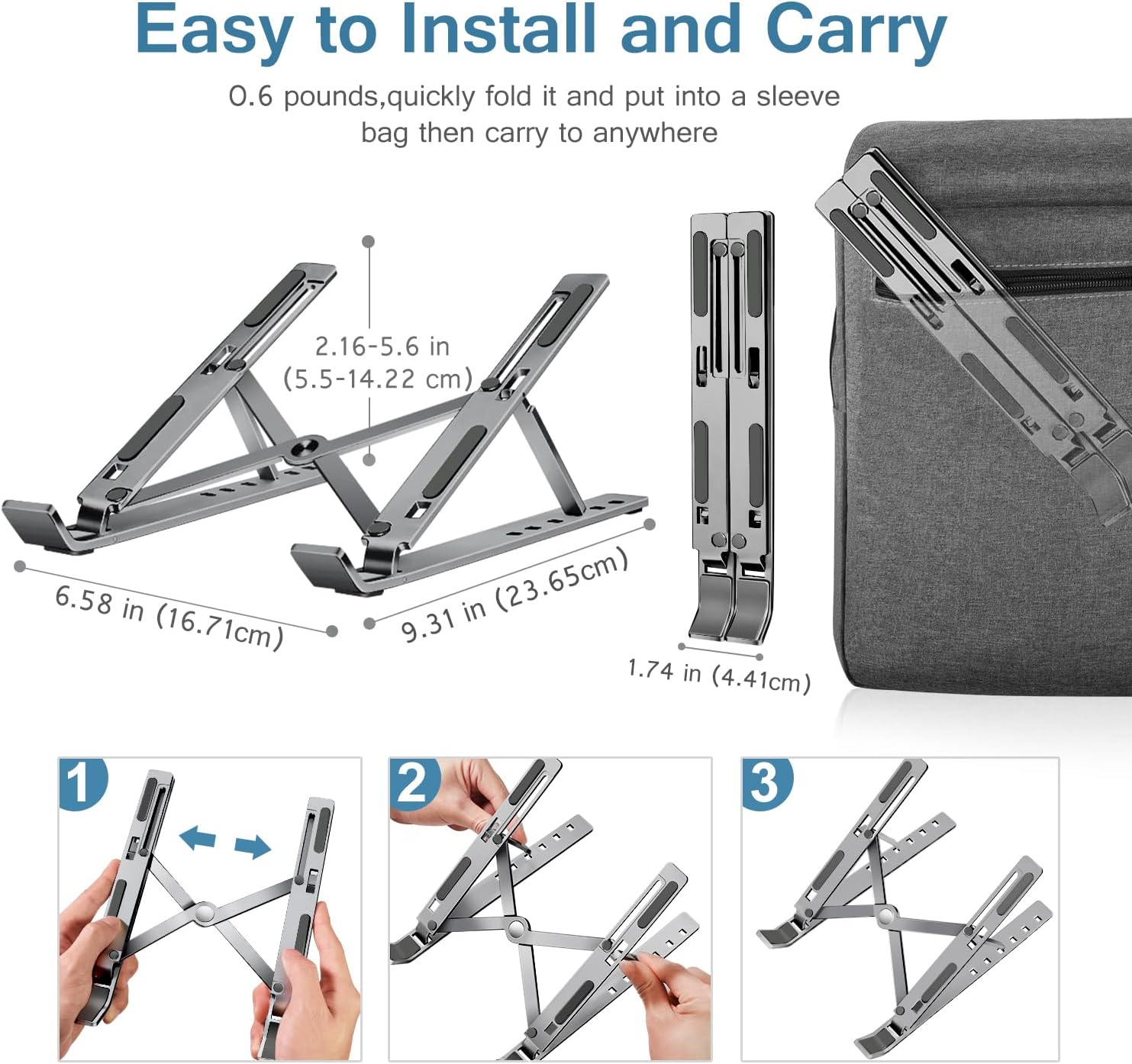
Image: Visual guide demonstrating the three simple steps to unfold and set up the laptop stand.
Video: A demonstration of how to set up and use the ivoler laptop stand, showing its adjustable features and portability.
Operating Instructions
The stand offers 6 levels of angle adjustment to suit your ergonomic needs. Adjusting the angle is straightforward:
- Ensure no device is on the stand before adjusting the angle.
- Gently lift the support arms from their current slots.
- Move the support arms to a higher or lower slot on the base to achieve your desired viewing or typing angle. The available angles range from 15° to 40°, providing heights from 2.15 inches to 5.6 inches.
- Once the arms are securely in place, you can place your device back on the stand.
This ergonomic design helps in reducing strain on your neck, shoulders, and back during prolonged use.

Image: Diagram illustrating the 6 adjustable angles (15°, 20°, 25°, 30°, 35°, 40°) and corresponding height ranges.

Image: Visual representation of how the adjustable stand improves posture and reduces neck strain.
Video: A detailed look at the 6-angle ergonomic adjustment feature of the ivoler laptop stand, demonstrating its versatility for various devices.
Maintenance
To ensure the longevity and optimal performance of your ivoler Laptop Stand, follow these simple maintenance guidelines:
- Cleaning: Wipe the stand with a soft, damp cloth to remove dust and smudges. Avoid abrasive cleaners or solvents that could damage the aluminum finish or silicone pads.
- Storage: When not in use, fold the stand to its compact size and store it in the provided portable storage bag to protect it from scratches and dust.
- Inspection: Periodically check the joints and silicone pads for any signs of wear or damage. Ensure the support arms engage securely into the adjustment slots.
Troubleshooting
If you encounter any issues with your ivoler Laptop Stand, consider the following common solutions:
- Stand feels unstable: Ensure both support arms are fully engaged in corresponding slots on the base. Verify that the stand is placed on a flat, stable surface.
- Device sliding: Check that the non-slip silicone pads are clean and intact. Ensure your device is centered and properly seated on the stand.
- Difficulty adjusting angle: Make sure no weight is on the stand when attempting to change the angle. The mechanism is designed for adjustment without a device in place.
If problems persist, please refer to the warranty and support section for assistance.
Specifications
| Feature | Detail |
|---|---|
| Brand | ivoler |
| Model Number | AMUSA020710008 |
| Color | B-Space Gray |
| Compatible Devices | Laptops, Tablets, Phones (10-15.6 inches) |
| Material | Aluminum |
| Mounting Type | Tabletop |
| Adjustable Length | Yes (6 angles) |
| Item Dimensions | 9.4 x 1.73 x 1 inches (folded) |
| Item Weight | 242.2 Grams |
What's in the Box
- 1x ivoler Laptop Stand
- 1x Storage Pouch
Warranty and Support
The ivoler Laptop Stand comes with a 12-month warranty. For any product inquiries, technical support, or warranty claims, please visit the official ivoler store on Amazon or contact customer service through your purchase platform.
ivoler Store: https://www.amazon.com/stores/iVoler/page/B5DA9B85-374D-4567-898D-5120DF008B65