
Yottamaster Yottamaster-TR1-10-1T-BK
Contents
Yottamaster 1TB Portable SSD User Manual
Model: Yottamaster-TR1-10-1T-BK
Introduction
The Yottamaster 1TB Portable SSD is a high-performance external solid state drive designed for fast and reliable data storage.With its compact and durable design, it is ideal for professionals, students, and gamers who require quick access to large files,including HD movies, photos, and business documents. This manual provides essential information for setting up, operating, and maintaining your Yottamaster Portable SSD.

Image: The Yottamaster 1TB Portable SSD, showcasing its sleek black and silver design.
Setup
Follow these steps to connect your Yottamaster Portable SSD to your device.
- Unpack the Device: Carefully remove the SSD and the included 2-in-1 USB Type-C / USB A to USB C data cable from the packaging.
- Connect to Your Device:
- For devices with a USB-C port (e.g., modern laptops, smartphones, tablets with OTG function), use the USB-C to USB-C end of the cable.
- For devices with a standard USB-A port (e.g., desktop PCs, older laptops, PS5, routers), use the USB-A to USB-C end of the cable.
- Plug into Host Device: Connect the other end of the cable to the appropriate USB port on your computer, smartphone, or tablet.
- Device Recognition: Your operating system should automatically detect the SSD. If it's a new drive, you may need to format it before use, depending on your operating system and intended use. Refer to your operating system's documentation for disk management.

Image: Diagram illustrating the versatility of the 2-in-1 USB cable, showing connections to various devices like desktops, PS5, routers (USB-A) and mobile phones, iPads, notebooks (USB-C).
Operating
The Yottamaster Portable SSD is designed for high-speed data transfer and reliable performance.
- High-Speed Data Transfer: This SSD utilizes the USB 3.2 Gen2 standard, offering read and write speeds of up to 1050MB/s. This allows for rapid transfer of large files, making it ideal for tasks such as editing 4K video, transferring extensive photo libraries, or backing up critical business data. The UASP (USB Attached SCSI Protocol) support further enhances transfer efficiency.
- Usage Scenarios:
- Business: Securely store and transport confidential documents, presentations, and large datasets.
- Gaming: Expand your game library and reduce loading times for a smoother gaming experience.
- Creative Work: Quickly ingest and edit high-resolution footage or large design files directly from the drive.
- Portability: The slim and compact design makes it easy to carry the SSD wherever you go, ensuring your data is always accessible.

Image: A laptop connected to the Yottamaster SSD, displaying lab test data showing read/write speeds exceeding 1000MB/s, demonstrating its 10Gbps transfer capability.
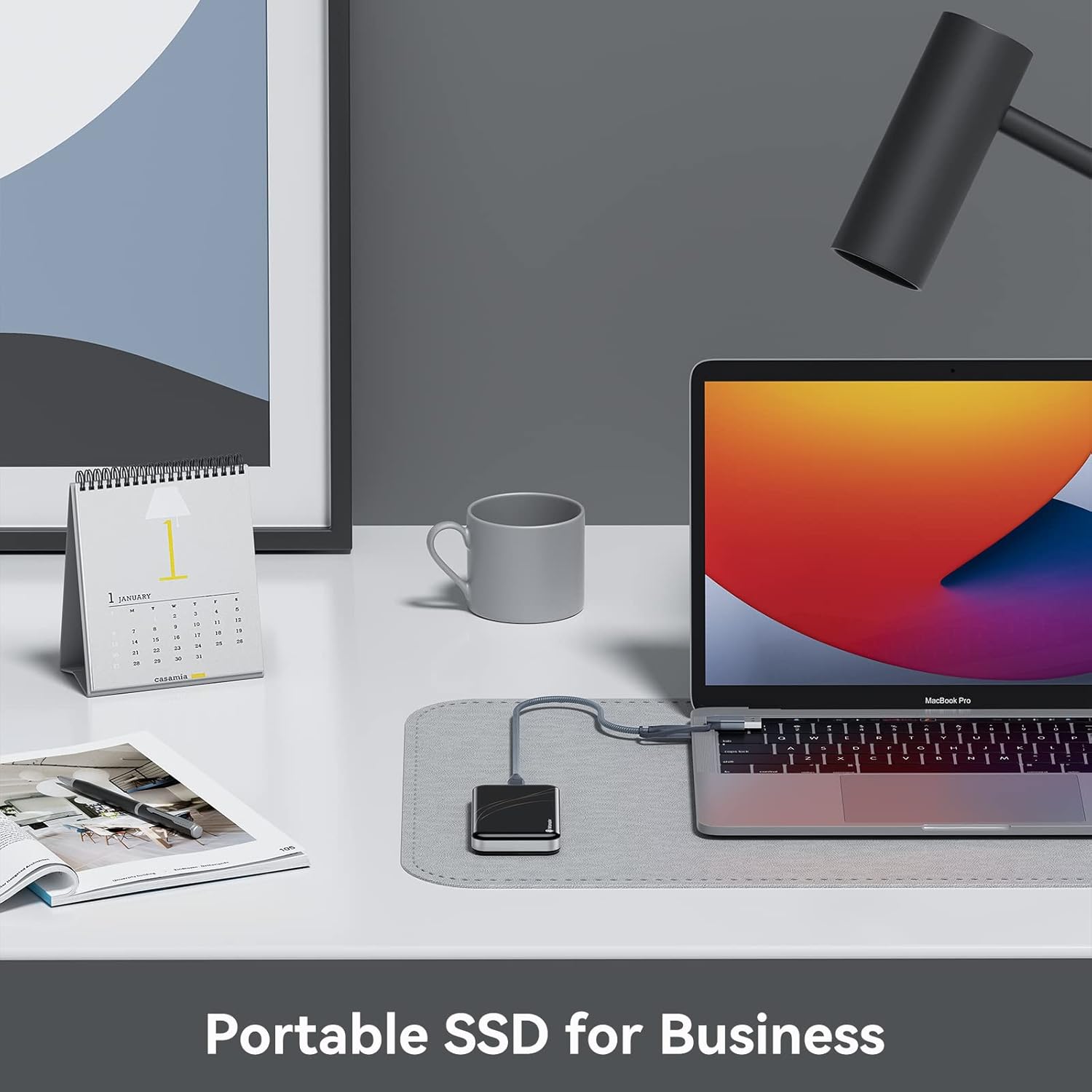
Image: The Yottamaster Portable SSD placed on a desk next to a laptop, illustrating its use in a business or professional setting.

Image: The Yottamaster SSD being slipped into a protective sleeve or bag, highlighting its slim and portable design for mobile use.
Maintenance
Proper care and maintenance will ensure the longevity and optimal performance of your Yottamaster Portable SSD.
- Heat Dissipation: The SSD is equipped with an aluminum heatsink and a silicone thermal pad to manage heat effectively during operation. This design helps protect your data and maintain stable performance. Avoid obstructing the device's surface during heavy use to allow for proper airflow.
- Durability: The exterior features high-end IML (In-Mold Labeling) technology, providing a scratch-resistant and anti-corrosion texture. While durable, avoid dropping the device or exposing it to extreme temperatures or liquids.
- Cleaning: Use a soft, dry cloth to clean the exterior of the SSD. Do not use harsh chemicals or abrasive materials.
- Safe Ejection: Always safely eject the SSD from your operating system before disconnecting it to prevent data corruption.
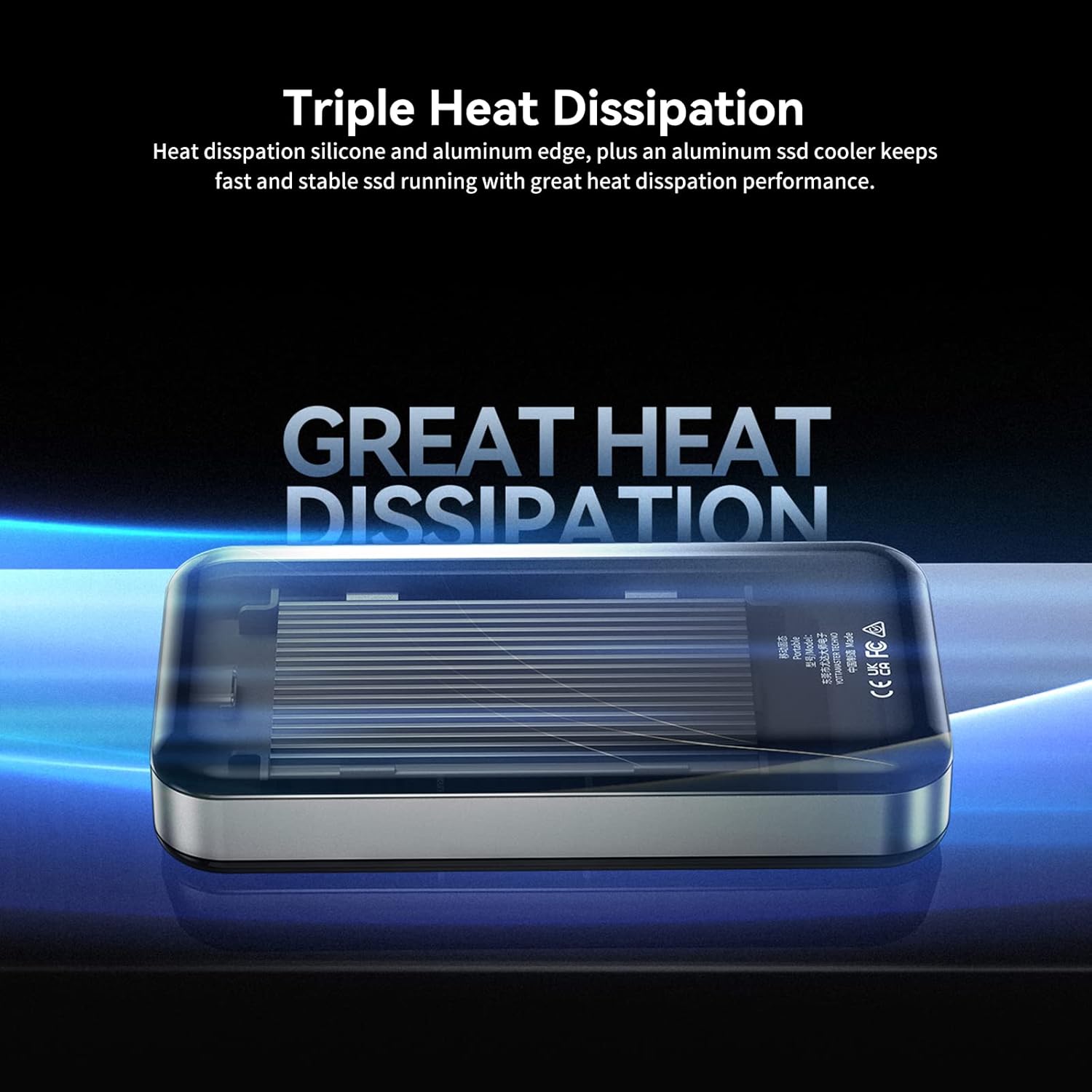
Image: An X-ray like view of the Yottamaster SSD, highlighting its internal aluminum heatsink and showing the "GREAT HEAT DISSIPATION" feature.

Image: A close-up view of the Yottamaster SSD's surface, emphasizing its high-end IML technology for scratch-resistant and anti-corrosion texture.
Troubleshooting
If you encounter issues with your Yottamaster Portable SSD, refer to the following common troubleshooting steps:
- SSD Not Detected:
- Ensure the USB cable is securely connected to both the SSD and your device.
- Try a different USB port on your computer.
- Test with a different USB cable if available.
- Restart your computer or device.
- Check Disk Management (Windows) or Disk Utility (macOS) to see if the drive is recognized but unformatted or uninitialized.
- Slow Transfer Speeds:
- Ensure you are connected to a USB 3.2 Gen2 (10Gbps) compatible port on your device. Older USB 2.0 or 3.0 ports will result in slower speeds.
- Verify that your operating system and drivers are up to date.
- Avoid running multiple demanding applications during large file transfers.
- Ensure the SSD is not overheating. Refer to the Maintenance section.
- Data Corruption or Errors:
- Always safely eject the SSD before disconnecting it.
- Run a disk check or repair utility provided by your operating system.
- Ensure the SSD is not exposed to physical shock or extreme conditions.
Specifications
| Feature | Detail |
|---|---|
| Brand | Yottamaster |
| Model Number | Yottamaster-TR1-10-1T-BK |
| Storage Capacity | 1 TB (1024 GB) |
| Hard Drive Type | Solid State Drive (SSD) |
| Interface | USB 3.2 Gen2 (10Gbps) |
| Max Read Speed | Up to 1050MB/s |
| Max Write Speed | Up to 1050MB/s |
| Color | Black |
| Dimensions (LxWxH) | 4.53 x 2.48 x 0.83 inches |
| Item Weight | 8.8 ounces |
| Special Features | Portable, Aluminum Heatsink, Silicone Thermal Pad, IML Technology, UASP Support |
| Compatible Devices | Desktop PCs, Laptops, Smartphones (with OTG), Tablets (with OTG), PS5, Routers |
| Country of Origin | China |
Warranty & Support
Yottamaster products are built with quality and reliability in mind.
- Warranty: This product comes with a 5-year warranty, ensuring peace of mind regarding its performance and durability. Please retain your proof of purchase for warranty claims.
- Technical Support: For any technical assistance, troubleshooting beyond this manual, or warranty inquiries, please visit the official Yottamaster website or contact their customer support.
Visit the Yottamaster Store on Amazon
Documents and downloads
Ask a question about this manual
Ask about setup, troubleshooting, compatibility, parts, safety, or missing instructions. Manuals+ will review the question and use this page’s manual context to help answer it.