1. Introduction
This manual provides detailed instructions for the JJC USB 3.0 Multi-Card Reader. This versatile device is designed for efficient data transfer from various memory card types to compatible devices such as computers, laptops, OTG-enabled smartphones, and tablets. Constructed from durable aluminum alloy and high-quality ABS material, it offers robust performance and effective heat dissipation.

Figure 1: JJC USB 3.0 Multi-Card Reader with its protective caps and compatible memory cards (SD, MicroSD, NM).
2. Setup
The JJC Multi-Card Reader features a plug-and-play design, requiring no additional drivers for most operating systems. Simply connect the appropriate USB connector to your host device.
2.1 Connecting to Your Device
- USB-A 3.0 Port: For computers and laptops with standard USB-A ports.
- USB-C 3.0 Port: For modern computers, laptops, and OTG-enabled smartphones/tablets with USB-C ports.
- Micro USB 2.0 Port: For older OTG-enabled smartphones and tablets with Micro USB ports.
Ensure your smartphone or tablet supports the full USB OTG (On-The-Go) function and that the OTG storage function is enabled in your device's settings menu.

Figure 2: Overview of the card reader's multi-port design for broad compatibility.
3. Operating Instructions
This card reader supports various memory card types and allows for simultaneous reading and writing on two cards.
3.1 Supported Card Types
- Huawei Nano Memory (NM) cards
- SD, SDHC, SDXC cards
- microSD, microSDHC, and microSDXC cards
The device supports card capacities up to 1TB. Note: This card reader is not compatible with SIM or Nano SIM cards.

Figure 3: Detailed view of the card reader's three distinct card slots.
3.2 Inserting Memory Cards
- Identify the correct slot for your memory card (NM, SD, or MicroSD).
- Gently insert the memory card into its designated slot until it clicks into place or is fully seated.
- Connect the card reader to your computer, laptop, or OTG-enabled mobile device.
- Your device should automatically detect the card reader and the inserted memory cards. You can then access the files through your device's file explorer.
3.3 Simultaneous Read/Write Functionality
The card reader allows for simultaneous reading and writing operations between:
- SD and NM cards
- Micro SD and NM cards
This feature enables efficient data transfer directly between different card types without needing to transfer to the host device first.

Figure 4: Example of the card reader in use with an iPad Pro for convenient photo and video browsing.
3.4 Data Transfer Speed
The card reader supports data transfer speeds up to 90MB/s, facilitating quick and efficient movement of large files.

Figure 5: Data transfer speed test results demonstrating performance up to 90MB/s.
3.5 Supported Devices
The card reader is compatible with a wide range of devices, including:
- Computers and Laptops (Windows, Mac OS, Linux, Chrome OS)
- OTG-enabled Smartphones and Tablets (e.g., Huawei Mate series, P series, Nova series, Matepad Pro; Samsung Galaxy series, Tab series; Apple MacBook Pro/Air, iPad Pro)
For a detailed list of compatible Huawei devices, refer to the product specifications.

Figure 6: Video demonstrating the SmartQ Card Reader's features and usage.
Video 1: Official product video showcasing the JJC USB 3.0 USB-C HUAWEI NM SD Micro SD Card Reader's functionality and design.
4. Maintenance
The JJC Multi-Card Reader is designed for durability with its aluminum alloy housing. To ensure longevity:
- Keep the device clean and free from dust and debris.
- Avoid exposing the device to extreme temperatures or moisture.
- Use the provided caps to protect the connectors when not in use.

Figure 7: The card reader's aluminum alloy construction contributes to durability and heat dissipation.
5. Troubleshooting
If you encounter issues with your JJC Multi-Card Reader, consider the following:
- Device Not Recognized: Ensure the card reader is fully inserted into the USB port of your host device. Try a different USB port or a different host device to rule out port-specific issues.
- Memory Card Not Detected: Verify that the memory card is correctly inserted into the appropriate slot. Ensure the card is not damaged.
- Slow Transfer Speeds: While the device supports up to 90MB/s, actual speeds may vary based on the memory card's speed class, the host device's USB port (e.g., USB 3.0 vs. USB 2.0), and the operating system.
- OTG Functionality: For mobile devices, confirm that OTG is enabled in your device's settings.
- Incompatible Cards: Remember that SIM and Nano SIM cards are not supported. SD and Micro SD cards cannot transfer data directly to each other through this reader.
6. Specifications
| Feature | Detail |
|---|---|
| Brand | JJC |
| Model | NM Card Reader Writer |
| Connectivity Technology | Micro USB, USB Type A, USB Type C |
| Media Types Supported | SD Card, SDHC, SDXC, microSD, microSDHC, microSDXC, Huawei NM Card |
| Max Capacity Supported | Up to 1TB |
| Data Transfer Speed | Up to 90MB/S |
| Operating System Compatibility | Linux, Windows 10/8.1/8/7/XP/Vista, Mac OS, Mac OSX, Chrome OS |
| Material | Aluminum Alloy, ABS |
| Color | Black |
| Item Weight | 1.13 ounces |
| Package Dimensions | 3.74 x 1.97 x 0.75 inches |
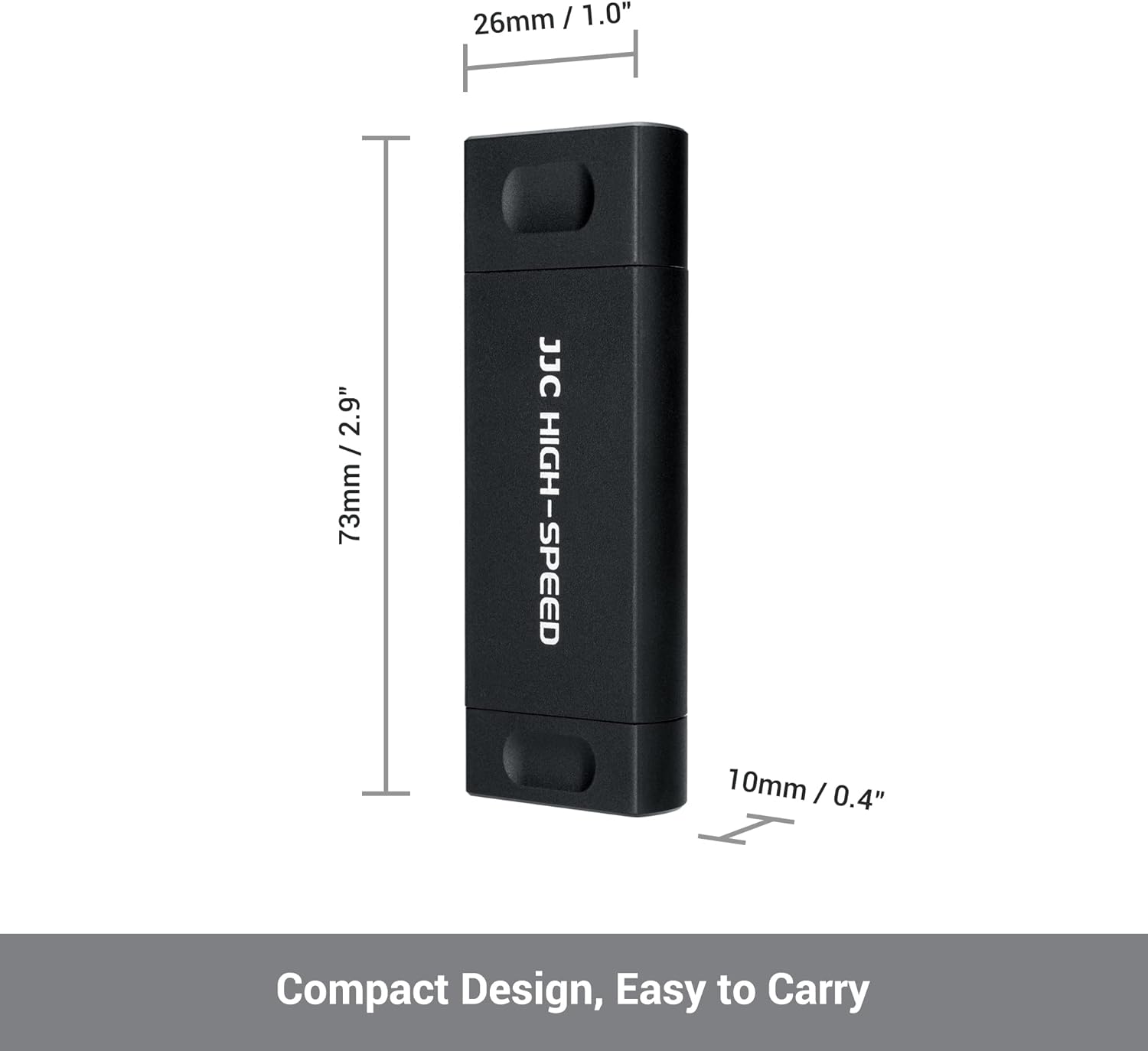
Figure 8: Compact design for easy portability.

Figure 9: The card reader supports storage capacity up to 1TB.
7. Warranty and Support
For warranty information and customer support, please refer to the product packaging or contact JJC customer service directly. Ensure to keep your proof of purchase for any warranty claims.


